
Network Setup & Support Services in San Jose, CA
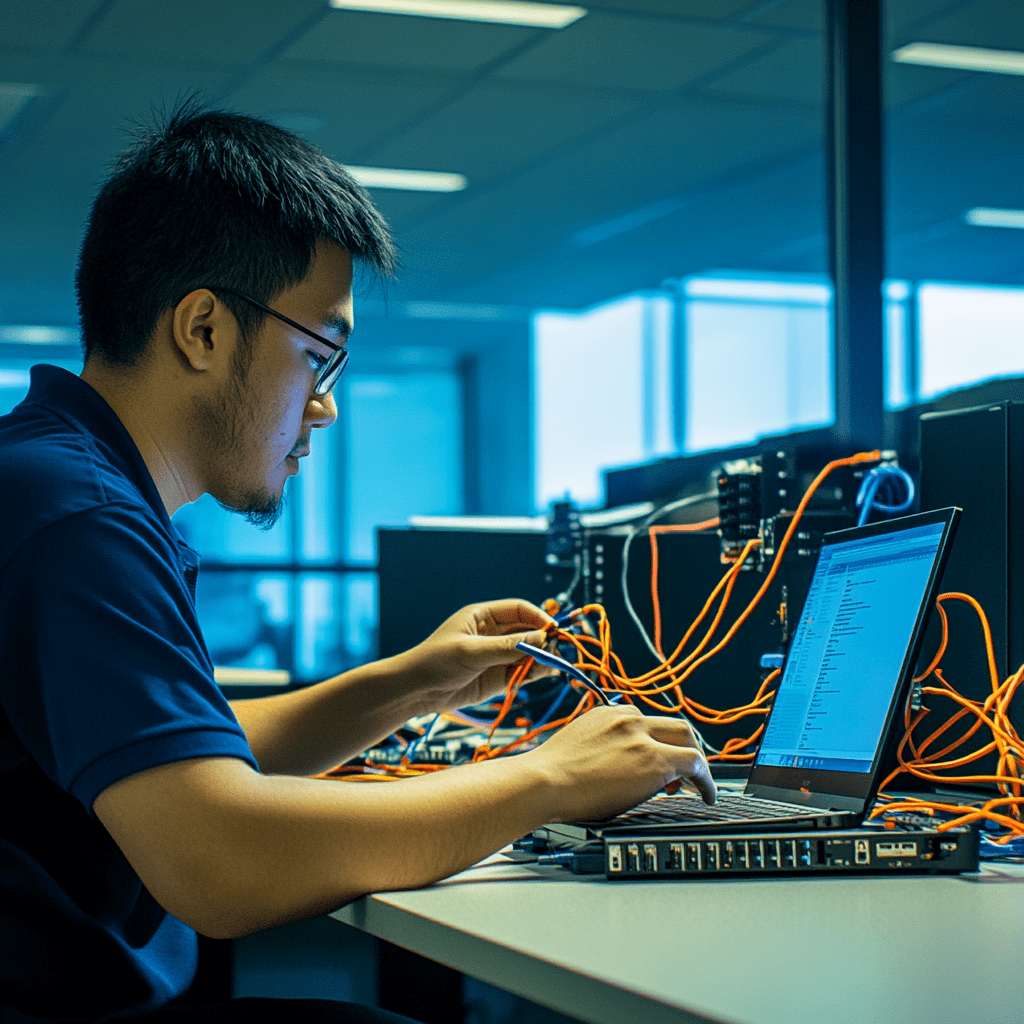
At Masters' Guild, we specialize in reliable network setup and support services for homes and businesses. From configuring router setups to optimizing home WiFi network setups, our IT professionals ensure your network is secure, efficient, and customized to your specific needs.
Network Setup and Support in San Jose, CA: Router setup & Wi-Fi optimization typically runs $110–$280 USD in 2026; the other common jobs below range from $110 to $2,200, depending mostly on home size and layout. Post your job free on Masters' Guild to get offers from ID-verified local pros; payment is held until the work is done.
What network setup and support costs in San Jose, CA (2026)
| Job | Typical range (USD) | Unit |
|---|---|---|
| Router setup & Wi-Fi optimization | $110–$280 | per job |
| Mesh Wi-Fi install, 2–3 nodes | $170–$390 | per job |
| Single Ethernet drop, retrofit | $110–$280 | per port |
| Whole-home wiring, 4–8 drops | $660–$2,200 | per job |
| Network rack, switch & patch panel setup | $220–$660 | per job |
Estimates: typical US ranges adjusted for San Jose's regional price level (about 10% above the national average; BEA RPP 2024 all items, MSA). Get two or three quotes for your exact job.
Our Network Setup Expertise in San Jose, CA
WiFi Setup for Home
Ensure seamless connectivity with our expert WiFi setup for home services. We handle everything from configuring routers to optimizing coverage, ensuring strong and stable connections throughout your space.
New Home WiFi Setup
Moving into a new home? Our new home WiFi setup ensures your network is ready to go from day one. Let us take care of installation and configuration so you can stay connected.
Router Setup and Configuration
Proper router setup is essential for a secure and efficient network. Our professionals ensure your router is configured correctly, protecting your data and optimizing performance.
Network Maintenance and Troubleshooting
Keep your network running smoothly with our ongoing maintenance and troubleshooting services. From diagnosing connectivity issues to enhancing performance, we’re here to help.
Why Choose Masters' Guild for Network Setup?
- Certified IT Professionals: Our vetted experts specialize in WiFi setup for home and advanced network solutions.
- Custom Network Solutions: Whether it’s a home WiFi network setup or a business network, we tailor our services to your needs.
- Transparent Pricing: Enjoy clear estimates with no hidden costs.
- Convenient Booking: Easily schedule and manage your network support services through our user-friendly app.
Get Started Today!
Post your Network Setup Quest through our app to connect with skilled IT professionals. Whether you need a new home WiFi setup or ongoing network support, Masters' Guild ensures a smooth and secure experience.

Network Setup Services We Offer
Masters' Guild provides comprehensive network solutions tailored to your needs:
- WiFi Setup for Home: Seamless connectivity for all your devices.
- Router Setup: Proper configuration for security and performance.
- New Home Network Setup: Ready-to-use networks for new residences.
- Network Troubleshooting: Quick fixes for connectivity issues.
- Mobile-Friendly Platform: Easily book, track, and manage your network projects through our app.
What's different about network setup and support in San Jose
In San Jose, the City reports that its largest housing cohort comprises 144,617 homes built from 1960 to 1979. NOAA 1991–2020 normals show January average high/low of 59.0/43.3°F and August average high/low of 82.7/59.8°F, with 16.14 inches of annual average precipitation. In 2020, detached single-family homes made up 52.5% of units and attached single-family homes made up 9.7%, so layout, finished-wall access, and the number of drops or nodes should be defined before work begins. For homes in Willow Glen, Japantown, and Berryessa, these housing and layout details can shape Wi-Fi and cabling planning.
Router and Wi-Fi support is generally unlicensed, while structured low-voltage cabling may require a locally qualified or licensed contractor and liability insurance. California permit requirements vary by jurisdiction; the City of San José Building Division is the local building office, and the Building Standards Code generally requires a permit before a structure is erected, altered, repaired, moved, improved, removed, converted, or demolished. Availability is better before late August because demand stays high through September. Wi-Fi work typically takes 1–4 hours, while whole-home wiring typically takes 1–2 days.
What moves the price in San Jose
- 1960–1979 housing can make finished-wall access important for retrofit Ethernet drops.
- Detached and attached single-family homes require layout-specific Wi-Fi node and cabling planning.
- Late-August and September demand can constrain scheduling for Wi-Fi and wiring work.
- Structured low-voltage cabling may require qualified licensing and liability insurance.
Licensing and permits in California
Router and Wi-Fi support is generally unlicensed, but structured low-voltage cabling may require a locally qualified or licensed contractor and liability insurance in either country.
Residential permits are issued by the local city, town, or county building department/building official; requirements vary by jurisdiction. California’s Building Standards Code generally requires a permit before a structure is erected, altered, repaired, moved, improved, removed, converted, or demolished. In San Jose, permits come from the City of San José Building Division.
Tax: Labor for work on real property is generally not taxable; taxable fabrication labor and the sale of fixtures are exceptions.
Best time to book in San Jose
Book before late August for better availability; demand stays high through September. Peak demand: August and September. Typical job length: 1–4 hours for Wi-Fi; 1–2 days for whole-home wiring.
DIY or pro? Basic router placement is reasonable DIY; hire a pro for in-wall cabling, terminations, testing, and code-sensitive work.
Areas we cover in San Jose
Pros on Masters' Guild take network setup and support jobs across San Jose neighborhoods including Downtown San José, Willow Glen, Japantown, Rose Garden, Alum Rock, Naglee Park and Berryessa.
Frequently Asked Questions
How much does router setup cost in San Jose, CA?
Provided U.S. job ranges list router setup and Wi-Fi optimization at $100–$250 per job. Mesh Wi-Fi installation with 2–3 nodes is listed at $150–$350 per job; home size, layout, hardware, and cabling affect the scope.
Do I need a permit for network cabling in San Jose, CA?
Router and Wi-Fi support is generally unlicensed. Structured low-voltage cabling may require a locally qualified or licensed contractor and liability insurance; California residential permit requirements vary by local jurisdiction, with the City of San José Building Division serving as the local building office.
How long does whole-home network wiring take in San Jose?
Wi-Fi work typically takes 1–4 hours, while whole-home wiring typically takes 1–2 days. Basic router placement is reasonable DIY, but hire a pro for in-wall cabling, terminations, testing, and code-sensitive work.
Sources: Our Network Setup and Support cost guide · www.angi.com · homeguide.com. Updated 2026-09-16.
We Also Serve These Nearby Satellite Cities
In addition to San Jose, CA, we also offer Network Setup and Support in nearby areas, including the following satellite cities:
-
Santa Clara, CA
-
Sunnyvale, CA
-
Mountain View, CA
-
Milpitas, CA
-
Cupertino, CA