
Local service guide
Network Setup and Support in Fresno
For Network Setup and Support in Fresno, hire against a written scope: diagnosis of connection problems, router configuration, coverage testing, or installed cabling. Ask the technician to test your existing connection before recommending equipment. For wiring, ask how their qualifications match the work; California’s C-7 classification covers communication and energy-limited low-voltage systems that do not exceed 91 volts. [1]
Describe the problem before choosing equipment
Give the technician a short account of what fails, where it fails, and which devices you use. Include the router model, internet plan, affected rooms, and any recent equipment changes. Ask for a diagnostic visit if you cannot identify the cause. Keep a replacement router or mesh purchase separate until you have reviewed the findings.
Ask the technician to compare a wired connection with Wi-Fi and record results in the rooms where you need service. Agree on the tasks you want to demonstrate before the visit ends, such as a video call from your office or a connection to your printer. Request an explanation of any remaining limitation and who should handle it.
Check service at the exact address
Use the FCC’s address search before arranging a service upgrade. The FCC lists providers that report serving that location, connection technologies, and maximum advertised download and upload speeds. Treat those entries as provider-reported availability rather than measurements of your home connection. Confirm installation terms with the provider before scheduling a change. [3]
For a move or a disputed service listing, check the location point as well as the provider list. The FCC accepts availability challenges for incorrect service information and location challenges for missing or incorrect location points. Save the address result and ask the technician which part of the problem requires your internet provider’s involvement. [3]
Define cabling work before accepting the quote
Ask whether the proposal includes configuration alone or installation of communications wiring. CSLB defines C-7 work as installation, service, and maintenance of energy-limited communication and low-voltage systems at no more than 91 volts. The classification excludes low-voltage fire alarms. This definition does not establish whether your particular project requires a contractor license or permit. [1]
For installed cable, request proposed outlet locations, cable routes, termination details, testing, and responsibility for wall repairs. Ask the contractor to identify applicable licensing and permit requirements before work starts. If you rent, obtain the owner’s agreement before authorizing holes or permanent wiring.
Compare the full scope and handover
Request separate amounts for diagnosis, configuration, equipment, cabling, and follow-up support. Ask whether the provider charges for a return visit if a problem continues. Agree on how you will approve additional work and whether you can keep using existing equipment. Compare quotes against the same rooms, devices, and completion checks.
Before the technician leaves, ask for equipment names, ownership details, cable labels, and instructions for administering the network. Enter account credentials yourself where practical. Confirm that you control the administrator account and discuss whether the technician will retain any remote access. Test your agreed tasks before accepting completion.
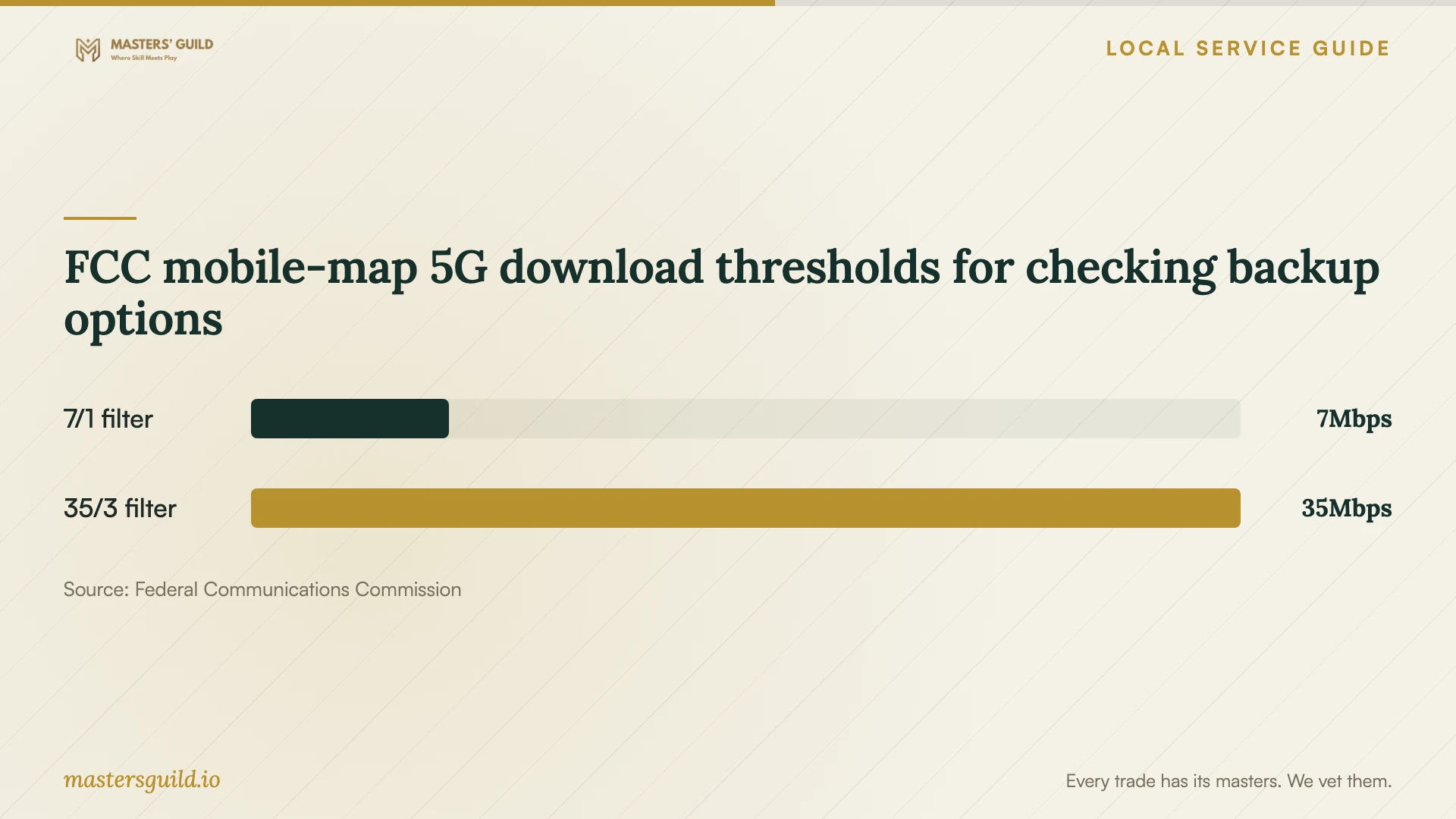
FCC mobile-map 5G download thresholds for checking backup options
Local details that affect your job
Plan temporary access through the county library
Fresno County Public Library advertises free Wi-Fi at every location and currently lists access from 6 am to 10 pm. Its policy also refers to normal operating hours and warns that availability and reliability can vary. Confirm access before planning to work there during a home-network interruption, and charge your device before leaving. [2]
Arrange equipment troubleshooting separately
The county library requires users to configure their own devices and says staff cannot troubleshoot personal equipment. Its network also uses filtering. If you need help reconnecting a laptop after the home visit, include that task in the technician’s scope; do not plan on library staff completing the setup. [2]
Choose the scope to request
| Your situation | Request | Before approving |
|---|---|---|
| Connection failures with an unclear cause | Diagnosis using your existing equipment | Ask for recorded findings and a proposed next step |
| Problems in particular rooms | Coverage testing in those rooms | Agree on the tasks you will test at completion |
| New permanent cable outlets | A wiring proposal with routes and testing | Ask how qualifications match the work; CSLB defines a C-7 communications and low-voltage classification |
| Considering a different internet provider | An address-level availability check | Confirm the FCC’s provider-reported options with the provider |
| Need access during the appointment | A temporary connection plan | Confirm library access and arrange device troubleshooting separately |
Your hiring checklist
- Record the rooms, devices, and tasks affected by the problem.
- Photograph equipment labels and gather your internet plan details.
- Request separate pricing for diagnosis, hardware, and installed wiring.
- Agree on outlet locations and wall-repair responsibility before cabling.
- Ask the provider to identify applicable qualifications and permit requirements.
- Arrange temporary access around the planned interruption.
- Confirm administrator ownership and test the agreed tasks before completion.
Frequently Asked Questions
Should I buy a mesh system before the appointment?
Ask for a diagnosis first. Have the technician explain the proposed placement and demonstrate how the purchase addresses your affected rooms. Request separate equipment and setup prices so you can review the recommendation before committing.
Does the FCC map show the speed I will receive indoors?
The fixed-service map lists maximum advertised speeds reported by providers. The mobile map describes outdoor or in-vehicle coverage and does not show indoor coverage. Use an on-site test when evaluating a cellular backup connection. [3]
Does the C-7 classification prove my job needs a license?
The classification page defines the scope of C-7 communications and low-voltage work. It does not establish the licensing threshold for your project. Ask the provider to identify the rules that apply to the proposed installation. [1]
Can I use library Wi-Fi while the technician works?
The county library offers free filtered Wi-Fi at its locations, with availability and reliability limitations. Confirm access before relying on it. Bring a configured device because staff cannot troubleshoot your equipment. [2]
Sources and scope
This guide combines the sources below with practical planning guidance. Figures apply to the stated geography and period; request a written quote for your property.