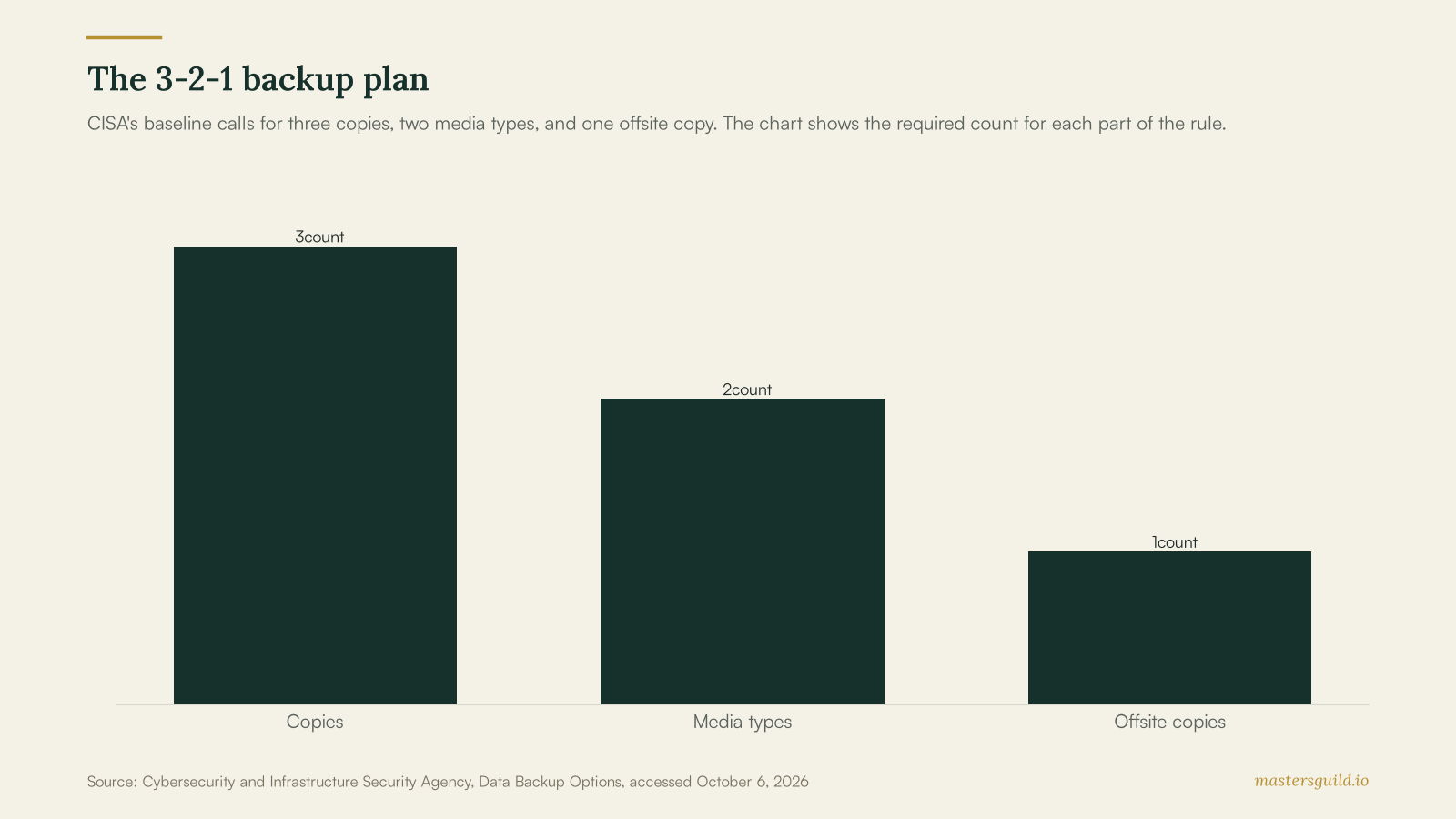
A small-business data backup plan needs three copies of important data, two media types, one offsite copy, and a tested restore process. That 3-2-1 structure gives a shop, office, or local service business a clear way to protect the files that keep work moving.
Key takeaways
- CISA defines the 3-2-1 rule as three copies, two media types, and one offsite copy.
- NIST recommends full, encrypted backups for each computer and mobile device at least monthly, with more frequent backups based on business needs.
- CISA advises owners to disconnect external drives when they are not in use for backup.
- A restore test turns a backup claim into a recovery plan your team can use.
The 3-2-1 rule gives owners a usable baseline
The Cybersecurity and Infrastructure Security Agency defines the 3-2-1 backup rule in plain terms: keep three copies of each important file, use two different media types, and store one copy away from the business. The primary working file counts as one copy. A backup on a separate device and a copy stored offsite complete the structure.
The rule does not select a vendor or a schedule for you. Start by listing the records that would stop work if staff lost access: customer contacts, estimates, invoices, payroll files, permits, job photos, scheduling data, and the files required to operate specialized equipment. Your accountant, payment processor, and software vendors may hold some records, yet you should confirm which exports and records you can recover yourself.
A backup plan needs a named owner and a restore test
Assign one employee or an IT provider to check the backup schedule, the storage location, and the result of each restore test. The owner does not need to handle every file. They need authority to find gaps and record that the business recovered a sample file.
NIST advises small businesses to make full, encrypted backups of data on each computer and mobile device at least once a month after a malware scan. It also says a business may need daily or hourly backups when the files change at that pace. Choose the schedule from your tolerance for lost work. A contractor who writes estimates all day may need a different schedule from a studio that updates records once a week.
Use a short test that matches the files your team uses. Pick one recent estimate, one customer document, and one file from each critical system. Restore each item to a safe location, open it, and record the date, owner, source, and result. If your team cannot locate the data or lacks the credentials, treat that result as a repair task.
Separate storage from a recovery plan
Cloud file sync can help staff access documents, yet your recovery plan needs a copy you can restore after a device failure, accidental deletion, or malware incident. CISA advises businesses that use external drives to store them in a safe place and disconnect them when they are not backing up data, because a connected drive can be exposed during a ransomware incident.
For cloud services, document the account owner, recovery email, multi-factor authentication method, billing contact, retention settings, and steps to export files. For local storage, document where the device lives, who can access it, and how you will protect it from theft, water, fire, and unauthorized use. A qualified provider can help with a data recovery and backup service when the plan needs encrypted storage, server coverage, or a recovery runbook.
Put continuity contacts beside the backup checklist
Ready.gov’s business preparedness guidance asks business leaders to plan for hazards that include power outages and equipment failure. Its planning resources include communications, IT support and recovery, and continuity plans. Put the following items in one place that your team can reach during an outage:
- The name and phone number for your IT provider, internet provider, and key software vendors.
- A list of business systems, the account owner for each one, and the recovery contact.
- The order for restoring tools your staff need first, such as point-of-sale, scheduling, email, or job files.
- A staff communication method that does not depend on the affected system.
Owners who need help documenting devices and access can pair this work with network setup support. If staff use new devices or business software, build the backup steps into your software installation plan before the files become hard to track.
Review the plan after a real change
Update the plan after you add a new booking tool, replace a computer, change banks, hire an employee with account access, or move offices. Each change can create data in a place your existing backup routine misses.
Schedule the next restore test while your team remembers the last one. Give the test a date, an owner, and a small list of files. That routine helps a business find an access problem before it needs records to reopen after an outage.
Post your data-recovery or IT-support job on Masters’ Guild and compare offers from identity-verified local pros. Get backup and recovery help on Masters’ Guild.