
Local service guide
Cloud Service Setup in Winnipeg: Planning Guide
Arrange Cloud Service Setup in Winnipeg by asking a technician to quote the files, accounts and devices you want connected, then agree on access permissions and a recovery test before work starts. Keep the business account and billing under your control. For introductory Google Drive learning, consider Winnipeg Public Library’s free registered workshops if you already have basic computer skills. Hire help when you need someone to carry out and verify a migration. [1]
Choose the work you need completed
Write down the result you want before choosing a platform or technician. You might need staff to share working documents, move an archive from an old computer, connect several devices or recover files after a loss. Ask the provider to explain which tasks the proposed service covers.
For a shared office folder, describe who should view, edit and manage its contents. For a migration, identify the source folders and destination account. For backup work, ask the technician to document what you can recover, how you request recovery and which files fall outside the agreed scope.
Choose a provider who can explain the proposed setup using your own workflow. Ask them to walk through a staff member joining the business, leaving it and requesting a missing file. Request relevant platform credentials if they claim them, and ask who will answer questions after the appointment.
Compare quotes on the same basis
Give each bidder the same inventory: accounts, devices, source locations, approximate data volume and intended users. Request a fixed scope or an hourly arrangement with a spending limit. Ask whether the price includes checking the transfer, correcting errors and returning after an unfinished upload.
Separate the technician’s charge from recurring storage, software and support charges. Ask who sells each subscription, who receives the invoice and how you would cancel or transfer administration. Request prices in Canadian dollars and clarify renewal terms before accepting.
Manitoba’s Retail Sales Tax Act defines software to include access to electronic storage and computing capacity, and includes software within tangible personal property. The Act sets the general sales tax rate at 7%. Ask the seller to identify the tax treatment of each quoted item rather than assuming that subscriptions and setup labour receive the same treatment. [4]
Prepare accounts and protect the originals
Name a business owner or employee to control the account, subscription billing and recovery contact details. Sign in yourself during the appointment. Agree on any temporary technician access, its purpose and when you will remove it. Ask the technician to help configure multifactor authentication and document your recovery procedure.
Keep a separate copy of the source files before authorizing changes. Agree on how the technician should handle duplicates, unreadable files and folders that should stay private. Authorize deletion of the originals only after you have checked the destination and accepted the transfer.
For a remote appointment, confirm how you will approve screen access and end the session. For an onsite visit, have the relevant computers, chargers and account owner available. Identify business hours during which the technician should avoid changing shared folders.
Plan the upload and verify the handover
Check Manitoba Hydro outage notifications before scheduling a long transfer. Hydro aims to provide at least two days of notice for planned interruptions, but may give shorter notice for emergency planned work. Ask the technician to explain how you should resume and check the transfer after an interruption. [3]
Agree on who monitors work that continues after the appointment. Request a list of pending transfers and errors, plus a follow-up point for confirming completion. Treat the end of the visit and your acceptance of the completed work as separate steps.
At handover, open representative files from the destination, test access as an ordinary staff member and check that restricted folders remain restricted. If you purchased backup setup, recover a sample file to a separate location. Keep the configuration notes, subscription details and support terms where the account owner can find them.
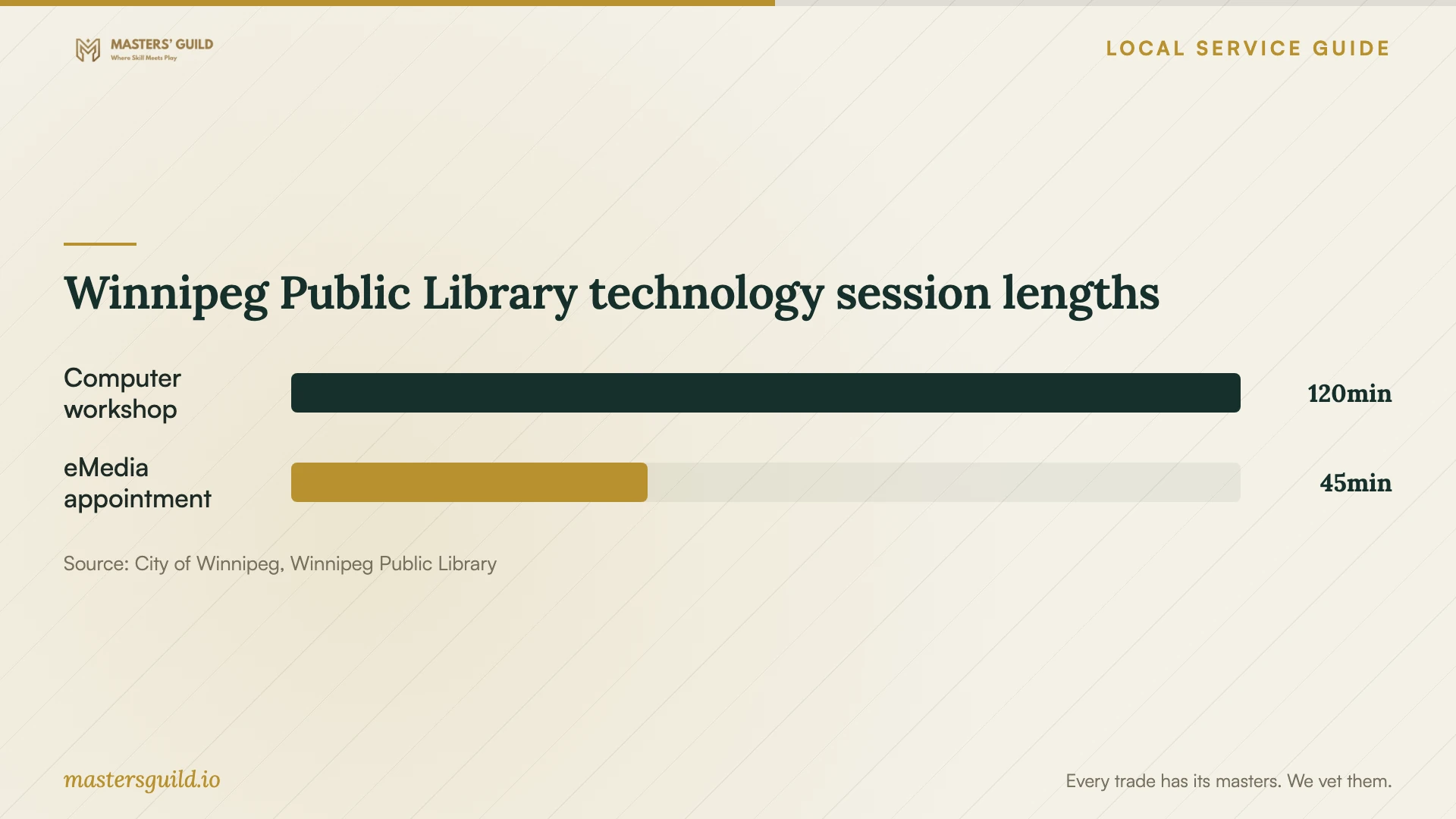
Winnipeg Public Library technology session lengths
Local details that affect your job
Choose suitable instruction at Winnipeg Public Library
Winnipeg Public Library lists free, registration-required computer workshops, including Google Drive storage and sharing and Windows file management. Both Google Drive and File Management require basic computer skills. If you need help with the fundamentals, review its Introduction to the Computer workshop first. The library describes computer workshops as two-hour introductory sessions; check the current calendar before planning attendance. Its 45-minute eMedia appointments address library eBooks, streaming and other library digital services. Staff exclude general device training from those appointments. Choose instruction for learning and request a technician’s scope for business migration or backup work. [1]
Set the agreement first for Manitoba patient records
If your clinic or practice is a trustee under Manitoba’s Personal Health Information Act, involve whoever oversees privacy before moving patient records. Manitoba Health says trustees may disclose personal health information to an information manager only after entering a written agreement that protects the information. Its definition of an information manager includes providers of IT services to trustees. The trustee remains responsible for the manager’s use. Ask your privacy lead to review provider access and safeguards before the migration; a signed agreement alone should not serve as your acceptance check. [2]
Arrange power-interruption notifications
Manitoba Hydro lets customers choose text, email or automatic phone notifications through an online account, including a reminder on the outage day. Check or update those preferences when booking a transfer at your premises. If you receive notice of an interruption, agree with the technician whether to reschedule or pause the work and who will check it afterward. [3]
Choose your next step
| Your situation | Recommended next step | Scope to confirm |
|---|---|---|
| You want basic Google Drive skills | Check Winnipeg Public Library’s registered workshops | Basic computer skills required; introductory storage and sharing instruction; check current dates |
| You need help with library digital media | Consider a library eMedia appointment | Library digital services; general device training is excluded |
| You need business files moved | Request a migration quote | Source folders, destination, retained originals and verification |
| You need recoverable copies | Request backup setup with a recovery demonstration | Covered files, recovery procedure and responsibility for failures |
| You hold patient records as a Manitoba trustee | Have your privacy lead review the arrangement before disclosure | Written information-manager agreement and access safeguards |
Your hiring checklist
- List the accounts, devices, folders and staff covered by the job.
- Describe view, edit and administrator permissions for shared files.
- Request separate setup, subscription, follow-up and tax line items.
- Keep a separate copy of source files before the technician makes changes.
- Have the account owner sign in and control recovery details.
- Agree on interruption handling and responsibility for pending uploads.
- Test transferred files, permissions and any purchased recovery service.
- Collect handover notes and remove temporary provider access.
Frequently Asked Questions
How much should I budget?
Obtain a job-specific price estimate after the provider reviews your inventory and required checks. Compare the initial charge and recurring subscriptions. Ask bidders to identify exclusions, spending limits and the cost of follow-up work before you accept a quote.
Can the library configure my business cloud account?
The library describes introductory workshops, including Google Drive storage and sharing, with basic computer skills required. This page does not describe a business account configuration or migration service. Its eMedia appointments cover library digital services and exclude general device training. Request a separate technician quote for implementation. [1]
How long should I book the technician for?
Ask for job-specific estimates of appointment time and transfer completion after the provider reviews your inventory. Agree on who monitors any remaining upload and whether the quote includes a later verification session. Specify when you need staff access restored and ask the provider to plan around that deadline.
Does a clinic need a different arrangement?
A Manitoba trustee disclosing personal health information to an information manager needs a written agreement that protects the information, according to Manitoba Health. The trustee retains responsibility for the manager’s use. Have your privacy lead review the agreement, access permissions and safeguards before granting access. [2]
Sources and scope
This guide combines the sources below with practical planning guidance. Figures apply to the stated geography and period; request a written quote for your property.