
Local service guide
Technical Skills Training in Vaughan: Choose a Plan
Arrange Technical Skills Training in Vaughan around a business task you want to complete: update your website, build a spreadsheet, prepare a product design or learn a coding workflow. Ask an instructor to propose a practical lesson and itemized quote. Before paying for equipment-based instruction, confirm the venue: Vaughan Public Libraries posts a temporary service restriction at Pierre Berton Resource Library, while its Civic Centre printing page lists a separate booking process. [2] [3]
Choose a task before choosing an instructor
Write a brief that describes your starting point, the software or equipment you use and the result you need. For spreadsheet training, bring a sample inventory sheet with invented customer details. For website work, identify the page you want to edit. For coding, describe the function you want to build and what you have tried.
Ask the instructor to explain how you will practise during the lesson. Request an example exercise suited to your current ability and ask how they will check your understanding. Define whether you want someone to teach you the task, complete it for you or combine instruction with implementation. Put that scope in writing.
Check local learning options before buying a package
Vaughan Public Libraries lists free Learn Arduino, Vinyl Cutter 101, Laser Cutter Certification and 3D Certification courses. Use the relevant course as a starting point, then ask a private instructor to address the parts of your project where you need help. Treat library equipment certification as preparation for using that equipment; ask a separate question about any qualification you need for work. [4]
For business-focused digital training, Vaughan Economic Development describes a Starter Company Plus stream for businesses with physical storefronts, offices or industrial locations. Its training covers digital skills, online presence and e-commerce. Ask the Vaughan Business and Entrepreneurship Centre about the next suitable training opportunity before purchasing instruction that covers the same ground. [5]
As of October 10, 2026, the Starter Company Plus page contains conflicting intake wording: it says grant applications are closed but also retains an open-application paragraph with an October 9, 2026 deadline. That deadline has passed. Confirm training access and future intake dates with the centre, and do not budget around receiving a grant. [5]
Confirm equipment access before scheduling practice
At Pierre Berton Resource Library, the booking page posts a temporary pause for Make It services. It identifies the Cricut, Roland vinyl cutter and sublimation printer as available for self-serve drop-in use only, and limits 3D printing drop-ins to times when trained staff are present. Ask staff about your exact equipment and date before agreeing to an instructor's venue plan. [2]
The Civic Centre Resource Library printing page requires a valid library card in good standing, a Customer Agreement Form, online 3D certification and a booking request at least three days ahead. Customers must provide a print-ready STL or OBJ file. If you need staff assistance, the library asks you to contact a Digital Creation Specialist before booking. Wait for staff confirmation before scheduling paid instruction around the printer. [3]
Compare the full cost and protect business access
Request a written quote stating lesson length, preparation charges, travel, software subscriptions, materials and cancellation terms. Ask whether follow-up questions or corrections cost extra. Vaughan Public Libraries publishes equipment fees and free courses. Obtain private instruction quotes for your actual task, keeping coaching charges separate from library equipment and material fees. [1] [2] [3] [4]
Use sample files without customer or employee information. Keep control of passwords and approve any software installation before the instructor proceeds. For website or business-system training, ask what access the instructor needs and arrange a backup before making changes. Agree on how you will remove their access after the work.
Agree on a useful handover
Ask for editable practice files, a short record of the steps you learned and a task you can repeat on your own. At the end of the lesson, perform that task while the instructor observes. Use the result to decide whether another session should cover the same skill or move to the next task.
For a fabrication project, agree whether the instructor will teach design, prepare the export file or help with equipment use. VPL's Make It page lists tools including Arduino, Blender, FreeCad and Cricut Design Space. Name the intended tool in your brief, then confirm access and compatibility with library staff before the lesson. [1]
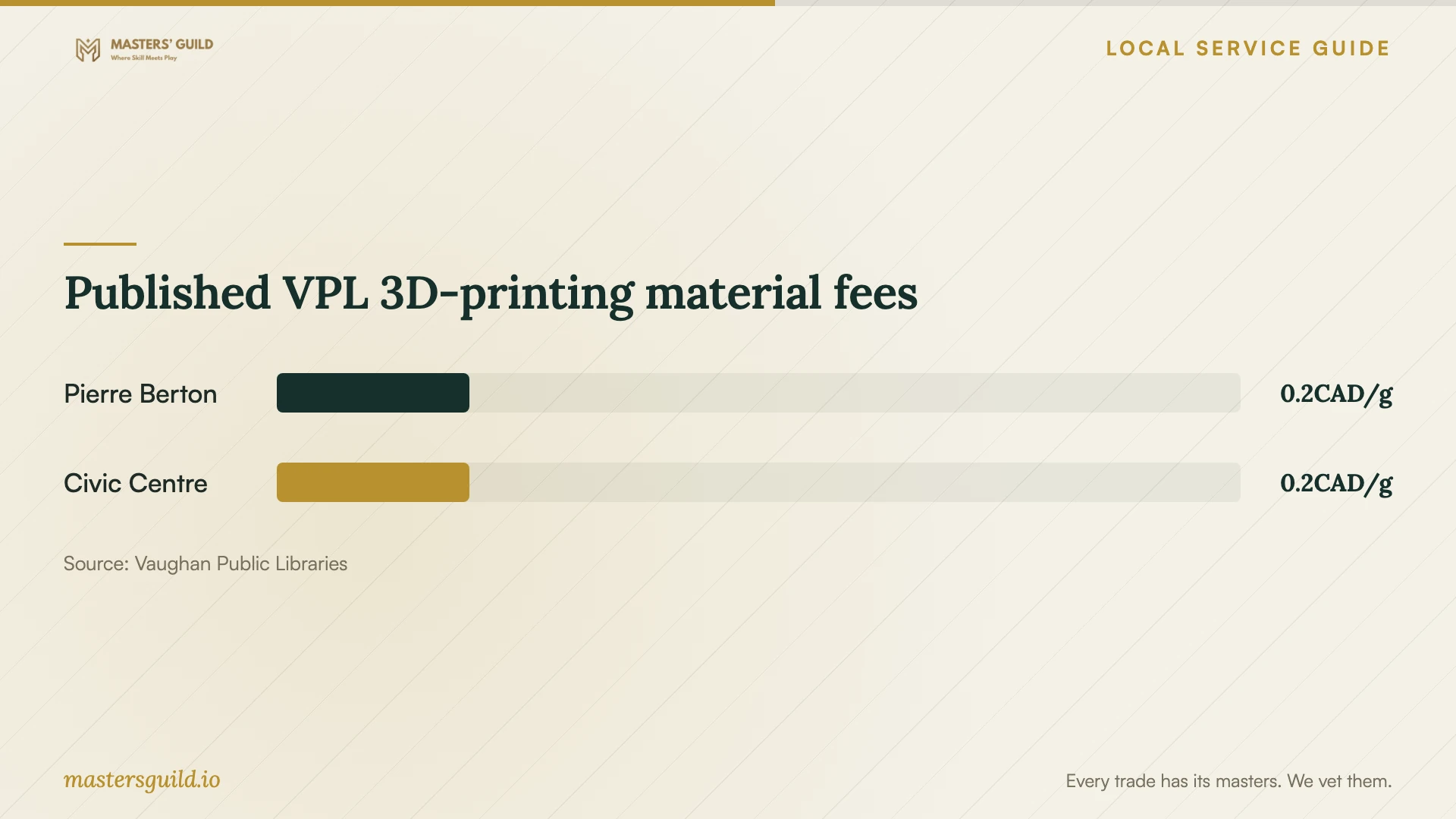
Published VPL 3D-printing material fees
Local details that affect your job
Woodbridge practice needs an access check
The Make It space sits at Pierre Berton Resource Library, 4921 Rutherford Road, Woodbridge. Its equipment list does not establish current availability: the booking page carries a temporary service restriction. Confirm access with staff before paying for a lesson that depends on a library machine. [1] [2]
Civic Centre printing requires preparation
Civic Centre Resource Library requires online 3D certification and advance booking of at least three days. It reserves 3D printers and scanners for customers aged 13 and older. Complete the requirements and obtain confirmation before arranging a printer-based lesson, especially if a younger family member will attend. [3]
Business training and grant intake need separate questions
Starter Company Plus describes digital-skills training for businesses with physical premises, but its program page mixes closed-intake notices with an October 9, 2026 application deadline. Ask the business centre which training you can attend now and when grant applications may reopen. Do not treat the program description as confirmation of a place or funding. [5]
Choose a learning route for your task
| Your goal | Route to consider | Next step |
|---|---|---|
| Learn introductory Arduino or vinyl-cutter skills | VPL's listed free online courses | Review the course, then identify questions for an instructor. |
| Practise a 3D-printing workflow | Civic Centre library certification and booking | Complete certification, prepare the file and request staff confirmation. |
| Use Pierre Berton fabrication equipment | Confirm access before arranging instruction | Ask staff how the temporary restriction affects your machine and date. |
| Improve a storefront's digital presence | Ask about Starter Company Plus training | Confirm training access and intake status with the business centre. |
| Learn a task using your own business files | Request project-specific private instruction | Compare lesson plans, written costs and access requirements. |
Your hiring checklist
- Describe the task you want to complete and your current skill level.
- List your software, device and equipment requirements.
- Ask for a sample exercise and a clear lesson outcome.
- Confirm venue permission, equipment access and any booking requirements.
- Request separate prices for teaching, preparation, travel and materials.
- Prepare anonymized practice files and retain control of account access.
- Agree on cancellation terms, practice files and follow-up support.
Frequently Asked Questions
Can I start with free local training?
VPL lists free Arduino, vinyl-cutter, laser-cutter certification and 3D-certification courses. Review the relevant course before hiring someone to help with your particular project. [4]
Can I arrange a lesson at Pierre Berton Resource Library?
Confirm the plan with library staff first. The current booking notice restricts Make It services and limits 3D-printing drop-ins to times when trained staff are present. Ask whether the equipment and proposed instruction are permitted on your intended date. [2]
Does the library printing fee include private instruction?
The library publishes a 3D-printing charge of $0.20 per gram. That is a printing fee, not a private instructor quote. Ask your instructor and the library to explain their separate charges and support arrangements. [2] [3]
Should I rely on Starter Company Plus funding?
Confirm the next intake before planning around funding. The page contains conflicting application notices and a deadline that passed on October 9, 2026. It also states that grant funding is competitive and that not all participants receive a grant. [5]
Sources and scope
This guide combines the sources below with practical planning guidance. Figures apply to the stated geography and period; request a written quote for your property.