
Local service guide
Website Design in St. Petersburg, FL: Hiring Guide
Arrange Website Design in St. Petersburg, FL by giving designers the same written brief: the customer action you want, required pages, booking or sales features, accessibility checks and account handover. Compare upfront work, recurring charges and support responsibilities before choosing. For help defining your goals, the St. Pete Greenhouse offers no-cost business assistance by appointment, with consulting areas that include marketing and web optimization. [1]
Define what customers need to do
Choose the main action a visitor should complete: call your shop, request an estimate, book an appointment or buy a product. Describe the steps from the opening page to confirmation. Ask the designer to show how your staff will receive the request and who will respond.
Prepare a page list and assign responsibility for text, photos, product information and approvals. Include opening hours, contact details and material you want to retain. Ask whether the proposal includes writing, image preparation and entering content. Specify revision limits and the charge for changes beyond the agreed scope.
For a startup, settle your customer offering and public-facing name before approving finished designs. The Greenhouse startup guide recommends market research, business planning and consultant feedback. Bring those decisions into your website brief, then identify anything you still need to confirm before launch. [2]
Compare quotes and launch responsibilities
Ask each designer to itemize design, development, content, integrations and migration. Request a separate recurring-cost schedule for hosting, domain renewal, paid software and maintenance. Identify which charges you pay to the designer and which you pay to another company. Compare the total for your planned scope before negotiating individual items.
Tie payments to work you can inspect: an approved layout, a functioning preview and completed handover. Record exclusions, approval deadlines and change-request pricing. Ask the designer to identify dependencies, such as your supplying photos or approving copy, before agreeing on a launch date.
Ask candidates to demonstrate a relevant completed website and explain their contribution. Try its customer task on your phone. For your own project, require tests of submissions, confirmations and notifications. If you are replacing a site, request an inventory of existing page addresses and a plan to retain or redirect them.
Specify accessibility work you can inspect
The Department of Justice states that ADA requirements apply to goods and services public accommodations offer online. Its examples include retail stores, hotels, medical offices and food establishments. Ask your designer to describe the accessibility work included for your customer-facing site. Consult a qualified legal adviser about obligations specific to your business. [3]
Include keyboard navigation, readable contrast, image text alternatives and labeled forms in the scope. The Department identifies these as accessibility considerations. During acceptance, ask the designer to demonstrate a contact or booking form without a mouse, including instructions and the response to an incorrect entry. [3]
Request automated checks and manual testing, plus a list of unresolved issues and who will correct them. The Department advises combining manual checks with automated tools and cautions that a clean automated report does not mean everything is accessible. Ask what the designer tested rather than accepting a score alone. [3]
Practice updates before handover
Require access you control to the domain, hosting and essential service accounts. Record who pays renewals and who can recover access. During handover, change an opening hour, replace a photo and submit a test inquiry yourself. Request editing instructions and written support terms.
The City of St. Petersburg and the Greenhouse assembled a business resiliency roadmap with tools and guidance for preparing for and recovering after storms. Use that local resource when planning website responsibilities. Assign someone to publish closure notices, update reopening hours and provide an alternative customer contact method. [4]
Ask the designer to demonstrate those updates from a phone. Choose a backup staff member and rehearse the process together. Document backup responsibility, restoration steps and the support contact. Keep a separate copy of account and renewal details that you can reach without signing into the website.
Greenhouse counseling: published time references
Local details that affect your job
Book local advice before commissioning the site
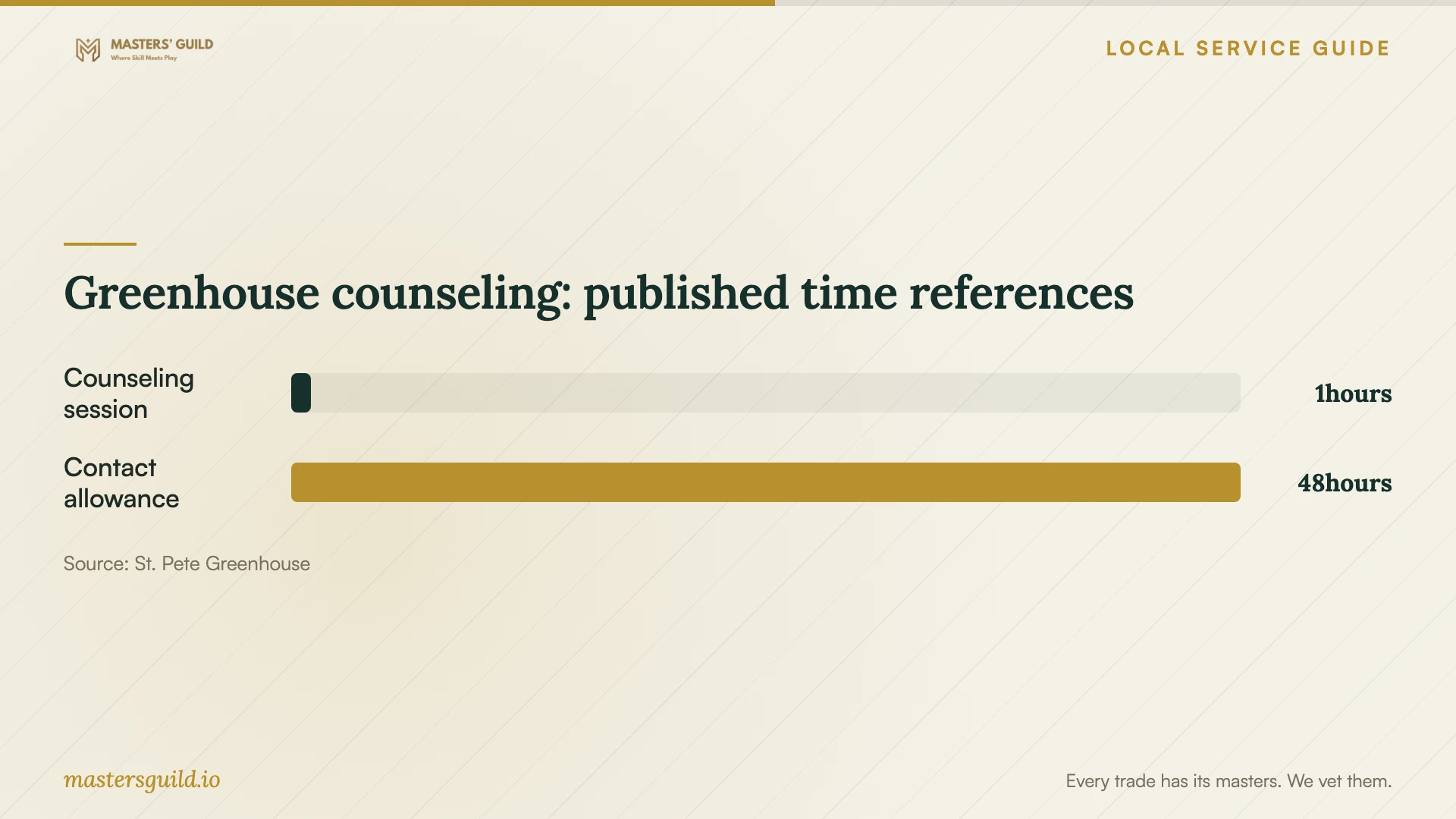
The St. Pete Greenhouse connects owners with Florida SBDC at USF consultants, whose areas include marketing and web optimization. Its appointment-based business assistance costs nothing. Request counseling through its online form or call 727-893-7767. The page asks you to allow up to 48 hours for contact about availability and describes a one-hour session. Bring your customer task, proposed pages and scope questions; confirm which consultant can address them. [1]
Confirm business setup before announcing an opening
The Greenhouse startup guide says businesses located within St. Petersburg city limits need an annual Business Tax Certificate Receipt. If you are launching a business alongside its website, check that process before committing to a public opening date. Confirm the business name, location and contact information before the designer enters them across the site. Keep this administrative check separate from your assessment of the designer’s work. [2]
Use the local resiliency toolkit in your brief
The Greenhouse invites owners to stop by for a free Small Business Resiliency Roadmap toolkit assembled with the City of St. Petersburg. Use it to plan customer communications with your designer. Ask for an editable closure notice and rehearse changing hours before handover. These website tasks are suggested applications of the toolkit, rather than services the Greenhouse promises to provide. [4]
Choose the scope to request
| Your need | Scope to discuss | Acceptance question |
|---|---|---|
| Calls or estimate requests | Service pages and clear contact routes | Can I submit an inquiry and confirm my staff receives it? |
| Customer appointments | Booking setup and confirmation testing | Who controls the booking account and changes availability? |
| Product sales | Product entry, payment setup and checkout testing | Who tests orders, payment outcomes and notifications? |
| Replacement of an existing site | Content inventory, migration and page-address mapping | Which pages and customer functions will you retain or redirect? |
| Staff-managed updates | Editing access, training and written instructions | Can staff change hours and post a closure notice during handover? |
Your hiring checklist
- Write the main customer action, page list and required features.
- Assign responsibility for copy, photos, account setup and approvals.
- Request separate upfront and recurring-cost schedules.
- Agree on payment milestones, revision limits and change charges.
- Specify manual and automated accessibility checks.
- Test forms, confirmations and customer notifications on your phone.
- Practice content edits and a closure notice using your own access.
- Record renewals, backup responsibilities and support terms.
Frequently Asked Questions
How should I compare website budgets?
Request quotes for the same scope. Add the build, content, hosting, domain renewal, paid software and support charges for the first year. Ask designers to identify exclusions and price changes to pages or features. The cited sources do not establish local design prices.
Can I get local help deciding what to build?
The St. Pete Greenhouse offers no-cost business assistance by appointment. Its Florida SBDC at USF consulting partnership includes marketing and web optimization. Ask whether a consultant can review your goals before you request design proposals. [1]
Does an automated accessibility report finish testing?
Include manual testing too. The Department of Justice warns that a clean automated report does not mean everything is accessible. Ask the designer to demonstrate keyboard use, form instructions and error messages, and document remaining issues. [3]
What should I receive at handover?
Request administrative access, account and renewal details, editing instructions, backup responsibilities and support terms. Complete an exercise yourself: update hours, submit an inquiry and post a temporary closure notice. Record remaining corrections and their deadlines before approving completion.
Sources and scope
This guide combines the sources below with practical planning guidance. Figures apply to the stated geography and period; request a written quote for your property.