
Local service guide
Network setup in Springfield, MA: Plan and Hire
Network setup in Springfield, MA should start with a diagnosis and written scope covering your problem rooms, household devices, proposed equipment, and completion tests. Choose a technician who explains the proposed work and gives you an itemized quote. Before approving in-wall cabling, confirm requirements for your installation with Springfield Inspectional Services. For temporary internet during a changeover, check Springfield City Library hotspot availability and test reception at home before scheduling the interruption. [1] [2]
Describe the problem before buying equipment
Give prospective technicians a room-by-room description of the problem. Identify where calls disconnect, which devices fail to connect, and when you notice trouble. Name the tasks you want to complete, such as working from a home office, printing from a laptop, or connecting a television. Include those tasks in the assessment.
Have the technician compare the connection near your existing router with the connection in your problem rooms. Review the results together before approving replacement equipment. Agree whether the visit covers diagnosis alone or includes configuration, installation, and follow-up if the original problem remains.
Before changing internet service, use the FCC’s National Broadband Map address search to review provider-reported technologies and maximum advertised download and upload speeds. Confirm service availability, equipment requirements, and activation arrangements with the provider before ordering. Keep that service decision separate from the technician’s proposal for your household network. [3]
Define cable routes and construction responsibilities
Separate router configuration, equipment placement, and cable installation in the scope. For cabling, have the installer identify the route, outlet locations, wall openings, and responsibility for patching or painting. Include any associated electrical work and name the person who will perform it. Obtain permission from your landlord or association before approving alterations where that applies.
Springfield’s Inspectional Services Building Division issues wiring permits and inspects construction, alterations, and repairs. Confirm requirements for your proposed Ethernet installation with the division before approving the work. Describe whether the installer will run cable inside finished walls, cross floors, make exterior penetrations, or add an electrical outlet. [1]
Record the city’s direction in the work scope. Name the person responsible for any required application and inspection, and agree when you will receive the related paperwork. Resolve these responsibilities before comparing final quotes so each installer prices the same work.
Compare itemized quotes for your home
Send each provider the same room and device list. Obtain separate amounts for assessment, labor, equipment, cabling, wall repairs, and follow-up support. For each proposed router or access point, record the model, quantity, ownership terms, and any recurring charge. Require your approval before the installer adds work or changes equipment.
Compare written prices for your actual home. Confirm whether each total includes travel, testing, cleanup, and documentation. Keep optional work separate, and agree on the charge for a diagnostic visit if you decide against the proposed installation. Avoid approving an open-ended equipment purchase during the visit.
Discuss the provider’s experience with your proposed scope and obtain proof of liability insurance. For construction or electrical work, confirm applicable credentials with the city and check the details for the person performing that work. Include support terms: who you contact, what follow-up covers, and what triggers another charge.
Plan the interruption and temporary connection
Choose an installation window around your household’s work and school commitments. Agree when the technician will disconnect service, which settings they will change, and how they will restore the previous configuration if the changeover fails. Keep the old equipment available until you finish the agreed tests.
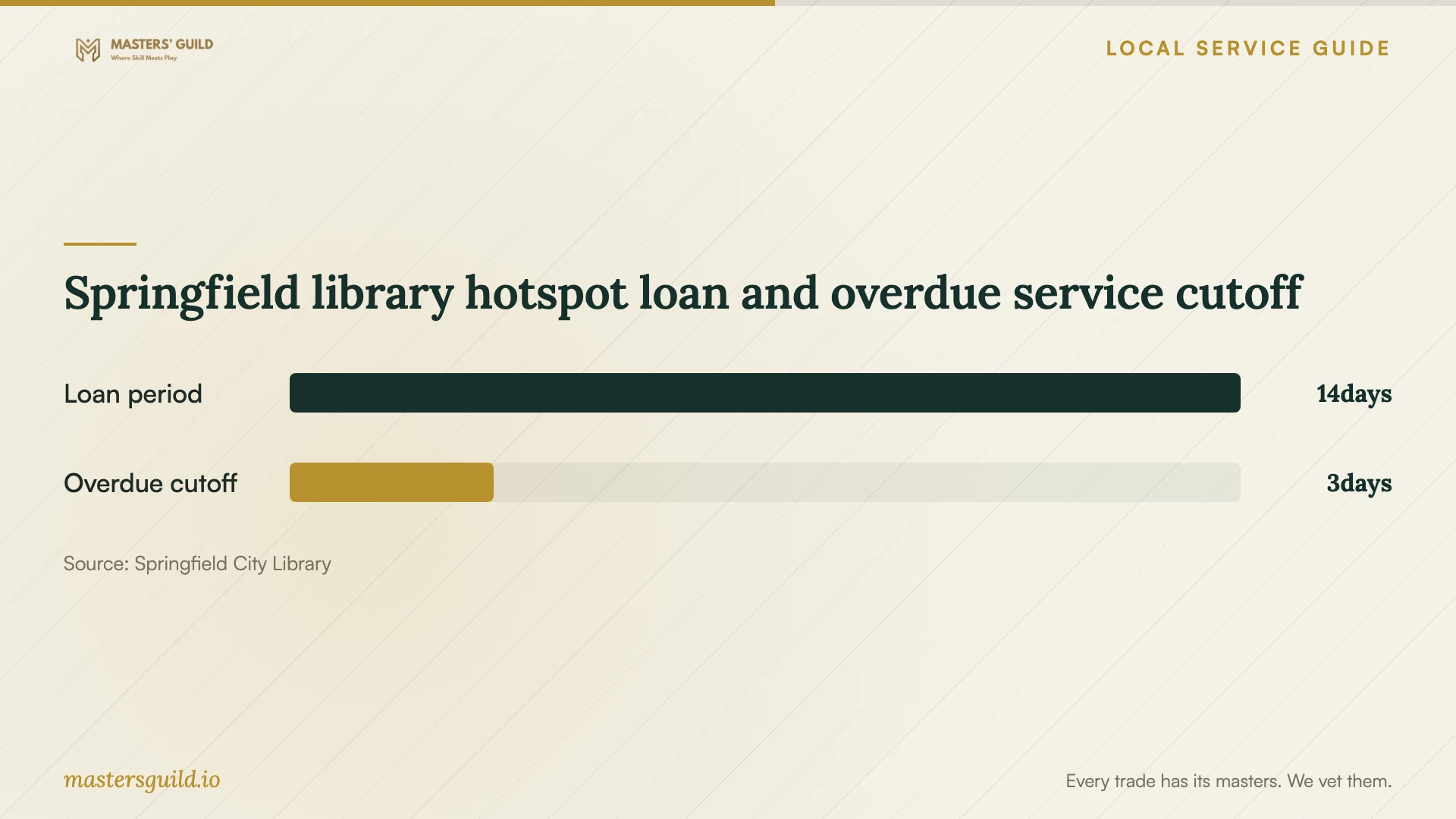
Springfield City Library lends hotspots for 14 days without renewals. Borrowers must be at least 18 and in good standing with the library, with one hotspot per household. The devices use T-Mobile coverage. Check availability and test the borrowed device in your home before relying on it for the installation window. [2]
The FCC mobile coverage layer describes outdoor or in-vehicle coverage and excludes indoor coverage. Test reception at the place where you need to work rather than treating a map entry as confirmation of indoor service. If the test does not meet your needs, arrange another place to connect before the technician starts. [3]
Check the work and take control of accounts
Write down completion tests before work starts. Include a call from your work area, connection checks in the rooms you named, and access to your printer or other household devices. For cable work, include labeled outlets and a test record for each installed run. Review any remaining limitations with the installer before accepting the work.
Have the technician place equipment accounts under your control and demonstrate how to change administrator credentials. Keep a record of equipment models, cable locations, configuration changes, and support contacts. Confirm removal of temporary technician access and agree how you will obtain future support without putting passwords in public messages.
Springfield library hotspot loan and overdue service cutoff
Local details that affect your job
Contact Springfield about the proposed wiring
The city lists its Building Division at 70 Tapley Street, with 413-787-6031 as the main number and 413-787-6040 for electrical inspection scheduling. Start with the main contact to find the appropriate person for your cable-installation question. Describe the route and associated work, then confirm approvals and inspection arrangements. The city page carries a June 12, 2019 update date; confirm contacts and procedures before scheduling. [1]
Include hotspot pickup and return in your plan
Springfield City Library requires hotspot checkout at a circulation desk and an in-person return to a staff member at the same location. Borrowers must not use the book drop, and the library does not permit renewals. Arrange pickup early enough to test reception at home, and plan the return trip around the due date even if installation runs late. [2]
Choose the next step for your network project
| Your situation | Next step | Include in the scope |
|---|---|---|
| Connection problems in particular rooms | Arrange diagnosis in those rooms before buying equipment | Assessment locations and tests using your household devices |
| Changing internet providers | Review FCC address-level reported options and confirm the offer with the provider | Equipment compatibility, activation arrangements, and interruption plan |
| Proposed cabling inside walls | Confirm applicable requirements with Springfield Inspectional Services | Cable route, repair responsibility, and any required approvals or inspections |
| Temporary internet during installation | Check library hotspot availability, eligibility, and reception | A home reception test and return within the 14-day loan period |
Your hiring checklist
- List the rooms, devices, and tasks the technician must assess.
- Record your existing equipment models and prepare account access for the visit.
- Agree on a diagnosis before approving replacement equipment.
- Confirm Springfield requirements for the proposed cable route and associated work.
- Compare itemized quotes with matching installation and repair responsibilities.
- Test temporary internet at home before scheduling an interruption.
- Agree on completion tests, documentation, and follow-up charges.
- Confirm control of equipment accounts and removal of temporary technician access.
Frequently Asked Questions
Should I buy a new router before booking support?
Arrange a diagnosis first. Give the technician your equipment list and problem locations, and have them explain each proposed replacement. Agree whether the assessment fee includes setup if you approve the recommendation.
Does home Ethernet installation require a Springfield permit?
Confirm requirements for your specific installation with Springfield Inspectional Services before authorizing work. The Building Division issues wiring permits. Describe the proposed cable route, wall openings, and any associated electrical work so the city can address your scope. [1]
Can I borrow internet access during installation?
Springfield City Library offers eligible borrowers hotspots for 14 days without renewals. Borrowers must be at least 18 and in good standing, with one hotspot per household. Check availability and test T-Mobile reception in your home before relying on the loan. [2]
Does an FCC map listing guarantee my connection speed?
The FCC map displays provider-reported availability and maximum advertised speeds. Confirm the offer with the provider before ordering. For mobile service, the map describes outdoor or in-vehicle coverage rather than indoor reception. [3]
Sources and scope
This guide combines the sources below with practical planning guidance. Figures apply to the stated geography and period; request a written quote for your property.