
Local service guide
Cloud Service Setup in San Antonio, TX
Arrange Cloud Service Setup in San Antonio with a written scope naming your devices, files, account owner, recurring charges and recovery test. Hire help for migration or household permissions if you cannot check the result yourself. Before booking, review internet options at your address and ask the provider to itemize setup and taxable data-processing charges. [1] [2] [4]
Choose the outcome before choosing a technician
Write down what you want to do after the appointment: open household documents from another device, move a photo collection, share selected folders or recover a lost file. Have the technician describe how they will demonstrate each outcome. Include transfer verification in the scope when your job involves moving files.
Discuss the proposed sync and backup settings, including what happens when you delete a file on one device. Request a demonstration using a disposable test file. For backup work, have the technician recover a file into a separate folder and show you where to find the recovery instructions.
Request a quote you can compare
Give each provider the same device list, approximate data volume, existing accounts and desired destination. Request separate amounts for setup, migration, recurring subscriptions, travel and follow-up support. Set a spending limit that requires your approval before the technician adds work.
Request a job-specific estimate and distinguish the appointment time from the upload period. Agree on who will check progress after the visit, whether the price includes that check and what you will pay if the technician needs another session. Include any help you want with using the account after setup.
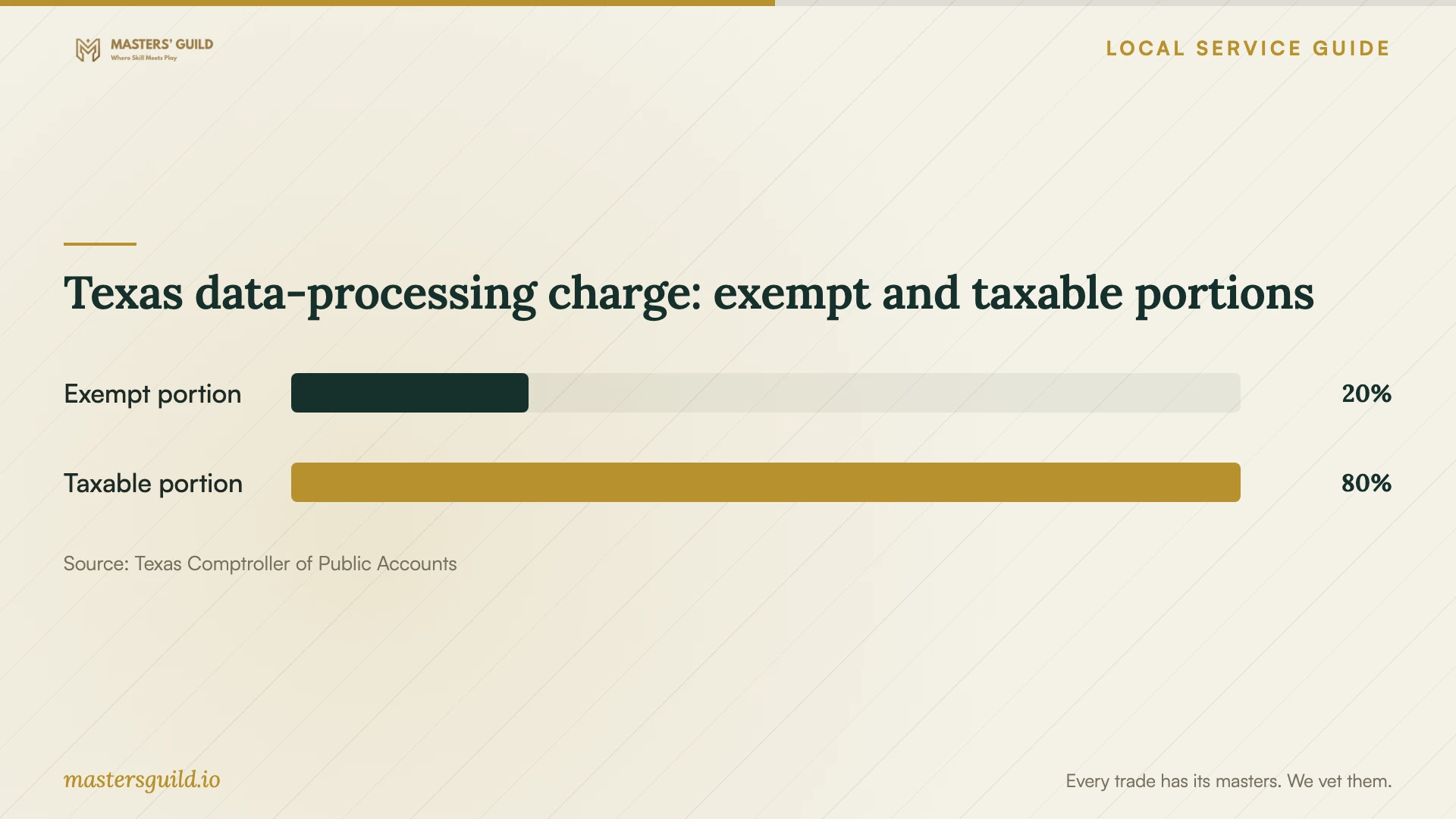
The Texas Comptroller includes data storage, offsite electronic backup and software-as-a-service providers under data processing. It exempts 20 percent of data-processing charges from tax. Its mixed-service guidance sets conditions for separating qualifying distinct nontaxable services from taxable work. Have the provider explain the classification and tax calculation for your quote. [1] [4]
Check connectivity before arranging a migration
Search your service address using the FCC National Broadband Map. The FCC displays providers that report serving that location, their technologies and maximum advertised download and upload speeds. Review upload figures when considering an internet change for cloud transfers, then confirm availability and plan terms with the provider. [2]
Have the technician check your existing upload performance and run a small trial transfer before you agree to a migration schedule. Decide what happens if the transfer remains unfinished when they leave. Keep your original files until you have checked the destination, opened representative files and completed the agreed recovery test.
Keep control of accounts and household access
Create or approve the account under your own email address and billing details. Enter your credentials yourself, review recovery contacts and request help enabling an additional sign-in verification method. Discuss any access the technician needs and agree on when they will remove remote access.
Decide which household members should view, edit or upload files. Have the technician test those permissions from each person's account. Review shared-folder settings together and record how to remove access. Request written instructions that you can follow after the appointment.
Accept the work after a demonstration
Before closing the job, open selected documents and photos from each included device. Have the technician identify unfinished transfers, skipped files and unresolved account prompts. Compare the finished work against your scope, and record any remaining task with an owner and a follow-up date.
Practice the recovery steps yourself while the technician watches. Save a short handover note with the account email, subscription renewal terms, included devices and support contact. Keep passwords out of that note. Agree on whether later troubleshooting forms part of the original charge or requires a new appointment.
Texas data-processing charge: exempt and taxable portions
Local details that affect your job
Review Texas tax categories before comparing totals
For a household here, request an itemized quote before comparing totals. Texas includes offsite electronic backup and data storage in taxable data processing and exempts 20 percent of that category's charge. The Comptroller distinguishes consulting from data processing and sets conditions for separating mixed taxable and nontaxable services. Ask the seller which category applies to setup, transfer and subscription charges, and have them explain the taxable amount. [1] [4]
Check BiblioTech's announced training program
For instruction in email, computer use or Google Docs, ask BiblioTech whether its announced Digital Navigator program now operates before purchasing a setup visit. Bexar County's October 2024 newsletter described planned free classes in English and Spanish at county locations, including senior centers. It listed BiblioTech South at 210-631-0180 as the contact at that time. Confirm current contact details, schedules and curriculum. Ask whether your goal fits basic instruction or requires a technician to perform migration or backup work. [3]
Choose the next step for your household
| Your need | Next step | Question to resolve |
|---|---|---|
| Learn email or document basics | Ask whether BiblioTech's announced classes now operate | Does any current instruction cover my goal, language and location? |
| Move files between accounts | Request a migration scope | Who checks missing files and confirms completion? |
| Set up household sharing | Include permission setup and testing | Can each person demonstrate the intended access? |
| Arrange recoverable backups | Include a recovery demonstration | Can I repeat the recovery steps myself? |
| Consider an internet upgrade | Review address-level FCC listings | Can the provider serve this address, and what upload speed does it advertise? |
Your hiring checklist
- List the devices, accounts and folders you want included.
- Estimate the data volume and identify files that must remain private.
- Request itemized setup, transfer, subscription, travel and tax charges.
- Agree on account ownership and household sharing permissions.
- Set the upload follow-up plan before the appointment.
- Keep original files until you check the transferred copies.
- Complete a recovery demonstration and save written instructions.
Frequently Asked Questions
Can I arrange the setup remotely?
Have the provider assess your device access and connection before quoting remote work. Agree on how you will enter credentials, supervise the session and end remote access. If you want someone to demonstrate the steps beside you, request an in-home quote and identify any travel charge.
Does Texas tax cloud backup?
The Texas Comptroller includes offsite backup of electronic files within taxable data processing and exempts 20 percent of data-processing charges. Ask the seller to identify the taxable amount and applicable taxes. Have them distinguish backup or storage charges from other services on the invoice. [4]
Will the FCC map tell me how long an upload takes?
The FCC map lists provider-reported availability and maximum advertised upload and download speeds. Treat those listings as a starting point for checking service options. Have the technician measure your connection and run a trial transfer before you agree to a deadline for your files. [2]
Should I delete the old copies after migration?
Keep them until you check the destination files and complete the recovery test. Review deletion and sync settings with the technician before removing originals. Agree on which copy you will use for future changes and document that choice.
Sources and scope
This guide combines the sources below with practical planning guidance. Figures apply to the stated geography and period; request a written quote for your property.