
Local service guide
Phoenix data recovery and backup: hiring guide
For data recovery and backup in Phoenix, choose a provider whose proposed work matches your problem: recovering missing files, restoring a backup, or investigating a suspected security incident. Request a written scope, data-handling terms, diagnostic charges, and an approval point for additional spending. For suspected ransomware, involve an incident responder before restoring business systems. CISA recommends isolating affected systems, preserving evidence, and recovering on clean systems. [3]
Choose the right recovery scope
Describe the symptoms before asking for a price. Tell the provider whether you deleted files, lost access to a device, noticed unusual drive sounds, or found a ransom message. Record the device model, storage type, approximate capacity, and last known good backup. Avoid further experiments on the affected device while you arrange an assessment.
List the files you need and the applications you need to reopen the business. For a shop, you might prioritize order records and accounting files before archived marketing photos. Ask the provider to identify the delivery format and explain how you will check recovered files. Request details of any work they plan to send to another laboratory.
For suspected ransomware, follow your incident response plan and disconnect affected devices from Ethernet or Wi-Fi. CISA advises powering down only when you cannot isolate devices through other means, because shutdown loses potential evidence in volatile memory. Ask an incident responder to coordinate evidence collection and restoration. [3]
Compare quotes and secure the handoff
Request separate charges for diagnosis, recovery work, replacement storage, shipping, and urgent service. Ask what you owe if the provider recovers some priority files or none. Compare written quotes for the same device, symptoms, and required outcome. The available sources do not establish a Phoenix recovery price range.
Before handing over a drive, agree on who may access its contents, whether the provider uses subcontractors, how they protect recovered copies, and when they delete those copies. Request a receipt identifying the device and a record of transfers between people or facilities. Share passwords or encryption keys through an agreed secure method, separate from a public job description.
For ongoing backup management, put security requirements in the contract and limit the provider's access to the systems their role requires. CISA recommends contractual security requirements for managed service providers and access based on least privilege. Ask who owns the backup account and how you regain control when changing providers. [3]
Specify a backup you can restore
Tell the installer how much recent work you could afford to lose and how long you could operate without your main systems. Ask them to translate those limits into a backup schedule, retention period, and restoration procedure. Include the applications and credentials needed to use your files after recovery.
CISA recommends offline, encrypted copies of critical data and backup tests in a disaster recovery scenario. Its guidance explains that ransomware can encrypt or delete accessible backups. Ask the provider which copy remains protected if an attacker gains access to your business accounts. [3]
Make the acceptance test concrete: have the installer restore a sample of priority files to a separate destination, open them, and demonstrate access to the application that uses them. Record who receives failed-backup alerts and who acts on them. Agree on future restore tests and request instructions you can use if the installer is unavailable.
Plan equipment placement and outage procedures
SRP recommends surge protectors for valuable electronics, business continuity roles, and consideration of backup power. For premises that SRP serves, ask your installer to include an outage procedure and explain whether a battery backup with controlled shutdown belongs in the scope. Confirm your electricity supplier before choosing an outage notification service. [1]
SRP advises customers to turn off computers and other major appliances during an outage, wait a few minutes after power returns, and restart equipment one item at a time. Ask your installer to explain how you should handle storage equipment and automated shutdown settings under that guidance. [1]
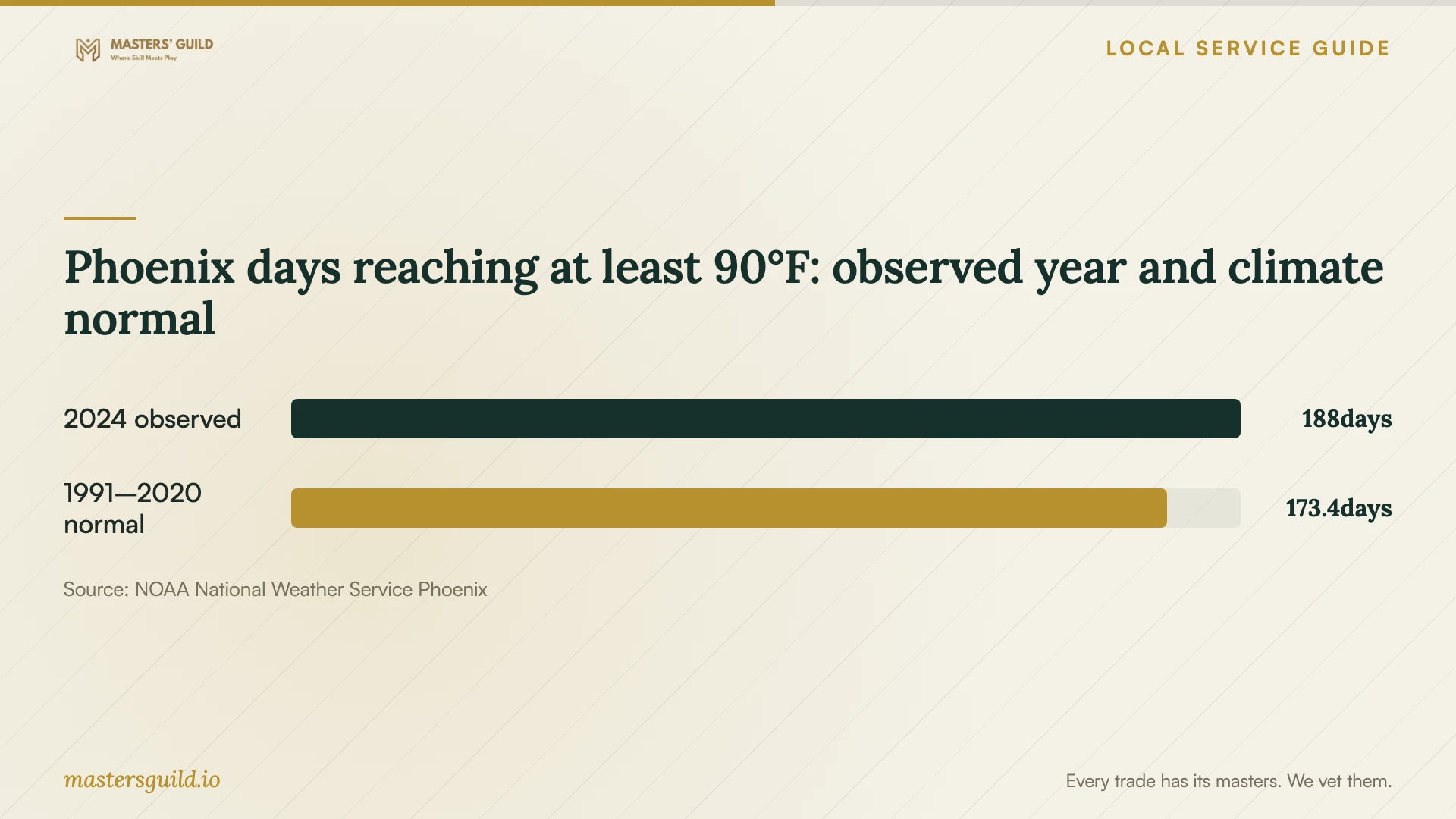
NWS Phoenix reported 188 days reaching at least 90°F in 2024, compared with a 1991–2020 normal of 173.4 days. Use that historical context to discuss storage placement and transport. Ask the provider to check manufacturer temperature limits before placing equipment in an unconditioned room. These weather figures do not measure indoor temperatures or drive failures. [4]
Investigate suspected customer-data exposure
The Arizona Attorney General says covered persons who discover a security incident must investigate whether a breach occurred. The guidance covers specified personal information and identifies exemptions. If you suspect unauthorized access, involve an incident responder and legal adviser to establish the facts and applicable obligations alongside file recovery. [2]
The Attorney General's FAQ says required notification must generally occur within 45 days. For breaches involving more than 1,000 Arizona residents, it also identifies notification to the three largest nationwide consumer reporting agencies and the Attorney General's Office. Ask your adviser to confirm the trigger, deadline, exceptions, and notices for your circumstances. [2]
Ask the provider to coordinate with the investigator before wiping or rebuilding systems. CISA recommends preserving volatile evidence and relevant logs, checking for continuing compromise, and restoring critical services on clean systems. Keep a written timeline of discoveries, decisions, and provider handoffs. [3]
Phoenix days reaching at least 90°F: observed year and climate normal
Local details that affect your job
SRP service changes the backup handover
For a Phoenix business that receives electricity from SRP, use SRP's Power app or outage map to check interruptions and estimated restoration times. SRP recommends surge protection for computers and defined continuity roles for employees. Add those responsibilities and an equipment restart procedure to the handover. Assign someone to verify the next backup after an outage. [1]
Arizona investigation duties change who you hire
Arizona's breach guidance requires covered persons to investigate a discovered security incident to determine whether a breach occurred. If customer information may have been exposed, choose a recovery provider willing to coordinate with forensic and legal specialists. Ask them to preserve relevant evidence and identify who will handle investigation and notification decisions. [2] [3]
Match the provider to your problem
| Your situation | Work to request | Approval question |
|---|---|---|
| Missing files without suspected compromise | Recovery assessment focused on named priority files | How will you verify files and charge for partial results? |
| You have an existing backup | Controlled restore to a separate destination | Can you demonstrate that the needed files and applications work? |
| Ransom message or suspected intrusion | Incident response with isolation, evidence preservation, and clean recovery | Who coordinates investigation before rebuilding? |
| You want ongoing backup management | Offline encrypted backups, restore tests, and limited provider access | Who owns accounts, monitors failures, and performs tests? |
Your hiring checklist
- Record symptoms, device details, and the last known good backup without conducting more recovery experiments.
- List priority files and applications, with an acceptable restoration destination.
- Request diagnostic charges, approval limits, partial-recovery terms, and return-media costs in writing.
- Agree on access, subcontracting, secure delivery, retention, and deletion of recovered copies.
- Ask an incident responder to coordinate isolation and evidence preservation if you suspect compromise.
- Require a sample restore and written instructions before accepting backup installation.
- Assign responsibility for backup alerts, restore tests, outage checks, and account access.
Frequently Asked Questions
How much should I budget for recovery?
Request a diagnostic quote and a separate approval price for recovery. The available evidence does not establish local prices. Compare the same scope, including urgent service, delivery storage, and charges if the provider recovers only some priority files.
Should I shut down a computer with suspected ransomware?
CISA recommends isolating affected devices from the network first. It advises powering down when other isolation methods are unavailable, because shutdown loses evidence in volatile memory. Contact your incident responder to coordinate the next steps. [3]
What should a backup installer demonstrate?
Ask for a restore of priority files, confirmation you can open them, and instructions for accessing required applications. CISA recommends tests of backup availability and integrity. Agree on who repeats those tests after handover. [3]
Does a failed drive mean I must notify customers?
Ask an adviser to determine whether a security incident or breach occurred and whether Arizona's law covers your business and information. The Attorney General's FAQ describes investigation requirements and conditions for notification. Avoid deciding notification duties from device symptoms alone. [2]
Sources and scope
This guide combines the sources below with practical planning guidance. Figures apply to the stated geography and period; request a written quote for your property.