
Local service guide
Plan network setup in Mobile, AL
For network setup in Mobile, hire someone who will diagnose your connection, agree on the rooms and devices to cover, and quote the proposed work before you approve equipment purchases or cabling. Start by checking broadband availability for your address through Alabama’s broadband resources and confirming service with the internet provider. If your project includes construction or electrical changes, ask Build Mobile about the proposed scope before work begins. [1] [2] [3]
Define the problem before requesting equipment
Describe what you need to do at home: take a video call from a bedroom, connect a desktop in a study, or use a device on a porch. Name the affected rooms and devices. Tell the technician whether you want troubleshooting, equipment configuration, cable installation, or a proposal that compares those options.
Ask the technician to compare a wired connection at the router with Wi-Fi in the rooms where you experience trouble, using the same device where practical. Request notes on the test conditions and findings. Ask them to explain which findings justify their proposed work and which questions you need to take to your internet provider.
Set a spending limit for the diagnostic visit. Require your approval before the technician buys hardware, opens walls, or extends the job. Ask whether the diagnostic charge applies toward installation and whether a follow-up visit carries a separate charge.
Check the incoming service at your address
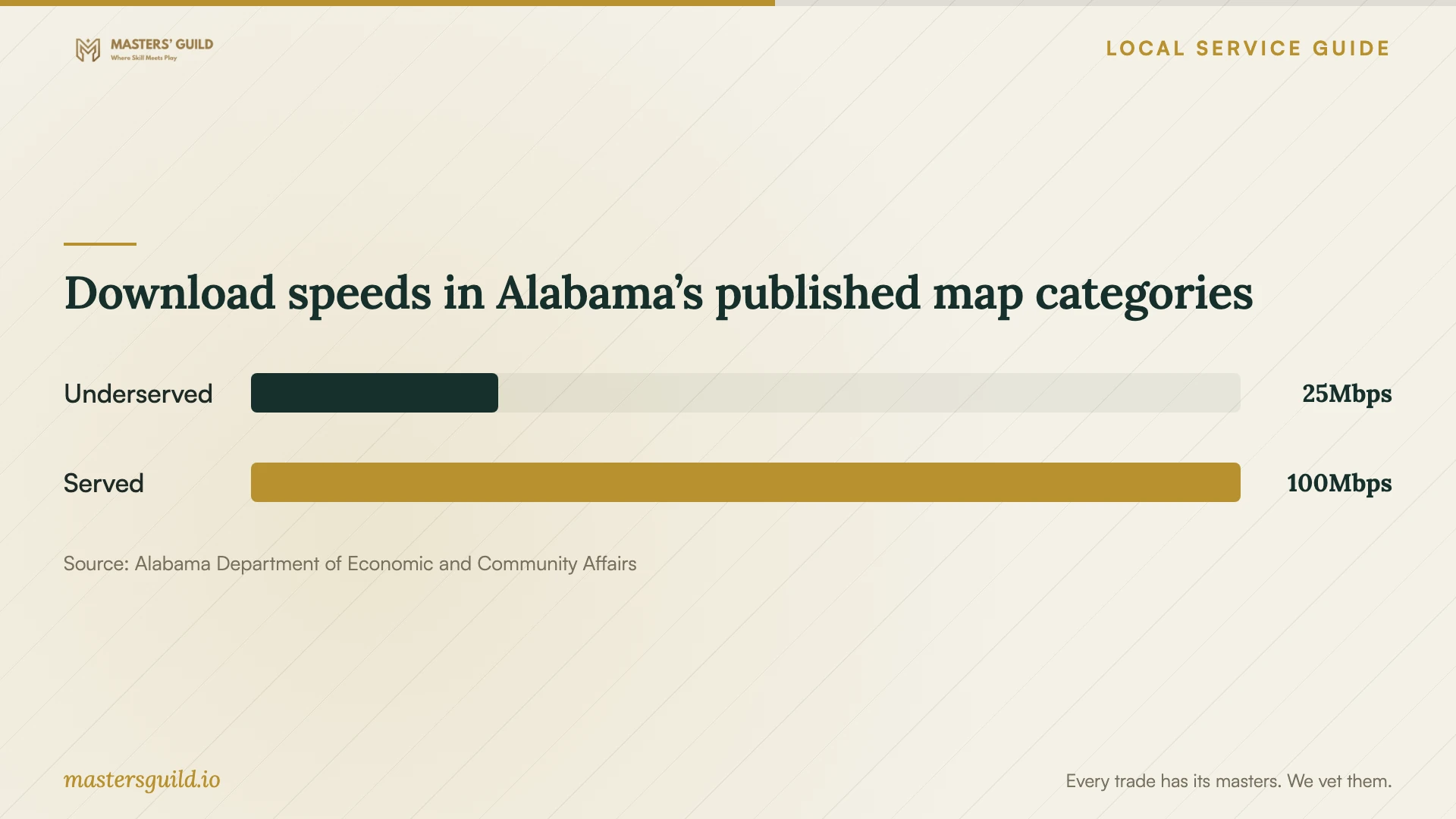
ADECA’s Be Linked Alabama website explains that its speed-map shading represents the percentage of addresses within a census block with access to a selected speed. Use that regional resource to investigate your address, then ask the provider to confirm the service it will supply there. Do not treat the shaded block as an individual service offer. [2]
In its January 5, 2022 announcement, ADECA described address-level mapping and public tools for researching availability, speeds, and current connectivity. That announcement explains the resource’s purpose; it does not establish today’s service options at your home. Keep your provider’s address confirmation and current plan details with your job brief. [3]
Give the technician your plan’s download and upload details, the equipment model names, and any provider troubleshooting notes. Ask whether they will help document an unresolved connection issue for the provider. Agree on who will contact the provider and whether that coordination falls within the quote.
Set the scope for cable and construction work
Build Mobile states that construction projects in Mobile require a building permit and that the project’s nature may require electrical, mechanical, or plumbing permits. This general construction guidance does not specify whether your network cable installation requires a permit. Ask the city to review your proposed work if the installer plans construction or electrical changes. [1]
Request a proposed cable route before approving in-wall work. Ask the installer to identify wall openings, visible cable sections, termination locations, and any proposed outlet changes. Get separate written responsibilities for installation, wall repair, painting, and cleanup. For a rental home, obtain the owner’s approval before authorizing alterations.
Give Build Mobile the address and a scope description rather than asking whether network work needs a permit in general. Describe the planned alterations and ask which permits or qualifications apply. Have the installer identify who will handle any required application and include that responsibility in the quote. [1]
Compare quotes by deliverables
Ask each bidder to price the same scope. Separate the diagnostic visit, labor, equipment, cable runs, wall repairs, and follow-up support. For hardware, request model names and quantities. For cabling, request the number and location of connections, labeling, and the testing record you will receive.
Agree on the acceptance test before booking. Name the rooms and devices the technician will test and the tasks you want to demonstrate, such as a call from your workspace or a connection from a desktop. Ask for the before-and-after observations and an explanation of any unresolved problems.
Arrange a handover that leaves you with access to the administrator account, recovery information, equipment inventory, and support contact. Enter your own passwords where possible. Ask the technician to explain any continuing remote access and obtain your agreement before enabling it.
Download speeds in Alabama’s published map categories
Local details that affect your job
Use the Alabama map before buying equipment
ADECA labels coverage by the share of addresses within a census block that can access a selected speed. For a Mobile home, use the map to identify questions for the provider, then obtain address-specific confirmation before agreeing to an equipment purchase intended to address an incoming-service problem. [2]
Bring a defined scope to Build Mobile
Build Mobile’s published construction guidance identifies building permits and possible trade-specific permits. Contact the office at 251.208.5895 with your address and planned construction or electrical alterations. Ask it to determine the applicable requirements before you approve that part of the installation. [1]
Choose the next step for your job
| Your situation | Next step | Ask before booking |
|---|---|---|
| You have not confirmed service at the address | Use ADECA’s map for research and ask the provider for address-specific confirmation. | Which plan and equipment will the provider supply here? |
| You need help identifying the cause | Book a diagnostic visit with written findings. | Will you compare wired and room-by-room Wi-Fi tests before recommending purchases? |
| You want cable connections in specific rooms | Request a route, termination plan, and itemized installation quote. | Who handles wall repair, labeling, and connection testing? |
| The proposal includes construction or electrical changes | Ask Build Mobile to determine requirements for the defined scope. | Who handles applicable permits and the work requiring qualified professionals? |
| You want ongoing support | Request written support terms alongside the installation price. | What follow-up work costs extra, and will you retain remote access? |
Your hiring checklist
- List the rooms, devices, and tasks you want the technician to test.
- Gather your current internet plan details and equipment model names.
- Record the times and locations where you notice connection trouble.
- Ask for a diagnostic price and an approval step before additional work.
- Request equipment quantities, cable routes, and repair responsibilities in writing.
- Confirm permission for alterations and resolve permit questions for the proposed scope.
- Agree on completion testing, account handover, and follow-up charges.
Frequently Asked Questions
Should I buy a mesh system before hiring someone?
Ask for a diagnosis and equipment recommendation first. Give the technician your room list and current equipment details, and require an explanation of how the proposed purchase addresses the findings. Agree on the hardware budget before ordering.
Does Alabama’s broadband map guarantee service at my home?
ADECA describes its shading as the percentage of addresses within a census block with access to a selected speed. Confirm service, plan details, and installation arrangements for your address with the provider before relying on the map for a purchase decision. [2]
Do I need a permit for network installation?
Build Mobile’s guidance requires permits for construction projects and identifies possible trade permits according to scope. It does not give a specific ruling for your network installation. Describe any proposed construction or electrical changes to the city and ask it to determine the requirements. [1]
What should I receive when the technician finishes?
Request the equipment inventory, connection labels, agreed testing results, administrator access, and recovery information. Ask the technician to document unresolved issues and explain the support terms before you accept the work.
Sources and scope
This guide combines the sources below with practical planning guidance. Figures apply to the stated geography and period; request a written quote for your property.