
Local service guide
Computer Virus Removal in Minneapolis: Hiring Guide
Arrange Computer Virus Removal in Minneapolis by requesting a written diagnosis, a file-preservation plan and a price limit before approving cleanup or an operating-system reinstall. Identify the files you need and require your approval before the technician erases the drive. Ask for separate repair and upgrade charges: Minnesota distinguishes separately stated repair labor from taxable installation work. [1]
Define the work before comparing quotes
Describe the symptoms without assuming their cause. Record unwanted messages, browser changes, failed sign-ins or trouble starting the computer. Tell the technician when you noticed the problem and what you have tried. Request a diagnosis before approving a cleanup package.
Give each provider the same brief: device model, operating system, symptoms, essential files and preferred handoff method. Ask whether they propose remote service, drop-off or a home visit. Request the diagnostic charge, included work, optional work and total approval limit in writing. Clarify what you owe if you decline repair after diagnosis.
Obtain a device-specific quote and collection date. Ask what the technician will charge if cleanup does not resolve the symptoms, if they recommend a reinstall, or if you request file recovery. Keep those alternatives outside the initial authorization until you understand their scope.
Agree on file handling and access
List the folders you want preserved, including family photos, tax documents and schoolwork. Describe your existing backup and when you last checked its contents. Require your approval before drive erasure, file deletion or operating-system reinstallation. Ask the technician to explain how they will check the files they return.
Ask which account permissions the technician needs and whether you can enter credentials yourself. Agree on where they may copy files, who may access those copies and when they will delete retained copies. Before accepting remote service, request an explanation of the access software and how the technician will end access after the job.
Photograph the computer's condition and list the accessories you hand over. Request a receipt and agree on the collection procedure. If the device holds work information or another person's confidential files, check with the responsible owner before authorizing access.
Request an itemized Minnesota invoice
Minnesota Department of Revenue defines repair labor as restoring a malfunctioning item to working order for its original purpose. The department exempts repair labor when the provider states it separately from taxable parts or other taxable items on the bill. Ask the technician how they classify the proposed work. [1]
In its computer-consulting example, the department treats new-computer setup and installation or upgrading of new software as taxable installation labor. It treats repair, migration, training and supervision services as exempt when separately stated. The department treats a single charge covering all those services as taxable in that example. [1]
Request separate line items for repair, moving files, software purchases and installation work. Compare the total payable amount across quotes with the same scope. Ask the provider to explain any bundled cleanup-and-upgrade proposal before you authorize it.
Choose cleanup, reinstallation or replacement
Ask the technician to describe the proposed work and its limits. For cleanup, request a description of the checks they will perform. For reinstallation, agree on file preservation and identify the applications you will need afterward. For replacement, request a separate quote for transferring the files you want.
Set acceptance checks before approving the work. At collection, ask the technician to demonstrate startup, your usual browser and access to the agreed files. Request a record of the work, installed software and unresolved concerns. Agree on whom to contact and any follow-up charges if the symptoms return.
Resolve your data needs before disposal
Hennepin County advises residents to remove personal information and files before recycling electronics. The county accepts no responsibility for data left on devices. If you choose replacement, ask the technician to quote data removal and explain how they will confirm completion before you surrender the old computer. [2]
The county operates household drop-off facilities in Bloomington and Brooklyn Park and requires proof of residency. Check whether your device qualifies before planning the trip. Tell the technician if you used the computer for a home business, because the county excludes business-use electronics from this disposal service. [2] [3]
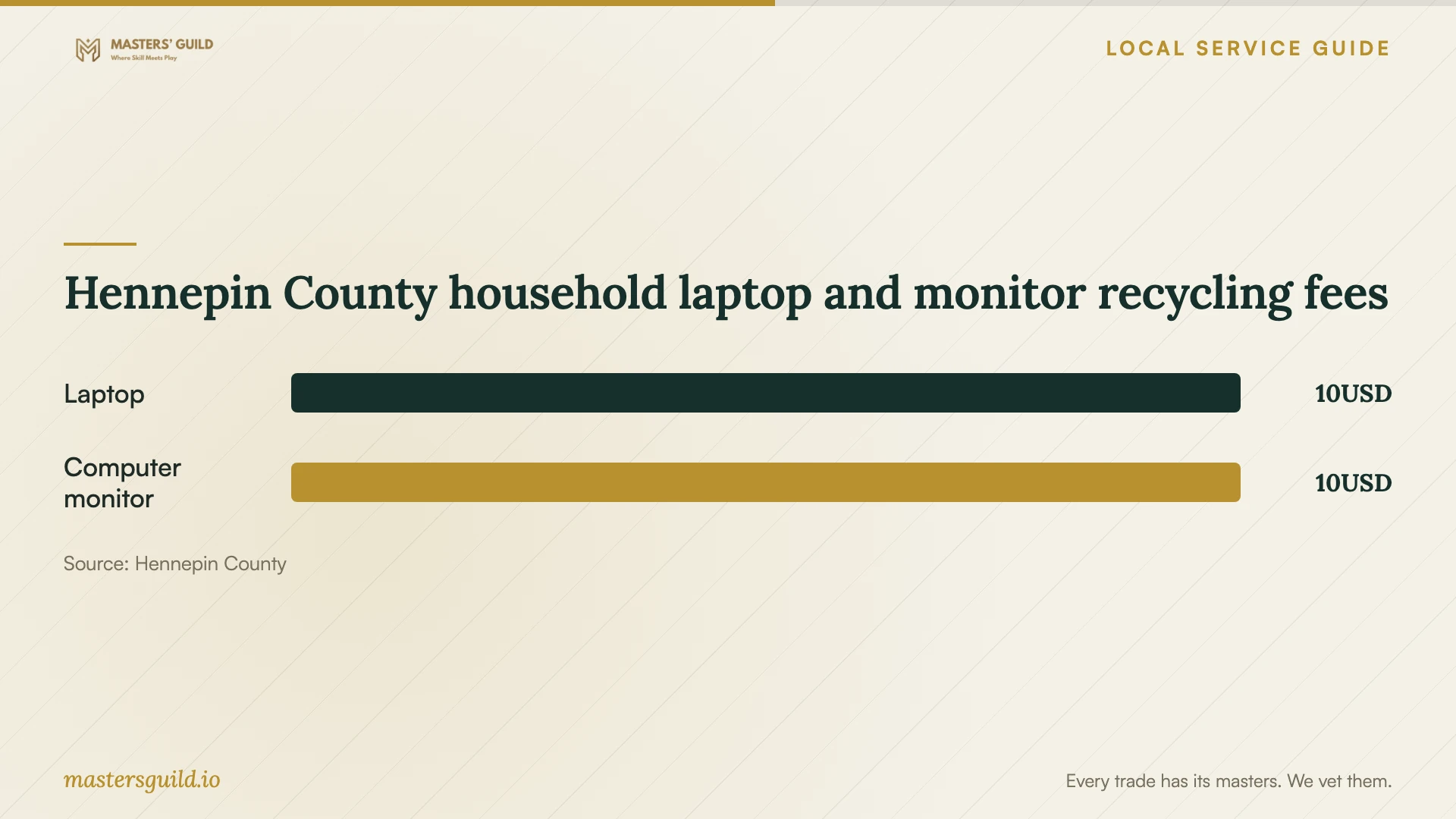
Hennepin County household laptop and monitor recycling fees
Local details that affect your job
Separate repair from upgrades before approval
Minnesota's computer-consulting example distinguishes exempt, separately stated repair and migration services from taxable new-computer setup and new-software installation or upgrades. Request separate prices before approving a combined repair-and-upgrade package. The department treats a single charge for all the example's services as taxable. [1]
Check whether household disposal applies
Hennepin County excludes electronics used for business purposes, including home businesses and property managers, from its drop-off facilities. The county limits household electronics drop-off to five of each type per 12-month period. Confirm the device's use and your household's previous drop-offs before including county recycling in a replacement plan. [2]
Plan the trip and bring residency proof
The county lists facilities at 1400 West 96th Street in Bloomington and 8100 Jefferson Highway in Brooklyn Park. Both operate Tuesday through Saturday, 9 a.m. to 5 p.m., and close Sunday, Monday and listed holidays. Bring a driver's license or utility bill as proof of residency. Confirm current hours before leaving. [3]
Choose your next step before authorizing work
| Your situation | Next step | Clarify before approval |
|---|---|---|
| You want to keep the computer | Request diagnosis and a cleanup proposal | Diagnostic charge, included checks and spending limit |
| The technician recommends reinstallation | Request a file and application plan | Erasure consent, preserved files and required software |
| The quote includes new software or upgrades | Request separate invoice lines | Minnesota distinguishes exempt repair labor from taxable installation work |
| You plan to recycle a household laptop | Arrange data removal and check eligibility | Hennepin County lists a $10 laptop recycling fee |
| You used the device for a home business | Ask for another electronics disposal option | County drop-off excludes business-use electronics |
Your hiring checklist
- Record symptoms, device details and previous repair attempts.
- List essential files and describe your backup.
- Request a diagnostic charge, repair scope and approval limit.
- Require consent before erasure or reinstallation.
- Agree on account access, file copying and deletion of retained copies.
- Request separate invoice lines for repair and installation work.
- Set a collection date and agree on acceptance checks.
- Before disposal, arrange data removal and confirm household eligibility.
Frequently Asked Questions
How much should I budget for virus removal?
Request a written quote for your device. Ask for the diagnostic charge, cleanup price, file-preservation work and any reinstall cost. Set a spending limit beyond which the technician must contact you, and clarify what you owe if you decline the proposed repair.
Should I approve an operating-system reinstall?
Ask the technician to explain why they recommend it. Agree on the files and applications you need, how they will preserve those files and the total charge before approval. Require separate consent for drive erasure.
Does Minnesota tax computer repair labor?
Minnesota exempts separately stated repair labor. Its computer-consulting example treats installation or upgrading of new software as taxable installation labor. Ask the provider to itemize the actual work and explain the tax treatment of each charge. [1]
Can I recycle a replaced laptop through the county?
Hennepin County lists a $10 fee for eligible household laptops and advises removing personal data before recycling. It excludes business-use electronics, including home-business devices. Bring residency proof and check eligibility and current hours before traveling. [2] [3]
Sources and scope
This guide combines the sources below with practical planning guidance. Figures apply to the stated geography and period; request a written quote for your property.