
Local service guide
Cloud Service Setup in Milwaukee, WI
Arrange Cloud Service Setup in Milwaukee by asking for an itemized proposal covering your files, staff accounts, devices, recurring subscriptions and a demonstrated file recovery. Before booking, check internet options at your business address and confirm service and speed with the provider. Keep account ownership with your business and agree on who will check the first upload after the appointment. [1] [2]
Define the work before comparing offers
Write down the result you need: shared staff folders, a scheduled backup, a move from an existing account, or access from office computers and phones. Identify the folders to include and the person who can approve access. Ask each technician to quote the same scope so you can compare their offers.
For a migration, request a written sequence: preserve the source files, copy the agreed folders, check selected documents, confirm staff access and obtain your approval before removing the old copies. Specify who will handle failed transfers and whether follow-up work belongs in the quoted price.
Check the connection at your premises
The Public Service Commission of Wisconsin offers an address search for internet providers, technology types and advertised speeds. Its broadband map also identifies funded projects in progress. Use the available-service information for your appointment planning; confirm any proposed service with the provider before depending on it. [1] [2]
Ask your internet provider about upload speed at your address, then give the technician your file volume and a proposed transfer window. Request a plan for keeping staff work available during the transfer. If you need someone on site, specify access arrangements and the person who will stay available to approve account changes.
Get an itemized Wisconsin quote
Wisconsin Department of Revenue guidance lists installation and configuration of prewritten software as taxable services. It lists making backups of data files and optional training as nontaxable, subject to qualifications such as whether a service is necessary to complete a taxable sale. Ask the seller to identify each charge and explain its tax treatment. [3]
The department also distinguishes hosted services from software licenses. Charges for storage on someone else's server can be nontaxable when the customer lacks control over or physical access to that server. Downloaded prewritten software can be taxable. A cloud label alone does not establish the tax treatment of your purchase. [3]
Request separate amounts for the appointment, migration, software configuration, training, recurring subscriptions and any follow-up support. Ask who bills each subscription and what you must do to cancel it. Use the written proposal to set your budget rather than an unsupported local price range.
Keep accounts and permissions under your control
Ask the technician to use an account your business controls for ownership and billing. Agree on the recovery contact before work starts. Have the technician explain the available sign-in protections, then let the owner enter passwords and retain recovery information.
Create an access list for staff and outside collaborators. Identify who may view, edit or share each folder, and test those permissions with the people who will use them. Include removal of temporary technician access in the handover, unless you authorize a defined support arrangement.
Accept the job after a recovery test
Wisconsin DATCP's backup guidance recommends preparing files, prioritizing important documents, setting a schedule and verifying the backup by loading information back onto the computer. Ask the technician to restore a selected file to a separate location and open it with you before you accept the backup work. [4]
Request a handover note recording the folders included, the chosen schedule, the account owner and the steps you should take after a failed backup. Name a staff member to check completion. If the first transfer remains unfinished, agree on a follow-up check and keep the source copies until you approve the result.
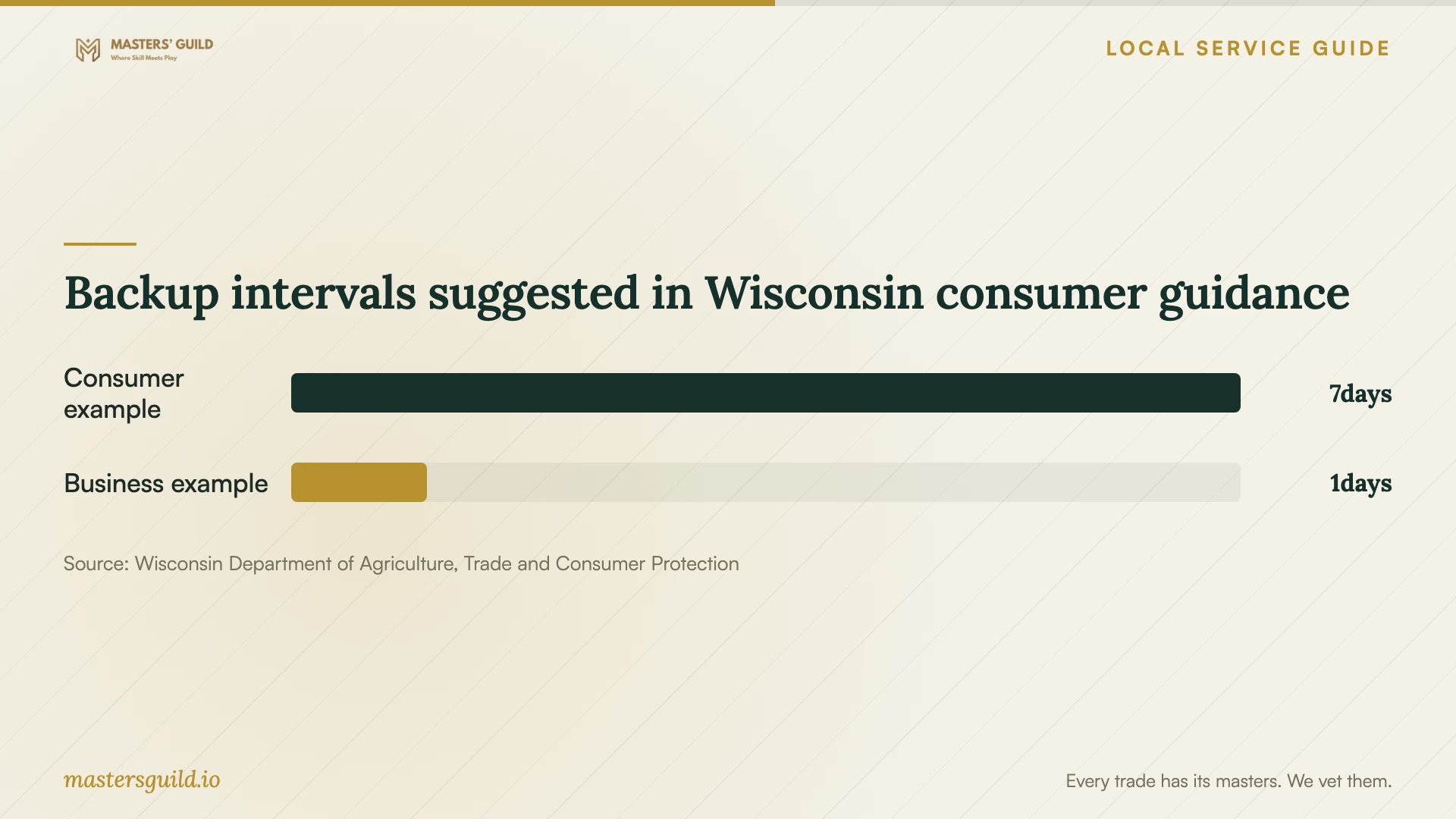
Backup intervals suggested in Wisconsin consumer guidance
Local details that affect your job
Use Wisconsin's address lookup before booking
For a Milwaukee office, search the premises address in the Wisconsin Broadband Map rather than assuming citywide availability. The PSC updated the map on February 18, 2026, using data as of June 30, 2025. The agency advises customers to confirm availability and speed with the provider. Make that confirmation before scheduling a migration around a new connection. [1] [2]
Separate setup labor from backup and training
Wisconsin's tax guidance distinguishes taxable configuration of prewritten software from backup work and qualifying optional training. Ask a Milwaukee technician for an itemized proposal before approving a combined setup package. Bundled transactions have additional rules, so itemization helps you ask the seller how they determined the tax rather than assuming the entire job has one treatment. [3]
Choose the scope to request
| Your need | Work to request | Acceptance check |
|---|---|---|
| Shared staff files | Folder setup and agreed permissions | Staff can open and edit only the intended folders |
| Scheduled backups | Selected folders, a schedule and recovery instructions | Technician restores and opens a selected file |
| Move existing files | Source preservation, transfer and verification | You approve destination files before source removal |
| Several devices | Setup on each listed device | Each intended user demonstrates access |
| Owner handover | Billing, recovery contacts and access review | Owner confirms control and approves retained support access |
Your hiring checklist
- List the devices, staff accounts, source folders and destination account.
- Confirm internet service at the premises and ask about upload speed.
- Keep a source copy and identify the files to transfer first.
- Request an itemized quote with subscriptions, tax and follow-up charges.
- Choose a business-controlled owner account and recovery contact.
- Agree on staff permissions and temporary technician access.
- Include a file recovery demonstration and written handover in the scope.
- Assign someone to approve completion of the first transfer.
Frequently Asked Questions
Should I request remote or on-site setup?
Ask the technician which tasks they can complete remotely after reviewing your devices and access arrangements. Request on-site help if you want someone present for device checks or staff training. Agree on how you will approve changes and whether either option includes a follow-up check.
Will a cloud setup quote include sales tax?
Ask for the treatment of each charge. Wisconsin lists prewritten software configuration as taxable and backups of data files as nontaxable, with qualifications. Hosted services, downloaded software and bundled purchases can receive different treatment. Have the seller explain the invoice. [3]
How often should our business back up files?
Choose a schedule based on how much work you could afford to recreate. DATCP's 2020 guidance suggests that small businesses might back up daily. Treat that as a starting point and ask the technician to document your chosen schedule and recovery procedure. [4]
How do I know the backup setup worked?
Ask the technician to recover a selected file into a separate location and open it with you. DATCP recommends verifying backups by loading information back onto the computer. Also request confirmation of the folders included and who will check future completion. [4]
Sources and scope
This guide combines the sources below with practical planning guidance. Figures apply to the stated geography and period; request a written quote for your property.