
Local service guide
Cloud Service Setup in London, ON: Hiring Guide
Arrange Cloud Service Setup in London, ON by asking a technician for a written scope covering the files you will move, staff access, account ownership and a demonstrated backup restore. Before transferring customer information, review the cloud provider’s contract and data locations. Canada’s privacy regulator says businesses remain accountable for personal information they outsource to cloud providers. [3]
Specify the work before comparing technicians
Write a short brief naming your current storage locations, the folders you want to move and the staff who need access. Identify the person who will approve permissions. Separate business records from personal files before giving a technician access, and flag customer information that needs a privacy review.
Ask the technician to distinguish file sharing from backup and recovery in the proposal. For each folder, request an explanation of how you will recover a deleted file or an earlier version, what the chosen service retains and which recovery tasks require another product. Include a recovery test when you agree on completion criteria for a backup job.
For a migration, agree on the source folders, destination, exceptions and acceptance checks. Ask the technician to open representative files with you and compare the agreed inventory before you approve removal of the originals. Record who will resolve missing files or failed transfers.
Compare quotes by scope and ongoing commitments
Request separate amounts for setup labour, migration, subscriptions, additional storage and follow-up support. Ask whether the technician will work remotely or attend your premises, whether you must remain available and how they will price work beyond the agreed scope. Compare proposals against the same folder and device inventory.
Ask who will purchase and administer subscriptions. Set up billing and recovery contacts under your business’s control, and request a written handover rather than leaving account access with the installer. Include removal of temporary technician access in the completion checklist.
Obtain a job-specific quote with the currency, applicable taxes, renewal terms and cancellation arrangements in writing. Agree on who must approve additional charges before the technician starts work.
Review customer-data handling before the move
The Office of the Privacy Commissioner of Canada advises businesses to assess the sensitivity of personal information and review their cloud provider’s terms. Ask where the provider stores and processes your data, including backups, and whether subcontractors can access it. The regulator explains that information transferred to another country becomes subject to that jurisdiction’s laws. [3]
Request access permissions based on each employee’s work. The regulator recommends stronger authentication, such as multi-factor authentication, and limiting access to people who need the information for their jobs. Have the technician explain how you will add a staff member, change permissions and remove access when someone leaves. [3]
Ask the provider about encryption, security-incident notification and data retrieval when you leave. The regulator’s guidance calls for an exit strategy that addresses returning personal information and secure deletion within specified timeframes. Seek qualified privacy advice if you need help assessing the obligations that apply to your records. [3]
Accept the setup after a recovery test
Require a written backup schedule, a named person responsible for monitoring it and a recovery demonstration. The Canadian Centre for Cyber Security recommends routine recovery testing, encryption for sensitive data and cloud backup accounts protected with a strong password or passphrase and multi-factor authentication. [4]
During handover, ask the technician to restore an agreed sample into a separate location and let you open it. Record the steps, the account you used and any limits you discovered. Request instructions for checking failed backups and escalating problems without needing the installer’s personal login.
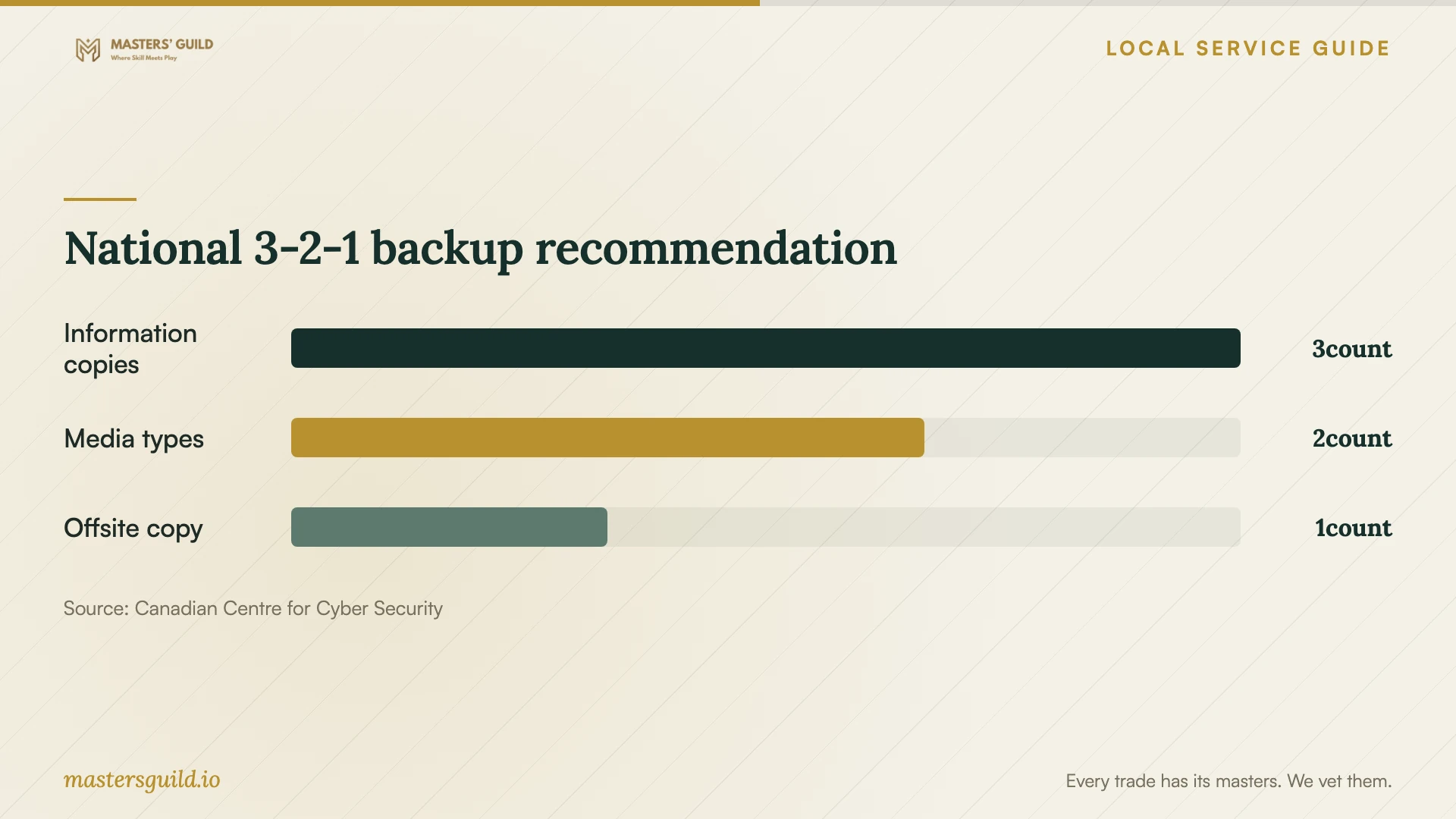
Use the national 3-2-1 recommendation below to discuss your backup design. The Cyber Centre also recommends an offline backup and explains that a network-connected backup device can face cyber threats. Ask the technician how they will protect each copy and how you will retrieve critical records during an interruption. [4]
National 3-2-1 backup recommendation
Local details that affect your job
Use library help for basic learning
London Public Library lists scheduled Volunteer Tech Tutors for computer basics, Word, Excel, PowerPoint and email. Check the schedule and call to confirm before visiting. If your difficulty concerns basic computer or email use, ask whether a tutor session fits before paying for that instruction. Keep customer records out of a general learning session; arrange migrations, staff permissions and recovery testing under a separate business scope. [1]
Plan the transfer around address-specific outage information
London Hydro offers outage notifications by phone, email or text for your address, with further notices when an estimated restoration time becomes available or changes. You can enrol through the Notifications tab in MyLondonHydro or through the utility’s app. For premises served by London Hydro, enrol before a scheduled migration and agree with the technician who will check transfer status after an interruption. Use the alerts to follow outage updates and ask the installer to demonstrate the recovery procedure. [2]
Choose the scope that matches your problem
| Your situation | Next step | What to confirm |
|---|---|---|
| You need basic computer or email instruction | Check London Public Library’s Tech Tutor schedule and call to confirm | Ask whether the learning session covers your question |
| Staff need shared access to business folders | Request a setup scope with named users and permissions | Have the technician demonstrate access changes and removal |
| You need to move customer records | Review provider terms and data locations before approving migration | Confirm ownership, subcontractor access and exit arrangements |
| You need to recover from lost files or an interruption | Request a documented backup and recovery scope | Include a restore test and discuss an offline backup |
Your hiring checklist
- Inventory the source folders, devices and staff accounts before requesting quotes.
- Identify customer records and decide who will approve their transfer.
- Request separate setup, migration, subscription and follow-up support amounts.
- Keep billing, administrator access and recovery contacts under business control.
- Agree on a migration acceptance test and retain originals until you approve it.
- Review address-specific outage notifications and agree on interruption follow-up.
- Watch a sample restore and keep the written recovery instructions.
- Remove temporary technician access and record who will monitor future backups.
Frequently Asked Questions
Does hiring a cloud provider transfer our privacy responsibility?
Your business remains accountable for personal information it outsources. The Canadian privacy regulator advises reviewing provider contracts, safeguards and data handling before transferring records. Ask for qualified advice if you need help assessing your obligations. [3]
Must all of our cloud data stay in Canada?
The privacy regulator says Canada’s private-sector privacy legislation does not prohibit cross-border processing, while noting that specific provincial obligations can apply. The Cyber Centre also notes that regulatory or policy requirements may require Canadian storage. Establish the requirements for your records before choosing a data location. [3] [4]
Can library tutors complete our cloud migration?
London Public Library describes Tech Tutor help with computer basics, office software and email. For moving business files, obtain a separate technical proposal covering migration checks, permissions and recovery. Call the library to confirm help with a basic learning question. [1]
What should we receive at handover?
Request an account and permissions record, a subscription summary, backup instructions and a demonstrated sample restore. Keep recovery contacts under your control and agree on follow-up responsibility. The Cyber Centre recommends documenting backup procedures and testing recovery. [4]
Sources and scope
This guide combines the sources below with practical planning guidance. Figures apply to the stated geography and period; request a written quote for your property.