
Local service guide
Cloud Service Setup in Lexington, KY
Arrange Cloud Service Setup in Lexington by asking a technician to quote a defined migration, access permissions, recovery testing, and a written handover. Before accepting the quote, list your users, devices, files, and existing subscriptions. Require separate charges for setup and recurring services, keep account ownership with your business, and agree on who checks the finished upload.
Define the work before comparing quotes
Write down the result you need: shared office files, a migration from an existing service, device backup, or a combination. Ask the technician to explain which tasks the quote covers. Request an explicit recovery plan if you need to retrieve older or deleted files, and include a demonstration in the acceptance criteria.
Give each bidder the same inventory: staff accounts, computers and phones, source folders, approximate data volume, and any applications that use those files. Identify the folders staff need during the move. Ask the technician to propose a transfer sequence and a time when staff should stop editing the old copies.
Choose someone who can describe how they will check the migration and handle exceptions. Ask for relevant platform credentials if they claim them, a sample handover outline, and written terms for follow-up work. Request a separate price for any cleanup or account recovery outside the agreed scope.
Check the connection at your premises
The FCC National Broadband Map lets you search a street address and inspect provider-reported technologies and maximum advertised upload and download speeds. Use your actual premises address when reviewing connection options for the job. The FCC also provides a challenge process for incorrect availability information. [3]
Ask the technician to measure the connection you will use and propose an upload schedule around staff work. Request separate milestones for account configuration, file transfer, and verification. Have the quote name the person responsible for checking progress after the technician leaves.
Treat the map as a starting point for provider enquiries. Its figures describe reported availability and maximum advertised speeds; they do not establish the transfer speed you will achieve during this job. Ask the provider to confirm availability and ask the technician to base the schedule on a connection check. [3]
Separate setup charges from subscription costs
Request a quote with separate entries for technician work, recurring subscriptions, optional support, and applicable taxes. Ask who will pay the subscription, which account will receive renewal notices, and whether the quote includes storage or user additions. Require your approval before the technician purchases a plan.
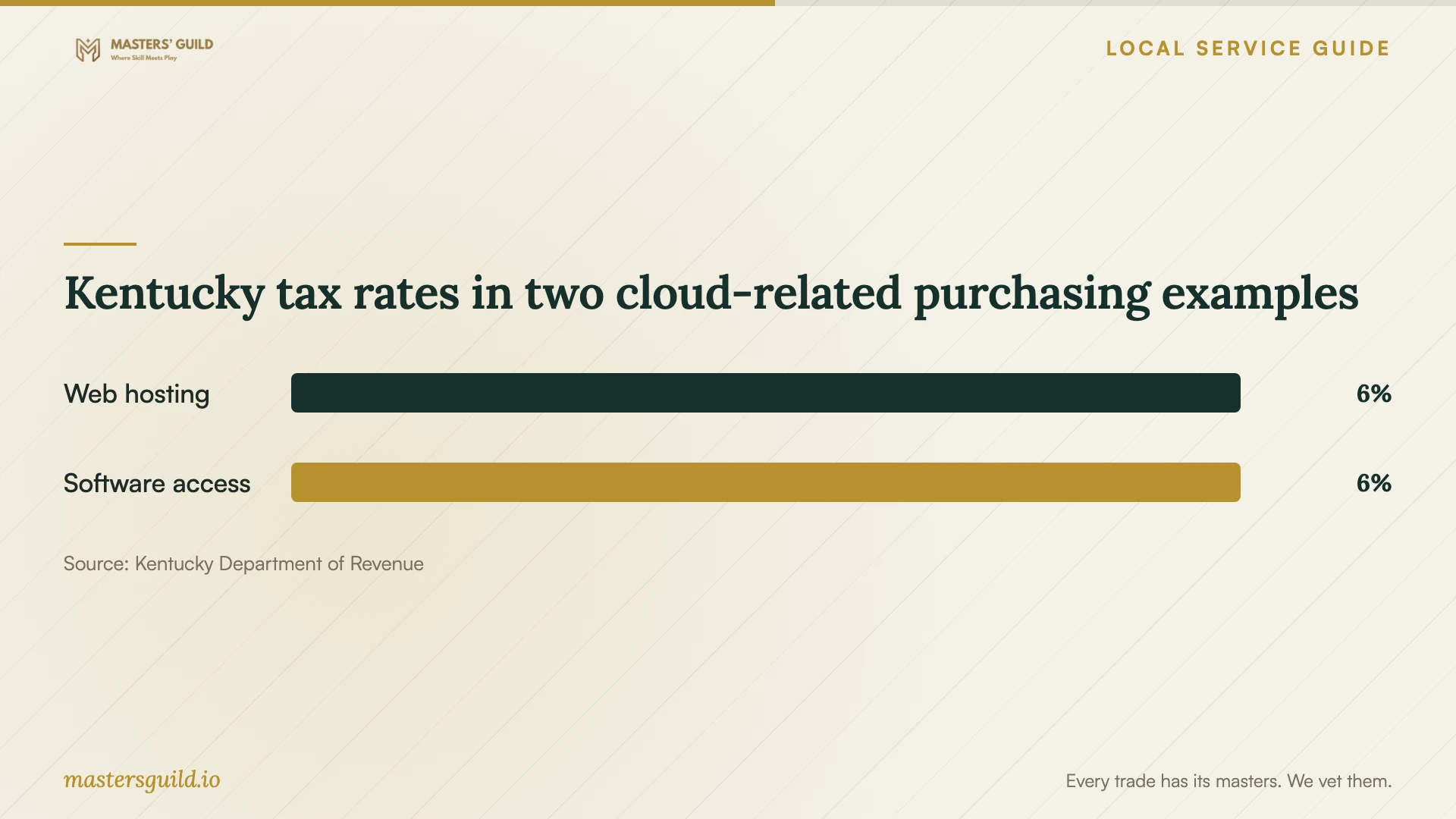
Kentucky Department of Revenue guidance says a Kentucky customer receiving web hosting owes 6% sales and use tax even when the provider and server are outside the state. It also describes 6% use tax for prewritten software-access services purchased from an out-of-state provider for Kentucky-based employees. [1]
Ask the seller to explain the treatment of each quoted service. Do not apply those examples to the entire setup invoice without checking its contents. For staff working outside Kentucky, ask your tax adviser to review allocation: the state's software example distinguishes identified licenses used solely outside Kentucky. [1]
Keep control and test the handover
Create the business owner account under an address your business controls. Enter your own password and authentication codes during setup. Agree on the technician's temporary access and its removal at handover. Assign a staff member responsibility for renewal notices and recovery information.
Before approving completion, have a staff member open representative files from the destination and check access from each agreed device. Test a restricted folder with an account that should lack access. Ask the technician to demonstrate the agreed recovery procedure and document any files they could not transfer.
Keep the source copies until you have reviewed the migration and recovery test. Ask for a handover record naming the account owner, configured devices, shared folders, outstanding uploads, renewal arrangements, and follow-up contact terms. Agree in writing on when the technician will delete any working copies they created.
Kentucky tax rates in two cloud-related purchasing examples
Local details that affect your job
Library help has a defined boundary
Lexington Public Library says it does not offer technical support or troubleshooting except for library resources, though staff can help find local technology resources. Its Book a Librarian service accepts individuals, organizations, and businesses. Use it for resource-finding enquiries; arrange a technician for the migration and recovery work. [2]
An out-of-state seller does not remove Kentucky tax
Kentucky sources taxable services according to where the customer receives them. Its guidance says purchasers owe 6% use tax on covered taxable services when an out-of-state seller does not charge Kentucky tax. For services received at your Lexington business, check the tax line and retain the invoice rather than assuming an untaxed purchase carries no liability. [1]
Choose the next step for your situation
| Your situation | Recommended next step | Include in the scope |
|---|---|---|
| You want shared staff folders | Request an access and sharing setup | Named account owner, folder permissions, and staff access tests |
| You are replacing an existing cloud service | Request a staged migration | Source inventory, editing cutoff, exception report, and destination checks |
| You need a recovery plan | Request configuration plus a witnessed recovery test | Files covered, recovery procedure, and written test result |
| You need help finding local technology resources | Consider a library resource-finding enquiry | Keep cloud troubleshooting with a technician; library technical support covers library resources |
Your hiring checklist
- List the users, devices, source folders, and business account owner.
- Identify the files staff need during the transfer and agree on an editing cutoff.
- Request separate setup, subscription, support, and tax charges.
- Ask for a connection check and a schedule for unfinished uploads.
- Approve staff permissions and recovery arrangements before migration.
- Witness file-opening, access, and recovery tests before accepting completion.
- Collect the handover record and remove the technician's temporary access.
Frequently Asked Questions
Can I get a reliable price before the technician visits?
Ask for a quote based on your inventory and a clear list of assumptions. Require the technician to identify work that needs inspection before pricing, and agree on an approval process for extras. Compare the same deliverables across quotes, including verification and follow-up.
Can the library configure our business cloud accounts?
Plan to hire a technician. Lexington Public Library excludes technical support and troubleshooting outside library resources. Staff can help you find local resources for a technology problem. [2]
Will an out-of-state subscription avoid Kentucky tax?
An out-of-state seller does not establish an exemption. Kentucky's guidance applies 6% tax to its Kentucky-received web hosting example and describes use-tax obligations for covered taxable purchases when the seller does not collect it. Ask about the particular service on your invoice. [1]
What should count as a completed job?
Agree on completion before work starts. Request successful destination file checks, staff permission tests, the agreed recovery demonstration, a list of exceptions, and a written handover. Name who will confirm any uploads that remain in progress.
Sources and scope
This guide combines the sources below with practical planning guidance. Figures apply to the stated geography and period; request a written quote for your property.