
Local service guide
Cloud Service Setup in Las Vegas, NV
Arrange Cloud Service Setup for your Las Vegas business by asking for a written scope covering the files to move, staff access, account ownership, recurring charges, and a demonstrated file restore. Before approving the migration, ask the technician to check upload performance at your premises and agree on a completion test. Keep control of the business account and approve any remote access yourself.
Define the setup before comparing quotes
Give each technician the same inventory: computers, phones, shared folders, existing cloud accounts, and the approximate amount of data you want to move. Name the person who can approve access and the staff members who need each folder. Separate shared business records from personal files before the appointment.
Ask the quote to distinguish account configuration, file migration, backup configuration, staff training, and follow-up support. Request separate figures for labor and recurring subscriptions, including who pays the subscription provider. Agree on how the technician will price extra devices, failed transfers, or work outside the original scope.
Choose a completion test before work starts. For example, ask an authorized employee to open a migrated file from another device, confirm that a restricted user cannot open a private folder, and restore a test file through the agreed recovery process. Put those demonstrations in the scope.
Check the connection at your premises
The FCC National Broadband Map lets you search an address and view providers’ reported technologies and maximum advertised download and upload speeds. Use that address-level information when considering a connection change. The city’s franchise list identifies telecommunications agreements, but you should confirm availability for your building with the provider before planning the migration. [1] [2]
Ask the technician to measure upload performance on the connection you intend to use and propose a transfer schedule around your business hours. Request a plan for interrupted uploads and a way to check progress after the appointment. Keep the original files until you have checked the destination and completed the agreed restore test.
For a cellular fallback, distinguish outdoor coverage information from conditions inside your office. The FCC says its mobile map represents outdoor or in-vehicle coverage and does not show indoor coverage. Test the intended device where staff will use it before relying on that connection for a migration. [1]
Control account access and customer records
Create the main account under business-controlled contact details. Ask the technician to document administrator access, recovery contacts, staff permissions, and subscription ownership. Enter your own credentials during the appointment, request multifactor authentication where available, and agree on when the technician will lose access.
Nevada’s Attorney General warns that scammers use unsolicited calls and security-style advertisements to request computer access and sell unnecessary services. The office advises consumers against giving computer control to unsolicited callers. Arrange remote support through a contact method you have verified, and ask the technician to explain the access request before you approve it. [4]
For customer records, ask who may view the files, whether the technician will create temporary copies, and how they will remove those copies after acceptance. Nevada’s Attorney General states that NRS 603A.220 requires website operators and other data collectors to notify Nevada consumers when they experience a data breach. Ask a qualified adviser how that requirement applies to your records, and name an incident contact in the service agreement. [3]
Require a usable handover
Ask for a short handover document listing the accounts, selected folders, authorized users, billing owner, recovery steps, and unresolved items. Have an employee follow the instructions while the technician remains available. Request a clear distinction between completing configuration and finishing any remaining file transfers.
Before signing off, inspect a sample of important files and ask the technician to demonstrate the agreed recovery process. Record any exceptions, such as files that failed to transfer or devices still awaiting setup. Agree on the support period, response arrangements, and charges for later changes before closing the job.
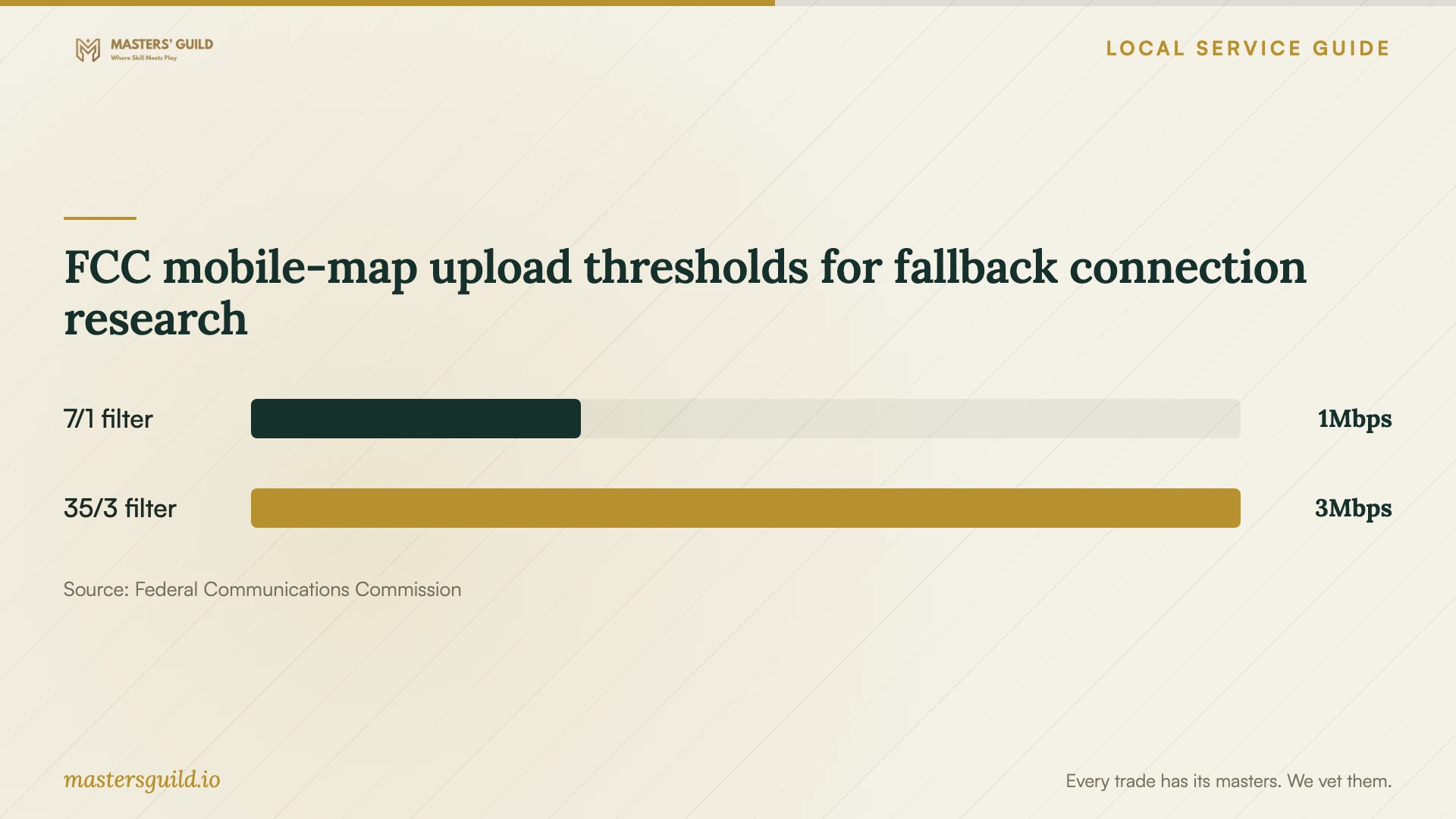
FCC mobile-map upload thresholds for fallback connection research
Local details that affect your job
Escalating a city franchise service problem
The City of Las Vegas directs inquiries and complaints to the service provider first. If an issue with a franchisee remains unresolved, its Franchise Administration Unit offers assistance at 702-229-1070 and may attempt mediation. The city identifies limits to its authority, including connecting or disconnecting services. If a connection problem threatens your migration date, keep the provider’s case number and ask the city whether the dispute falls within its remit. [2]
Nevada customer-data responsibilities
For businesses handling Nevada consumer information, the state Attorney General’s breach-notification guidance deserves attention before a migration. The office identifies notification duties under NRS 603A.220 and its enforcement authority under NRS 603A.290. Include an incident escalation contact and ask your adviser to clarify responsibilities between your business and the technician before granting access to customer records. [3]
Choose the scope that matches your job
| Your situation | Ask for | Before accepting |
|---|---|---|
| Shared files on several devices | Folder selection and staff permissions | Have staff test permitted and restricted access. |
| Moving from an existing account | Migration, exception reporting, and handover | Inspect important files before retiring the old account. |
| Recovery is the main concern | Backup configuration and restore instructions | Watch a test file restore. |
| Remote appointment | Verified contact details and an agreed access window | Approve access yourself and confirm its removal. |
| Customer records included | Access limits and an incident contact | Clarify notification responsibilities with your adviser. |
Your hiring checklist
- Inventory devices, cloud accounts, shared folders, and the files you want moved.
- List staff permissions and identify the business account owner.
- Request separate labor, subscription, and follow-up support charges.
- Agree on upload checks, transfer scheduling, and interruption handling.
- Approve the remote-access method and its removal at handover.
- Specify file checks and a demonstrated restore as acceptance tasks.
- Document unfinished transfers and keep original copies until acceptance.
Frequently Asked Questions
Can the technician complete the setup remotely?
Ask whether the proposed work requires physical access to devices or can proceed through an agreed remote session. Verify the technician through a contact method you chose. Nevada’s Attorney General advises against granting computer control to unsolicited callers. [4]
How should I compare setup prices?
Request quotes for the same devices, files, permissions, recovery test, and handover. Separate subscription charges from labor and ask how extra work will receive approval. Use the written scope to assess the offers.
Does the city franchise list prove that an internet provider serves my office?
Use the list as information about city agreements. For your premises, check the FCC address search and confirm availability with the provider. The FCC displays provider-reported availability and advertised speeds at individual locations. [1] [2]
What should I receive when the job ends?
Request business-controlled account access, billing details, a permissions list, recovery instructions, and a record of unfinished work. Ask the technician to demonstrate file access and a restore before you approve completion.
Sources and scope
This guide combines the sources below with practical planning guidance. Figures apply to the stated geography and period; request a written quote for your property.