
Local service guide
Network Setup and Support in Laredo, TX
Arrange Network Setup and Support in Laredo by asking for diagnosis before approving equipment purchases. Describe the rooms and devices you need connected, request a written installation plan, and agree on completion tests. For in-wall wiring or a buried connection to another building, choose an installer who can explain the cabling work and handle the project’s approval and excavation questions.
Give the technician a reproducible problem
Start with what happens during normal use. Note the device, room, activity, and approximate time of each interruption. Explain whether other devices lose their connection at the same time. Avoid resetting equipment before the visit unless you have agreed on that step with the technician; ask what information they want you to preserve.
Ask for a starting test near the router and another where you experience trouble. Have the technician record the connection method and test location, then explain the proposed change. Request an option that uses your existing equipment before deciding whether to buy a replacement router, additional wireless equipment, or wired connections.
Review the internet service at your address
Use the FCC National Broadband Map when considering a provider change. You can search your street address and review the providers, technologies, and maximum advertised download and upload speeds they report offering there. Confirm the offer and installation arrangements with the provider before committing to service. [3]
Bring your current plan details to the appointment and ask the technician to explain how their test results relate to the problem you reported. If they recommend changing providers, ask what finding supports that recommendation and what you should ask the provider to investigate.
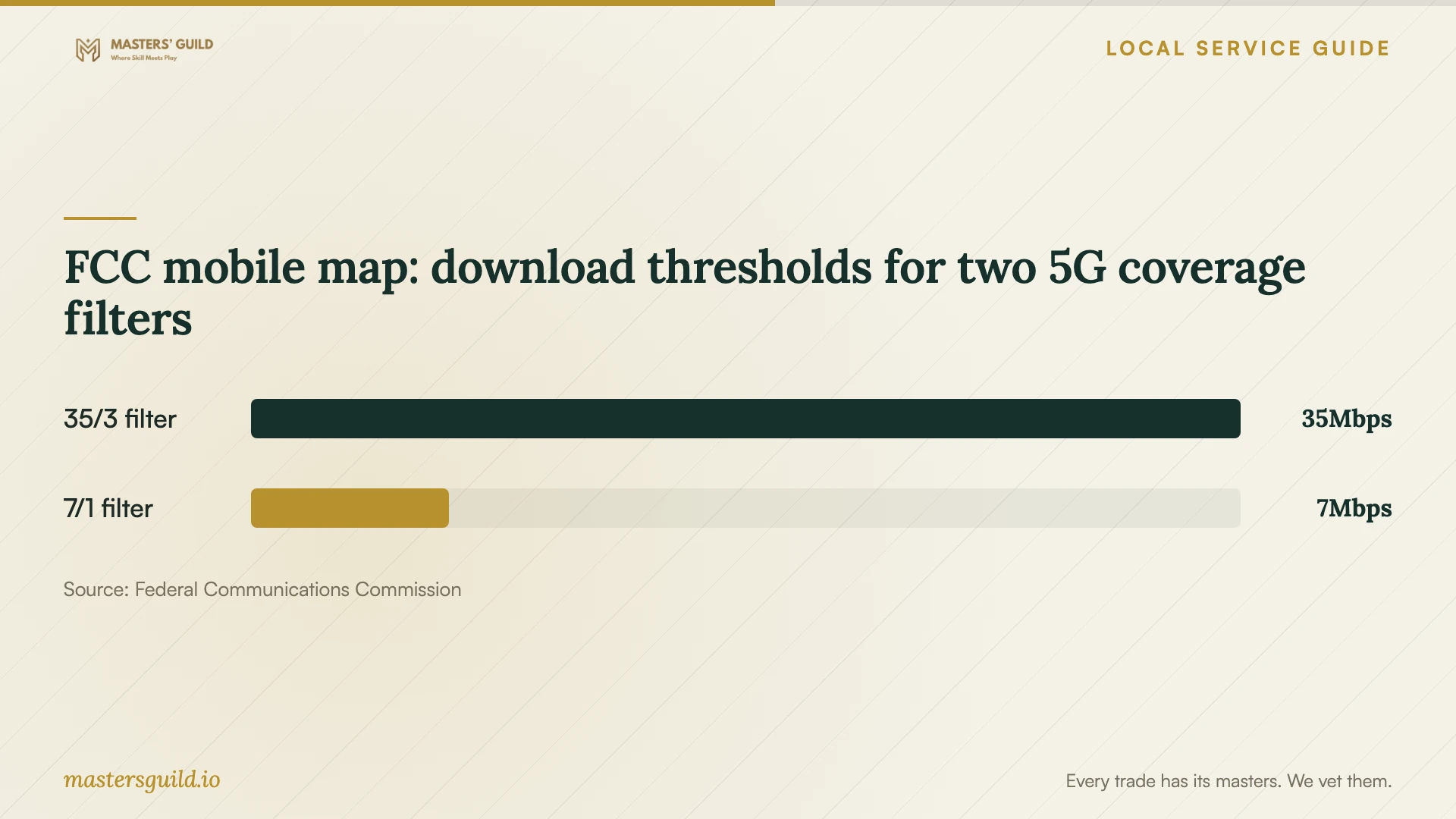
For cellular backup, check reception at the intended equipment location before purchasing hardware. The FCC’s mobile map describes outdoor or in-vehicle coverage and does not show indoor coverage. Treat the published 5G filter thresholds as map definitions, rather than a prediction for your home. [3]
Define the cable installation before opening walls
Walk through the proposed cable endpoints with the installer. Identify where your desk, television, or other equipment will sit, and ask them to sketch the route between each outlet and the network equipment. Discuss visible cable, access holes, furniture movement, and who will patch and paint any disturbed finishes.
Ask the proposal to name the cable specification, termination method, and testing deliverable. Require labels that let you match each room outlet to its connection at the network equipment. Agree on how the installer will seek your approval if they encounter a blocked route or need another wall opening.
For a detached office or outbuilding, ask the installer to compare a buried route with any alternative they consider suitable. Request a site assessment before accepting a fixed installation scope. Include the route, building entry points, surface restoration, and responsibility for any subcontracted work in that discussion.
Set acceptance tests and support expectations
Agree on the handover before work starts. Use your own devices in the rooms named in the proposal, check the wired ports, and repeat the activity that prompted the visit. Ask the technician to record the results and explain any remaining problem before you accept the work.
Request equipment model names, labeled connections, administrative account details, and restart instructions. Have the technician explain how you can revoke remote access if you grant it. Decide who will retain configuration backups and how you will recover access if you replace your phone or computer.
Ask how to report a recurring fault, what follow-up the installation price includes, and when a return visit would incur a charge. Describe any work-from-home commitments before scheduling changes, and agree on the point at which the technician should restore the previous setup if the planned work cannot finish.
FCC mobile map: download thresholds for two 5G coverage filters
Local details that affect your job
Texas cabling exemptions affect bidder screening
For a Laredo cabling project, distinguish communications work from any proposed electrical additions. TDLR exempts specified communications circuits and optical-fiber cables from state electrician licensing, while warning that municipal or regional regulations may override exemptions. Ask the bidder to identify the applicable qualification requirements and confirm local requirements for the exact scope. The state guidance does not establish a Laredo permit rule. [1]
Texas811 affects the excavation start date
For a buried connection here, Texas811 says the digging contractor must contact it at least two business days before excavation. Holidays do not count toward the waiting period, and the excavator must confirm utility responses before starting. Ask for the contractor’s ticket number. Utility marking arrangements are free, but private locating carries fees; public utilities may exclude meter-to-house lines. Include private-line review in the excavation plan. [2]
Choose the next step for your situation
| Your situation | Work to request | Useful question |
|---|---|---|
| Trouble in a particular room | Diagnostic tests near the router and at the affected location | Can we repeat the same activity before and after the change? |
| Considering a provider change | Address-level review of provider-reported services on the FCC map | Has the provider confirmed the offer for this address? |
| Adding wired room connections | A route plan and documented cable testing | Who handles wall repairs if the route needs access holes? |
| Connecting a detached building | A site assessment covering the route and building entries | Who will restore disturbed surfaces and coordinate subcontractors? |
Your hiring checklist
- Record affected rooms, devices, activities, and interruption times.
- Gather your provider plan details and existing equipment model names.
- Choose the rooms and devices to include in completion testing.
- Photograph the proposed cable endpoints and discuss access to each location.
- Identify who will supply equipment and retain its purchase records.
- Prepare a secure way to receive account details and configuration backups.
Frequently Asked Questions
How much should I budget?
Request an itemized quote for diagnosis, equipment, installation, finish repairs, and follow-up. Ask which charges the contractor can confirm only after inspecting the property. Use a site-specific quote to set your budget rather than assuming a generic price represents current Laredo installation costs.
What should I do if I rent my home?
Obtain the property owner’s written permission before authorizing wall openings, permanent cable routes, or excavation. Share the proposed route and repair responsibilities with the owner. Ask the installer to describe an approach you can remove when you leave if permanent changes are unsuitable.
Can I keep my current network name and password?
Tell the technician that you want to retain them and ask whether the proposed setup can accommodate that preference. List the devices you want reconnected, including printers and household controls. Have the technician demonstrate the agreed connections before leaving.
Does the FCC map prove I will get the listed speed?
The map presents provider-reported availability and maximum advertised speeds. Use it to identify services to investigate, then confirm details with the provider. Ask your technician to document actual tests at your home when assessing the connection. [3]
Sources and scope
This guide combines the sources below with practical planning guidance. Figures apply to the stated geography and period; request a written quote for your property.