
Local service guide
Data Recovery and Backup in Kitchener
For Data Recovery and Backup in Kitchener, ask a provider to separate the immediate recovery job from the ongoing backup plan. Request written diagnostic charges, approval limits, data-handling terms and a restore test before accepting the work. If you suspect ransomware, disconnect affected devices from the internet and internal network, then arrange incident-response help before restoring business systems. [3]
Choose the scope before comparing providers
Tell the provider whether you need missing files recovered, an existing backup restored, or a backup system installed. Request separate prices for each stage. Give them the device model, storage type if known, symptoms, incident sequence and a list of recovery attempts. Prioritize the records you need to reopen or keep operating.
For an unreadable or damaged device, ask whether the provider will assess it themselves or send it elsewhere. Confirm who authorizes further work, who transports the device and who answers your questions during the job. Ask the assessor for handling instructions before attempting another repair or recovery scan.
For suspected ransomware, use a separate, unaffected device to contact help. The Cyber Centre advises isolating affected systems and using an alternative communication method because attackers may retain access to business communications. Ask for incident-response capability as part of the engagement. [3]
Compare written charges and acceptance terms
Request an itemized quote covering assessment, recovery attempts, return storage, transport and any urgent-service charge. Ask what you owe if you decline the proposed work or the provider recovers only part of your priority files. Require approval before the provider exceeds your agreed spending limit.
Define the acceptance check in writing. For example, ask to open selected accounting exports, documents and images from the returned copy. For an application restore, specify whether the provider must demonstrate that the application opens and accesses its records. Agree on a verification period before the provider deletes working copies.
Ask for separate estimates for assessment, hands-on work and delivery. State your business deadline, then ask which priority records the provider can attempt first. Avoid treating an initial completion estimate as a promise that all requested files will return.
Specify backups you can restore
Ask the installer to document what they will back up, how often they will run backups, how long they will retain versions and who will investigate failures. Choose the schedule around how much recent work you could afford to recreate. Set a separate target for how long you could operate without the affected system.
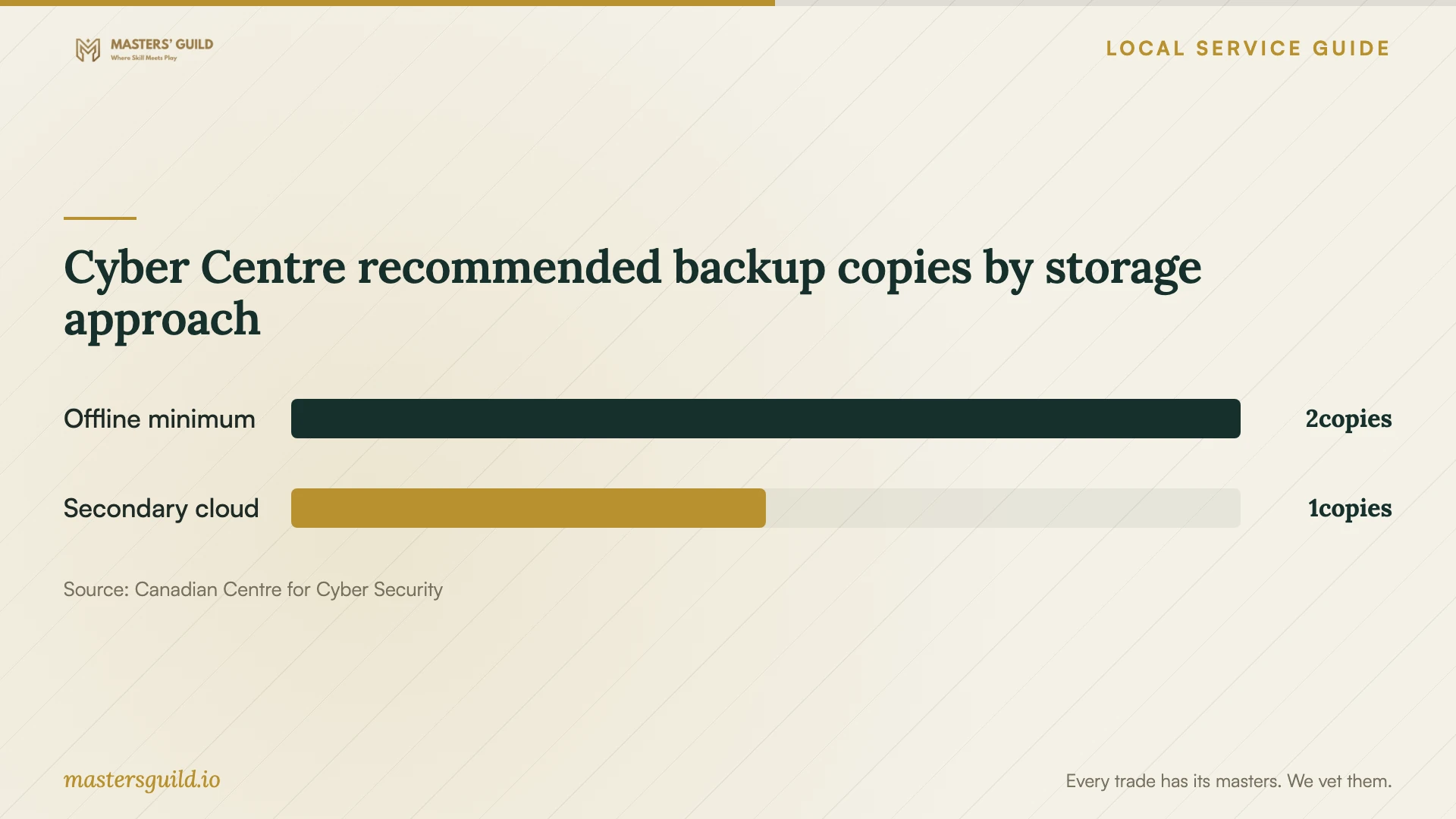
The Cyber Centre recommends two or more offline backups inaccessible through the network and internet connection, with a secondary cloud backup. It also recommends scheduled testing, giving monthly testing as an example. Ask the installer to demonstrate a restore and document who will repeat that test. [3]
Ask who controls encryption keys and recovery credentials, where the provider stores cloud data and how you would retrieve it after ending the contract. The Cyber Centre advises organizations to assess data residency and confirm that storage vendors have security measures, incident-management processes and disaster-recovery plans. Do not assume that choosing a local technician determines the storage location. [3]
Agree on access and handover
Name the person who can authorize access to business files. Ask the provider to explain which credentials they need, how they will receive them and whether they can use temporary access. Record any subcontractor, storage location and retention period in the work order. Request a receipt identifying each device you hand over.
For ransomware recovery, require a plan for checking backups and restoring into a clean, isolated environment. The Cyber Centre advises scanning backups before restoration and fixing the attacker's entry point before reconnecting systems. Include those responsibilities in the scope rather than approving a file restore alone. [3]
At handover, request the recovered-file inventory, restore-test result, backup instructions and support arrangements. Keep the original device until you accept the recovered copy and agree on its final disposition. Ask the provider to document deletion of temporary copies according to your agreed terms.
Cyber Centre recommended backup copies by storage approach
Local details that affect your job
Check Enova's outage information before arranging equipment work
Enova provides an outage map with restoration information and asks customers to report an unlisted outage at 226-896-2200. If your equipment stopped during an interruption, check that information and tell the technician the sequence of events. Enova also recommends surge protectors for computers. Ask the backup installer to assess power protection and whether you need battery-supported shutdown for the proposed equipment. [1]
Arrange electronics disposal through the regional route
The Region of Waterloo identifies computers, keyboards, phones and printers among electronic waste banned from curbside collection. Its resident guidance directs readers to EPRA for current free drop-off locations and device-wiping information. Check whether that route accepts your business equipment before transporting it. Complete recovery verification first, then agree with the technician on wiping or another disposal method for media they cannot wipe. [2]
Match the job to the help you arrange
| Your situation | Scope to request | Approval question |
|---|---|---|
| Missing files with an available backup | A restore assessment and verification of priority files | Can you demonstrate the files open before I accept the work? |
| Unreadable or damaged storage | An assessment with written handling and escalation terms | Who will hold the device and authorize additional work? |
| Suspected ransomware | Isolation, incident response and a clean recovery plan | Who will check backups and fix the entry point before reconnection? |
| New ongoing backup arrangement | Offline copies, a secondary cloud copy and scheduled restore tests | Who will maintain the offline copies and investigate failed jobs? |
Your hiring checklist
- Record the device model, symptoms, incident sequence and previous recovery attempts.
- List priority files and the business deadline for accessing them.
- Separate recovery, restoration and backup installation in the quote.
- Confirm assessment charges, partial-recovery terms and approval limits.
- Document device custody, subcontracting, access and copy-retention terms.
- Witness a restore test and assign responsibility for future checks.
- Confirm power protection, account ownership and final media disposal.
Frequently Asked Questions
How much should I budget for recovery?
Request a device-specific assessment and written quote. Agree on the assessment fee, approval ceiling, return-media charge and payment terms for partial or unsuccessful recovery. Compare providers against the same priority-file list and acceptance test.
Can I rely on a cloud backup alone?
The Cyber Centre warns that cloud backups can face ransomware and access problems. Its recommended approach combines multiple offline backups with a secondary cloud backup. Ask your installer to explain how you would restore if your business network or cloud account became unavailable. [3]
Should I restore a backup as soon as ransomware appears?
Disconnect affected devices from the internet and internal network, and arrange incident-response help. The Cyber Centre advises checking backups for compromise, restoring into a clean isolated environment and addressing the entry point before reconnecting systems. [3]
Can I put the old computer out with the garbage?
Waterloo Region bans listed electronic waste, including computers, from curbside collection. Its guidance directs residents to EPRA for disposal locations and wiping information. Confirm business-equipment eligibility and resolve data handling before arranging drop-off. [2]
Sources and scope
This guide combines the sources below with practical planning guidance. Figures apply to the stated geography and period; request a written quote for your property.