
Local service guide
Cloud Service Setup in Indianapolis: Plan the Job
For Cloud Service Setup in Indianapolis, hire help for a defined outcome: move selected files, configure the devices you use, and demonstrate that you can retrieve your data. Before accepting a quote, ask for separate setup and subscription charges, an upload plan, and a recovery test. Keep account ownership and recovery access under your control.
Define what the technician should finish
Write down the result you want before choosing a service. For household photos, specify which phones and computers should contribute files and who should see them. For documents, name the folders you want available across devices. For backup, ask the technician to demonstrate recovery of a file you select.
Ask the technician to explain the proposed sync and backup settings, including what happens when you delete a file or lose a device. Request a demonstration using a disposable test file. Agree on which files must remain available without an internet connection and which can stay online.
Set boundaries around cleanup. Require your approval before anyone deletes duplicates, reorganizes photo libraries, changes shared folders, or closes an old account. Keep your original files until you have checked the destination and completed the agreed recovery test.
Check the connection before scheduling uploads
The Indiana Broadband Office recommends testing from home once per day for a week, at different times. Its instructions call for a Wi-Fi-enabled device, no cellular connection or hotspot, and no household video streaming, gaming, or video calls during the test. [1]
Share your upload results with the technician alongside the amount of data you want moved. Ask for a plan covering the initial transfer, interruptions, and the final verification. Separate the appointment’s hands-on work from any transfer monitoring or follow-up work in the quote.
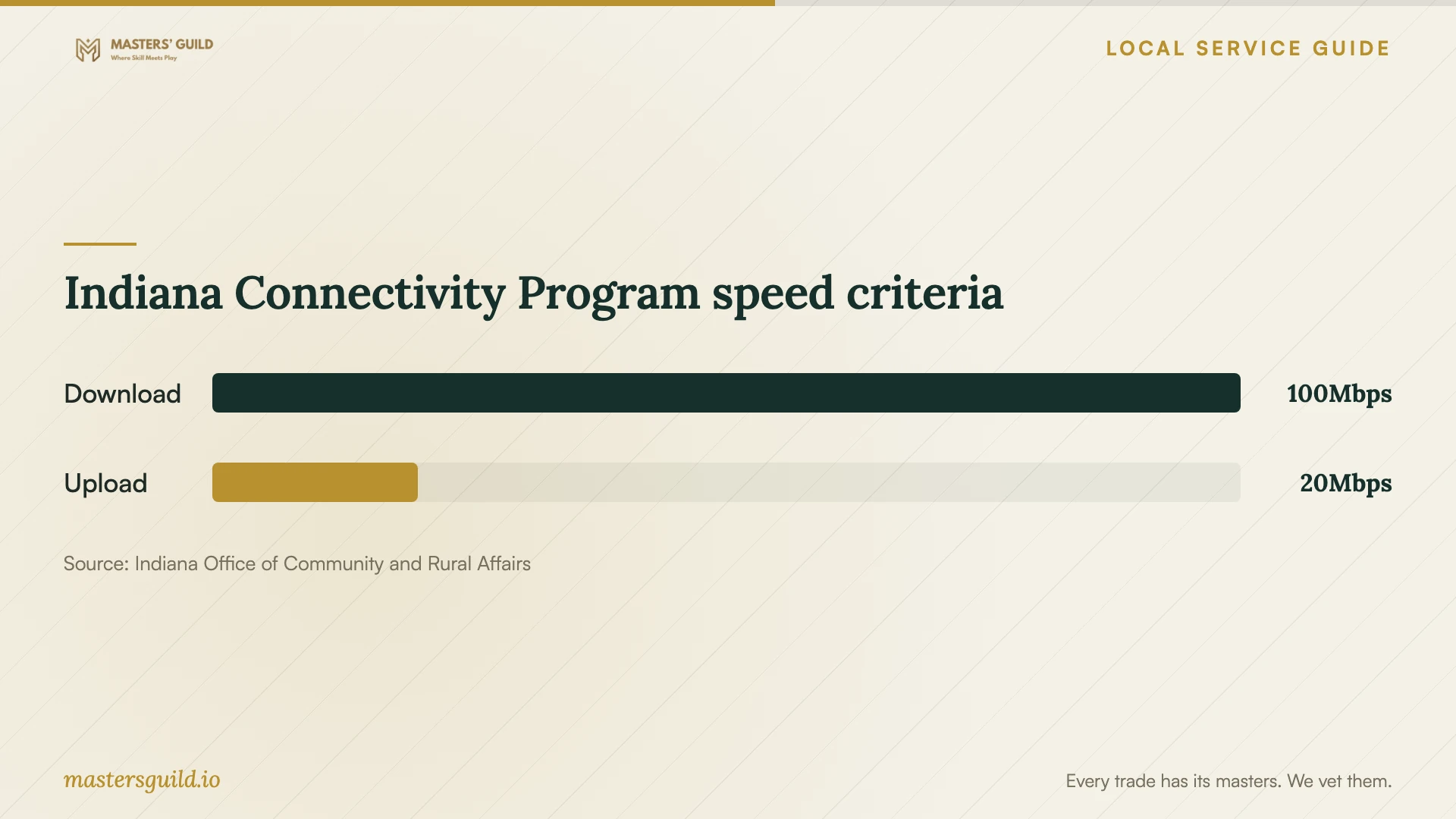
If your concern is broadband access, review the Indiana Connectivity Program before committing to a cloud-dependent household workflow. OCRA describes eligibility for locations without broadband or with actual speeds below 100 Mbps download and 20 Mbps upload. Treat these as program criteria when discussing your connection with the technician. [3]
Compare written scope and charges
Request an itemized quote for account configuration, device setup, file migration, testing, and instruction. Ask the provider to identify subscription charges, optional equipment, travel charges, and follow-up support. Specify whether you want a fixed total or an hourly arrangement with a spending limit.
Include the devices, operating systems, existing services, and approximate file volume in your request. Describe any inaccessible accounts or damaged devices before accepting an offer. Ask the provider to obtain approval before adding account recovery, repair, or extra migration work.
Include a handover requirement in the quote: you should sign in, locate an agreed sample of files, check access on the selected devices, and perform the recovery test. Decide who will check any unfinished upload and how the provider will handle missing files or failed transfers.
Protect access and plan the handover
Create the account in your name using an email address and recovery method you control. Enter passwords and verification codes yourself. Ask the technician to explain any requested remote access and agree on how you will end that access after the job.
Review sharing permissions together. Name the household members who should have access, identify any private folders, and check the proposed settings before moving sensitive documents. Request written instructions for signing in, checking transfer progress, recovering files, and getting help.
If your main need is learning to use a device, consider instruction before paying for a migration. Indianapolis Public Library offers computer, technology, and mobile skill classes. Its Tinker Station helpline answers questions about reading, watching, and listening on a computer, tablet, or phone. [2]
Indiana Connectivity Program speed criteria
Local details that affect your job
Use local learning support for introductory questions
Indianapolis Public Library offers technology classes and directs residents to staff or Ask-a-Librarian for help. The Tinker Station helpline is (317) 275-4500, with a stated focus on reading, watching, and listening on devices. Check the class calendar for a relevant topic before booking paid instruction; ask a technician to quote migration and recovery testing as separate work. [2]
Check address-based broadband assistance
The Indiana Connectivity Program accepts residential and business address submissions statewide, including consideration for locations lacking broadband or with actual speeds below 100/20 Mbps. OCRA lists online enrollment and phone assistance at 833-639-8522. Providers review locations through challenge and bidding processes. Submission does not guarantee service, so avoid making your setup appointment depend on an assumed extension date. [3]
Measure the home connection using Indiana’s guidance
The Indiana Broadband Office recommends a week of home tests at different times and asks participants to provide their physical address for broadband planning. Follow its no-hotspot and quiet-household testing instructions, then give your technician the results when discussing the initial upload. [1]
Choose the next step for your household
| Your situation | Suggested next step | What to confirm |
|---|---|---|
| You need introductory device instruction | Review library technology classes | Check the current calendar and topic before attending |
| You want files moved across devices | Request a scoped migration quote | Name the source, destination, devices, and verification steps |
| You want recoverable copies of important files | Request backup configuration and a recovery demonstration | Agree on the files to protect and the test you will perform |
| Your address lacks adequate broadband | Review Indiana Connectivity Program eligibility | Enrollment does not guarantee extension of service |
Your hiring checklist
- List the devices, accounts, folders, and photo libraries you want included.
- Record the file volume and identify anything you cannot risk losing.
- Gather connection test results before agreeing on an upload plan.
- Request separate setup, subscription, travel, and follow-up charges.
- Keep account ownership, passwords, and recovery methods under your control.
- Agree on sharing permissions and offline file access.
- Require a sample-file check and recovery demonstration before accepting completion.
Frequently Asked Questions
How much should I budget for setup?
Get an itemized written quote based on your device count, file volume, account access, and required tests. Ask for the setup total and recurring subscription charges separately. Agree on a spending limit and require your approval for extra work.
Can I arrange the work remotely?
Ask the provider to review your task list and confirm whether they can complete it remotely. Agree on how you will authorize access, enter credentials, observe the work, and end the session. Request an in-home option if you want hands-on device instruction.
Does my connection need 100/20 Mbps?
OCRA uses 100 Mbps download and 20 Mbps upload in its Indiana Connectivity Program eligibility criteria. Those figures describe program eligibility. Ask the technician to assess your measured connection against your files and intended use before choosing a setup plan. [3]
What should I check before closing the old account?
Confirm that you can sign in without the technician, locate the agreed files, open a sample on the intended devices, and complete the recovery test. Review shared access and billing. Approve closure after you have resolved missing files and unfinished transfers.
Sources and scope
This guide combines the sources below with practical planning guidance. Figures apply to the stated geography and period; request a written quote for your property.