
Local service guide
Smart Appliance Setup in Huntsville, AL
For Smart Appliance Setup in Huntsville, ask for a quote that separates app pairing and network help from physical appliance installation. Send the appliance model, your router details, and the features you want to use. If the work includes changes to electrical, water, or gas connections, confirm the contractor’s authorized scope and permit requirements with the City Inspection Department before scheduling. [1] [2]
Define the setup before comparing quotes
Write a short scope for each appliance. Include the model number, whether someone has installed it, the phone you will use, and the tasks you want the provider to demonstrate. Ask the provider to confirm model compatibility before the visit rather than promising support for an entire brand.
Separate account creation, app pairing, router troubleshooting, and household access into named tasks. For a refrigerator, washer, dishwasher, or range, ask who will handle the physical installation. Have the provider identify any connection work that falls outside the quoted setup.
Agree on a completion test. You might ask the provider to demonstrate an appliance status update, a notification on your phone, and the particular control you requested. Use the appliance manufacturer’s instructions to decide which functions to test, and ask for any unsupported feature to be identified before you approve the scope.
Resolve installation and permit questions first
Huntsville’s Inspection FAQ states that building work requires a permit when material and labor costs exceed $250 or when structural work is involved at any amount. The page does not establish how that construction rule applies to an app-only setup visit. Describe your actual work to Inspection instead of treating the total technology-service quote as proof that a building permit is required. [1]
For a job involving physical alterations, ask who will obtain permits and arrange inspections. The City provides online permitting for most electrical, plumbing, mechanical, and gas trade permits. Confirm the route for your particular project before agreeing to an installation date. [2]
Keep the app setup appointment dependent on completion of any required installation work. Ask the providers to agree on their responsibilities in writing so you do not pay for a visit that ends before anyone can test the appliance.
Prepare your network and account access
Send the provider your router or mesh model and describe the problem at the appliance’s location. Record whether you cannot begin pairing, lose the connection after pairing, or cannot access a particular feature. Ask whether the quote includes diagnosis, router changes, or a return visit.
Keep your account email and recovery method under your control. Enter passwords yourself during the appointment. Ask the provider to explain any requested network change before making it, then leave you with a record of the settings changed.
Avoid buying networking equipment before the provider reviews the appliance’s requirements and your existing setup. Request a separate equipment price and a reason for each proposed purchase. For household sharing, ask the provider to demonstrate the access method described in the manufacturer’s instructions.
Compare complete quotes and useful outcomes
Request a written total or a clear hourly arrangement with a stopping point for troubleshooting. Ask about travel charges, equipment, account setup, additional appliances, and follow-up support. Compare quotes against the same task list rather than choosing from a single headline price.
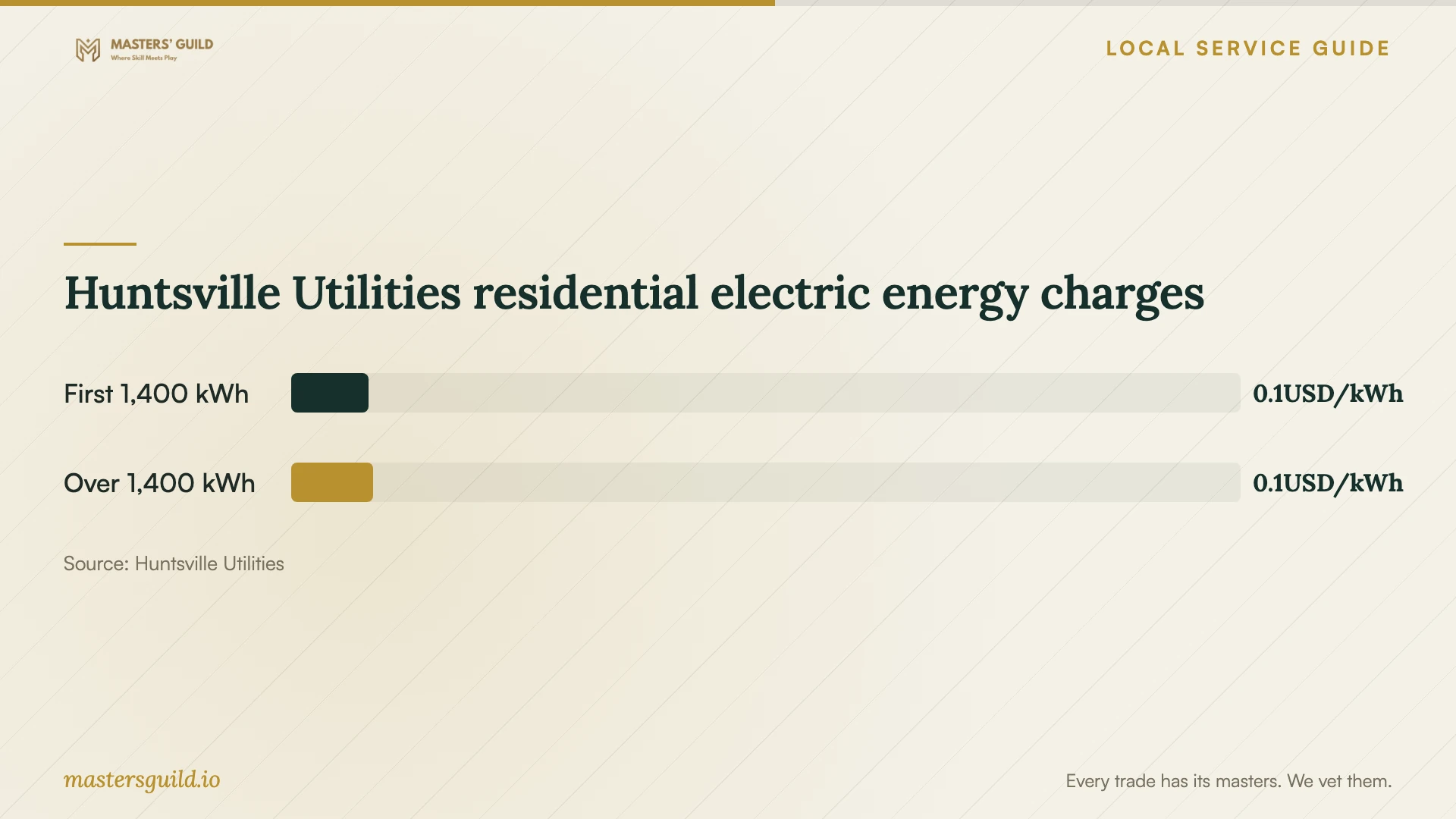
Ask a provider who promises bill savings to explain the calculation. Huntsville Utilities’ electric schedule effective October 1, 2026 lists an energy charge of $0.08133 per kWh for the first 1,400 kWh and $0.08638 above that threshold, plus a separate $0.02172 per kWh fuel adjustment. Those published charges do not establish savings from moving a cycle to another hour. [3]
Before the provider leaves, operate the agreed features from your own phone and review the remaining limitations. Ask for a short handover note naming the appliance, account owner, changes made, and the contact route for a setup problem.
Huntsville Utilities residential electric energy charges
Local details that affect your job
Verify the contractor’s permitted scope
Huntsville says paid contractors and subcontractors must hold Inspection Department licensing for their work, and subcontractors have limits on the work they can perform. For connection changes, call 256-427-5331 with the provider’s name and the proposed tasks before contracting. Ask Inspection how its requirements apply if the visit only covers app and network configuration. [1]
Ask about flood-area permitting before connection work
The City requires in-person submission for projects in a FEMA Special Flood Hazard Area and says all building permits and most standalone trade permits require a Flood Development Permit before other permit approval. If your setup includes physical work requiring permits, ask the contractor to check the address using the City’s FEMA 2018 Flood Insurance Rate Map layer before promising a start date. [2]
Check scheduling claims against your utility account
Huntsville Utilities labels its published electric Schedule RS as applicable to single-family dwellings. If you live in a multifamily property or pay electricity through another arrangement, confirm your applicable rate before using that schedule to evaluate a proposed automation. [3]
Match the appointment to the work
| Your situation | Arrange | Confirm before booking |
|---|---|---|
| Installed appliance; help using its app | A defined configuration visit | Exact model, requested features, account ownership, and completion test |
| Pairing fails or connection drops | Network diagnosis within an agreed spending limit | Router access, proposed setting changes, and equipment approval |
| Electrical, water, or gas alterations | Contractor scope verification and a permit check with Inspection | Who performs each task and obtains any required permits |
| Permit-requiring work in a flood hazard area | Address review and confirmation of the City’s in-person process | Whether a Flood Development Permit must precede other approvals |
Your hiring checklist
- List appliance model numbers and the features you want demonstrated.
- State whether physical installation is complete and identify any proposed connection changes.
- Send router details and describe the connection problem at the appliance location.
- Prepare your phone, account email, and recovery access; enter passwords yourself.
- Ask for an itemized scope, troubleshooting limit, and equipment charges.
- Resolve contractor scope and permit questions before scheduling physical work.
- Test the agreed features and collect a record of settings changed.
Frequently Asked Questions
How much should I budget for setup?
Use a written quote for your model and task list. The supplied local sources do not publish smart-appliance setup labor prices. Ask providers to separate configuration, network diagnosis, equipment, and physical installation so you can compare the same work.
Does app pairing require a Huntsville building permit?
The City’s construction FAQ does not resolve app-only configuration. Describe the visit to Inspection at 256-427-5331 if you need a determination. For physical alterations, ask about the applicable building or trade permit before work starts. [1] [2]
Will running my appliance overnight reduce my electric bill?
Do not assume an overnight discount from the published Huntsville Utilities residential schedule. It lists consumption tiers, a customer charge, and a fuel adjustment without a time-of-day price. Confirm your account’s rate and ask for the assumptions behind any savings promise. [3]
Sources and scope
This guide combines the sources below with practical planning guidance. Figures apply to the stated geography and period; request a written quote for your property.