
Local service guide
Network Setup and Support in Huntsville, AL
Arrange Network Setup and Support in Huntsville by asking for a diagnosis before approving equipment or cabling. Describe the rooms, devices and tasks you need to connect, then request separate prices for troubleshooting, hardware and installation. For wall cabling or accompanying electrical work, ask the City Inspection Office which requirements apply to your proposed scope before work begins. [1]
Start with the connection and the symptoms
Write down where you lose service, which devices disconnect and whether the problem affects the whole home. Include the task that fails, such as a video call in an upstairs office or a television stream in a back room. Ask the technician to compare a wired connection with Wi-Fi and record the results before recommending purchases.
For a move or provider change, use the FCC’s National Broadband Map to inspect your address. You can review provider-reported service types and maximum advertised download and upload speeds, and filter for residential service. Confirm orderability and installation arrangements with the provider before scheduling your home-network work. [4]
Treat nearby fiber construction as a reason to check availability. In its April 2018 fiber update, Huntsville Utilities explained that construction completion and Google Fiber service availability followed separate timelines. That historical notice does not establish coverage at your address today. [3]
Choose a scope you can compare
Ask each technician to quote the same outcome: which rooms need coverage, which devices need wired connections and which existing equipment you want assessed. Request an explanation of any proposed router, mesh unit, access point or switch, including its location and connection to the rest of the network.
For installed Ethernet, specify the outlet locations and ask the installer to describe the route before drilling. Include cable, outlets, termination, labeling and testing in the written scope. Ask who handles wall repairs and whether the price includes moving furniture or accessing an attic or crawlspace. Renters should obtain the owner’s approval for alterations.
Resolve local requirements before installation
Verify the business name on the quote against the technician’s city business-license details. Huntsville requires businesses operating within its corporate limits to obtain a business license. Ask a separate question about qualifications for any electrical work included in the proposal. [1] [2]
For cabling that involves building alterations or accompanying electrical work, describe the complete scope to the Inspection Office at 256-427-5331. The City publishes building and trade-permit processes, but the supplied guidance does not establish a blanket permit rule for Ethernet installations. Ask which approvals apply and record who will obtain them. [1]
If the City requires plan approval, applicants must submit through ePlans Review. For minor repairs and alterations that do not require plan review, the City describes a walk-in permit process. Confirm the applicable route before committing to an installation date. [1]
Compare the quote and define completion
Request separate amounts for the diagnostic visit, equipment, installation and any follow-up support. Ask whether the technician charges for travel or return visits, how you will approve extra work and who handles defective equipment. Compare total scope rather than an hourly rate alone. These sources provide no verified local network-installation prices, so use written quotes for your budget.
Before the appointment, identify the internet equipment and clear access to proposed work areas. Keep account credentials available for your own sign-in. Ask the technician to explain any service interruption before disconnecting equipment, and choose a time when you can pause calls or other essential tasks.
At handover, test the devices and rooms named in your scope. Ask for cable labels, equipment locations, warranty information and instructions for accessing the network settings. Keep administrator access under an account you control, and agree on how to request help if the same fault returns.
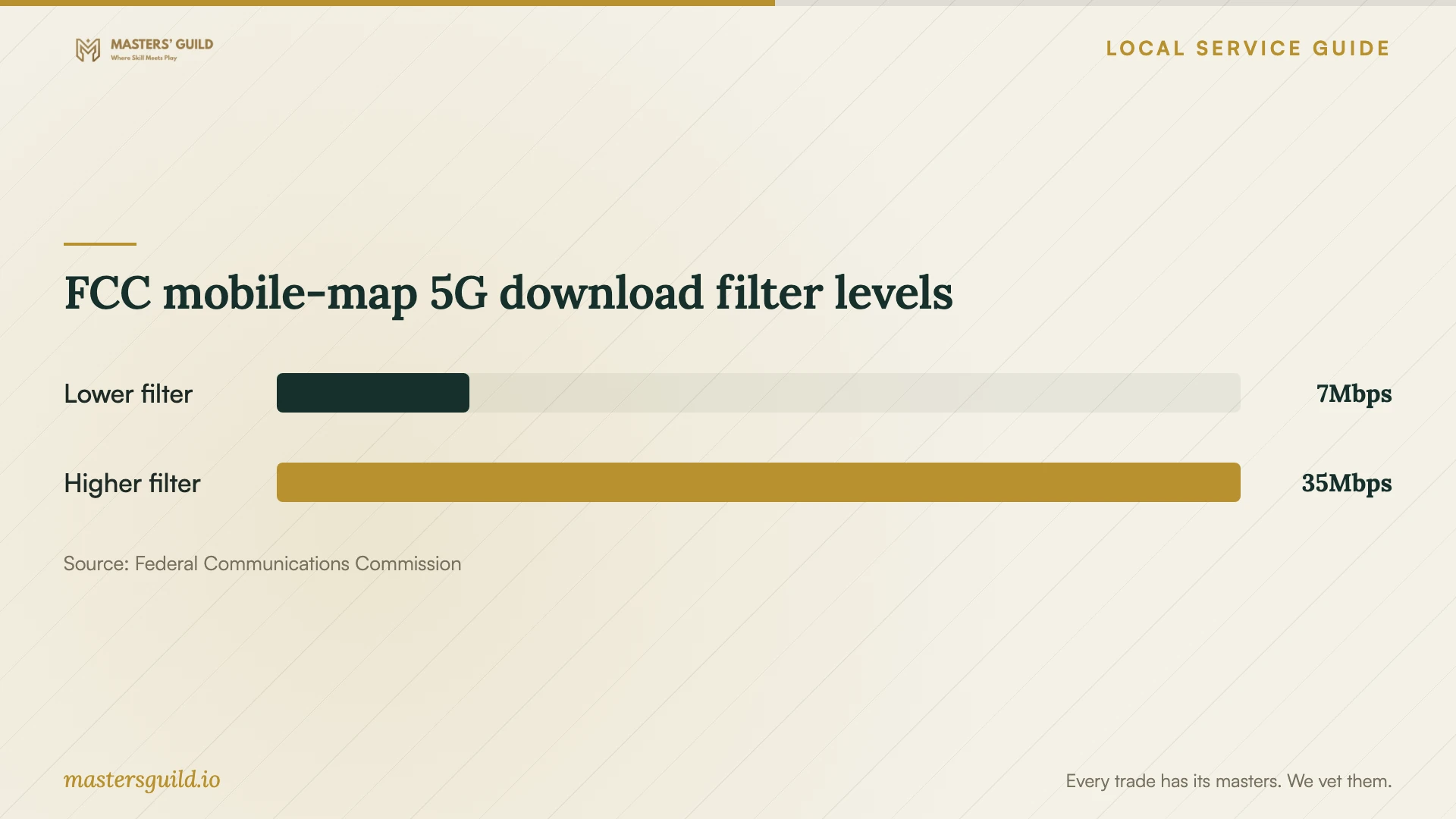
FCC mobile-map 5G download filter levels
Local details that affect your job
Check the city business license
Huntsville requires commercial and residential based businesses operating in the city to hold a business or privilege license. Ask for the business name and license details before hiring. Use this as a business check, and ask about qualifications for the particular installation work. [2]
Confirm the permit route for your scope
The Inspection Office lists 256-427-5331 and 305 Fountain Circle as its contact details. Describe planned wall openings, cable routes and electrical additions. Projects requiring plan approval go through ePlans Review; the City also describes walk-in permits for minor alterations without plan review. Do not assume either route applies until you confirm the scope. [1]
Separate fiber construction from service activation
Huntsville Utilities’ April 2018 update distinguished its construction timeline from Google Fiber’s availability timeline. Use that distinction when arranging a move or upgrade: confirm service at your address before booking a technician around an expected activation. The notice supplies historical planning context, not current coverage information. [3]
Choose the first step for your situation
| Your situation | First step | Question to include |
|---|---|---|
| You are moving or changing internet providers | Review address-level provider reports on the FCC map, then confirm with the provider. | Can I order service at this address, and when can installation occur? |
| You need help in particular rooms | Request a diagnostic visit with tests in those rooms. | What evidence supports the equipment you recommend? |
| You want new Ethernet outlets | Request a route survey and confirm applicable City requirements. | Who handles approvals, testing, labels and wall repairs? |
| You want cellular backup | Treat FCC mobile coverage as outdoor or in-vehicle information. | Can we test the proposed device at its intended indoor location? |
Your hiring checklist
- List affected rooms, devices and tasks, plus when each fault occurs.
- Record your current internet plan and equipment model numbers.
- Ask for diagnosis findings before approving new hardware.
- Request an itemized scope with cable routes and equipment locations.
- Ask for city business-license details and responsibility for any required approvals.
- Agree on downtime, access, cleanup and wall repairs.
- Require testing, labels, account handover and follow-up terms.
Frequently Asked Questions
Do I need a permit for home Ethernet cabling?
The supplied City guidance does not give a universal answer for Ethernet cabling. Describe the route, alterations and any electrical work to the Inspection Office at 256-427-5331. Confirm requirements before installation and put responsibility for required approvals in the quote. [1]
Does the FCC map show the speed I will get at home?
The FCC map shows provider-reported availability and maximum advertised speeds at a location. Use it to identify options, then ask the provider about the plan you can order. Ask your technician to measure performance during diagnosis and after the agreed work. [4]
Should I buy a mesh system before booking support?
Ask for diagnosis first. Give the technician your equipment list and room requirements, and request a reason for each proposed purchase. Ask whether the quote covers setup with your existing equipment and how you will approve replacement hardware.
What should I receive when installation ends?
Request a demonstration in the rooms you specified, labeled cable outlets, equipment details and access instructions. Confirm that you control the administrator account and know the support terms, including any charge for a return visit.
Sources and scope
This guide combines the sources below with practical planning guidance. Figures apply to the stated geography and period; request a written quote for your property.