
Local service guide
Network Setup and Support in Hialeah, FL
Arrange Network Setup and Support in Hialeah by asking for a diagnostic visit and a written scope before approving equipment or wall work. Describe where connections fail, which devices need service, and whether you want Ethernet outlets. For proposed cabling, ask the City Building Department to confirm permit requirements for the exact work; the department reviews permits and conducts inspections. Agree who will handle those steps before installation. [1]
Describe the problem before choosing equipment
Give the technician a room-by-room account of the problem. Name the devices that disconnect, the tasks affected, and whether the issue occurs beside the router or in another room. Include any recent equipment changes. Ask the technician to compare a wired connection with Wi-Fi and explain the findings before recommending purchases.
Define the result you want: a dependable connection at your desk, coverage in a particular room, or wired outlets at agreed locations. Ask the installer to identify the router, modem or fiber terminal, switches, and access points they intend to configure. Request a reason for replacing each existing device.
Set a boundary between setup and cabling
Ask for separate descriptions of equipment configuration and physical installation. For configuration, specify the devices and settings the technician will handle. For cabling, request outlet locations, cable routes, termination points, labeling, testing, and responsibility for patching or painting. Have the installer identify proposed drilling before you approve it.
Hialeah's Building Department reviews permit applications, issues permits, and conducts required inspections. Its general department page does not establish whether your particular Ethernet installation needs a permit. Describe the proposed route and wall work to the department at 305-883-5825, and ask what approvals and contractor qualifications apply to that scope. [1]
Include inspections in the installation plan
For permitted work, agree who will request inspections and attend them. Hialeah states that in-progress inspections check code compliance and materials, and that permits require final inspections for a Certificate of Completion or Occupancy. Ask the installer to account for those steps when proposing a completion date. [2]
The city lists email scheduling with 24 hours of advance notice, but directs holders of Tyler-issued permits to request inspections through Tyler CSS. On inspection day, it requires site access, the approved job copy of the plans, the Notice of Commencement, the approved permit, and the permit card. Confirm the applicable document requirements with the city when arranging your inspection. [2]
Check power symptoms before approving replacements
Tell the technician if a connection failure coincides with flickering lights or equipment restarting. FPL defines flickers as power interruptions lasting less than one minute and lists lightning, damaged equipment, vegetation, and other causes. Ask the technician to document whether the network equipment lost power during the reported event. [3]
FPL gives different guidance for single-family and multi-unit homes experiencing flickering or fluctuating power. It directs single-family residents to report the problem to FPL. In multi-unit buildings, it advises checking whether neighbors have the same problem; if they do, report it to FPL. For an isolated problem that continues after its breaker-reset step, FPL says a licensed electrician may be needed. [3]
If you use a battery backup, record its model and alarm behavior. FPL says a UPS alarm does not necessarily establish a power problem and recommends consulting the manual or manufacturer about its threshold and checking the battery. Ask the network technician to explain which devices any proposed backup would power and how you would maintain it. [3]
Compare quotes and agree on a handover
Request an itemized quote covering diagnosis, labor, hardware, cabling, wall repairs, and any applicable permit or inspection work. Ask whether the visit has a minimum charge, how the technician will obtain approval for extra work, and what follow-up support includes. Compare the proposed work and acceptance checks alongside the total.
Before payment approval, ask the technician to demonstrate the agreed tasks at the agreed locations. Request a list of installed equipment, a labeled outlet map if applicable, and instructions for accessing your own administrator account. Enter passwords yourself where practical. Agree how the technician will remove any temporary remote access after the job.
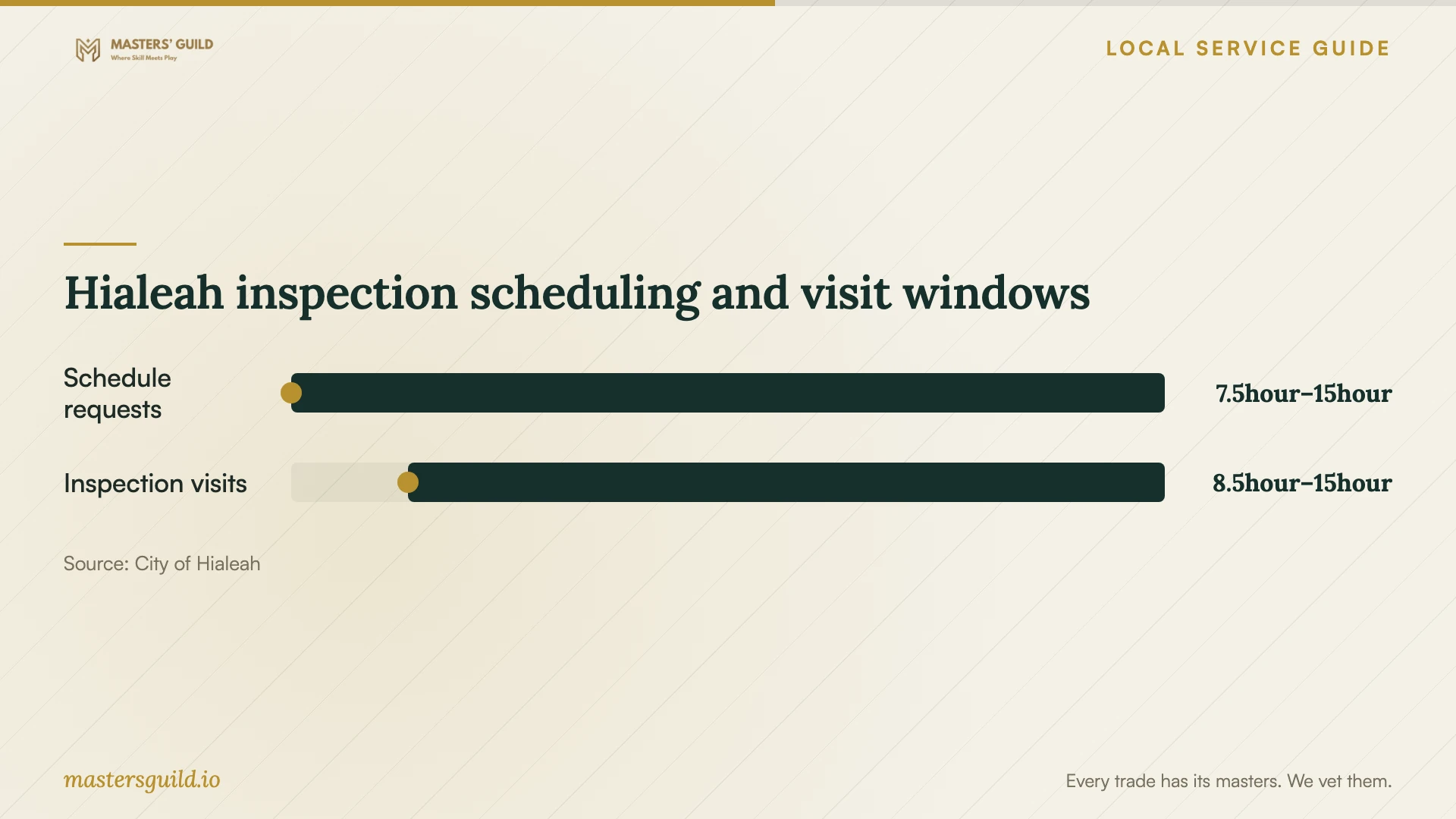
Hialeah inspection scheduling and visit windows
Local details that affect your job
Confirm the cabling scope with the city
Hialeah's Building Department lists its office at 501 Palm Avenue, second floor, and its phone as 305-883-5825. Before accepting a cabling quote, describe the proposed wall penetrations and cable route and ask whether the city requires a permit. Use its answer to assign application and inspection responsibilities in writing. [1]
Use the inspection channel tied to your permit
For a Tyler-issued permit, arrange the inspection through Tyler CSS. The city lists email requests for its other inspection scheduling process and requires 24 hours of advance notice. Ask the installer which process applies before setting the installation and inspection appointments. [2]
Match power troubleshooting to your dwelling
FPL's regional guidance distinguishes single-family homes from multi-unit dwellings when lights flicker or fluctuate. If you live in a multi-unit property, check whether neighbors experience the same symptom and report that information when arranging help. This gives the network technician useful context for investigating equipment resets. [3]
Choose the next step for your symptoms
| Situation | Next step | Ask before approving work |
|---|---|---|
| Wi-Fi fails in a particular room | Request a diagnostic visit | How will you test the connection at this location? |
| You want new wall outlets | Confirm the proposed scope with Hialeah's Building Department | Who will handle any required permit and inspection? |
| You hold a Tyler-issued permit | Arrange inspection through Tyler CSS | Who will submit the request and provide access? |
| Lights flicker when equipment resets | Use FPL's dwelling-specific power guidance | Did the equipment lose power during the failure? |
| A UPS sounds an alarm | Check its manual, manufacturer guidance, and battery | What did the alarm indicate for this model? |
Your hiring checklist
- List affected rooms, devices, and tasks, with the times failures occur.
- Photograph equipment labels and sketch the desired outlet locations.
- Ask for diagnosis findings before approving replacement equipment.
- Confirm city requirements for the proposed cabling scope.
- Assign any permit applications, inspection requests, and site access.
- Agree on wall repairs, cable labels, and completion checks.
- Request account ownership, equipment records, and written follow-up terms.
Frequently Asked Questions
Does new Ethernet cabling need a permit?
Confirm the exact scope with Hialeah's Building Department. The supplied city guidance identifies the department's permitting role but does not state an Ethernet-specific exemption or requirement. Describe the route, wall penetrations, and related work before accepting the installation quote. [1]
How should I schedule an inspection?
Hialeah directs requests for Tyler-issued permits through Tyler CSS. Its inspection page lists email scheduling for the other process, with 24 hours of advance notice. Agree with the installer who will request the inspection and provide site access. [2]
Does a beeping battery backup mean my power is faulty?
FPL says it does not necessarily mean that. It recommends checking the UPS manual or consulting the manufacturer about its voltage threshold and checking the battery. Record any simultaneous dimming or brightening of lights; FPL asks customers to report those symptoms. [3]
What should I ask for at the end of the visit?
Ask for a demonstration of your agreed tasks, equipment details, cable labels where applicable, administrator access, and follow-up terms. Have the technician explain any unresolved issue and the next diagnostic step before you approve additional work.
Sources and scope
This guide combines the sources below with practical planning guidance. Figures apply to the stated geography and period; request a written quote for your property.