
Local service guide
Network Setup and Support in Hartford, CT
For Network Setup and Support in Hartford, hire someone who will diagnose your connection, define the rooms and devices to cover, and quote configuration and installed cabling as separate tasks. Before authorizing cable installation, ask the contractor to identify the Connecticut license scope that covers the proposed work. Connecticut distinguishes electrical contractor and journeyperson scopes and places specific limits on telecommunications work. [1]
Define the problem before buying equipment
Write down where the connection fails, which devices lose service, and what you were doing at the time. Include video calls, streaming, printing, or access to a work computer. Have the technician compare a wired connection at the router with Wi-Fi in the affected rooms and explain the findings before recommending purchases.
Agree on the visit's purpose: diagnosis, configuration, equipment installation, or cable installation. Establish whether the technician will coordinate with your internet provider if the investigation points toward the incoming connection. Set a spending limit for diagnosis and require your approval before the technician adds hardware or changes the scope.
Check service options at your address
Use the FCC National Broadband Map's address search to review providers, connection technologies, and maximum advertised download and upload speeds. The FCC uses information reported by internet providers. Confirm ordering availability and plan terms with the provider before arranging a change. [3]
Save the address result and its data date for the technician. Ask them to explain whether their recommendation addresses your purchased service, your home network, or both. If a provider reports availability that you cannot obtain, the FCC offers an Availability Challenge process. It also accepts Location Challenges for missing or incorrect location information. [3]
Match Connecticut credentials to the installation
For a quote involving installed cable, ask the responsible contractor to name the license category and explain how its scope covers the proposed installation. Connecticut's C-5 scope includes specified low-voltage work and telephone-interconnect, subject to voltage, amperage, and connection limits. C-6 journeypersons perform that category of work while employed by a licensed electrical contractor. [1]
Do not accept a general description such as low-voltage licensed without the category. Connecticut's L-5 and L-6 scopes exclude telecommunications work except the interface wiring between an alarm system and an existing telephone connection for monitoring. Request clarification before accepting either category as evidence of suitability for your network cabling. [1]
Have the quote identify who handles cable routing, wall openings, patching, and any proposed power work. Ask the contractor to resolve applicable permit requirements before installation. Keep approval of the route separate from approval of the equipment so you can review access and visible finishes.
Compare quotes by scope and handover
Request separate prices for diagnosis, configuration, hardware, cable installation, and follow-up support. Include equipment model numbers, quantities, ownership terms, and any recurring charges. For cable work, request outlet locations, route assumptions, labeling, and the test documentation the installer will provide. Require written approval for changes after the installer inspects the route.
Agree on acceptance checks using your own devices in the rooms you care about. Include reconnecting after a restart, using the printer, and completing a call from your work area. Have the technician record test conditions and explain unresolved problems. Keep control of your accounts and enter passwords yourself where possible.
Before the technician leaves, obtain administrative access, recovery instructions, equipment receipts, and a simple connection diagram. Confirm which follow-up problems the quoted fee covers and how the provider charges for later visits. Put those support arrangements in writing.
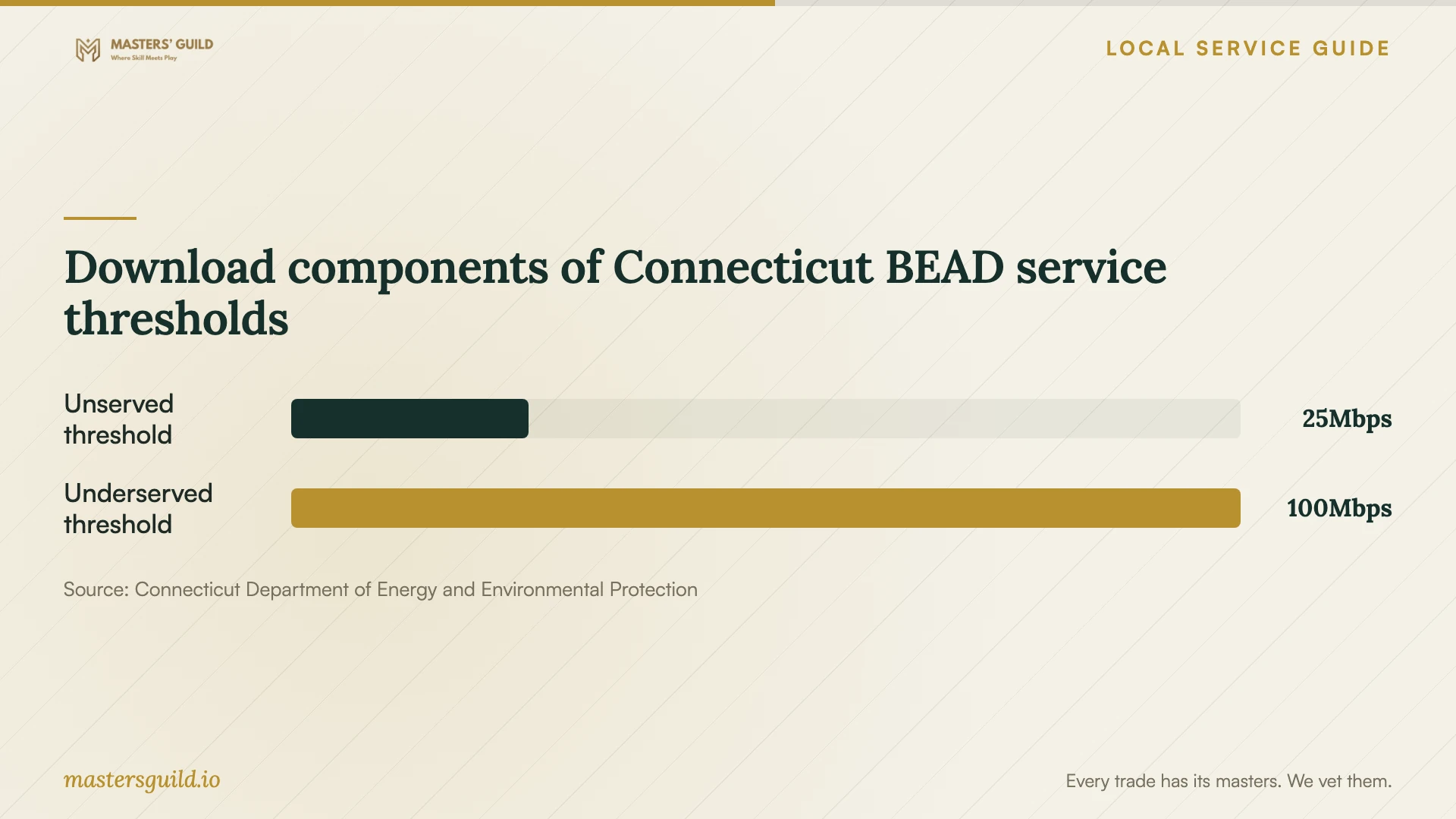
Download components of Connecticut BEAD service thresholds
Local details that affect your job
Connecticut limits the meaning of low-voltage credentials
For a Hartford cabling proposal, request the exact Connecticut license category before comparing bids. DCP distinguishes C-5/C-6 work from L-5/L-6 work and excludes most telecommunications installation or repair from L-5/L-6 authorization. Ask the contractor to explain the fit between the credential and your specific cable installation rather than treating these categories as interchangeable. [1]
Use Connecticut's broadband resources for a service problem
Connecticut DEEP identifies state broadband mapping resources and a statewide clearinghouse for affordability programs and connection resources. If your concern is obtaining or affording service, review those resources before committing to a home equipment purchase. These are statewide resources that Hartford residents can investigate; confirm availability and eligibility for your address. [2]
Investigate library device access before buying a computer
DEEP describes Laptop ConneCT as a statewide program offering laptop loans and on-site use through participating public libraries for eligible Connecticut residents. Ask your library whether it participates and what eligibility and loan terms apply before purchasing a computer as part of a networking job. Confirm participation with the library you intend to use. [2]
Choose the next step for your situation
| Situation | Next step | Ask for |
|---|---|---|
| Connection fails in selected rooms | Arrange diagnosis before purchasing equipment | Wired and Wi-Fi comparisons with written findings |
| You are considering a different internet provider | Review FCC address-level results and confirm with the provider | Available technology, advertised upload and download speeds, and ordering terms |
| The proposal includes installed cabling | Ask the contractor to explain the applicable Connecticut license scope | Exact contractor category and responsibility for installation |
| You need help obtaining service or a computer | Investigate Connecticut DEEP resources and participating libraries | Current program eligibility and local participation |
Your hiring checklist
- List affected rooms, devices, symptoms, and the times you notice problems.
- Prepare your internet plan details and equipment model numbers.
- Save your address-level broadband map result and its data date.
- Mark proposed equipment and cable outlet locations on a simple floor plan.
- Request the contractor's license category for proposed installed cabling.
- Get separate written prices and approve changes before work proceeds.
- Agree on device tests, account access, and follow-up terms before the visit.
Frequently Asked Questions
How much should I budget?
Get a written quote for your home after the technician reviews the symptoms and proposed work. Set a diagnostic spending limit and request separate charges for labor, equipment, cable work, patching, and follow-up support. Require your approval before the technician adds work or purchases equipment.
Does any low-voltage license cover network cabling?
Ask for the exact Connecticut category and an explanation of its scope. DCP excludes telecommunications work from L-5 and L-6 authorization apart from a specified alarm-monitoring interface exception. Do not assume that a low-voltage credential alone covers the proposed installation. [1]
Does the FCC map show the speed I will receive?
The map shows provider-reported availability and maximum advertised speeds. Use it to investigate options, then confirm service with the provider and ask your technician to test your connection. The map does not establish measured performance inside your home. [3]
What should I receive when the job ends?
Ask for equipment details, administrative access, recovery instructions, a connection diagram, and results from the agreed tests. For installed cable, request outlet labels and test documentation. Have the provider record unresolved issues and the terms for follow-up visits.
Sources and scope
This guide combines the sources below with practical planning guidance. Figures apply to the stated geography and period; request a written quote for your property.