
Local service guide
Software Installation in Halifax: Plan the Job
For Software Installation in Halifax, hire a technician with a written scope covering your programs, devices, activation and completion tests. Compare written quotes for the same installation scope. If you need guidance using email or word processing on your own device, ask Halifax Public Libraries about a one-on-one technology session before booking paid help. Confirm that staff can cover your task. [1]
Describe the work before comparing quotes
Give each provider the same device list, operating-system details and program names. Explain whether you need a new installation, an upgrade or help after an installation failed. Include any error message and identify files or settings you want to keep. Have the technician confirm compatibility before you purchase software.
Separate installation from configuration in your request. Specify email accounts, printers, shared folders or existing documents that you need to use. For example, ask the technician to send and receive a test email through your account, or open, edit and save a representative document. Agree on those checks before work starts.
Choose learning support or an installation appointment
Halifax Public Libraries lists email, word processing and basic computer skills among its one-on-one training topics. Staff also help customers get comfortable with their own devices. Describe your program and goal when contacting a branch; confirm support for your particular application rather than assuming that a general technology session will cover it. [1]
Choose a technician when you want an agreed installation and configuration job with completion tests and follow-up terms. Ask candidates to explain their experience with your application and their approach if activation fails. If another IT provider manages your work device, obtain its instructions before authorizing changes.
Protect files and keep control of accounts
The Canadian Centre for Cyber Security recommends identifying essential business information, backing it up, testing backups and recovery, and restricting backup access to authorized people. Before the appointment, identify what you need to preserve. Agree on who will create the backup, check it and handle recovery if the installation fails. [3]
Keep software ownership and recovery access under your control. Enter passwords yourself where practical and have your authentication device available. Agree on temporary technician access and its removal at handover. The Cyber Centre recommends different complex passwords for accounts and multi-factor authentication. [3]
The Cyber Centre recommends automatic operating-system and application updates, security patches when vendors release them, and replacement planning for unsupported systems. Include a review of update settings in the job. Have the technician identify any unsupported software and discuss a next step before you approve completion. [3]
Agree on charges, downtime and handover
Request separate amounts for labour, licences or subscriptions, backup work and visit charges. Confirm whether the technician charges a fixed amount or bills for time. Set a spending limit for troubleshooting and require approval before extra work. Compare written quotes for the same installation scope.
Choose a work window that leaves time to test before your next essential business task. Discuss the fallback if the installation fails, including whether the technician can restore the previous setup. Confirm the price and terms for a return visit. At handover, request a record of installed programs, activation status, update settings and unresolved issues, then test your workflow yourself.
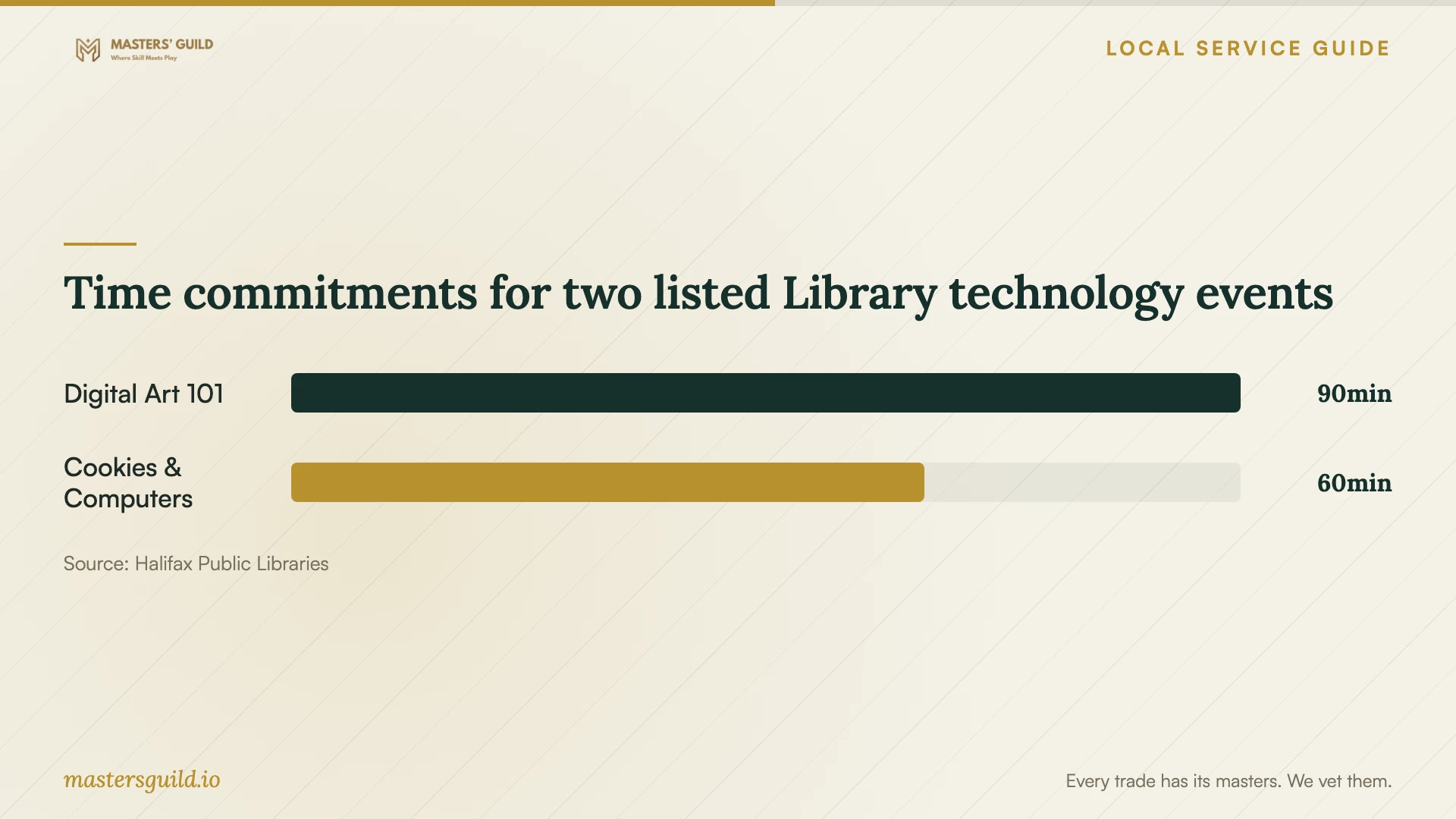
Time commitments for two listed Library technology events
Local details that affect your job
Choose a branch around your learning needs
Halifax Public Libraries offers one-on-one technology training at many locations and other-language training at some locations. Call your nearest branch to confirm whether staff currently offer the service. Describe your software task and ask about language support before choosing a session. The technology-help page says the Library does not collect or store personal information when helping customers. [1]
Check the terms before staff change your device
The Library's Technology Access Policy allows staff to operate personal devices, change settings and install or update software in person or remotely, subject to staff skills and comfort levels. Customers must understand and follow their device warranty terms. The Library disclaims responsibility for equipment malfunction or data loss arising from assistance. Check your warranty and prepare a backup before accepting changes; use a technician's written scope if you need defined recovery and follow-up responsibilities. [2]
Choose help for your installation task
| Your need | Suggested next step | Confirm before arranging |
|---|---|---|
| Learn email or word processing | Ask about a Library one-on-one session | Current branch availability and support for your task |
| Have Library staff change your device | Discuss the program with branch staff | Staff capability, warranty terms and your backup |
| Install a business application with defined deliverables | Request a technician's written scope | Compatibility, activation, completion tests and follow-up |
| Update a device holding essential business files | Include backup and security checks in the scope | Recovery testing, account protection and update settings |
Your hiring checklist
- List devices, operating systems, programs and any installation errors.
- Define the business tasks you will test before accepting completion.
- Confirm compatibility, licence ownership and who will handle activation.
- Prepare a backup and agree on backup verification and recovery responsibilities.
- Keep passwords, recovery access and authentication devices under your control.
- Obtain an itemized quote and an approval limit for additional work.
- Agree on the work window, fallback plan and return-visit terms.
- Check activation, update settings and your workflow at handover.
Frequently Asked Questions
Can Library staff install software on my device?
The Library's policy allows installation or updates on personal devices within staff skills and comfort levels. Contact your branch about the specific program. Prepare a backup and check your warranty; the Library disclaims responsibility for resulting equipment malfunction or data loss. [2]
How do I compare installation quotes?
Give each technician the same device and program list, configuration requirements and completion tests. Request separate charges for labour, software, backup work and visits. Confirm how they charge for failed installations, extra troubleshooting and follow-up.
Can I arrange help in another language?
Halifax Public Libraries says some locations offer one-on-one training in other languages. Call your nearest branch to confirm current availability and explain the task you want help with before arranging a session. [1]
What should I check before the technician leaves?
Test your own workflow and confirm activation, account access and any quoted printer or shared-folder setup. Request a record of changes and unresolved issues. Include update settings and backup checks: the Cyber Centre recommends automatic updates and tested recovery for small organizations. [3]
Sources and scope
This guide combines the sources below with practical planning guidance. Figures apply to the stated geography and period; request a written quote for your property.