
Local service guide
Cloud Service Setup in Greensboro
For Cloud Service Setup in Greensboro, hire a technician against a written scope covering the files to move, staff access, account ownership, backup testing, and handover. Before agreeing to a migration date, ask the technician to check your office connection and plan a trial upload. Keep control of the business account and approve who can access sensitive records.
Define the work before comparing quotes
Write down the business outcome you need: shared documents for staff, a backup of office computers, a move from an existing account, or a combination. Ask each technician to quote against the same list. Include the source devices, destination account, folders, staff members, and any files you want excluded.
Request separate line items for assessment, account configuration, data transfer, access settings, training, and follow-up. Ask who pays for subscriptions and who approves a plan change. Agree on a spending limit and a process for authorizing extra work if the technician discovers inaccessible files or an account ownership problem.
Describe completion in terms you can check. For example, ask the technician to open agreed sample files from a staff computer, demonstrate the intended sharing permissions, and restore a selected file from the backup. Put responsibility for checking the remaining upload in writing if it continues after the appointment.
Check the office connection before setting a migration date
Use the state broadband resources as a starting point for investigating connectivity. North Carolina's broadband office describes NC OneMap as a tool for viewing broadband availability and adoption data. Follow that research with a provider check for your exact business address and a trial upload from the office. [2]
Ask the technician to record the amount of data to transfer and observe an upload over the connection you intend to use. Then agree on a migration window, who monitors progress, and what staff should do with files during the move. Avoid approving deletion of the original files before you have checked the destination.
If you are waiting for a new internet installation, ask the provider to confirm the installation and activation dates before committing to the cloud migration. Arrange a fallback date with the technician and specify whether rescheduling carries a charge.
Keep ownership and access under business control
Create the account under business control and nominate the person who will manage it after handover. Ask the technician to explain the administrator role, staff access, recovery contacts, and authentication choices before configuration. Enter your own credentials where possible and agree how the technician will remove temporary access.
North Carolina DOJ states that businesses located in North Carolina, or owning or licensing North Carolina residents' personal information, must notify affected people after a qualifying security breach involving that information. A business keeping records containing North Carolina residents' personal information for another company must notify the owner or licensee immediately following discovery of a breach. Ask a prospective technician how they would contact you, preserve relevant records, and account for copies made during migration. [3]
Before granting access, identify folders containing customer, employee, or financial records. Agree which folders the technician needs, whether they may make temporary copies, where they may store those copies, and how they will confirm removal. Ask for written answers when another support company or subcontractor will participate.
Arrange a handover you can use
Request a short handover document listing the account owner, subscription responsibility, configured devices, sharing groups, backup selection, and support contact. Keep passwords and recovery codes in a secure location you control. Ask the technician to show a designated staff member how to review access and check the backup.
Agree on a follow-up checkpoint and distinguish corrections to the agreed work from new requests. Before signing off, check access with a staff account as well as the administrator account. Ask the technician to document unfinished transfers, excluded files, and any decisions you still need to make.
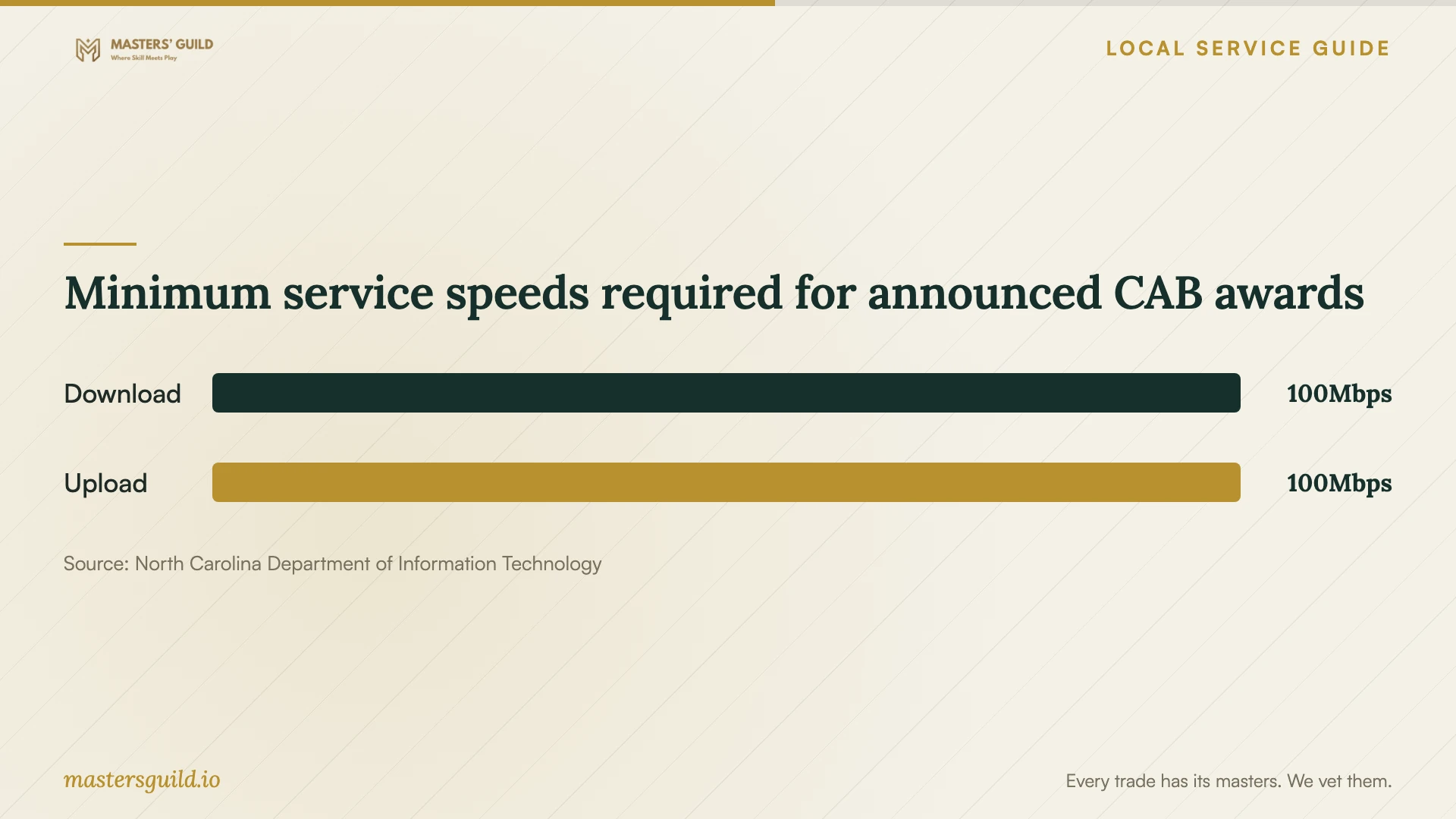
Minimum service speeds required for announced CAB awards
Local details that affect your job
Guilford County expansion requires an address check
On May 16, 2025, NCDIT announced a CAB award to Spectrum Southeast covering 463 Guilford County homes and businesses. The announcement describes planned access, not completed service at a particular Greensboro office. If you expect to use that expansion, confirm serviceability and activation with the provider before scheduling your migration. [1]
North Carolina rules affect your data-access agreement
North Carolina DOJ says a business keeping North Carolina residents' personal information for another company must notify that owner or licensee immediately after discovering a breach. For an office migration involving those records, ask the technician to identify the responsible contact and describe their notification procedure before granting access. [3]
Choose the scope to request
| Your situation | Scope to request | Check before approval |
|---|---|---|
| You need shared staff folders | Account configuration and access setup | Test each intended staff role |
| You are moving existing records | Inventory, trial transfer, migration, and reconciliation | Open agreed samples and review exceptions |
| You need recoverable copies | Backup configuration and restore demonstration | Restore a selected file |
| You are awaiting internet installation | Assessment now, migration after activation | Confirm the connection and migration date |
| You hold sensitive customer records | Restricted technician access and documented handover | Agree on copy handling and incident contacts |
Your hiring checklist
- List source devices, folders, approximate data volume, and destination accounts.
- Confirm that your business controls account ownership and recovery contacts.
- Check internet service at the exact office address and arrange a trial upload.
- Request separate labor, subscription, migration, and support charges.
- Agree on temporary access, data copies, and incident notification contacts.
- Define sample-file, staff-access, and backup-restore acceptance checks.
- Record unfinished work and arrange the handover and follow-up.
Frequently Asked Questions
How should I compare setup prices?
Give each technician the same inventory and acceptance checks. Request separate charges for labor, subscriptions, migration, and follow-up. Ask whether the quote covers monitoring an upload after the appointment and correcting failures found during the agreed checks.
Does the county broadband award mean my office can get service?
The May 2025 announcement covers planned access for 463 Guilford County homes and businesses. It does not confirm activation at your office. Ask the provider to check your exact address before arranging work that depends on the new connection. [1]
Should the technician own the cloud account?
Keep ownership under business control. Give the technician the access needed for the agreed work, nominate your ongoing administrator, and check recovery details during handover. Agree when the technician will remove temporary access.
What should I ask about a possible data breach?
Ask who will notify you, how you can reach them, and how they handle temporary copies. North Carolina DOJ says businesses keeping North Carolina residents' personal information for another company must notify the owner or licensee immediately following discovery of a breach. Discuss the notification procedure before the migration. [3]
Sources and scope
This guide combines the sources below with practical planning guidance. Figures apply to the stated geography and period; request a written quote for your property.