
Local service guide
Network Setup and Support in Grand Rapids, MI
Arrange Network Setup and Support in Grand Rapids by asking for a diagnostic visit and a written scope before approving equipment purchases or cable installation. Describe the rooms and devices you need connected, then ask the technician to separate troubleshooting, hardware, cabling and follow-up support in the quote. For new outlets or a buried connection to a garage, resolve electrical-permit questions and excavation arrangements before setting the installation date. [1] [2]
Define the problem before choosing equipment
Prepare a room-by-room description of the problem. Record whether a device loses its connection, cannot join the network or connects but struggles during calls. Note the device, location and time. Ask the technician to reproduce the issue and explain the proposed fix before you approve a router, mesh system or new cable route.
Request a comparison between a wired connection at the router and Wi-Fi in your problem rooms. Ask the technician to record the test conditions so you can repeat the checks after installation. Include the places that matter to you, such as a home office, upstairs bedroom or garage workspace, rather than accepting a demonstration beside the router.
If you are considering a different internet service, use the FCC National Broadband Map to investigate your address. The FCC displays availability reported by providers, along with technology and maximum advertised download and upload speeds. Treat those listings as leads to confirm with providers, rather than measurements of your indoor Wi-Fi performance. [3]
Compare quotes with the same scope
Give each technician the same room list and desired outcome. Request separate amounts for diagnosis, equipment, installation, cable terminations, testing and any wall repair. Ask whether you will own the equipment and whether the proposal includes subscriptions, equipment rental or ongoing support. Set an approval limit for additional work.
For a mesh proposal, request proposed node locations and an explanation of how the technician will connect them. For wired work, request the cable route, outlet locations, labeling and test documentation. Have the installer identify who will patch openings and whether the quote includes access through finished walls.
Keep network work and electrical additions distinct in the written scope. If the plan includes a new power outlet, ask who will perform that work and confirm the permit requirements with the Development Center. The city's residential electrical guidance covers work requiring a permit under the applicable electrical or residential code; it does not establish that every Ethernet installation needs an electrical permit. [1]
Plan access and scheduling before installation
Tell the technician whether you own a single-family home or a unit in a larger property. Obtain any owner or association approval needed for the proposed route before drilling. Share photographs of the router location and intended cable endpoints, and identify rooms where furniture or stored items restrict access.
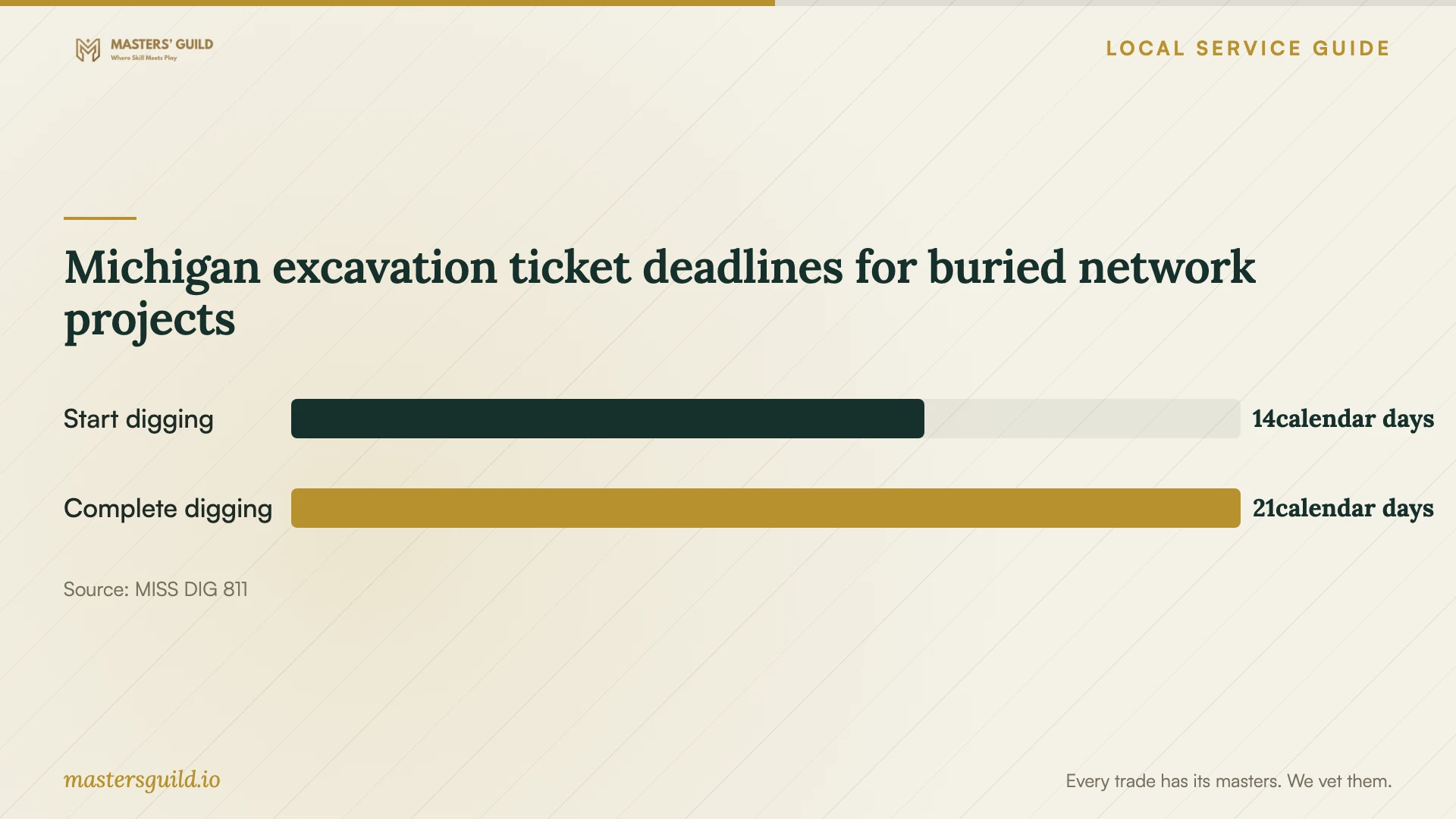
For an underground connection, identify who will excavate and who will arrange utility notification. MISS DIG 811 assigns the notification responsibility to the contractor when the contractor digs, and to the homeowner when the homeowner digs. It requires contact at least three business days before the project, regardless of digging size or depth. [2]
Before excavation, check Positive Response on or after the ticket's Work Legal Start Date. MISS DIG requires all utility responses to show MARKED or NO CONFLICT before digging. Ask the excavator how they will handle missing responses and private utility locating before agreeing to a trenching date. [2]
Agree on testing and account handover
Write down the acceptance checks before work starts. Ask the technician to test your intended devices in the agreed rooms, demonstrate any wired ports and explain how you can repeat those checks. Record unresolved problems and the next action before closing the job.
Keep control of the network's owner account and recovery details. Enter passwords yourself where possible. Request a device list, equipment locations, cable labels and instructions for restarting the system. Agree on the support contact, any return-visit charge and whether the technician will retain remote access.
Michigan excavation ticket deadlines for buried network projects
Local details that affect your job
Grand Rapids electrical application route
For permit-required electrical work, a single-family homeowner may apply in person for their primary residence at the Development Center, 1120 Monroe Ave. NW, third floor. Properties with two or more units must use a licensed contractor. The city says to expect a response within one to two business days; treat that as application review time, not a promised installation date. Confirm the process before adding electrical work to a network appointment. [1]
Michigan private-line locating for garage connections
MISS DIG 811 does not include private utility lines in standard marking. Its examples include lines serving detached garages, sheds and sprinkler systems, and it says private locators can mark those lines for a fee. For a buried network route across your yard, ask the excavator to identify private-line locating needs and include responsibility and cost in the proposal. [2]
Choose the next step for your network project
| Your situation | Next step | Include in the scope |
|---|---|---|
| Connection problems in specific rooms | Request diagnosis at the router and in those rooms | Test locations, proposed fix and acceptance checks |
| Considering a different internet provider | Check FCC address-level listings, then confirm with the provider | Reported technology and advertised upload and download speeds |
| Plan includes a new electrical outlet | Confirm electrical-permit requirements with the city | Electrical contractor responsibility and permit arrangements |
| Plan includes buried cable to a garage | Arrange MISS DIG notification and assess private-line locating | Excavator responsibility, response checks and locating charges |
Your hiring checklist
- List problem rooms, affected devices and the activities you need to complete.
- Record your current internet plan and equipment model names.
- Request diagnosis before authorizing replacement hardware.
- Compare itemized quotes using the same room list and cable endpoints.
- Assign responsibility for electrical work, approvals and any excavation arrangements.
- Agree on testing, account ownership and follow-up charges before installation.
Frequently Asked Questions
Should I buy a mesh system before hiring someone?
Ask for diagnosis first. Give the technician your room list, current equipment and intended uses, then request a reason for the recommended equipment and placement. Agree on what you will test before purchasing it.
Does Grand Rapids require a permit for Ethernet cable?
The supplied city guidance does not resolve Ethernet-only permit requirements. It addresses electrical work requiring permits under the applicable codes. Describe your cable route and any new outlets to the Development Center before authorizing that part of the job. [1]
Who contacts MISS DIG for a buried network connection?
The contractor contacts MISS DIG when the contractor performs the excavation; the homeowner contacts it when doing the digging. Allow at least three business days and check Positive Response on or after the Work Legal Start Date before excavation. [2]
Does the FCC map show the speed I will get at home?
The map shows provider-reported availability and maximum advertised speeds at a location. It does not measure performance in your rooms. Confirm the service offer with the provider and ask your technician to test the home network. [3]
Sources and scope
This guide combines the sources below with practical planning guidance. Figures apply to the stated geography and period; request a written quote for your property.