
Local service guide
Cloud Service Setup in Grand Rapids, MI
Arrange Cloud Service Setup in Grand Rapids by asking for a written scope that names your devices, files, account owner, and completion checks. Hire help for a migration or backup configuration you cannot verify yourself. For basic computer or email learning, consider the Grand Rapids Public Library’s appointment-based technology help before paying for a setup visit. [1]
Define the result before requesting a quote
Describe what you want to do after the appointment: open household documents from a laptop, move a photo collection, share selected folders with a partner, or recover a file after a device failure. Ask the technician to explain which tasks they will configure and which tasks you will need to maintain.
For a migration, name the source device or account and the destination. Decide whether you want to retain folder names, handle duplicates, or leave an untouched copy of the originals. Ask the technician to get your approval before deleting files, closing an account, or changing shared access.
Request separate amounts for setup labor, subscription charges, travel, and follow-up work. Ask whether the quoted work includes checking a completed transfer after the appointment. Compare written quotes for the same scope.
Check the connection before choosing an appointment
The FCC’s National Broadband Map lets you search an address and review providers, connection technologies, and maximum advertised download and upload speeds. Providers report that availability to the FCC. Use the map to investigate service at your address; do not treat advertised speeds as measurements of your household connection. [3]
Before requesting remote help, check that you can keep the intended device connected and remain available to approve sign-ins. Ask the technician whether they need you to measure upload speed or identify connection problems before the session. For a large transfer, agree on who will monitor progress and how you will confirm completion.
The FCC describes mobile coverage on its map as outdoor or in-vehicle coverage, rather than indoor coverage. If you plan to use a phone connection inside your home, test it in the room where you intend to work before relying on it for the appointment. [3]
Keep control of your accounts
Use an account you control and enter passwords yourself. Have your recovery phone or email available, and ask the technician to explain any proposed changes to recovery settings or sign-in protection. Keep recovery instructions somewhere you can access if the device being configured stops working.
Ask for a demonstration using a disposable test file. Have the technician show you where it appears, who can access it, and how you would recover it using the chosen service. Ask them to explain the configured behavior when you edit or delete a file. Avoid approving the job based only on a successful sign-in.
Set clear completion and follow-up terms
Agree on what you will inspect before accepting the work. For a file transfer, choose folders to compare and files to open at the destination. For a household setup, check access from each included device and review sharing permissions with the technician.
Request a short handover note naming the account owner, configured devices, selected folders, remaining tasks, and support contact. Ask how the technician handles an interrupted transfer and whether a return visit or remote check costs extra. Remove any temporary technician access when the agreed work ends.
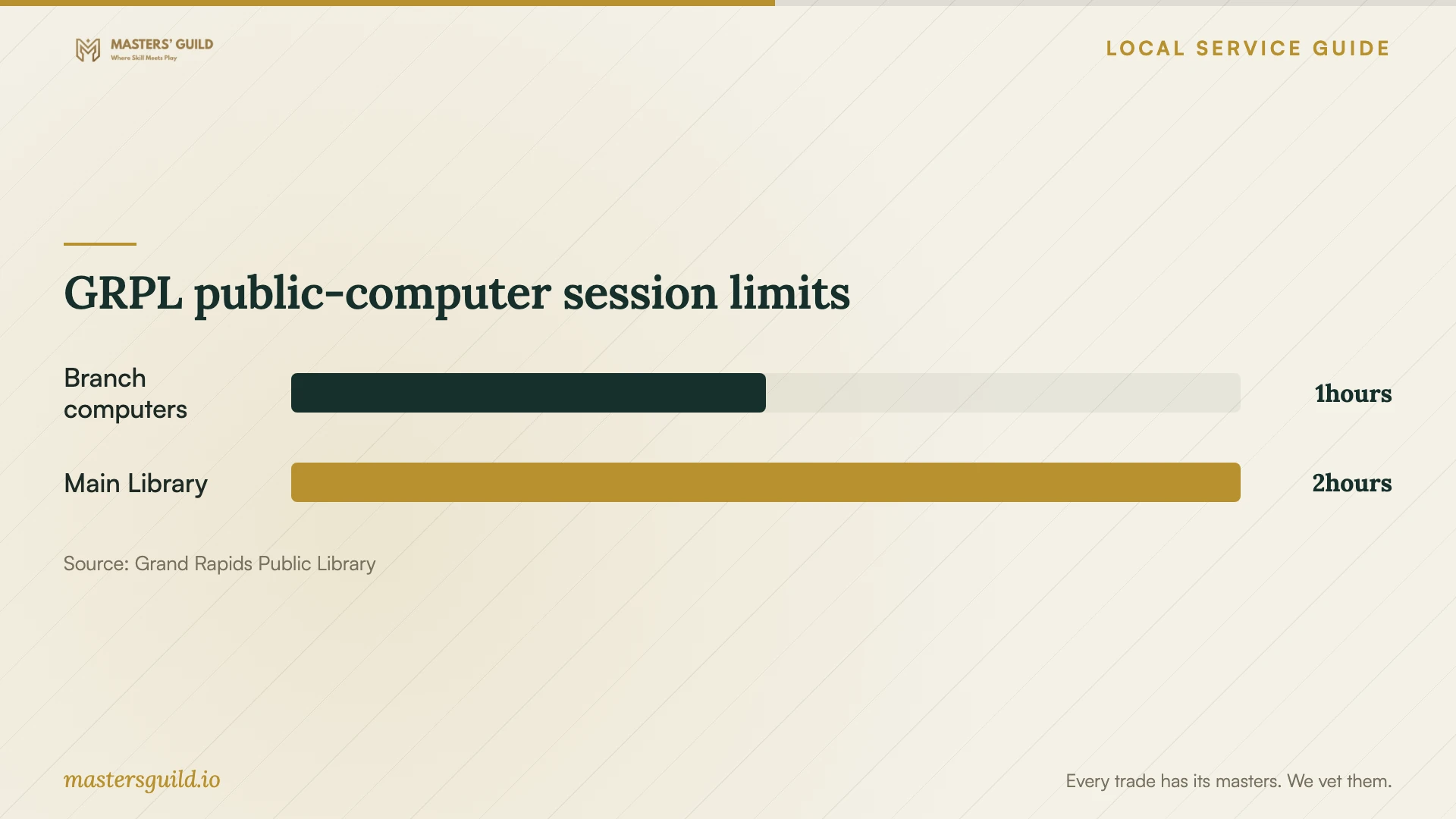
GRPL public-computer session limits
Local details that affect your job
Use branch technology help for basic learning
GRPL offers One-on-One Technology Help at library branches for basic computers, Internet, email, word processing, spreadsheets, eBooks, and library resources. Call a branch to arrange an appointment and describe your question. The published list does not promise household cloud migration or backup configuration, so confirm the scope before choosing library help instead of a technician. [1]
Replace plans that depend on a borrowed hotspot
GRPL announced that it would discontinue hotspot lending on June 22, 2026. For an October setup appointment, arrange another home connection rather than planning around that loan service. The library continues to list public WiFi and computers, but its public-computer session limits make those sessions a separate planning choice from work on your own device. [1] [2]
Choose help for the task you need
| Your situation | Suggested next step | Confirm before proceeding |
|---|---|---|
| You need basic computer or email instruction | Ask a GRPL branch about individual technology help | Whether staff can cover your specific question |
| You want someone to transfer household files | Request a technician’s written migration scope | Source, destination, retained originals, and completion checks |
| You need access across household devices | Request configuration and a device-by-device demonstration | Included devices, account ownership, and sharing permissions |
| You planned to borrow a GRPL hotspot | Arrange another connection | GRPL announced the end of lending on June 22, 2026 |
Your hiring checklist
- List the devices, accounts, and folders included in the job.
- Choose a destination account that you own and can recover.
- Retain a separate copy of important originals before the appointment.
- Confirm the connection and location you will use.
- Ask for labor, subscriptions, travel, and follow-up charges in writing.
- Agree on file checks and a recovery demonstration.
- Review shared access and remove temporary technician access at handover.
Frequently Asked Questions
Should I choose remote help or an in-home visit?
Choose remote help if you can sign in, keep the device connected, and follow the technician’s instructions. Ask for an in-home quote if you need hands-on assistance with several devices. Confirm the technician’s access method and how you will end that access.
Can the library set up my household cloud service?
GRPL lists basic technology instruction and individual assistance. It does not promise a household cloud setup or migration service on its technology-help page. Describe your task to a branch before relying on that appointment. [1]
How should I compare setup quotes?
Give each technician the same device list, file-transfer scope, and completion checks. Ask each to identify subscription charges and any cost for checking unfinished transfers. Compare the included work and handover terms alongside the total.
Sources and scope
This guide combines the sources below with practical planning guidance. Figures apply to the stated geography and period; request a written quote for your property.