
Local service guide
Home Office Setup in Gatineau, QC
For Home Office Setup in Gatineau, define the furniture assembly, equipment connections and cable routing you want before comparing written quotes. Arrange an electrical contractor for new outlets or wiring changes, and check with the City before altering interior walls: Gatineau requires a building permit for that work regardless of cost. Ask the installer to finish with you seated at the desk so you can check screen position, keyboard reach and cable clearance. [1] [2] [3]
Define the finished workspace before requesting quotes
Write a task list that describes the result you want: assembled desk and chair, connected displays, working dock, accessible charging points and secured cables. Identify who supplies the monitor arm, brackets, adapters and cable tray. Ask whether the installer will remove packaging and demonstrate the finished setup before leaving.
Send furniture model numbers, assembly instructions and photos of the room. Include the route from the entrance to the workspace and flag stairs or restricted access. For a wall-mounted monitor, ask the installer to confirm the wall construction, mounting method and hardware before agreeing to the work. For a desk clamp, check compatibility with the desktop and frame.
Choose equipment around your working position
CNESST recommends placing the screen about an arm’s length from your eyes, with its upper portion at eye level. Keep your feet supported and your forearms on the work surface without raising your shoulders. Use these positions to assess desk depth and adjustment options before buying furniture or fixing a monitor mount in place. [3]
For laptop work, CNESST recommends an external keyboard so you can raise and move the computer screen independently. Place the mouse beside the keyboard. Ask the installer to connect your actual devices, then try typing and joining a call before fastening the final cable runs. [3]
For a standing desk, test cable clearance through the full movement you intend to use. CNESST recommends alternating positions and taking frequent breaks; prolonged standing also carries discomfort risks. Check that you can reach the controls and use your keyboard with the work surface at elbow height. [3]
Resolve outlets and renovation work before assembly
Mark the proposed desk position and identify where you need power. If the plan calls for new outlets or electrical changes, arrange that scope with an electrical contractor whose licence and CMEQ membership you have checked. CMEQ advises homeowners to verify the contractor through its member directory and compare written quotations. [2]
For an office conversion, Gatineau’s general exemption for work below $26,000 before taxes has exceptions. The City requires permits for work concerning interior walls, foundations or structure regardless of cost. Describe any proposed partition changes to the City before booking construction, and distinguish them from your furniture installation tasks. [1]
Compare quotes and agree on completion checks
Ask each provider to price the same list of tasks. Request a fixed price or an hourly rate with an agreed limit, and identify materials, travel, taxes and any return visit. Use written quotes for your room and equipment to set the budget.
For electrical work, CMEQ recommends a written quotation covering the work and materials, price before taxes, rate for extra work, approximate duration and travel charges. Agree on payment terms and the process for approving additions in the contract. [2]
Define completion in practical terms: your chair fits under the desk, displays connect to your computer, the dock charges as intended, and cables remain clear of moving parts. Test the webcam, microphone and network connection from the finished desk position. Keep account passwords under your control while the installer helps with configuration.
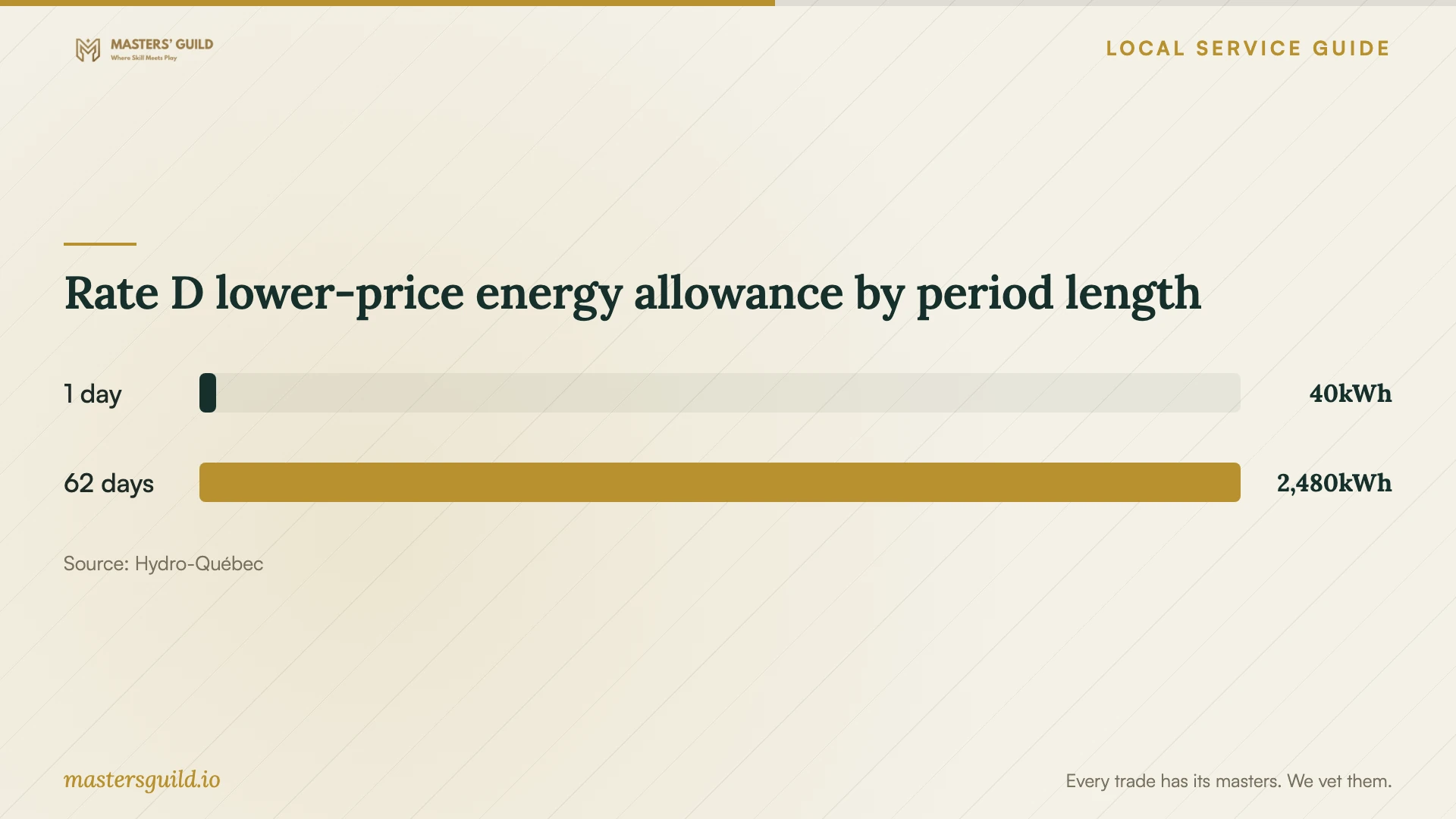
Rate D lower-price energy allowance by period length
Local details that affect your job
Use Gatineau’s address-specific permit check
Enter your address, property assessment number or lot number in the City’s URBAIN tool before planning a room conversion. The City uses the property information to account for applicable regulations. URBAIN provides guidance and links to an application when required; it does not replace a permit application. For an unusual project or unresolved question, the City directs residents to 311 for an information request. [1]
Check home-business use before fitting out a client space
Gatineau lists telework among additional residential uses, alongside specified professional and business services. Before arranging a client-facing office, describe the intended activity to urban planning and check the zoning for your property. The City’s FAQ addresses business permits separately from construction permits, so furniture installation alone does not settle whether your intended activity needs authorization. [1]
Read electricity tiers across the billing period
Hydro-Québec describes Rate D as the basic rate for most residential customers. It calculates the lower-price energy allowance as 40 kWh multiplied by the number of days in the consumption period, then applies the higher price to remaining consumption. Use your household bill when considering office running costs; the allowance is shared across household consumption. [4]
Choose help for the work you plan
| Planned work | Help to arrange | Before agreeing |
|---|---|---|
| Desk and chair assembly | Furniture assembler | Provide model numbers and define final adjustments. |
| Displays, dock and peripherals | Provider offering computer setup | List devices and agree on connection tests. |
| Monitor mounting | Installer offering the chosen mounting method | Confirm wall or desktop compatibility and supplied hardware. |
| New outlets or wiring changes | Electrical contractor with verified licence and CMEQ membership | Obtain a detailed written quotation. |
| Adding or moving interior walls | Renovation provider after municipal review | Gatineau requires a building permit regardless of cost. |
Your hiring checklist
- List the furniture models, displays, dock and computer you want installed.
- Photograph the room, outlets, proposed mounting surface and access route.
- Identify who supplies brackets, adapters, fasteners and cable accessories.
- Confirm municipal requirements before including wall alterations.
- Request separate details for assembly, computer configuration and electrical work.
- Agree on extra-work approval, packaging removal and completion checks.
- Be present for the final seating, screen and standing-desk adjustments.
Frequently Asked Questions
Does the under-$26,000 exemption cover an office partition?
Gatineau requires a building permit for work concerning interior walls regardless of cost. Check the proposed partition work with the City before scheduling it, rather than relying on the general cost exemption. [1]
Should I buy a monitor arm before booking?
Confirm the monitor’s mounting requirements and the proposed wall or desk attachment first. Ask who supplies the hardware and allow for adjustment with you seated at the desk before final placement.
Can I raise my laptop and keep using its keyboard?
CNESST recommends using an external keyboard to let you raise the laptop screen to eye level and place it farther away. Add a mouse beside the keyboard, then check the arrangement while seated. [3]
How should I compare electrical quotes?
CMEQ recommends comparing written quotes from different electrical contractors. Check the included work, materials, price before taxes, extra-work rate, approximate duration and travel charges, along with the contractor’s licence and membership. [2]
Sources and scope
This guide combines the sources below with practical planning guidance. Figures apply to the stated geography and period; request a written quote for your property.