
Local service guide
Technical Skills Training in Fresno, CA
Arrange Technical Skills Training in Fresno by naming the business task your staff must complete, then ask instructors for a written lesson scope, equipment requirements, and total fee. Before buying a package, compare library-supported software courses and Fresno State’s cybersecurity program. The library requires a valid barcode and PIN for LinkedIn Learning; Fresno State lists residency conditions for free beginning and intermediate certificates. [1] [3]
Start with the task your business needs
Write a short brief that names the software, the learner’s starting point, and the result you expect. For spreadsheet training, specify whether staff need to enter records, build formulas, or prepare a monthly report. For website lessons, name the platform and the changes staff should practice. Avoid buying a broad course before agreeing on the work.
Ask the instructor to separate teaching from implementation in the quote. Decide who will configure accounts, install tools, and resolve existing technical problems. Request practice files and a final exercise that learners complete without the instructor taking over. For a team, explain whether everyone performs the same role or needs different exercises.
Compare local learning options before paying
Check the county library’s online resources before purchasing introductory course access. Alongside LinkedIn Learning, the library lists Gale Presents: Udemy for on-demand courses in technology, business, design, and other subjects. Both resources require a library card. Try a relevant course and note the steps that still need explanation before requesting private coaching. [1]
For cybersecurity study, compare your goal with Fresno State’s SOFT START program. The university describes beginning, intermediate, and advanced certificates and says beginning and intermediate participation is free for people who meet residency requirements. Its beginning program includes instruction at Fresno State. Ask about eligibility, the next cohort, attendance, and prerequisites; the page does not establish a current class timetable. [3]
Confirm the computer and venue
If you need a computer for practice, the library offers free public computer access at its locations. Users need a valid San Joaquin Valley Library System card; short-term visitors may request a guest pass. The library caps daily use at two hours, with less time possible when demand is high. Ask staff about reservations and the time available for your planned work. [2]
Plan coding or specialist software lessons around a device the instructor has checked. Library rules prohibit running personal software on public computers, and staff provide basic assistance rather than extended individual instruction. For a proposed library lesson, confirm both the software requirements and whether the planned activity fits branch rules. [2]
Use sample customer records and demonstration accounts during lessons. Keep passwords under your control and agree on any screen sharing before the session. Ask the instructor to list required software versions, subscriptions, and administrator access so you can prepare without spending lesson time on setup.
Compare quotes and check the result
Request a quote that separates instruction, preparation, travel, software subscriptions, and follow-up support. State the number of learners and whether you want individual or group teaching. Ask about cancellation terms, missed sessions, and access to lesson materials. Compare the total cost of the agreed scope rather than an hourly rate alone.
Before buying a longer package, arrange an initial session with a defined exercise. Have learners repeat the task and explain the steps in their own words. Review what they can complete, what needs more practice, and what the instructor proposes next. Agree on any changes to the scope before adding sessions.
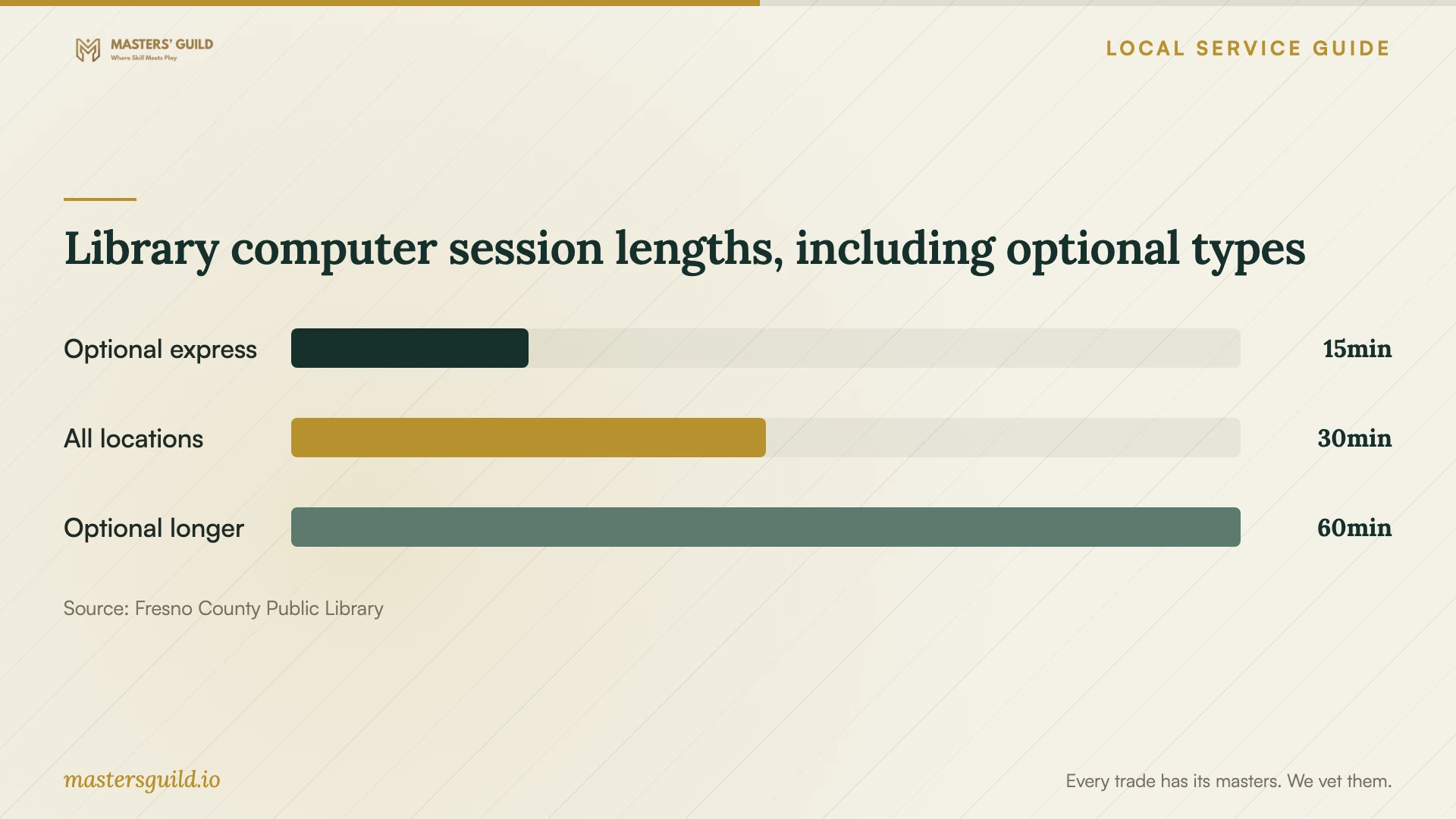
Library computer session lengths, including optional types
Local details that affect your job
Library course access has a specific login
Fresno County Public Library requires a valid library barcode and PIN for LinkedIn Learning. App users enter the Library ID fresnolibrary. Check that login before buying separate course access or arranging a lesson around a course. [1]
Public computers need a separate lesson plan
The library permits computer reservations up to one day ahead and cancels a reservation if the user does not log in within five minutes. Users cannot run personal software. Confirm the workstation setup and arrive with time to log in; bring another device if your instructor needs tools the library cannot accommodate. [2]
Cybersecurity certificates require an eligibility check
Fresno State lists a 10-week beginning cybersecurity certificate with two instructional hours per week at the university. It makes beginning and intermediate certificates free for participants meeting residency requirements. Confirm those requirements and the next start date before choosing between the program and private lessons. [3]
Choose a training route for your goal
| Your goal | Route to consider | Check before committing |
|---|---|---|
| Study software or technology topics at your own pace | Library access to LinkedIn Learning or Udemy | Library card access and whether the course covers your exact tool |
| Get guided practice on a business workflow | Private instruction with a defined exercise | Instructor fit, device requirements, total fee, and follow-up scope |
| Pursue structured introductory cybersecurity study | Fresno State SOFT START beginning certificate | Residency eligibility, next intake, and attendance for the 10-week program |
| Practice without a business computer | Library public computer access | Available session time and the restriction on running personal software |
Your hiring checklist
- Name the business task and software version in your lesson brief.
- Describe each learner’s starting skills and accessibility or language needs.
- Ask for a sample exercise tied to the task.
- Confirm the device, software, account permissions, and venue before booking.
- Use demonstration files without customer or employee information.
- Request an itemized total and written cancellation terms.
- Agree on a final exercise and the scope of follow-up help.
Frequently Asked Questions
Can I use library resources before hiring an instructor?
Yes. Fresno County Public Library lists LinkedIn Learning and Udemy among its card-access learning resources. Use a relevant course to identify questions you want an instructor to address. LinkedIn Learning requires a valid barcode and PIN. [1]
Can library staff provide a private technical lesson?
The library says staff provide basic computer assistance and cannot provide in-depth or extended individual help. Ask about its free classes, or arrange an instructor if you want a lesson built around a business task. [2]
Is Fresno State’s cybersecurity training free?
The SOFT START page says beginning and intermediate certificates are free for participants who meet residency requirements. Confirm eligibility and intake details with the program. The page does not extend that free-participation statement to the advanced certificate. [3]
What should a private training quote include?
Ask for the learning goal, learner count, session length, preparation charges, travel, software costs, and follow-up terms. Specify whether you want teaching, setup work, or both, and agree on an exercise that demonstrates the learner’s progress.
Sources and scope
This guide combines the sources below with practical planning guidance. Figures apply to the stated geography and period; request a written quote for your property.