
Local service guide
Cloud Service Setup in Fremont, CA
Arrange Cloud Service Setup in Fremont by asking a technician to quote the devices, folders, account access, migration work, and recovery test you need. Agree on who will monitor unfinished uploads and resolve errors after the appointment. Before booking, prepare a device list and decide which files you want available without internet access.
Define the result before requesting a quote
Describe the task in terms of files and devices: family photos from an old computer, documents shared between household members, or a backup you can restore after losing a laptop. Ask the technician to identify the proposed service, account owner, included folders, excluded folders, and device access in writing.
Have the technician explain how the proposed setup handles deletion, version history, recovery, and loss of account access. Include a recovery demonstration using a disposable test file in the scope. Agree on what you must be able to do yourself before accepting the work.
Keep the original files until you have checked the destination and completed the agreed recovery test. For a migration, ask how the technician will handle duplicates, unsupported files, and anything that fails to transfer. Agree on who approves deletion of the old copy.
Check the connection before setting a completion time
Use the FCC's address search to review providers, connection technologies, and maximum advertised upload and download speeds for the home. The FCC describes these as provider-reported availability data. Ask the technician to measure upload speed on the connection that will perform the transfer before promising a completion time. [2]
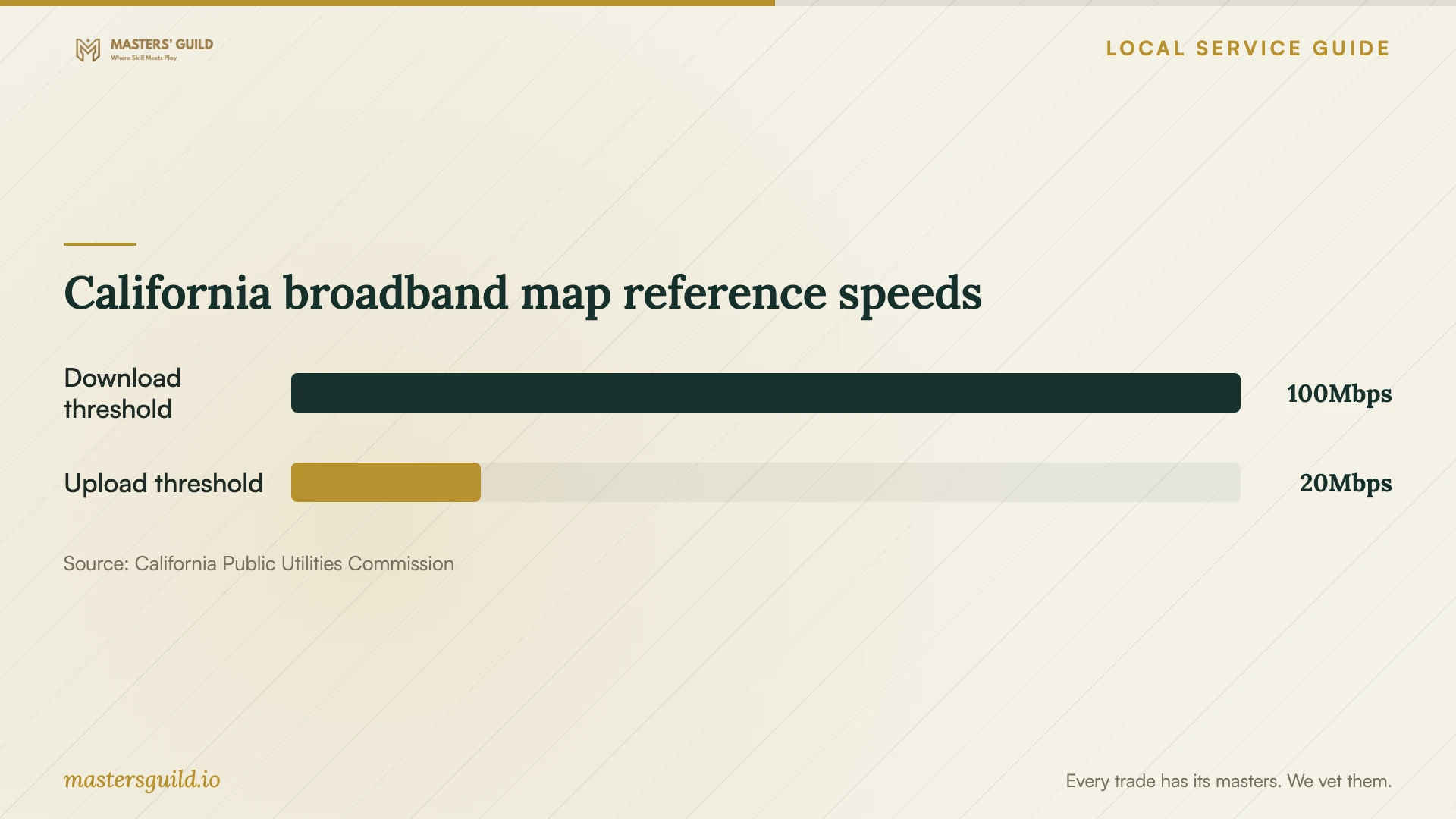
California's CPUC broadband map announcement describes a 100 Mbps download and 20 Mbps upload availability layer using end-of-year 2023 data. Treat that as a reference for reviewing connectivity, then check your address and current service. Do not use the statewide threshold as a measured speed for your home. [1]
Separate hands-on appointment time from the transfer completion plan. Confirm whether you should leave a computer powered on, which status screen to check, and who will investigate stalled or skipped files. Request a follow-up checkpoint that names the remaining work and the person responsible.
Compare quotes and protect account control
Request an itemized quote for account configuration, device setup, file migration, recovery testing, and follow-up. Have the provider list recurring charges for your approval and explain which work falls outside the quoted price. Use the same device and folder list when comparing offers.
Ask candidates to describe their process for your chosen platform. Decide whether you want remote help or an in-home appointment based on the access you can provide and the assistance you need with older devices. Check the proposed charge for resolving an account-access problem before authorizing that work.
Use an account you control. Enter passwords yourself, keep recovery details in your possession, and ask the technician to explain any temporary access they request. Include removal of that access in the handover. For household sharing, review who may view, edit, download, or delete the selected files.
Test recovery and prepare for interruptions
Before signing off, open representative files on the intended devices and recover a disposable test file. Check the folders you named in the scope and record any exceptions. Try the procedure yourself while the technician can answer questions.
Ava's regional guidance recommends keeping essential devices charged and signing up for PG&E outage alerts. Ava also explains that PG&E controls public safety shutoffs and restoration, including for Ava customers. Apply that guidance by asking the technician to demonstrate offline file access and explain how to check transfers after power returns. [4]
California broadband map reference speeds
Local details that affect your job
Check the Fremont Library schedule before relying on access
Fremont Library at 2400 Stevenson Blvd lists free Wi-Fi and laptop and desktop computer access. Its published schedule includes an all-day closure on October 15, 2026. If you plan to use library access while preparing your accounts, check the schedule first and consider bringing your own device. Confirm facility rules before arranging to meet a technician, and ask staff what assistance they offer. [3]
Use the correct regional outage contact
For Alameda County households, Ava directs customers to PG&E for shutoff information and alerts. Ava also identifies 211 as a source of outage updates and help locating Community Resource Centers with services such as charging and Wi-Fi. If you need temporary access during an interruption, confirm the available resources before traveling. Include an offline document plan in your setup appointment. [4]
Match the appointment to the work
| Your situation | Scope to request | Acceptance check |
|---|---|---|
| One device and a selected document folder | Account configuration and folder selection | Open a test file from the intended destination |
| Photos and documents on an old computer | Migration plan, original-copy retention, and exception review | Check representative files and review transfer failures |
| Several household members need access | Separate account access and shared-folder permissions | Test access using each intended person's account |
| You need recovery after losing a device | Recovery procedure and a demonstration | Restore a disposable test file yourself |
| You need documents during internet interruptions | Offline file selection and restart instructions | Open selected files while disconnected |
Your hiring checklist
- List the devices, operating systems, folders, and approximate data volume you want included.
- Confirm that you can sign in and reach your recovery email or phone before the appointment.
- Request separate prices for labor, migration, subscriptions, and follow-up.
- Keep an original copy and agree on who may delete or replace files.
- Choose the documents you want available offline and review household permissions.
- Ask the technician to demonstrate file recovery and record unfinished transfers.
Frequently Asked Questions
How much should I budget for setup?
Get an itemized quote for your devices, files, and recovery requirements. Ask the technician to separate appointment charges, migration work, recurring subscriptions, and follow-up. Confirm how they will price additional work and get your approval before proceeding.
Should I upgrade my internet before booking?
Check your current connection and discuss the planned transfer first. The FCC lets you review address-level provider reports and advertised upload speeds. Ask the technician to measure your connection and explain whether your deadline requires a different transfer plan before committing to an upgrade. [2]
Can I use the library for setup help?
Fremont Library lists free Wi-Fi and computer access. Ask staff what account-setup assistance they offer, and confirm the facility's rules and schedule before planning a visit. Arrange any paid technical help with the provider and confirm a suitable meeting location. [3]
What should the technician leave me with?
Request a written record of the configured devices and folders, account ownership, recovery procedure, outstanding errors, and follow-up terms. Keep this record somewhere you can reach if you lose access to the configured account.
Sources and scope
This guide combines the sources below with practical planning guidance. Figures apply to the stated geography and period; request a written quote for your property.