
Local service guide
Cloud Service Setup in Fort Wayne, IN
Arrange Cloud Service Setup by choosing the files and devices you want covered, then hire a technician who will document the work and demonstrate the result. Compare written offers covering the same devices, files, migration work, and completion checks. Before scheduling a transfer that depends on upgraded internet, use Indiana Broadband’s address-searchable resources and confirm service with the provider. [1]
Define the job before comparing offers
Write down the result you want. For family photos, identify the phones and computers involved and decide who should see each collection. For documents, name the folders you want accessible away from home. For backup work, ask the technician to list the included files and show you how to recover a selected copy.
For migration between accounts, identify the starting account and destination. Include shared folders, photo collections, external drives, or email only when you want that work in the quote. Agree on how you will review the destination before deleting originals or cancelling an old subscription.
Ask candidates to explain their experience with your chosen platform and devices. Request separate amounts for labor, recurring subscriptions, and follow-up work. Specify whether the labor charge covers a fixed scope or time spent, what could trigger extra charges, and who will check a transfer that continues after the appointment.
Choose where the transfer will run
Start with the connection at your home. Indiana Broadband’s Connecting Indiana map covers statewide broadband-serviceable locations and identifies service status and program funding. The state gives a December 2024 update date. Search your address and ask the internet provider to confirm the service it can supply before planning around a connection upgrade. [1]
Have the technician measure upload speed where you intend to run the transfer. Provide the approximate file volume and ask for a schedule based on that measurement. Decide whether you want the technician present throughout the transfer or a later completion check. Include instructions for interruptions and a contact for unresolved files.
For temporary access, Allen County Public Library provides free Wi-Fi inside all 14 locations and outside most locations into parking lots. Patrons can reserve library computers for one-hour sessions four times per day with a valid library card or guest pass. Staff can extend sessions when no appointments are pending. Those computer limits do not describe personal-device Wi-Fi sessions. [2]
Before arranging help at a branch, confirm your intended visit and bring your own device for account work. Ask the technician to plan around the access you have confirmed. Avoid committing to a lengthy transfer on a shared computer without discussing session arrangements with the branch.
Keep account control and agree on the handover
Use an account under an email address you control. Enter passwords and verification codes yourself, and have the technician guide you through recovery settings and additional sign-in protection. Keep recovery instructions somewhere you can reach without signing into that cloud account. For remote help, agree on how you will supervise and end the session.
Select representative files before the appointment. Have the technician open destination copies on the devices included in the job. For backup work, request a restore to a location you choose. Review sharing permissions with the intended family members and ask the technician to explain the selected deletion, file-history, and recovery settings.
Request a handover note covering the included folders, selected settings, recurring charges, and instructions for checking future uploads or backups. Record unfinished work and its responsible person. Retain originals until you have reviewed the agreed checks, and confirm that the technician has ended their access.
Consider state help for inadequate broadband
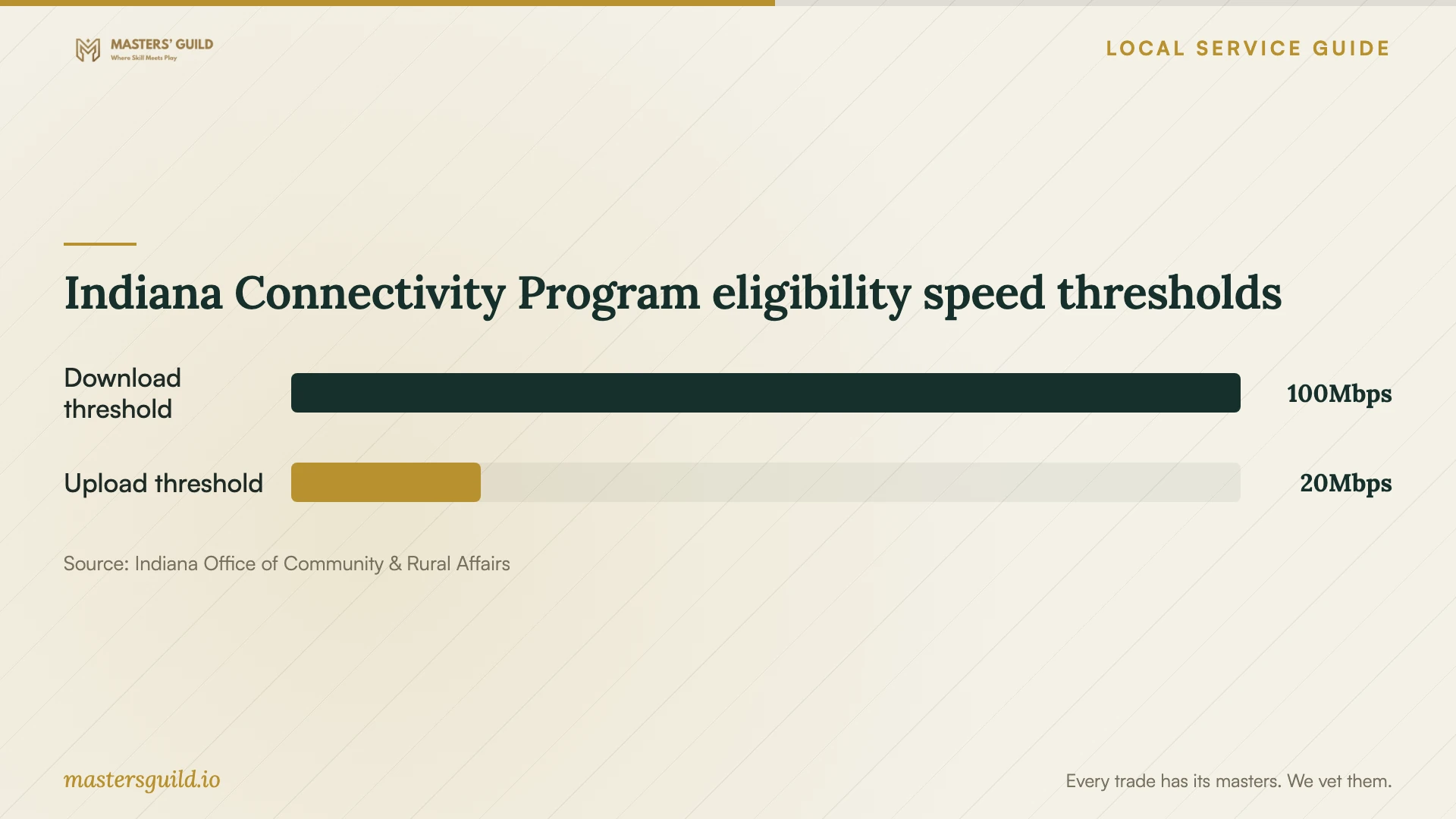
Indiana’s Office of Community and Rural Affairs lists residential and business locations without broadband, or with actual speeds below 100 Mbps download and 20 Mbps upload, as eligible for Indiana Connectivity Program consideration. The program concerns extending broadband service. Treat an application as a separate step from hiring someone to configure your cloud account. [3]
OCRA accepts address enrollment through its portal, by phone at 833-639-8522, or by mail. Providers review locations through challenge and bidding processes, and OCRA states that enrollment does not guarantee service extension. Schedule cloud work around confirmed connectivity while you explore this statewide option for your address. [3]
Indiana Connectivity Program eligibility speed thresholds
Local details that affect your job
Choose personal-device access at ACPL
ACPL offers free Wi-Fi inside all 14 locations, while its public computers use one-hour reservations up to four times per day. Extensions depend on pending appointments. For temporary cloud access in Fort Wayne, decide whether you need Wi-Fi for your own device or a library computer, then confirm visit arrangements with the branch. [2]
Apply for connectivity consideration without delaying setup
Indiana Connectivity Program enrollment remains ongoing according to OCRA’s page. You can submit your address online, by phone at 833-639-8522, or by mail. Eligible locations can seek consideration, but OCRA does not guarantee service extension. Keep the cloud appointment tied to existing connectivity rather than an anticipated award. [3]
Confirm the map result with the provider
The Connecting Indiana map supports location searches and carries a December 2024 update date. Use it to investigate your Fort Wayne address, then confirm installation availability with the provider before agreeing to a cloud migration that requires a connection upgrade. [1]
Match your situation to the work
| Your situation | Next step | Agree before work starts |
|---|---|---|
| Files on several devices | Request access setup for named devices | Included folders and sharing checks |
| Recoverable copies | Request backup setup with a restore demonstration | Files included and recovery instructions |
| Moving between accounts | Request a migration plan | Destination checks and original-file retention |
| Temporary internet access | Consider ACPL Wi-Fi on your own device | Confirm the visit; library computers have reservation limits |
| Inadequate home broadband | Review Indiana Connectivity Program eligibility | Use confirmed connectivity; enrollment does not guarantee extension |
Your hiring checklist
- List the devices, accounts, folders, and approximate file volume involved.
- Mark which collections you want shared and which should remain private.
- Confirm that you can sign in and reach your recovery methods.
- Prepare the transfer location and agree on a plan for interrupted uploads.
- Compare written offers with the same scope and separate recurring charges.
- Choose sample files for destination checks and a backup restore demonstration.
- Keep the handover instructions and confirm the end of technician access.
Frequently Asked Questions
Should I choose remote help or an in-home appointment?
Ask the technician how they would complete your device and file checks through a supervised remote session. Choose an in-home appointment if you want help gathering files from devices or reviewing the connection where uploads will run. Include the access method in the written scope.
Can I use a library computer for the appointment?
ACPL allows one-hour public-computer reservations four times per day with a valid library card or guest pass. Extensions depend on the absence of pending appointments. Discuss the appointment with your branch before relying on an extension, and consider bringing your own device to use the library’s free Wi-Fi. [2]
Does applying to the state program guarantee faster internet?
No. OCRA states that entering location information does not guarantee service extension. The program includes provider challenge and bidding processes. Base your transfer schedule on the connection you have confirmed. [3]
Sources and scope
This guide combines the sources below with practical planning guidance. Figures apply to the stated geography and period; request a written quote for your property.