
Local service guide
Software Installation in El Paso, TX
Arrange Software Installation in El Paso, TX by requesting a quote for your device, named programs and the task you want to complete. Specify account access, backup responsibilities and a demonstration before you book. Choose remote help or a visit based on your connection and comfort with signing in while a technician works.
Define what the technician should finish
Describe a result you can test: open an existing document, send an email attachment, print from the application or use a program you purchased. Include your device model, operating system version and any error message. Send the same description to each provider so you can compare their proposed work.
Have the technician identify the installation steps they will include, such as activation, updates and settings. Name related work as separate tasks: moving files, removing an older program or connecting a printer. Keep passwords, payment details and private documents out of your initial request.
Request a quote for your device and task. Establish how the provider will charge if an installation fails or needs more work. Set an approval point before additional spending, and check cancellation terms and follow-up support before booking.
Choose the appointment format and prepare your device
For remote help, have the provider explain how you will connect, what they need to access and how you will end the session. Choose a visit if you want someone beside you during sign-in and setup. Describe any connection problem before booking and settle on a fallback if you cannot start the remote appointment.
Gather your charger, purchase records and the program name or installer you intend to use. Check that you can access the account associated with the purchase. For a device someone else manages, obtain their approval before arranging changes. Tell the technician which files and accounts fall outside the job.
Decide which files you want backed up, where you want the copy kept and who will check it before work begins. If you plan to borrow a library hotspot, complete the borrowing steps described below and test it at the appointment location before choosing remote service.
Choose installation help or instruction
Separate getting a program working from learning to use it. Installing an email application and practicing attachments are different goals. Include a short demonstration in the installation scope; describe any longer lesson you want as a separate request.
El Paso Public Libraries offers free, informal adult computer classes. Consider that option if your main goal is learning computer skills. For a paid lesson, give the technician a specific learning task and request a price for that time. [1]
During the demonstration, use your own account and complete the task yourself. Request written steps for anything you want to repeat after the technician leaves. Keep unresolved installation errors on the handover list rather than accepting a lesson as completion of the repair or setup you ordered.
Separate purchases, renewals and tax
Keep software purchases under an account you control. Before authorizing a subscription, review the renewal amount, billing frequency and cancellation process with the seller. Have the quote distinguish installation labor from purchases, ongoing services, file transfer and backup work.
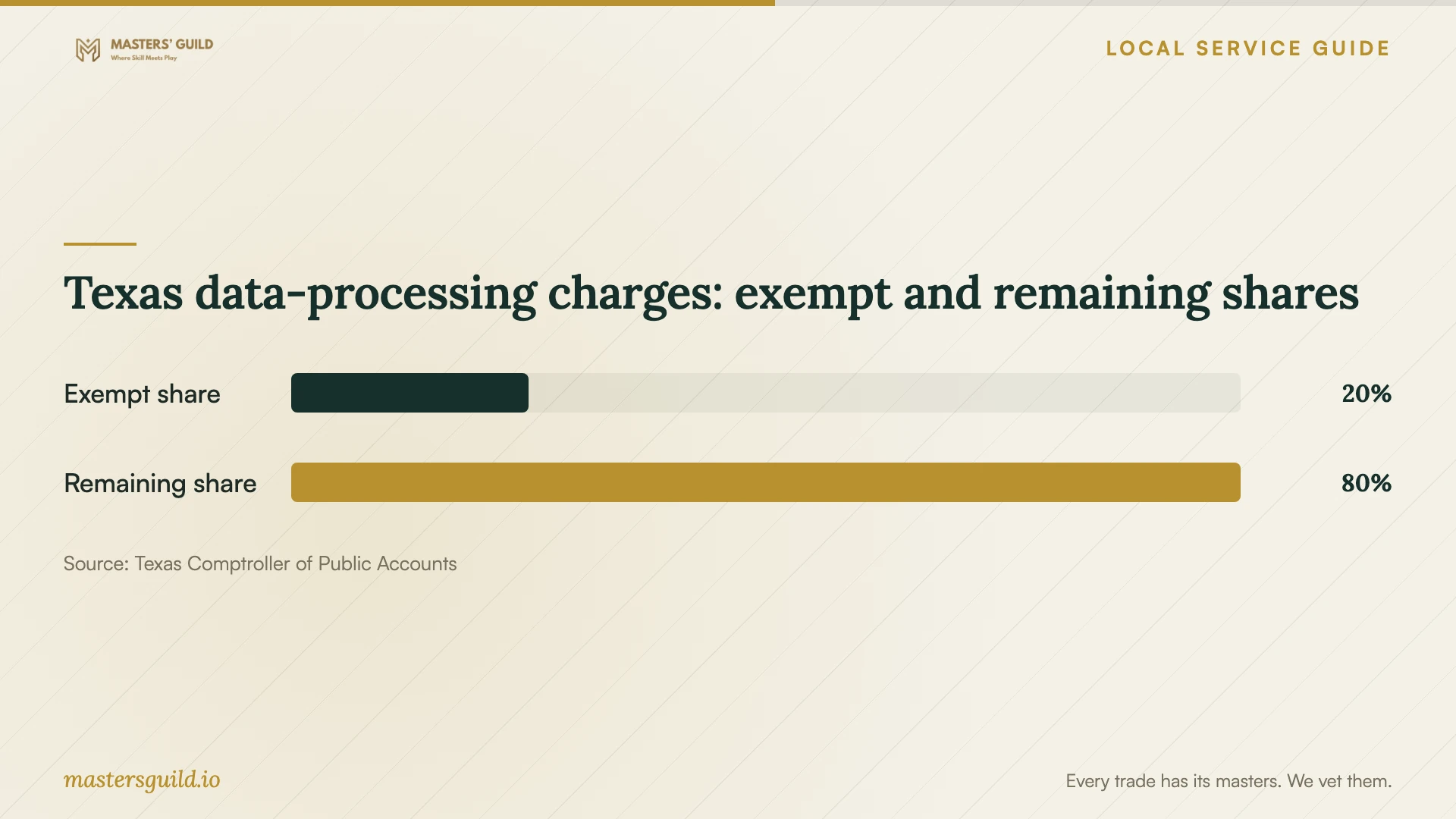
The Texas Comptroller includes offsite electronic-file backup among data-processing examples and identifies software-as-a-service sellers as data-processing providers. It exempts twenty percent of data-processing charges from tax. If your package includes those services, request an explanation of the classification and tax calculation for the relevant invoice lines. [3]
The chart illustrates the shares of a qualifying data-processing charge under that statewide rule. Use it to discuss an itemized invoice with the seller. It does not establish an installation price or the tax classification of a standalone installation appointment. [3]
Control access and check the handover
Enter your own passwords during sign-in. Review requests for administrator access with the technician before granting permission. Decide whether you want any remote-access program removed at the end, and require your approval before the provider sets up continuing access.
Before accepting completion, open the program, sign in and perform the task named in your quote. Check that you can find the files you need and locate the purchase or subscription record. Collect a written summary of changes, unresolved issues and the route for follow-up.
Texas data-processing charges: exempt and remaining shares
Local details that affect your job
Check the computer-class topic with your branch
El Paso Public Libraries directs readers to their nearest branch for specific class information. Its shared days-and-times statement excludes computer classes. Contact the branch about your learning goal, class location and schedule, and whether you should bring your device. Describe an installation problem as a separate request so staff can clarify what help they offer. [1]
Prepare for MyFi borrowing before remote work
The library's MyFi program serves students, teachers and people without home broadband. It offers portable hotspots with unlimited data capabilities for loans of up to six months. Borrowers need an EPPL card, must reserve a unit and pickup location, and must bring a signed agreement to pickup. Check availability and test the connection where you plan to use the computer before booking remote installation. [2]
Match your need to the next step
| Your need | Next step | Before committing |
|---|---|---|
| Install a named application | Request a quote for the device and task | Include activation, settings and a working demonstration |
| Learn computer skills | Explore free library computer classes | Contact your branch for the topic, location and schedule |
| Arrange remote help without home broadband | Explore the library's MyFi program | Complete borrowing requirements and test the connection |
| Add offsite backup or software as a service | Request separate invoice lines | Have the seller explain the Texas data-processing tax treatment |
Your hiring checklist
- Record your device model, operating system, program names and desired result.
- Collect purchase records and check access to the account you intend to use.
- Compare itemized offers for the same scope and set approval terms for extra work.
- Assign backup responsibilities and identify files outside the job.
- Prepare the charger and appointment space, and test the proposed connection.
- Enter your own passwords and review permission requests.
- Complete the agreed task yourself and collect the handover notes.
Frequently Asked Questions
What should I do if the technician cannot finish?
Use the charging and follow-up terms you agreed before booking. Request a description of the obstacle, the work completed and the proposed next step. Review a new scope and price before authorizing more work.
Should the technician buy software through their own account?
Request purchases under an account you control. Keep the receipt and practice signing in before the appointment ends. For subscriptions, review who pays renewals and how you will cancel.
Can I combine installation with transferring files?
Describe file transfer as a separate part of the job. Identify the source device, the files you want moved and the destination. Set backup responsibilities before the technician changes either device, then check the transferred files at handover.
Is the twenty percent exemption a sales-tax rate?
It describes the exempt share of a qualifying data-processing charge. The Texas Comptroller states that twenty percent of that charge is exempt from tax. Have the seller explain the applicable classification and tax calculation for your invoice. [3]
Sources and scope
This guide combines the sources below with practical planning guidance. Figures apply to the stated geography and period; request a written quote for your property.