
Local service guide
Computer Virus Removal in El Paso, TX
For Computer Virus Removal in El Paso, choose a technician who explains the proposed diagnosis, quotes the work for your device, and agrees to protect the files you identify. Set a spending limit and require your approval before an erase or reinstall. Arrange the handoff around the task you need to resume first, such as schoolwork, household bills, or printing forms.
Get a quote that answers your repair questions
Describe what you see without trying to name the infection. Photograph warning messages, note browser changes, and list files you cannot open. Tell the technician what you tried and whether the symptoms returned. Ask them to distinguish the proposed investigation from the work they would recommend after diagnosis.
Request a quote that identifies diagnosis, cleanup, backup, operating-system work, and software restoration. Ask whether you owe a diagnostic fee if you decline the repair. Include travel charges and optional purchases in the comparison. Have the technician explain what would trigger a revised quote rather than treating an initial estimate as permission for additional work.
Name your irreplaceable files and identify existing backups. Agree on where the technician may store repair copies, who may access them, and when they will delete them. Keep unrelated account credentials out of the handoff; enter passwords yourself where practical. For remote help, ask how you can end the session and how the technician will remove repair access.
Choose the service arrangement around your circumstances. At drop-off, get a receipt listing the device and accessories. For a home visit, confirm the visit charge and proposed work. Set a status-update time and explain your deadline without assuming the technician can promise completion before examining the computer.
Review the protection the technician recommends
Ask why the recommended security software suits your computer and your ability to maintain it. AV-Comparatives advises readers to consider multiple recent tests alongside price, ease of use, compatibility, and support. Use those factors to discuss a proposed subscription and decide whether you want its ongoing cost. [4]
AV-Comparatives distinguishes detecting a malicious file from preventing or reversing its changes. Its March 2025 laboratory test examined protection before, during, and after execution on updated Windows 11 systems. That study does not measure an El Paso technician's ability to repair your device or establish current 2026 product performance. [4]
Before collection, have the technician demonstrate startup, browser operation, and access to your priority files. Ask for a short report describing the diagnosis, changes, checks, and unresolved concerns. Review update settings and subscription renewal terms together, then settle what follow-up service would cost if the same symptoms return.
Arrange essential tasks during downtime
El Paso Public Library describes WorkPLACE as a free public information and support program. Its page describes past access to computers, printers, scanning services, and staff assistance. Call 915-212-3245 to confirm current facilities and access arrangements before leaving your computer for repair. [1]
Make that call specific: explain whether you need to print a form, scan a document, or use a computer, then ask which location can accommodate the task. For sensitive account recovery, arrange another device you trust. Avoid making a public-computer visit your only plan for urgent household bills or private documents.
EPPL states that all its locations offer computer classes from basic to advanced. After the repair, ask about a class suited to the task you want to learn, such as using email or managing documents, and confirm the schedule before visiting. [1]
Compare repair with replacement and disposal
If the technician recommends replacement, request the reasons and compare the complete alternatives. Include the proposed repair, a replacement device, file transfer, software setup, and secure removal of personal data. Decide which files you need to verify on the replacement before releasing the old computer for disposal.
The City of El Paso accepts computers and accessories through its used-electronics program at Citizen Collection Stations and the Greater El Paso Landfill. The program excludes used commercial electronics and leaking materials. The city also excludes used electronics from special bulky-item pickup, so plan a suitable drop-off. [2]
Citizen Collection Stations serve residents and exclude commercial businesses and contractors. Request a pass and prepare a current water bill plus valid ID with a matching address. Those rules affect who should transport the computer; do not assume your repair contractor can enter a station for you. [3]
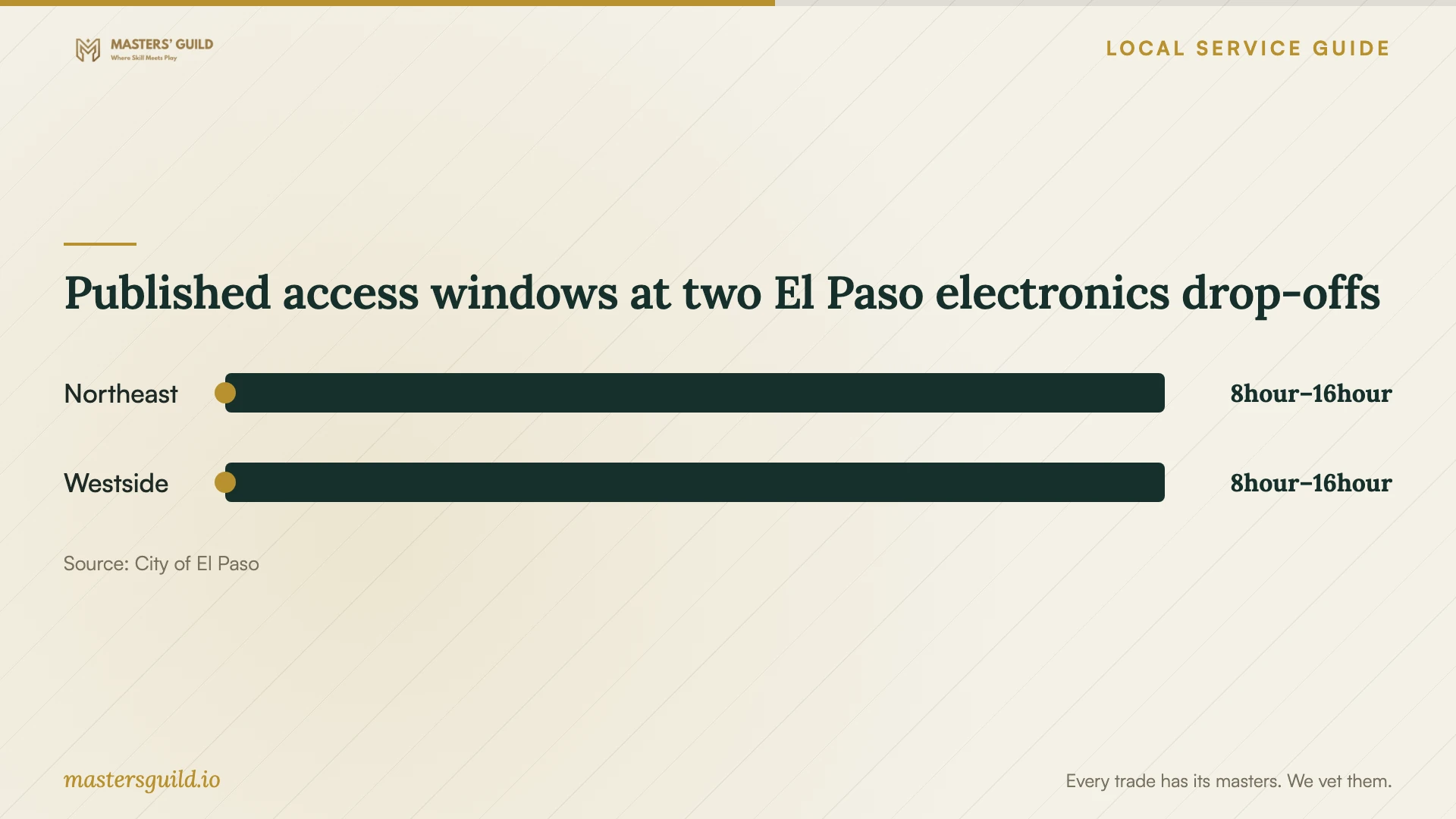
Published access windows at two El Paso electronics drop-offs
Local details that affect your job
Confirm a library option before scheduling the handoff
For temporary computer, printing, or scanning access, contact WorkPLACE at 915-212-3245. The library page describes past technology provision rather than establishing current availability. Confirm the facility, location, and access conditions you need before choosing a repair date. [1]
Choose a resident electronics drop-off
The city's household electronics options include collection stations and the Greater El Paso Landfill. Used electronics do not qualify for special bulky-item pickup. For a collection-station visit, request a pass and bring a current water bill and matching-address valid ID. The stations exclude businesses and contractors. [2] [3]
Check the station before making the trip
The city lists the Northeast station at 4501 Hondo Pass Dr and the Westside station at 121 Atlantic Rd. Published station hours are Tuesday through Saturday, 8 a.m. to 4 p.m., with holiday closures and possible weather changes. Confirm operations at 915-212-6000. These access rules concern collection stations; check the landfill's arrangements separately. [3]
Match the next step to your situation
| Your situation | Suggested next step | Question to resolve |
|---|---|---|
| You can start the computer and describe the symptoms | Discuss remote help, drop-off, or a home visit | Which arrangement can the technician offer for this investigation? |
| Important files will not open | Request diagnosis before deciding on restoration work | What can the technician examine without erasing the device? |
| You need printing or computer access during repair | Confirm current WorkPLACE arrangements | Which facility can accommodate your task and date? |
| You plan to retire a household computer | Prepare for an electronics drop-off after data handling | Can you meet collection-station entry requirements? |
Your hiring checklist
- Photograph warning messages and record what you already tried.
- Identify priority files, backups, and your first task after repair.
- Compare quotes with diagnostic fees and optional purchases identified.
- Record your spending limit and approval requirements.
- Agree on account access and handling of repair copies.
- Confirm the handoff location, accessories, and status-update time.
- Review the completion demonstration, report, and follow-up terms.
Frequently Asked Questions
How much should I budget for the repair?
Use a device-specific written quote. Ask the technician to separate diagnosis from any proposed cleanup or restoration, and explain charges if you decline the work. The supplied sources do not establish local virus-removal prices.
Does a strong antivirus test result prove the repair worked?
Use a repair demonstration and completion report to assess the technician's work. AV-Comparatives' March 2025 study measured security products under a Windows laboratory procedure, rather than repair outcomes for individual computers. [4]
Can my technician take the old computer to a city collection station?
Plan your own resident visit or discuss another disposal arrangement. The city excludes commercial businesses and contractors from Citizen Collection Stations. Its used-electronics program also excludes used commercial electronics. [2] [3]
Sources and scope
This guide combines the sources below with practical planning guidance. Figures apply to the stated geography and period; request a written quote for your property.