
Local service guide
Cloud Service Setup in Edmonton: Business Planning
For Cloud Service Setup in Edmonton, hire a technician against a written scope covering the files you will move, staff permissions, backup recovery and account handover. Before approving a migration involving customer or employee information, ask who can access those records and where providers will process them. Alberta’s privacy commissioner advises businesses to review these questions when implementing PIPA. [2]
Define the job before comparing quotes
Give each candidate the same inventory: staff accounts, devices, shared folders, approximate data volume and the applications you want included. Identify who owns each folder and which records need restricted access. Ask the technician to identify anything they will exclude, such as email migration, old-device cleanup or application configuration.
Request a written sequence for preparation, copying, checking and switching staff to the new service. Agree on a fallback if you cannot complete the switch as planned. Keep the original files until you have checked the destination and approved the handover.
Compare the full cost and the proposed support
Ask each technician to separate labour, subscriptions, storage, travel and ongoing support in the quote. For an hourly proposal, request an approval point before additional work. For a fixed proposal, ask which changes would trigger another charge. Compare quotes against the same scope rather than the total alone.
Ask candidates to explain how they would handle a mistaken sharing permission, a missing folder and an account recovery problem. Request relevant platform credentials where available, and ask who will answer questions after handover. Specify whether follow-up work includes correcting setup errors or requires a separate support agreement.
Set access and recovery requirements
Alberta’s OIPC warns that organizations can expose cloud storage containers through misconfigured permissions, including public access or access for too many employees. Its web-bucket guidance recommends giving authorized users access to the least information they need and reviewing permissions over time. [3]
Turn that guidance into an acceptance check: ask the technician to demonstrate access using an ordinary staff account. Check a restricted folder and any external sharing links. Name the person who will approve new access, remove departing staff and review permissions after the job. [3]
For cloud storage containers, OIPC recommends encrypting information at rest and in transit, keeping a secure backup in an alternate location and testing recovery. Ask the technician to document the backup destination and demonstrate restoring a sample file before you approve completion. [3]
Make the handover usable
Require a handover record naming the business account owner, billing contact and administrator. Ask for a folder map, permission summary, recovery instructions and the agreed support contact. Enter your own credentials during setup where practical, and agree how the technician will relinquish temporary access.
Before signing off, have a staff member open representative files, find a shared folder and follow the recovery instructions. Record any missing items and assign a person to resolve them. Agree who will remove temporary migration copies and when, after you approve the transferred files.
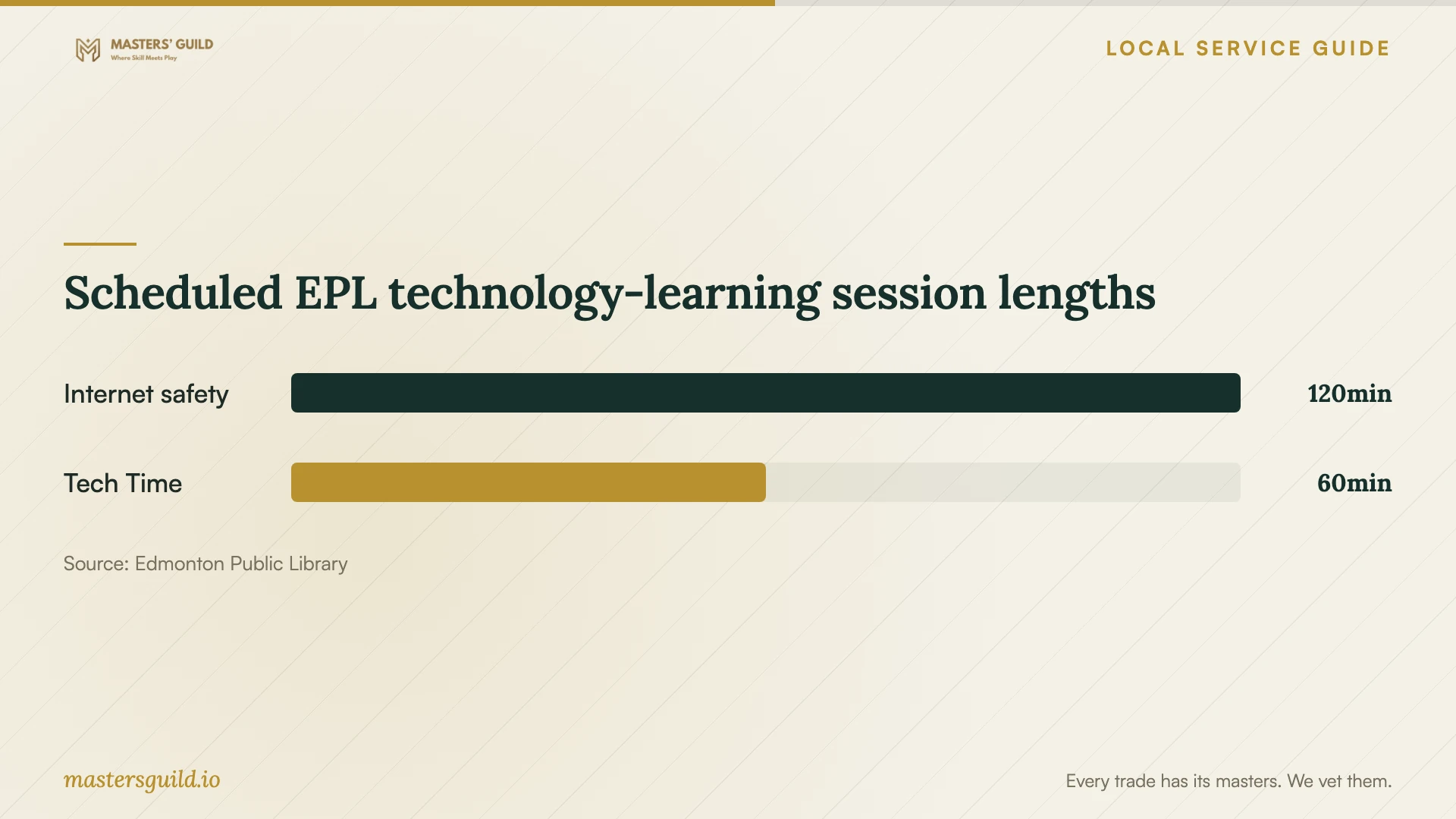
Scheduled EPL technology-learning session lengths
Local details that affect your job
Edmonton library help can address a learning need
Edmonton Public Library offers one-on-one Tech Time help and computer-skills classes. If your immediate need is understanding account controls or basic computer use, check its current sessions before paying for a broader job. The library page describes learning support; it does not promise a managed business migration. Keep responsibility for moving business records within your agreed service scope. [1]
Alberta businesses should settle overseas-provider questions
OIPC’s Alberta PIPA implementation guidance tells organizations to identify where personal information goes and who handles it. It also describes notice requirements when an outside-Canada provider collects or processes personal information. Before moving customer or employee records, ask for the provider countries, processing purposes and the business contact who will answer privacy questions. This regional guidance applies to planning here; it does not establish a blanket Canadian-storage requirement. [2]
Choose the scope that matches your immediate need
| Your need | Next step | Acceptance point |
|---|---|---|
| Basic computer or account learning | Check EPL Tech Time or computer classes | Confirm that the session covers your question |
| Move shared business files | Request a written migration scope | Open sample files and review missing items |
| Store customer or employee information | Review provider locations and privacy responsibilities | Document who handles records and answers privacy questions |
| Configure cloud storage containers | Include permissions and backup recovery in the job | Demonstrate restricted access and a successful restore |
Your hiring checklist
- List the accounts, devices, folders and applications included in the job.
- Identify sensitive records and name the person who approves staff access.
- Request separate setup, subscription and ongoing-support charges.
- Agree on the migration sequence, acceptance checks and fallback plan.
- Ask for a staff-account permissions demonstration and sample-file recovery.
- Obtain account ownership, billing and recovery instructions at handover.
- Agree when the technician will remove temporary access and migration copies.
Frequently Asked Questions
How much should I budget?
These sources do not establish an Edmonton setup price. Request itemized quotes using the same account, device and migration inventory. Ask each candidate to identify recurring charges and what would increase the labour bill.
Does my business have to store everything in Canada?
The cited PIPA guidance discusses using providers outside Canada and associated policies and notices. It does not establish a universal Canadian-storage rule. Ask which requirements apply to your records before choosing a location or signing a contract. [2]
Can the library set up my business cloud service?
EPL advertises technology learning, computer classes and one-on-one Tech Time assistance. Its page does not promise business migrations or managed backup configuration. Ask about your learning question and arrange a separate scope for business implementation. [1]
What should I ask about leaving a cloud provider?
Ask how you will retrieve your records and how the provider will delete remaining copies. OIPC’s web-bucket advisory recommends addressing secure return and deletion on termination in the provider contract. [3]
Sources and scope
This guide combines the sources below with practical planning guidance. Figures apply to the stated geography and period; request a written quote for your property.