
Local service guide
Cloud Service Setup in Durham, NC
Arrange Cloud Service Setup in Durham by asking for a written scope covering your devices, files, account ownership, sharing permissions, and a recovery test. Choose hands-on help for a migration or household setup that you do not feel comfortable managing. For introductory technology instruction, consider Durham County Library’s free in-person Digital Navigator appointments before paying for a setup visit. [1]
Define the work before comparing quotes
Write down which computers, phones, and tablets need access, where your files sit now, and who should see them. Separate personal documents, photos, and shared household material in your instructions. Tell the technician whether you want to keep using your current account or need help choosing a service.
Ask the technician to distinguish file synchronization from your recovery plan. Request an explanation of what would happen after an accidental deletion, a lost device, or loss of account access. Make a demonstration of file recovery part of the agreed work rather than accepting a sign-in screen as proof of completion.
For a migration, identify the source and destination accounts in the quote. Agree on how the technician will handle duplicate files, excluded folders, and items that fail to transfer. Keep the original files until you have checked the destination and approved the result.
Check connectivity before setting a completion date
Use an address-level check before discussing an internet upgrade. North Carolina’s broadband guidance describes searching its broadband map by address and reviewing advertised upload and download speeds. The FCC also provides an address search with provider-reported service information. Confirm availability with the provider before arranging a change. [3] [4]
Ask the technician to measure your current upload connection and inspect the amount of data you plan to move before promising a completion time. Have the quote distinguish the setup appointment from any transfer monitoring or return visit. Agree on who checks for failed uploads and how you will know the transfer has finished.
Do not use the FCC mobile coverage view as proof of reception inside your home. The FCC describes that coverage as outdoor or in-vehicle coverage. If you intend to use cellular connectivity for the job, test it where the devices will sit before scheduling the transfer. [4]
Compare the full cost and the technician’s scope
Request separate amounts for setup labor, migration work, follow-up assistance, and any subscription you would purchase. Ask which charges recur and who will pay the service provider. Compare quotes against the same device list and completion requirements; do not choose from a headline appointment price alone.
Ask about experience with your chosen platform and the devices you own. Describe any account you cannot access before booking. If you want remote assistance, ask how you will approve access and end the session. For an in-home visit, confirm which devices and external drives the technician needs you to have ready.
Avoid treating an unsupported local price range as a budget. Instead, ask for a written total or an hourly rate with a spending limit, along with the conditions that would require a revised quote. Include the recovery demonstration and account handoff in that agreement.
Keep control of accounts and verify the handoff
Create the account in your own name and enter passwords yourself. Ask the technician to guide you through recovery settings and any additional sign-in protection you choose. Keep recovery material somewhere you can access without the device being configured, and avoid putting household files into the technician’s account.
Before accepting the work, open representative files from each included device. Check a private folder and a shared folder with the intended household members. Ask the technician to demonstrate the agreed recovery process using a disposable test file, then explain how you can repeat the process.
Request a short handoff note naming the account owner, included folders, excluded material, subscription choice, and unfinished transfers. Agree on when to remove temporary technician access. Keep your original copies until you have reviewed the handoff and resolved missing files.
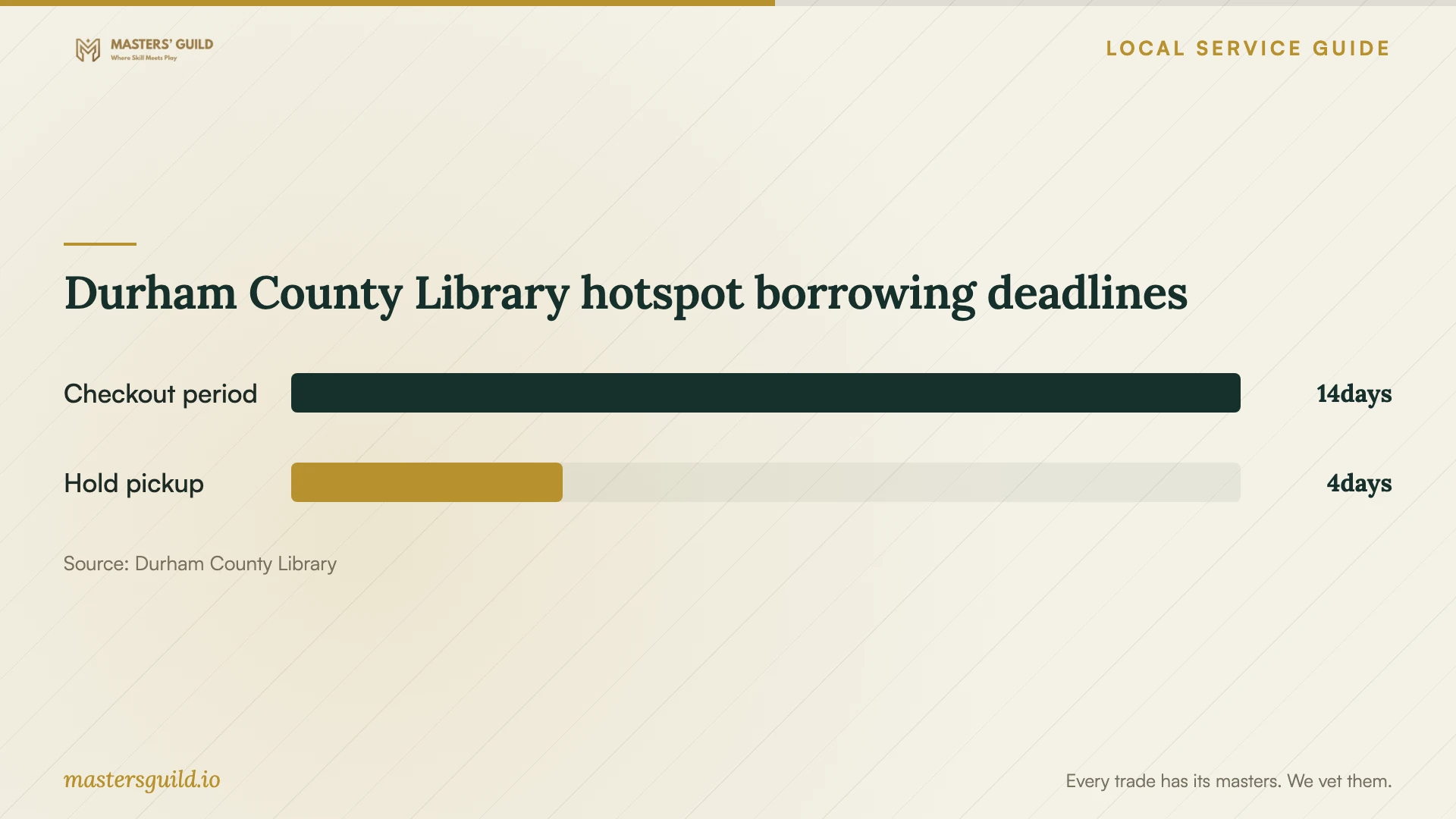
Durham County Library hotspot borrowing deadlines
Local details that affect your job
Free introductory help through Durham County Library
Durham County Library offers free in-person Digital Navigator appointments for learning technology, finding affordable devices, and accessing low-cost internet resources. Schedule by calling 919-560-9311 or through the library’s booking option. If you mainly need instruction, ask whether an appointment fits your goal before hiring a technician. The page does not promise cloud migration or backup configuration, so confirm the scope. [1]
Borrowed internet has a return deadline
A Durham County Library card lets you borrow an unlimited-data cellular hotspot. The library allows a 14-day loan, no renewals, and one hotspot checkout per card; it deactivates overdue devices. Holds remain available for pickup for four days. If you plan to use one during setup, coordinate pickup with the appointment and arrange ongoing internet separately. [2]
Choose the help that fits your task
| Your situation | Suggested next step | Confirm before proceeding |
|---|---|---|
| You need introductory technology instruction | Ask Durham County Library about a free Digital Navigator appointment | Whether the appointment covers the skills you want to learn |
| You need files moved between accounts | Request a migration scope from a technician | Included folders, failed transfers, original copies, and acceptance checks |
| Several household members need access | Request device setup and a permissions demonstration | Account ownership and which folders each person can access |
| You lack home internet during setup | Consider the library hotspot loan as a temporary option | Availability, cellular reception, and the 14-day return deadline |
| You are considering an internet upgrade | Review address-level broadband information | Provider confirmation of availability and upload service at your home |
Your hiring checklist
- List the devices, source accounts, and folders you want included.
- Identify who should own the account and who needs shared access.
- Check your sign-in and recovery access before the appointment.
- Ask for separate labor, subscription, and follow-up charges.
- Agree on how to handle failed transfers and unfinished uploads.
- Include file opening, permission checks, and a recovery demonstration in acceptance.
- Keep original copies until you approve the completed transfer.
Frequently Asked Questions
Can I get free help before hiring someone?
Durham County Library offers free in-person Digital Navigator appointments to help residents learn technology and find device or internet resources. Ask whether your learning goal fits an appointment. Confirm migration and backup work separately because the library page does not list those services. [1]
How long should I book a technician for?
Ask for an appointment estimate after sharing your device list, account access, and data volume. Request separate expectations for hands-on setup and transfer completion, plus an agreement about who will monitor unfinished work.
Can I use a library hotspot for the initial upload?
Consider it only after testing the connection and planning around the loan deadline. Durham County Library supplies unlimited-data hotspots with a 14-day checkout and no renewals. The library deactivates overdue hotspots; its policy does not establish an upload completion time. [2]
What should I ask the technician to prove before finishing?
Ask to open representative files on the included devices, inspect household sharing permissions, and recover a disposable test file. Request written notes about exclusions and unfinished transfers, and confirm that you control account recovery.
Sources and scope
This guide combines the sources below with practical planning guidance. Figures apply to the stated geography and period; request a written quote for your property.