
Local service guide
Cloud Service Setup in Detroit, MI
For Cloud Service Setup in Detroit, hire help when you need someone to move files, configure backups, or manage access across household devices. Ask for a written scope that includes account ownership, subscription charges, and a demonstrated file restore. For basic device guidance, consider the Detroit Public Library’s TLC Center first; it offers one-on-one help with phones, tablets, and laptops. [3]
Decide what you want the technician to complete
Write down your goal in household terms: access family photos from a phone and laptop, move documents from an old computer, or recover selected files after a device failure. Ask the technician to explain which settings and services they propose for that goal. Request a quote that names the tasks they will complete.
Ask how the proposed service handles deletion, file history, and recovery. Request a demonstration using a disposable test file so you can see what happens when someone changes or deletes it. Specify any folders you want excluded, and agree on who can view or edit shared files.
Check your connection before arranging a migration
The FCC’s National Broadband Map lets you search a street address and inspect the providers, connection technologies, and maximum advertised upload and download speeds reported for that location. For a Detroit home, use the address result to check which providers report serving your building. [2]
Ask your technician to check the connection you will use for the transfer and explain how they will handle interruptions. Separate the attended appointment from any upload that they propose leaving running. Agree on who will check completion, how you will receive confirmation, and whether a follow-up visit would cost extra.
The FCC bases availability information on ISP reports. If a provider refuses service that the map lists at your address, the FCC explains how to submit an availability challenge. Use the map to check reported service options, then ask your provider to confirm availability. [2]
Use local support for the prerequisite you need
The City of Detroit’s Technology Adoption and Growth office provides a certified tech-hub map with filters for district, demographic group, and digital-equity resources. You can inspect locations for connectivity options, device access, and technology classes. If you need a usable device or help getting connected, check the relevant resource before arranging a paid cloud migration. [1]
The Main Library’s Technology, Literacy & Career Center offers computer classes and one-on-one device help. Its published device-help scope covers phones, tablets, and laptops. Ask staff whether they can help with your specific account or device question; arrange a separate technical job if you need a migration or backup configuration beyond that support. [3]
Compare quotes by scope and account control
Give each technician the same inventory of devices, folders, existing accounts, and desired access. Request separate amounts for setup labor, migration work, subscriptions, and any return visit. Ask whether they charge a fixed amount or bill for time, and how they handle a transfer that exceeds the agreed scope.
Choose your account email and recovery contact yourself. Enter passwords and authentication codes yourself during the appointment. Ask the technician to explain any remote-access software they want to use, agree on when access ends, and review account permissions together before they finish.
For private family documents, specify who may access each folder. Ask for instructions that identify the account owner, the chosen subscription, and the steps you should take when replacing a device. Keep recovery information somewhere you can reach without relying on the device being configured.
Accept the work after a practical handover
Ask the technician to open representative files from the destination account and demonstrate access on each device included in the quote. For a backup job, request a restore to a separate folder and inspect the restored file. Keep your original files until you have checked the agreed transfer and recovery steps.
Before the appointment ends, practice the steps yourself. Locate your files, check sharing permissions, and find the place where you would review backup activity. Ask who handles an incomplete upload after departure and what support the quoted fee includes. Record any remaining work and its completion plan.
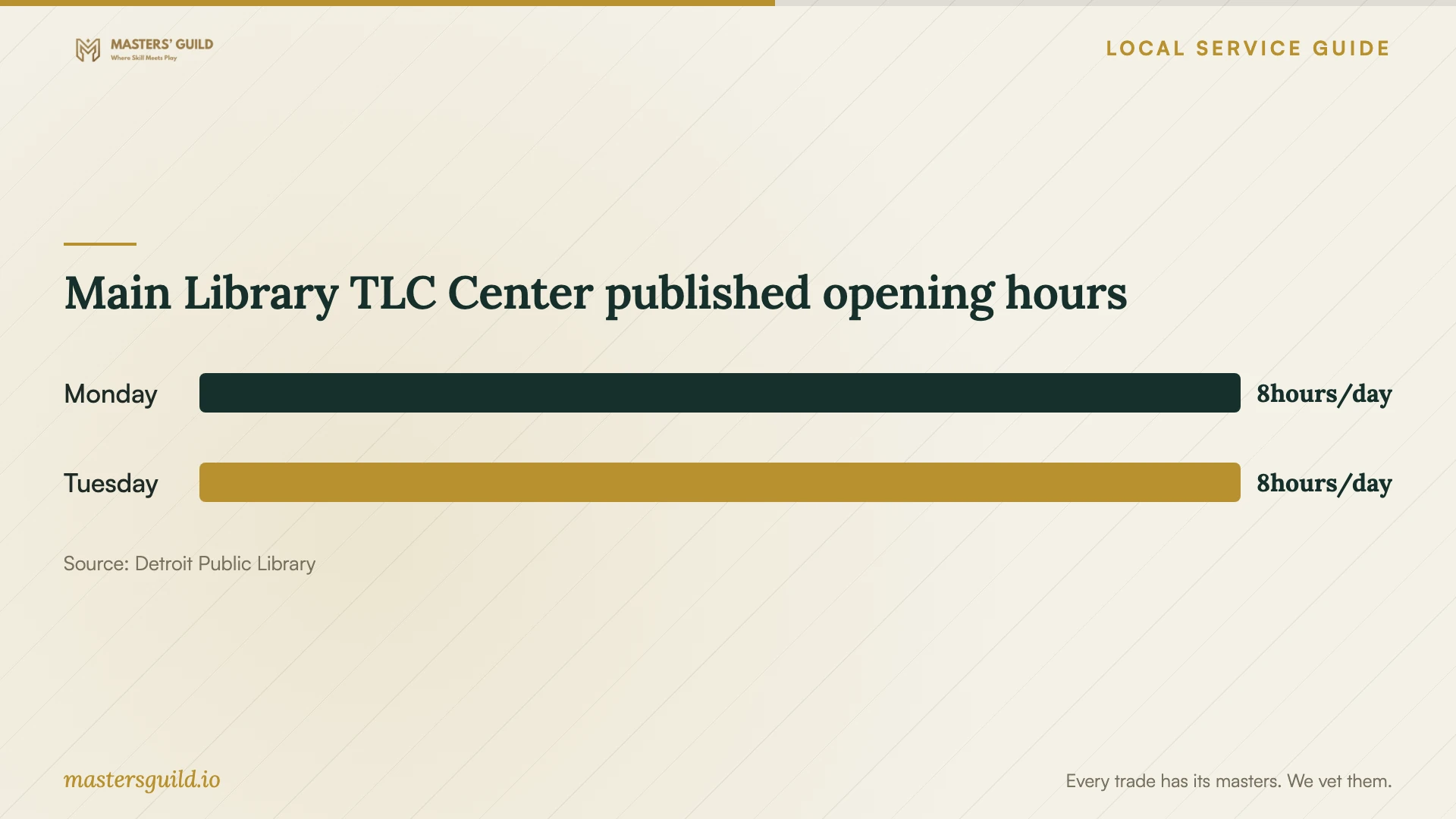
Main Library TLC Center published opening hours
Local details that affect your job
Find a tech hub by the resource you need
Detroit’s TAG map lets you filter by district and digital-equity resource, then inspect a location’s available support. Look for device-access resources if you need equipment, or connectivity and basic-skills resources if those are your barriers. Confirm the selected location’s arrangements before visiting; choose paid setup after you know which prerequisite still needs attention. [1]
Plan a Main Library device-help visit
The TLC Center lists its location as 5201 Woodward Ave. and its phone number as (313) 481-1363. It publishes Monday, Thursday, Friday, and Saturday hours of 10am to 6pm; Tuesday and Wednesday hours of noon to 8pm; and Sunday closure. Consider the evening hours if daytime visits conflict with work, and confirm current hours and device-help arrangements before traveling. [3]
Choose the next step for your household
| Your situation | Next step | Question to resolve |
|---|---|---|
| You need help using a phone, tablet, or laptop | Ask the Main Library TLC Center about its one-on-one device help. | Can staff address this specific device or account question? |
| You need a device, connectivity support, or basic skills | Filter Detroit’s certified tech-hub map for the relevant resource. | What support does the selected location offer? |
| You are unsure which internet providers serve your home | Search your street address on the FCC broadband map. | Which providers report service and advertised upload speeds? |
| You need files moved and recovery demonstrated | Request a written migration or backup scope from a technician. | What will they test, and who checks unfinished uploads? |
Your hiring checklist
- List the devices, accounts, and folders included in the job.
- Identify private files and decide who should have access.
- Check address-level broadband information and ask about upload completion.
- Confirm that you can sign in and access your recovery contact.
- Request separate labor, subscription, and follow-up charges.
- Agree on the file-transfer and restore demonstrations.
- Review sharing permissions and technician access at handover.
- Keep original files until you have checked the agreed results.
Frequently Asked Questions
Can I get local device guidance before hiring someone?
The Detroit Public Library’s TLC Center offers one-on-one help with phones, tablets, and laptops. Ask about your specific task before visiting. Its published description does not promise a household cloud migration or backup installation, so confirm the scope of help you need. [3]
How should I budget for the setup?
Request an itemized quote based on your devices, files, and required demonstrations. Separate the technician’s fee from recurring subscriptions and follow-up support. Ask who approves extra work and whether an upload continuing after the appointment changes the labor charge.
Does the FCC map tell me how fast my upload will run?
The FCC map lists maximum advertised upload and download speeds that providers report for a location. Ask the technician to measure the connection you will use and explain their plan for monitoring the transfer. [2]
What should I ask the technician to demonstrate?
Ask them to open transferred files, show access on the included devices, and review sharing permissions. For backup work, request a restore demonstration. Practice locating files and reviewing backup activity yourself before accepting the handover.
Sources and scope
This guide combines the sources below with practical planning guidance. Figures apply to the stated geography and period; request a written quote for your property.