
Local service guide
Network Setup in Denver, CO: Plan the Right Support
For Network Setup in Denver, choose a technician around the work you need: diagnosing connection failures, configuring equipment, improving coverage, or installing Ethernet connections. Compare written scopes that include equipment, labor, testing, and handover. If the installation includes new power outlets or electrical wiring, resolve Denver’s applicable permit process before scheduling that work. [1]
Describe the problem before choosing equipment
Give the technician examples: a video call drops at the upstairs desk, a television loses access, or a device cannot connect after a router change. Record affected rooms, device names, and when failures occur. Include modem and router models, your internet plan, and recent changes. Arrange a diagnosis-only visit if you want to review findings before committing to hardware.
During diagnosis, have the technician compare a wired connection with Wi-Fi and record results where you use the network. Define the activities you will repeat after installation, such as a call from your desk or a connection check on the television. Use those activities as acceptance tests in the written scope.
For a move or provider change, follow the FCC’s address-search guidance to review available technologies and maximum advertised download and upload speeds. Providers report that availability to the FCC. Confirm service at your address with the provider before ordering, and keep advertised speeds separate from the results of tests inside your home. [4]
Compare itemized quotes for the same scope
Give each provider the same room list, device needs, and proposed connection points. Compare separate amounts for diagnosis, equipment, installation, cabling, wall repair, and follow-up support. Keep optional upgrades separate so you can see the cost of the work you intend to approve.
For mesh or access-point installation, include proposed locations and how each unit will connect to the network. For Ethernet work, specify cable endpoints, cable type, labeling, and the testing record you want. Review the cable route and access openings before the installer drills or cuts.
The quote should name who supplies equipment, handles returns, restores openings, and approves additional charges. Choose a provider who explains the proposed work in terms you can check. Put the process for scope changes in writing, along with the charge for a return visit if a problem remains.
Resolve building and electrical questions
If the installation needs a new power outlet, identify who will perform the electrical work and handle permitting. Denver allows specified single-family and duplex electrical work through quick permits when the utility service is single-phase and rated 400 amps or less. The eligible list includes lighting, receptacles, and interior or exterior wiring. [1]
That electrical eligibility list does not establish whether your particular Ethernet installation requires a permit. Describe the building type, cable route, penetrations, and associated power work to Denver’s permitting staff. The city lists 720-865-2720 for general permitting questions. Resolve the scope before accepting a quote that assumes a particular permit outcome. [1]
If you rent or share building infrastructure, obtain the owner’s approval for drilling and cable routes before scheduling. Include any work outside your unit in that discussion. Keep the approved route and restoration responsibilities with the installation scope.
Prepare for downtime and check the finished work
Choose an appointment window when you can pause internet use and provide access to equipment locations. Have account access available and enter passwords yourself when possible. Before configuration changes, settle how the technician will preserve settings and restore the previous configuration if needed.
Before handover, repeat the agreed activities on your own devices. Collect equipment names, cable labels, test results, configuration notes, and restart instructions. Confirm that you control administrator access and understand any ongoing support or remote-access arrangement.
For temporary access during downtime, Denver Public Library provides Wi-Fi at its locations without a password or library card. Its technology-access page announces the end of take-home Chromebook and hotspot circulation. Check branch hours before planning a visit, and arrange a separate home backup if you need a connection outside those hours. [3]
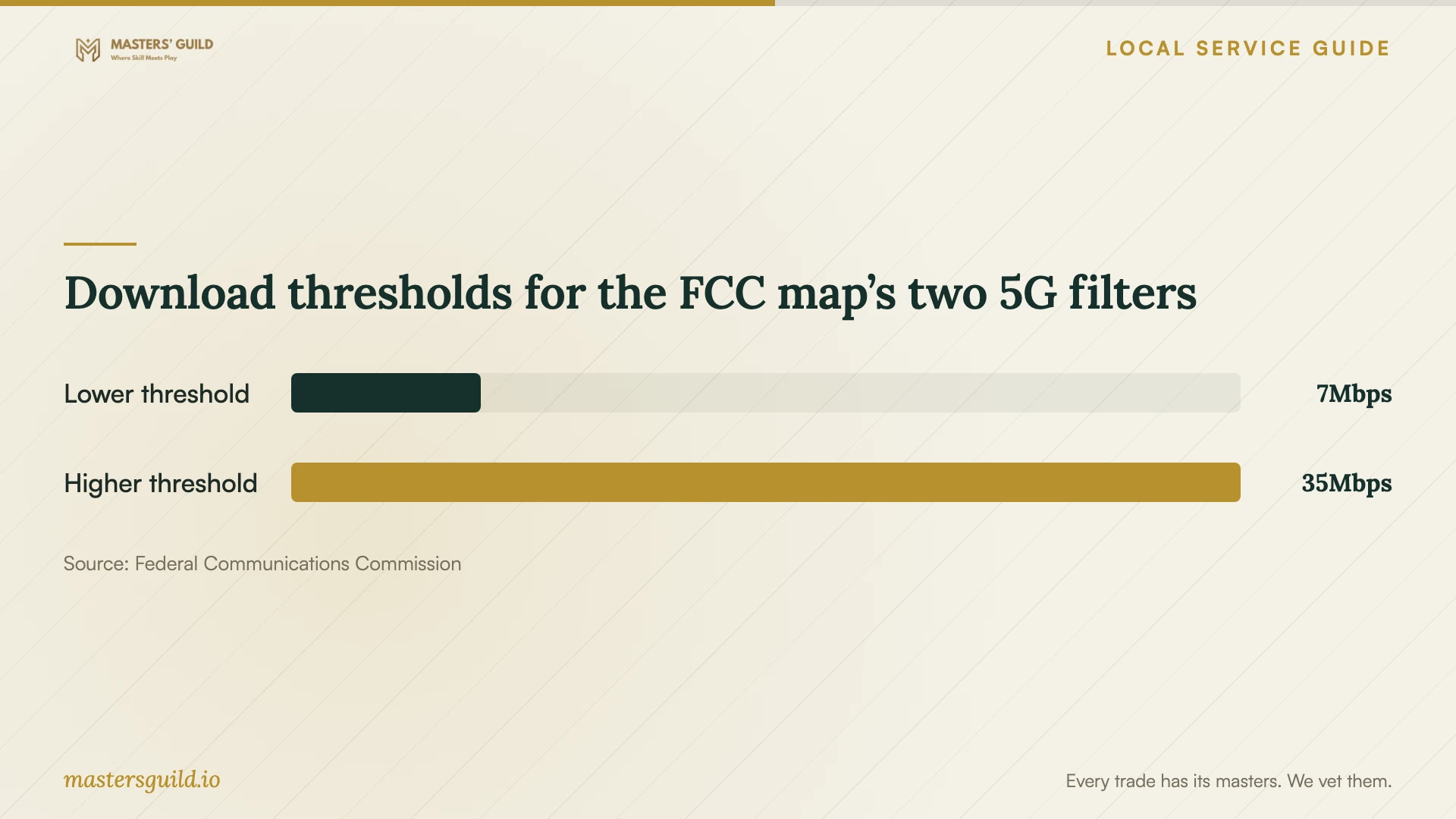
Download thresholds for the FCC map’s two 5G filters
Local details that affect your job
Coordinate electrical work during new construction
Denver requires an issued Residential Construction Permit before covered trade quick-permit applications for new single-family homes, duplexes, and IRC townhomes, or additions to those buildings. If your network project includes electrical work within that construction scope, obtain the permit number from the general contractor before arranging the trade application. [1]
Check exterior routes on historic properties
Denver requires Landmark Preservation review for quick permits involving exterior work on an individual landmark or a building in a historic district. Before approving exterior equipment or a cable route, confirm with the city whether the proposed work falls within that review. Include any required review in the installation schedule. [1]
Choose instructional help when that meets your need
Denver Public Library offers personalized technology appointments at several branches. Digital Navigators provide free, ongoing help finding low-cost internet and affordable devices, learning beginner skills, and understanding online safety. Consider those services for instruction or service-selection help; arrange physical installation through a provider whose quote covers that work. [2]
Choose your next step
| Your situation | Next step | Detail to resolve |
|---|---|---|
| Connection fails in particular rooms | Arrange diagnosis before equipment purchases | Include tests at the router and the places where you need access. |
| Moving or changing internet service | Review address-specific service options | Confirm FCC provider-reported availability and advertised speeds with the provider. |
| Installation includes a new outlet | Resolve the electrical scope before scheduling | Confirm Denver permit eligibility and who handles the application. |
| Need help using devices or finding affordable internet | Consider library appointments or Digital Navigators | Choose instruction or service-selection help according to your need. |
| Need access during home internet downtime | Plan a temporary connection | Check library hours; library Wi-Fi is available, but take-home technology lending has ended. |
Your hiring checklist
- List affected rooms, devices, and examples of connection failures.
- Gather equipment models, internet-plan details, and account access.
- Define the activities you will use to check the finished connection.
- Compare itemized quotes covering the same endpoints and equipment.
- Review cable routes, access openings, and restoration responsibilities.
- Identify who will resolve permit questions and associated electrical work.
- Set an interruption window and a process for approving added charges.
- Collect test results, configuration notes, and administrator access at handover.
Frequently Asked Questions
Should I buy a mesh system before booking help?
Start with diagnosis. Give the technician your layout and affected rooms, then review the reason for each proposed purchase. Include equipment placement and acceptance tests in the scope before ordering.
Does Denver require a permit for Ethernet cabling?
Denver’s electrical quick-permit eligibility list does not establish whether your Ethernet installation requires a permit. Confirm the exact route, building type, penetrations, and associated electrical work with the city before installation. [1]
Can the library help me find affordable internet?
Denver Public Library’s Digital Navigators offer free, ongoing help finding low-cost internet and affordable devices, along with beginner technology instruction. The program lists 720-865-3446 as its contact number. [2]
Does the FCC mobile map prove a cellular backup will work indoors?
No. The FCC describes outdoor or in-vehicle mobile coverage and excludes indoor coverage. Test a proposed backup where you intend to use it before relying on it during an outage. [4]
Sources and scope
This guide combines the sources below with practical planning guidance. Figures apply to the stated geography and period; request a written quote for your property.