
Local service guide
Computer Virus Removal in Denver, CO
For Computer Virus Removal in Denver, choose a technician who agrees in writing on diagnosis, file preservation, cleanup, and permission before reinstalling your operating system. Get a total quote and an expected return date before handing over your computer. If a pop-up prompted your search, select support through contact information you choose: FBI Denver warns that scammers use fake virus scans and remote access to target financial accounts. [1]
Choose help without following a fake warning
Pause before responding to an unsolicited support alert. FBI Denver describes a scam in which an impersonator persuades you to install remote-access software, pretends to scan for viruses, and asks you to open financial accounts. The FBI advises against calling numbers in unsolicited pop-ups, texts, or emails, downloading software at an unknown caller’s request, or allowing that caller to control your computer. [1]
Find a technician through contact information you select. Describe what happened before granting access. If you gave an unknown caller control, tell the technician which program you installed and whether you opened email, banking, or password-management accounts. Include that access in the assessment you authorize.
If you suspect financial fraud, contact your financial institution through a contact you trust and preserve the messages, phone numbers, and payment details. FBI Denver asks victims to report suspected fraud to the FBI Internet Crime Complaint Center and include information about the people, communications, and transactions involved. [1]
Define the repair before comparing quotes
Compare quotes for the same scope. Have each technician separate diagnosis, malware cleanup, operating-system repair, file backup, and restoration. Set an approval limit for additional work. Confirm whether you owe a diagnostic fee if you decline the repair and whether the total includes travel, software, and applicable taxes.
Give the technician your computer model, operating system, symptoms, and the date you first noticed trouble. Mention repeated warnings, browser changes, unfamiliar programs, or a failure to start. Describe the last backup you can access and identify irreplaceable files. Agree on an expected return date after diagnosis and how the technician will contact you about delays.
Choose remote support, drop-off service, or a home visit around your needs. Confirm that the technician can assess your problem through the proposed method. For remote work, agree on the access program, session timing, and removal of access afterward. For drop-off work, collect a receipt identifying the device and accessories.
Set boundaries for files and account access
Write down the folders you want preserved before service begins. Have the technician explain how they will copy, check, and restore those files, where they will store the copy, and when they will delete it. Require separate approval before drive erasure or an operating-system reinstall. Decide what to do if the technician cannot preserve your files.
Agree on the minimum account access needed for the job. Discuss entering credentials yourself or using a temporary account. Keep banking access outside the repair session. If you suspect account compromise, use a separate trusted device to review account security and discuss password changes with the technician.
Check the handover and ongoing protection
Before accepting the computer, have the technician demonstrate startup, your main applications, and access to the files you asked them to preserve. Collect a written summary of what they found, what they removed or changed, and any remaining concerns. Agree on how they will handle the same symptoms if they return.
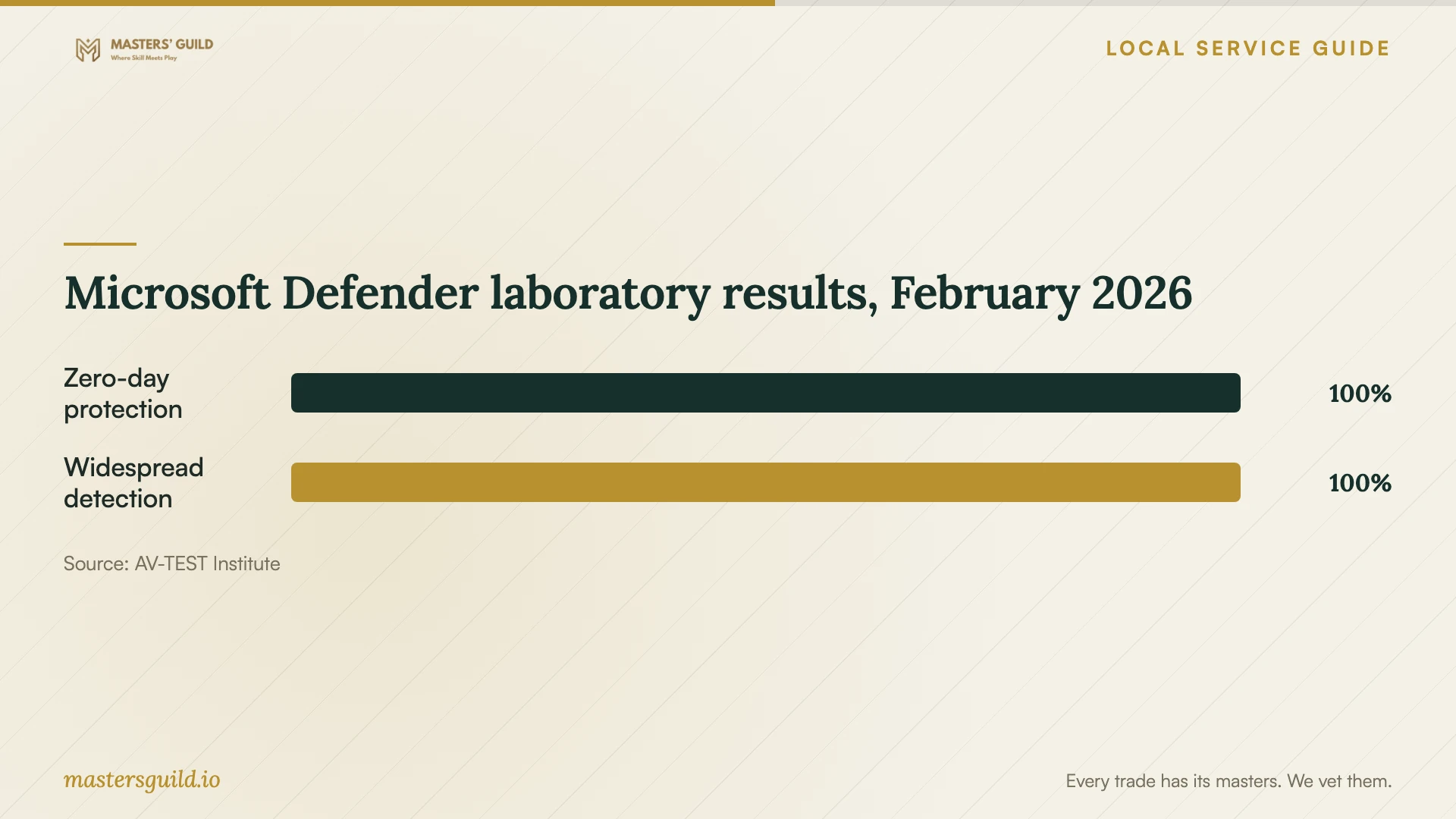
Discuss the reason for adding an antivirus subscription to the bill. AV-TEST evaluated Microsoft Defender Antivirus 4.18 on Windows 11 during January and February 2026 and reported 100% in both its zero-day protection and widespread-malware detection categories for each month. Those laboratory results concern protection and detection under test conditions; they do not establish that a technician removed an existing infection from your computer. [5]
Have the technician explain your chosen protection settings, update process, and backup routine in language you can follow. Practice viewing scan results and identifying your installed security application. Review subscription renewal terms before agreeing to paid software.
Plan computer access before leaving the device
List the tasks you need to complete while the computer is away, such as printing forms or accessing email. Denver Public Library provides computers at open locations with a free library card. Express computers allow a 15-minute session without a card, limited to one session per day. The library also offers Chromebooks for use inside branches. [3]
For a basic question about laptop use or online safety, consider library guidance before paying for a repair appointment. Denver Public Library offers personalized tech-help appointments at several branches, and its Digital Navigators provide free ongoing help that includes online safety. The library describes instruction and assistance without promising malware removal. Arrange a technician’s assessment if you suspect an infection. [2]
Microsoft Defender laboratory results, February 2026
Local details that affect your job
Library access stays inside the branch
Denver Public Library has ended take-home circulation of Chromebooks and hotspots. Plan around in-library desktops, in-library Chromebooks, or branch Wi-Fi instead of expecting a loaner to take home during repair. Check your branch’s hours before scheduling drop-off, and decide whether you need another device for tasks you must complete at home. [3]
Retiring a computer requires a separate data plan
Denver’s E-cycle coupon program serves Denver County residents and limits participation to one coupon per household per calendar year. Businesses, nonresidents, and PO boxes are ineligible. Request the coupon through the city’s online form, then bring your code and proof of address for drop-off. The city advises wiping personal data before recycling or reuse and states that covered electronics cannot go in Colorado landfill trash. If the computer will not start, have the technician explain how they will handle its storage before recycling. [4]
Match the next step to your situation
| Situation | Next step | Question to resolve |
|---|---|---|
| An unsolicited pop-up tells you to call support | Avoid the supplied number and select support through a contact you choose. | Did you install software or grant the caller access? |
| You need help understanding laptop use or online safety | Consider a library tech-help appointment or free Digital Navigator guidance. | Do you need instruction or assessment of a suspected infection? |
| You need files preserved during cleanup | Hire with a written preservation and repair scope. | What requires your approval before erasure or reinstallation? |
| You need computer access during repair | Plan for in-library computers; take-home technology circulation has ended. | Can you complete your essential tasks during branch hours? |
| You decide to retire the device | Arrange data wiping and check Denver County E-cycle coupon eligibility. | Can you bring proof of address and the coupon code for drop-off? |
Your hiring checklist
- Record the symptoms and any support contacts, downloads, or remote-access sessions.
- Identify essential files and the most recent backup you can access.
- Get an itemized quote, diagnostic-fee terms, and an approval limit.
- Require permission before erasing the drive or reinstalling the operating system.
- Agree on account access, backup storage, and deletion of temporary copies.
- Arrange computer access for essential tasks during the repair.
- At handover, check your files and applications and collect the repair summary.
Frequently Asked Questions
How much should I budget for virus removal?
Request a written quote for your device and symptoms. Get separate amounts for diagnosis, cleanup, backup, restoration, and any software subscription. Set a maximum authorized total and require approval for additional work. Confirm what you will owe if you decline the repair after diagnosis.
Does the library remove computer viruses?
Denver Public Library describes technology instruction, personalized assistance, and free Digital Navigator help with online safety. Its published service description does not promise virus removal. Use those services for guidance and arrange a repair technician’s assessment for a suspected infection. [2]
Does a strong antivirus test result prove my computer is clean?
AV-TEST’s January–February 2026 Defender report measures protection and detection on Windows 11 under laboratory conditions. It does not assess your device or your repair. Get the technician’s findings, changes, and checks completed on your computer. [5]
Can I use Denver’s recycling coupon if I live outside Denver County?
The city excludes nonresidents of the City and County of Denver from its E-cycle coupon program. Eligible residents must bring proof of address and their coupon code, and the coupon applies to drop-offs. [4]
Sources and scope
This guide combines the sources below with practical planning guidance. Figures apply to the stated geography and period; request a written quote for your property.