
Local service guide
Data Recovery and Backup in Corpus Christi
For Data Recovery and Backup in Corpus Christi, choose a provider who will document your recovery priorities, set a spending approval limit, and demonstrate a usable restore before you accept a new backup setup. Request separate scopes for recovering existing files and managing future backups. For business backups, require encrypted offline copies and restore testing, practices CISA recommends. [4]
Match the recovery scope to your problem
Tell prospective providers whether you need missing files recovered, an existing backup restored, or a new backup service configured. Identify the device and describe the failure, including any steps you have taken. Ask the technician to explain the first proposed action and whether they intend to examine the original device or a separate copy.
Agree on what counts as a successful recovery. Name the folders, documents, or application records you need first. Request a file list and a way to open representative recovered files before accepting delivery. Set terms for partial recovery, an unsuccessful attempt, and return of the original device. Ask for approval before additional work or replacement storage.
For suspected ransomware, involve an incident-response specialist before restoring business systems. CISA recommends isolating affected systems and prioritizing recovery on a clean network. Disconnect affected devices from the network if you can. CISA reserves shutdown for cases where network isolation is impossible because powering down loses potential evidence in volatile memory. [4]
Require a backup handover you can verify
Have the provider list the computers, shared folders, applications, and cloud accounts included in the service. Explain how much recent work you could tolerate losing and how long you could operate without each system. Request a proposed backup schedule and restoration plan against those needs, with exclusions in writing.
CISA recommends offline, encrypted backups of critical data and regular tests of availability and integrity. Ask the provider to restore a selected folder to a separate destination so you can open the files. For application data, request a demonstration that you can use the application with the restored records. Record the test date, result, and next test responsibility. [4]
Name who monitors failed backups, who can delete copies, and who controls encryption keys. CISA recommends putting security requirements into managed-service contracts and limiting third-party access to assigned responsibilities. Include instructions for retrieving your data and transferring account control when the service ends. [4]
Plan restoration away from your premises
The City of Corpus Christi recommends advance evacuation planning and publishes evacuation-zone, storm-surge, and route maps. Review those resources with your provider when arranging backup placement and equipment pickup. Ask for a restoration process you can authorize from your evacuation destination, including an alternate approver if you cannot be reached. [1]
Ask whether restoration requires the original computer, access to the building, or credentials held by one employee. Specify where the provider should deliver restored files if your office is inaccessible. Agree on the destination device and the applications you need to use those files. Keep access instructions available to the people you authorize.
AEP Texas’s regional storm guidance advises customers to unplug major appliances during outages to protect them when power returns and to avoid standing water near wires and appliances. Ask your provider for equipment shutdown and restart instructions. Arrange electrical assessment before equipment access where those hazards affect your premises. [2]
CISA recommends keeping both a hard copy and an offline version of the incident-response plan. Include provider contacts, recovery priorities, and an alternate communication method in yours. Decide who can approve recovery expenses when normal email or business systems are unavailable. [4]
Compare costs and data-handling terms
Request separate quote lines for diagnosis, recovery, return media, transport, backup setup, recurring storage, monitoring, and restore assistance. Ask whether the provider includes application restoration or only file delivery. Specify which charges require approval, which recur, and what you owe if the provider cannot recover your priority files.
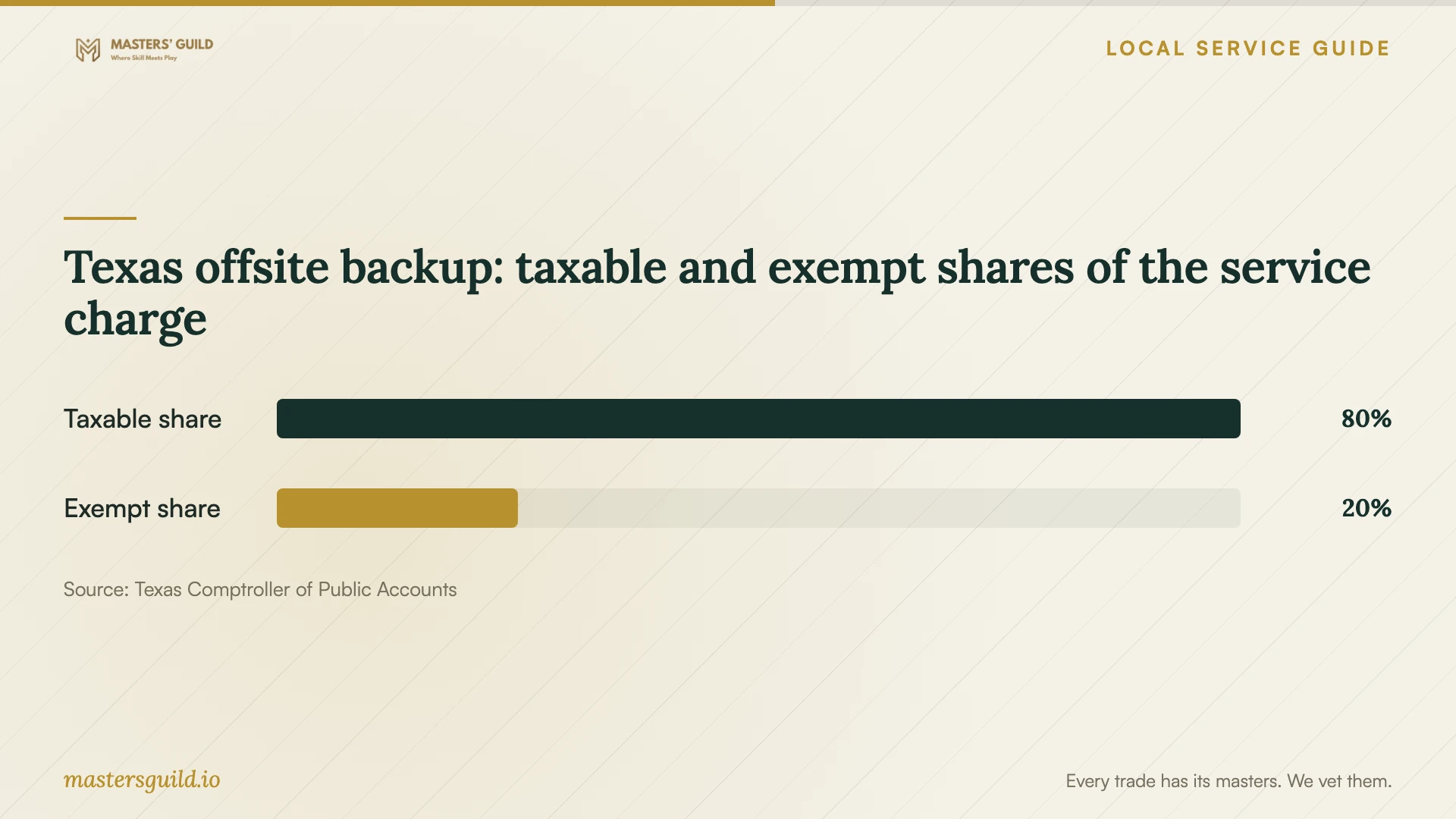
The Texas Comptroller includes offsite backup of electronic files in taxable data processing and exempts 20 percent of the data-processing charge. Request the service classification, taxable portion, and tax total on the quote. Ask the provider to explain the treatment of recovery, hardware, and support charges as separate items. [3]
Before handing over equipment, request a receipt with the device identifier, condition, and destination. Ask whether a subcontractor will perform the recovery and who may access customer or employee records. Put confidentiality, return arrangements, and deletion of working copies in writing. Designate one person to authorize further work and receive the recovered data.
Texas offsite backup: taxable and exempt shares of the service charge
Local details that affect your job
City evacuation maps change access planning
Corpus Christi provides evacuation-zone and storm-surge maps alongside evacuation routes. Review your premises location before choosing where to keep a separate backup copy. Ask the provider to document any pickup that depends on building access and a restore arrangement you can authorize from your evacuation destination. [1]
Texas backup tax changes quote comparisons
The Texas Comptroller classifies offsite electronic-file backup as taxable data processing, with 20 percent of the charge exempt. Compare itemized totals including tax, storage, and restore assistance. Ask the provider to identify the taxable portion rather than treating the advertised subscription charge as the final bill. [3]
Regional electrical guidance affects equipment access
AEP Texas directs customers with damage to indoor wiring, circuit breakers, or fuse boxes to a professional electrician and warns against standing water near wires and appliances. Apply that regional guidance if those conditions affect your premises: arrange electrical help before asking a recovery technician to access equipment. [2]
Choose the scope before approving work
| Your situation | Scope to request | Acceptance question |
|---|---|---|
| Missing files on a device | Assessment and recovery with a spending approval limit | Can I check the priority files before accepting delivery? |
| An existing backup needs restoration | Restore to a separate destination and verify usability | Can I open the files and use the required application? |
| Suspected ransomware | Incident response, isolation, and recovery on a clean network | Who confirms the environment is ready for restoration? |
| New ongoing backup service | Offline encrypted copies and regular restore tests | Who records test results and handles failed backups? |
| Storm damage to indoor wiring or panels | Professional electrical assessment before equipment access | Have we arranged an electrician before the recovery visit? |
Your hiring checklist
- List priority files, applications, devices, and the last backup you know you can use.
- Describe the failure and record the actions you have taken.
- Agree on recovery acceptance criteria, spending limits, and unsuccessful-attempt charges.
- Confirm device receipts, subcontracting, confidentiality, and deletion terms.
- Request a restore demonstration before accepting a backup setup.
- Assign responsibility for backup alerts, encryption keys, and account control.
- Document evacuation access, alternate delivery, and spending authorization.
- Compare itemized totals including recurring charges and tax.
Frequently Asked Questions
Should one provider handle recovery and future backups?
You can hire one provider for both, but request separate scopes and acceptance steps. Define the files you need recovered and how you will check them. For ongoing backups, specify coverage, monitoring, restore tests, and account ownership. Ask who performs each part and whether they subcontract any work.
What should I ask about cloud backups?
Ask how the provider protects copies from deletion and account compromise. CISA recommends offline encrypted backups and discusses cloud delete protection and version control. Request a restore demonstration using the access you will retain, plus written instructions for retrieving your data when the contract ends. [4]
Can I restore files as soon as ransomware appears?
Arrange containment and incident assessment first. CISA recommends isolating affected systems and restoring critical systems on a clean network. Ask an incident-response specialist to confirm the recovery environment before reconnecting systems or introducing backup data. [4]
Does the Texas exemption mean a 20 percent tax rate?
No. The Texas Comptroller exempts 20 percent of the data-processing service charge from tax, including qualifying offsite electronic-file backup. That leaves 80 percent of that charge subject to applicable tax. Ask the provider to show the taxable portion and tax total, with other services identified separately. [3]
Sources and scope
This guide combines the sources below with practical planning guidance. Figures apply to the stated geography and period; request a written quote for your property.