
Local service guide
Computer Virus Removal in Corpus Christi, TX
For Computer Virus Removal in Corpus Christi, choose a technician who gives you a device-specific quote and completion estimate after diagnosis, with written terms for preserving files and approving any erasure. Decide whether you need remote help, drop-off service, or a home visit. If a stranger accessed your banking during remote support, contact your financial institution alongside arranging the repair. [4]
Define the problem and protect the files you need
Describe the warning you saw, changes to your browser, unfamiliar programs, or the point at which the computer stopped starting. Include recent downloads and any remote-support contact. Give the technician enough detail to propose a diagnosis before you commit to a cleanup package.
Identify the family photos, tax records, school documents, and applications you need to retain. Put file handling in the work order: where the technician may store copies, who may access them, and when they should delete them. Require your approval before drive erasure or an operating-system reinstall, and agree on how you will check retained files before that approval.
Choose how the technician will work
Discuss remote help only after the provider assesses whether the computer starts and connects well enough for their process. Establish the technician's identity through contact details you obtained yourself. Set expectations for the access software, session end, and removal of any unattended access.
For drop-off service, find out which accessories to bring and get a receipt naming the device and accessories you leave. For a home visit, give the provider your address and have them include travel, minimum appointment charges, and any planned follow-up visit in the quote. Specify your preferred appointment window and the date you need the computer back.
In its November 2022 advisory, the FBI describes impostors who use computer-protection renewal emails to persuade victims to install remote-access software. They then obtain banking credentials during a supposed refund. Follow the FBI's precautions: keep banking activity out of remote sessions and decline access requests from unknown people. [4]
Compare the total price and completion terms
Get a quote for your device after diagnosis. Have the technician separate the diagnostic charge, cleanup, optional backup or file transfer, reinstall work, and software purchases. Establish what you owe if you decline the repair and a spending limit that requires your approval before extra work.
Agree on an expected completion date, how the technician will report delays, and whether follow-up help for the same symptoms carries another charge. At handover, review a repair summary and have the technician demonstrate the files and applications you named in the scope. Include any remaining setup tasks in that discussion.
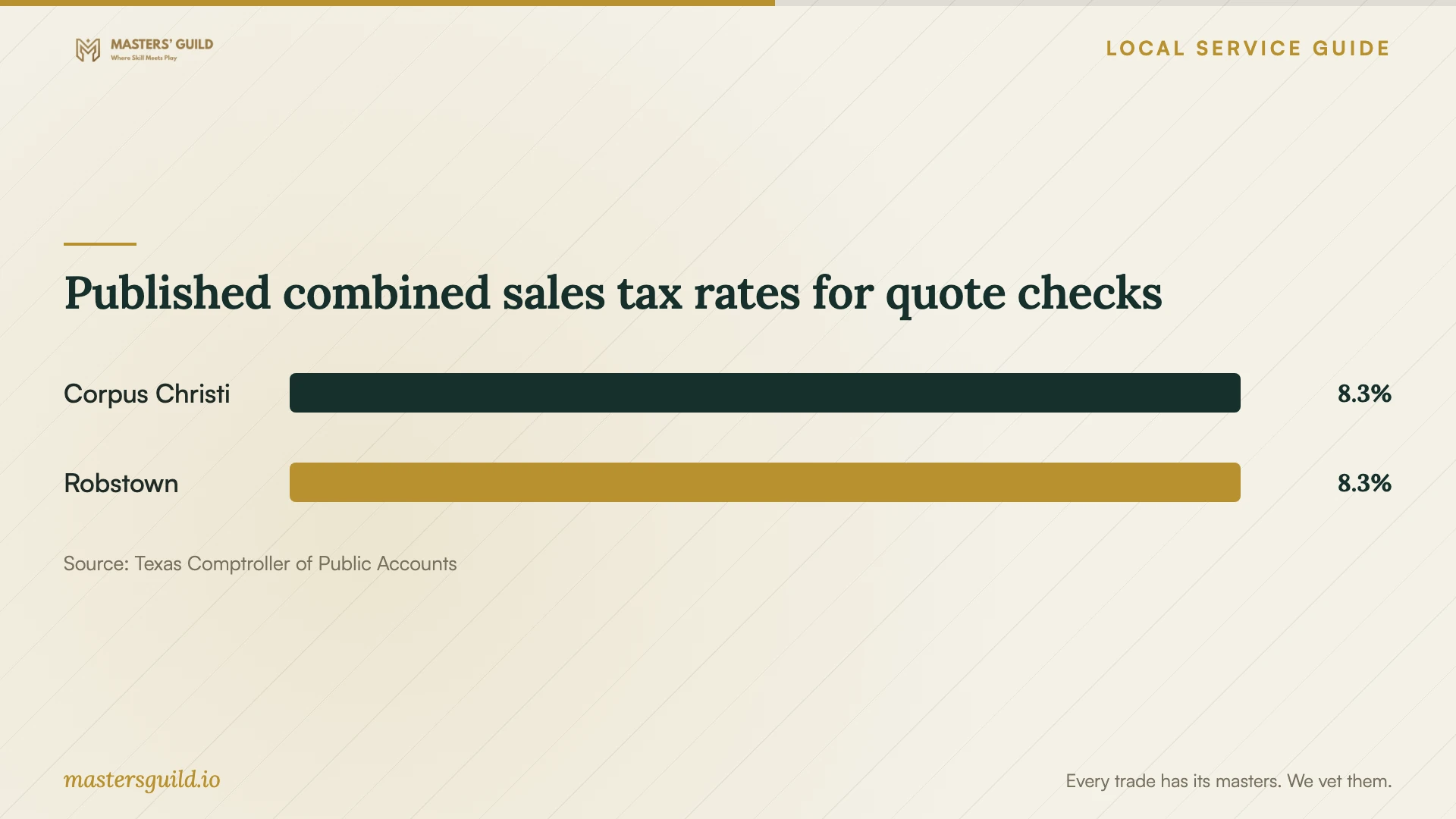
The Texas Comptroller lists an 8.25% combined sales tax rate for Corpus Christi's Nueces County entry. Use the published rate to discuss tax with the provider. Have them identify which charges they treat as taxable and show the final total before you compare offers. [1]
Handle account exposure alongside cleanup
Tell the technician if a stranger controlled your screen, if you opened banking during that session, or if you shared personal information. Include a review of remote-access software in the proposed scope. Use a separate trusted device to arrange account recovery with affected providers and discuss password changes.
The FBI advises contacting your financial institution when you notice unauthorized activity and filing an IC3 complaint as soon as possible. Keep original emails and communication records. Include the scammer's contact details and a description of the interaction in your report; arrange these steps while the technician handles the computer. [4]
Decide whether to repair or replace
If you are considering replacement, compare a proposal to restore the current computer with a proposal to transfer your chosen files to another device. Have the technician explain the application setup each option includes. Settle file preservation and data erasure before handing the old computer to a recycler.
The city's Item Search Wizard directs desktop computers, laptops, and monitors to electronic-waste drop-off and describes manufacturer mail-back options for computers. Check the program instructions for your device. Include documented data erasure or return of the storage drive in your technician's disposal preparation scope. [2]
Published combined sales tax rates for quote checks
Local details that affect your job
Compare tax-inclusive offers
Corpus Christi's Nueces County entry in the Comptroller's table has a combined sales tax rate of 8.25%. Obtain the taxable amount and final total from each provider. The rate table does not determine whether a particular repair charge is taxable, so leave that classification to the provider rather than applying the percentage to the entire quote yourself. [1]
Verify the electronics disposal route
The city directs laptops and desktop computers to electronic-waste drop-off. Its separate recycling page lists J.C. Elliott Transfer Station as a general recycling location in guidance for citizens with non-residential properties. Treat it as a location to discuss with city staff, not a confirmed computer drop-off destination. Call 311 to verify computer acceptance, residential eligibility, fees, the exact entrance address, and hours before traveling. You can also investigate the manufacturer mail-back options described in the Item Search Wizard. [2] [3]
Match the proposed work to your situation
| Your situation | Work to discuss | Before you commit |
|---|---|---|
| You want to keep using the computer | Diagnosis and a cleanup proposal | Agree on the total, essential files, and completion estimate |
| The computer will not start | Assessment and service-method options | Discuss drop-off or a home visit before booking remote help |
| A stranger controlled the screen during banking | Remote-access review and account recovery | Contact your financial institution about exposure and preserve records for an IC3 report |
| You are considering replacement | Repair versus file-transfer proposals | Check retained files before erasure and verify electronic-waste acceptance |
Your hiring checklist
- Record symptoms, recent downloads, and any remote-support interaction.
- Identify essential files and applications for the written scope.
- Choose the service method and agree on appointment and completion dates.
- Review itemized charges, applicable tax, and the extra-work approval limit.
- Set file-copy handling terms and require approval before erasure.
- Review the repair summary and demonstrate essential files at handover.
- For replacement, settle data erasure and verify disposal acceptance before surrendering the device.
Frequently Asked Questions
How much should I budget?
Obtain a device-specific quote and completion estimate after diagnosis. Include the diagnostic charge if you decline repair, optional file work, software purchases, and applicable tax. The Comptroller lists an 8.25% combined rate for Corpus Christi's Nueces County entry; have the provider identify taxable invoice items. [1]
Should I give the technician my banking password?
Keep banking credentials out of the repair process. The FBI advises against banking during remote access and sharing banking information over email or telephone. Contact your financial institution if you notice unauthorized activity. [4]
Can I require approval before a reinstall?
Put that condition in the work order. Name the files you need, specify who will check any retained copies, and agree on application setup and restoration before approving erasure.
Can I take my old computer to J.C. Elliott?
Call 311 before making that trip. The city's general recycling listing does not confirm computer acceptance or residential eligibility at that location. Verify acceptance, fees, address, and hours, or investigate a manufacturer mail-back program through the city's computer disposal guidance. [2] [3]
Sources and scope
This guide combines the sources below with practical planning guidance. Figures apply to the stated geography and period; request a written quote for your property.