
Local service guide
Columbus network setup: Plan the Right Support
For network setup in Columbus, hire someone who will diagnose the problem before recommending equipment, describe any cabling work and test your connection where you use it. Prepare your router model, internet plan and a list of rooms or devices with problems. Ask for separate prices for diagnosis, equipment, installation and follow-up support so you can compare the same scope.
Define the problem before requesting quotes
Write down what fails, where it fails and what you were doing. Include dropped video calls, a television that loses its connection or a printer you cannot reach. Tell the technician whether the problem affects one device or several. Ask them to compare a connection near the router with the rooms where you need service.
Give bidders the same requested outcome. For example, ask them to demonstrate a working video call from your home office and reconnect your printer before they leave. Request a diagnostic visit or an assessment stage if nobody has identified the cause. Ask what you will owe if the technician recommends contacting your internet provider instead of installing equipment.
Check service at your exact address
The FCC's National Broadband Map lets you search an address and review providers, connection technologies and maximum advertised download and upload speeds that providers report offering there. Use that address-level information when considering a new plan, then ask the provider to confirm availability, installation arrangements and the offer for your home. [2]
Keep advertised service and your household's experience separate when discussing the job. The FCC map describes provider-reported availability; it does not measure performance in your rooms. Ask the technician to record their findings and explain which next step they recommend: provider support, router configuration, equipment replacement or a proposed cable route. [2]
If you want cellular service as a backup, use the FCC's mobile map with care. Its coverage describes outdoor or in-vehicle connections, not indoor coverage. Before relying on a backup arrangement, ask to test it at the proposed equipment location using the service you intend to buy. [2]
Compare configuration and cabling proposals
Ask each bidder to describe the work in ordinary language: settings they will change, equipment they will supply and any holes or cable routes they propose. For a mesh proposal, request planned equipment locations and an explanation of how the units will connect. For Ethernet work, request outlet locations, cable labeling, test results and responsibility for wall repairs.
A City of Columbus inspection record for hotel-unit mock-ups at 106 Vine Street, dated August 12, 2024, recorded an objection to low-voltage data rings without enclosing boxes in fire-rated membranes. This historical commercial inspection does not determine permit requirements for your home. If your proposed route crosses a shared wall or another assembly the building manager identifies as rated, ask the installer to explain the proposed installation method before approving drilling. [3]
For an apartment or condominium, obtain the building manager's approval for the proposed route and ask who will confirm applicable approvals or inspections. Ask the relevant building authority about the exact work you propose. The City of Columbus record for this commercial project does not establish citywide permit or licensing requirements for residential network installation. [3]
Arrange the visit and keep control of your network
Schedule a visit when you can demonstrate the problem and access the rooms involved. Photograph the current equipment connections and have your account details available. Enter passwords yourself where possible. Ask the technician to explain any remote-access arrangement and how you can remove it after support ends.
Before approving the quote, ask who owns the equipment, who handles returns and whether support requires a subscription. Agree on how the installer will obtain approval for extra work. At handover, request equipment details, a record of changed settings and instructions for restarting the system. Confirm that you can access the administrator account.
Repeat the tasks you agreed on before the technician leaves. Test your home office connection, printer and other named devices. Ask for a written record of unresolved problems and the next responsible party. Keep the quote and handover notes together so a later technician can understand the setup.
Consider local instruction alongside paid support
ConnectUS describes its Digital Skills Hub as a no-cost community program. If you live in Franklin County and want help learning technology skills, check available classes alongside any paid installation you arrange. ConnectUS describes classes and conditional device assistance on its Digital Skills Hub page; it does not describe an in-home router repair offering there. [1]
ConnectUS says participants may receive a no-cost device after completing classes if they meet its criteria. Device assistance includes an income eligibility condition. Contact ConnectUS to confirm the current income limit before planning around assistance. Its listed conditions also include Franklin County residency, an age of at least 18, proof of income and residency, and completion of required coursework and the device form. [1]
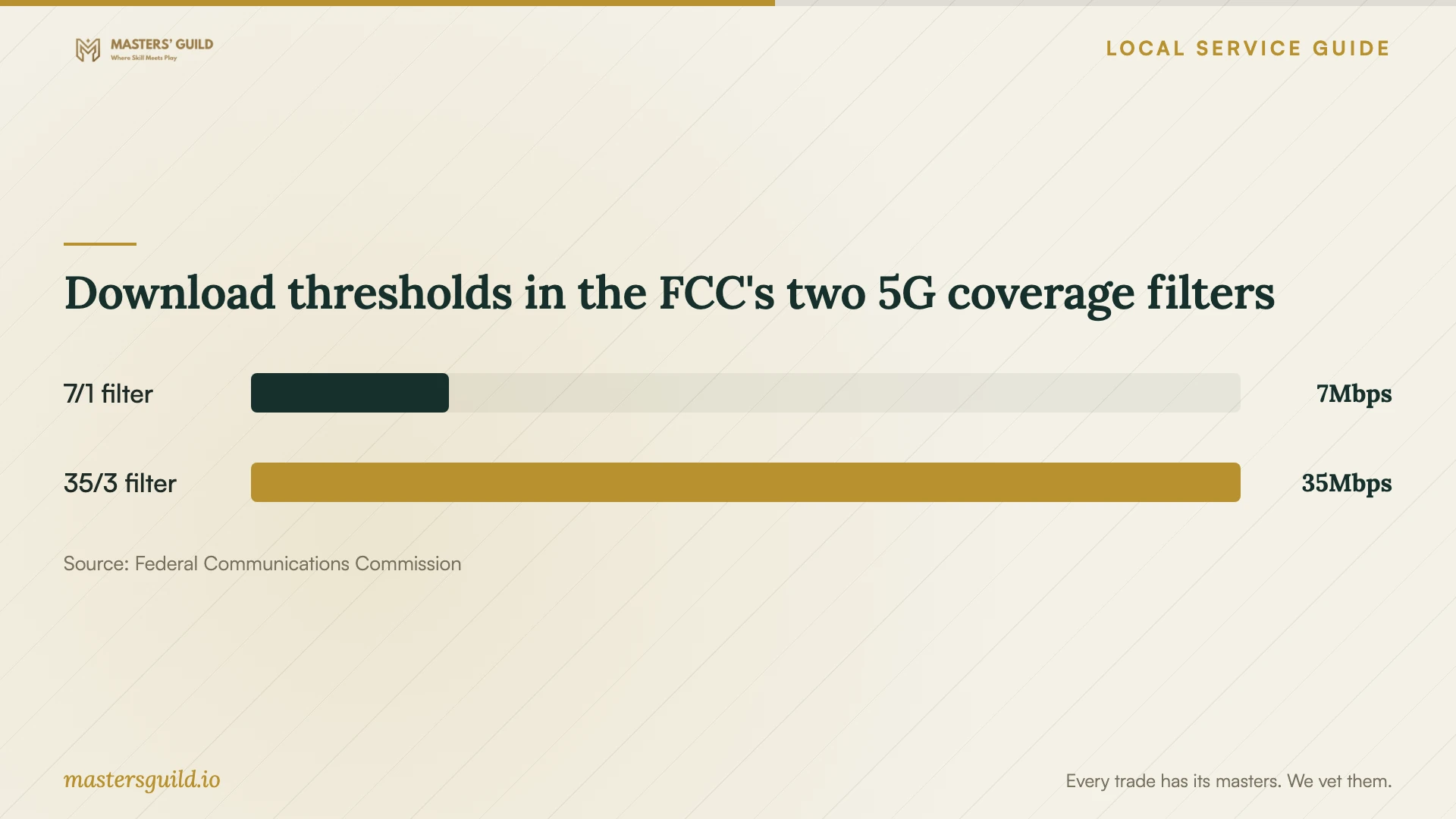
Download thresholds in the FCC's two 5G coverage filters
Local details that affect your job
Franklin County learning and device assistance
Consider ConnectUS's no-cost Digital Skills Hub if you want instruction after installation. Check course availability and ask about device eligibility separately, including the current income limit. ConnectUS limits device participation to one person per household and allows registration for the device program once. Confirm your eligibility before relying on a device award. [1]
Review proposed penetrations in rated walls
The City of Columbus inspection at 106 Vine Street documented a concern about unenclosed low-voltage data rings in fire-rated membranes during commercial hotel-unit mock-ups on August 12, 2024. Use this project-specific example to ask about shared or rated walls in your building. Have the installer and building manager confirm the method appropriate to your route, and ask the building authority about residential approvals for your scope. [3]
Choose the next step for your household
| Your situation | Next step | What to request |
|---|---|---|
| You have not identified the cause | Arrange diagnosis before purchasing equipment | Written findings and a proposed scope |
| You are considering another internet provider | Check your address on the FCC map, then confirm the offer | Available technology and advertised download and upload speeds |
| You want cabling through a shared wall | Ask the building manager and installer to review the route | Installation details and confirmation of applicable approvals |
| You want help learning to use technology | Check ConnectUS Digital Skills Hub classes | Course availability and separate device eligibility guidance, including the current income limit |
| You are considering cellular backup | Test the intended service at the equipment location | An indoor test rather than reliance on outdoor map coverage |
Your hiring checklist
- List affected rooms, devices and tasks, and note when failures occur.
- Prepare your router model, internet plan and photographs of existing connections.
- Ask for a diagnostic scope before approving equipment purchases.
- Request separate equipment, installation, wall-repair and follow-up charges.
- Obtain building-manager approval for proposed drilling or cable routes where applicable.
- Agree on the tasks the technician will demonstrate at handover.
- Confirm administrator access and collect settings, equipment and cable-test records.
Frequently Asked Questions
Should I buy a new router before booking support?
Ask for diagnosis first if you have not identified the cause. Give the technician your current model and symptoms, and request an explanation of any replacement recommendation. Agree on who will supply equipment and handle returns before purchasing.
Does the FCC map tell me how well Wi-Fi works inside my home?
The fixed map describes provider-reported service availability and advertised speeds at an address. The mobile map describes outdoor or in-vehicle coverage. Neither establishes performance in your rooms, so ask for checks where you need the connection. [2]
Does Ethernet cabling require a Columbus permit?
Ask the relevant building authority about your exact residential scope and have the installer identify any required approvals. The City of Columbus inspection at 106 Vine Street concerns a historical commercial project and installation details in fire-rated membranes; it does not establish residential permit requirements. [3]
Can ConnectUS provide a free device?
ConnectUS says participants may receive a no-cost device after classes if they meet its criteria. Device assistance has income eligibility conditions; ask ConnectUS to confirm the current income limit. Other conditions include Franklin County residency, age and documentation requirements, coursework completion and household participation limits. Confirm eligibility before relying on assistance. [1]
Sources and scope
This guide combines the sources below with practical planning guidance. Figures apply to the stated geography and period; request a written quote for your property.