
Local service guide
Software Installation in Columbus, GA
For Software Installation in Columbus, GA, hire a technician after agreeing on the programs, devices, account setup, total charges, and completion tests. Check local support first: Chattahoochee Valley Libraries offers computer classes or individual tech assistance, and CSU directs faculty and staff office-computer installation requests through eQuest. Ask each service whether your device and task qualify before arranging private work. [1] [2]
Define the work and the completion test
Give technicians the same job description so you can compare their offers. Include your computer model, operating system, program names, and any error message. Explain whether you own the software and whether you want to preserve an existing account, settings, or files. Keep passwords and recovery codes out of the inquiry.
Ask the technician to identify the work included in the quote: installation, activation, updates, importing files, email configuration, or connecting a printer. For an operating system change, agree on a backup and recovery plan before approving work. Name the files and applications you want to retain.
Choose a test that matches your use. Open and save an existing document, send and receive an email, or print a sample page. Ask the technician to restart the computer and launch the installed program again. Agree on how you will handle any unresolved error before accepting the job.
Check the local assistance route
Chattahoochee Valley Libraries lists computer classes or individual tech assistance at locations including Columbus Public Library, Mildred L. Terry Public Library, North Columbus Public Library, and South Columbus Public Library. Ask which branch can address your question and how to arrange help. The listing leaves installation scope and device arrangements unspecified, so confirm those details before visiting. [1]
CSU Desktop Support provides software installation, troubleshooting, and technology procurement assistance for faculty and staff office computers. The university directs support requests through eQuest. If you use one of those computers, describe the application and problem there before hiring someone to make changes. [2]
CSU also publishes a repair-shop service for students, faculty, and staff. Ask the repair shop whether your issue qualifies and whether it needs repair or installation assistance. Keep its eligibility and repair charges in mind when comparing your options; the university publishes those terms for its users. [3]
Get a complete, itemized quote
Request a written total for the agreed work. Ask the technician to identify labor, software purchases, subscriptions, travel, file transfer, and diagnosis where applicable. Confirm who will buy the software and which account will own it. For a subscription, ask about renewal terms and how you will manage the account.
Georgia Department of Revenue excludes itemized installation and repair labor from sales tax. The department also explains that sellers must collect applicable tax on tangible personal property and include certain charges associated with taxable sales in the taxable sales price. Request separate entries and ask the provider to explain the tax calculation for your purchase. [4]
Agree on the service arrangement as part of the quote. For remote help, ask how you approve, watch, and end the connection. For shop service, confirm collection arrangements and which changes require your approval. Set a spending limit for diagnosis and require a revised quote before the technician adds work.
Prepare your accounts and review the handover
Back up the files you want to protect and open a sample from the backup. Gather purchase receipts, license information, and the email address associated with the software account. Keep your recovery phone or email available. Plan to enter passwords and verification codes yourself during the appointment.
Ask the technician to explain proposed removals, resets, or security-setting changes before you agree. Specify which files they may use for testing. If they need to copy data off your computer, agree on the destination and how they will delete their copy after the work.
Run the agreed tests at handover. Request a short record of the installed programs, account ownership, and remaining issues. Confirm follow-up terms for an installation problem after the appointment. Review any remote-access application and remove access you have not agreed to keep.
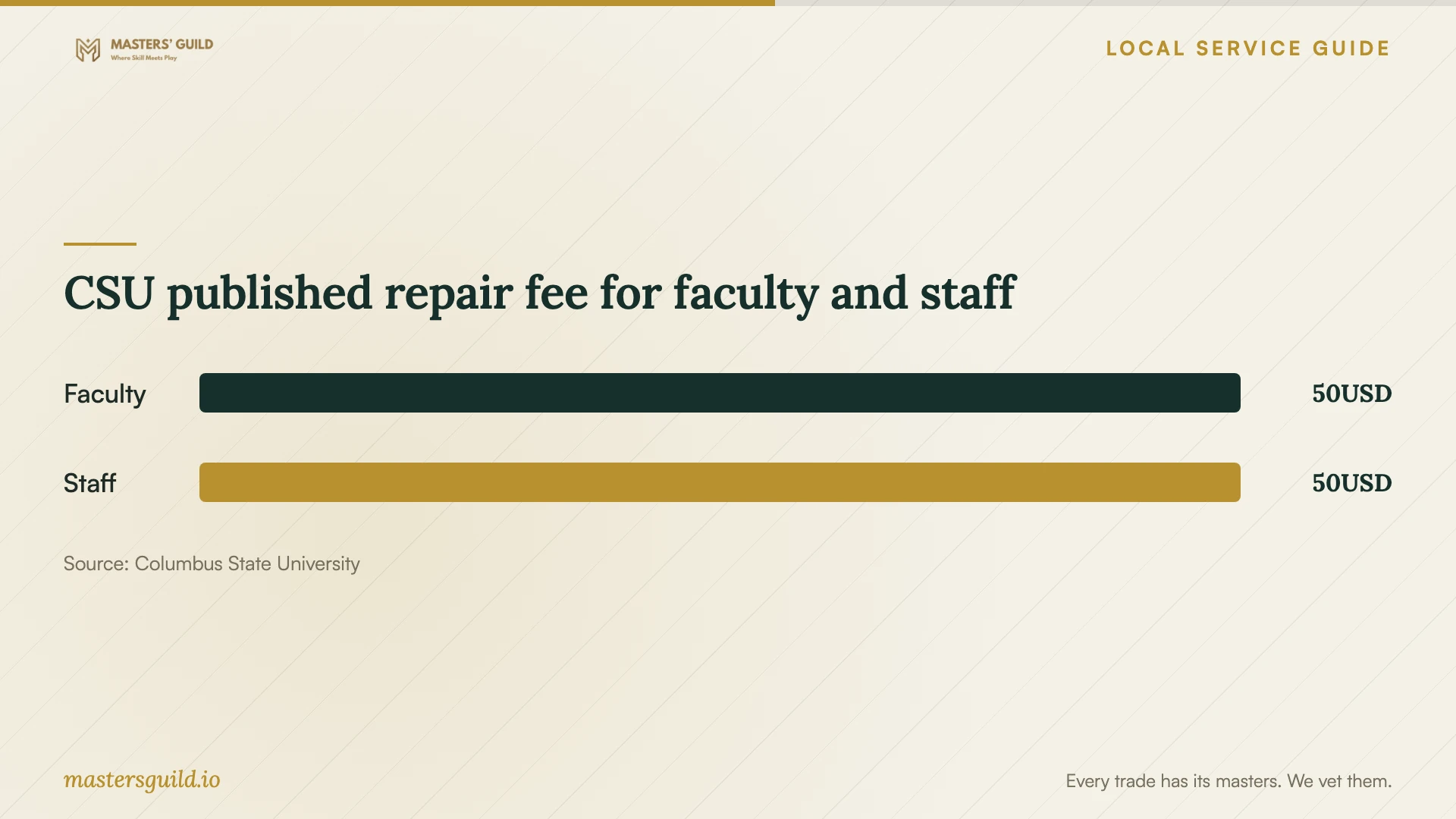
CSU published repair fee for faculty and staff
Local details that affect your job
Ask the library about guidance before booking an installation
Chattahoochee Valley Libraries offers computer classes or individual tech assistance and lists 706-243-2669 as its contact number. Describe your application and ask about appointments, branch availability, and bringing your device. Confirm whether staff can address your installation question before planning around this option. [1]
Route CSU office-computer requests through eQuest
CSU Desktop Support serves faculty and staff office computers and accepts requests through eQuest. If your device fits that description, submit the installation or troubleshooting request there. Ask about support for a personal household device through the appropriate university service before assuming the office-computer offer applies. [2]
Check CSU repair eligibility before comparing costs
CSU lists three free computer repairs for students per semester and a $50 charge per repair for faculty and staff, with parts excluded in both cases. Call the repair shop at 706-507-8140 to ask whether your problem qualifies and what the work includes. Use these terms only when considering the university repair service. [3]
Choose a support route
| Your situation | Route to consider | Question to resolve |
|---|---|---|
| You want guidance using an application | Chattahoochee Valley Libraries computer help | Can staff help with this application, and should you bring your device? |
| You use a CSU faculty or staff office computer | CSU Desktop Support through eQuest | Which installation and troubleshooting tasks should the request include? |
| You are a CSU student with a computer problem | CSU repair shop | Does the problem qualify for the student repair allowance, and are parts needed? |
| You need work on a household computer | Private technician with a written scope | What total, account arrangements, and completion tests will you agree on? |
Your hiring checklist
- List the devices, operating systems, programs, and error messages.
- Ask whether library assistance or university support fits your task.
- Agree on installation, activation, file transfer, and completion tests.
- Request an itemized total and a spending limit for extra diagnosis.
- Back up important files and check access to software accounts.
- Plan to enter your passwords and verification codes yourself.
- Run the agreed tests and confirm follow-up terms at handover.
Frequently Asked Questions
How much should I budget for installation?
Request a quote for your programs, devices, and setup requirements. The supplied local sources provide no general household installation price. CSU publishes repair charges for eligible university users. Ask your technician to identify labor, purchases, and diagnosis so you can compare the full cost. [3]
Can the library install software for me?
Chattahoochee Valley Libraries lists classes or individual tech assistance without specifying hands-on installation. Ask about your application, device, and desired result before arranging a visit. [1]
Should I give the technician my password?
Plan to sign in yourself during the appointment. Ask the technician to explain the access they need. Keep recovery information and verification codes under your control, and agree on how to end remote access.
How should installation labor appear on the invoice?
Request a separate entry for installation labor. Georgia Department of Revenue excludes itemized installation and repair labor from sales tax. Ask the provider to explain applicable taxes on other charges in your purchase. [4]
Sources and scope
This guide combines the sources below with practical planning guidance. Figures apply to the stated geography and period; request a written quote for your property.