
Local service guide
Home Office Setup in Colorado Springs, CO
Arrange Home Office Setup in Colorado Springs by requesting a written scope for furniture assembly, equipment connections, mounting, and cable routing. Confirm internet service at your address before scheduling network work. For a home-based business, ask the city how its home-occupation requirements apply before buying employee workstations, planning client visits, or commissioning room alterations. [1] [2] [3]
Choose an installer for your actual equipment
Start with the workspace you want to use at handover. List the desk model, monitors, computer, dock, printer, and accessories. Identify which items you already own and which you expect the installer to supply. Ask each candidate to confirm their scope rather than assuming furniture assembly includes computer configuration or network troubleshooting.
Send photographs of proposed mounting surfaces and the equipment instructions. Ask the installer to explain compatibility, attachment methods, and cable routes before drilling. Obtain landlord approval for alterations if you rent. For a standing desk, include a completion check for cable slack throughout its travel and access to its controls.
Confirm internet service before routing cables
The FCC's National Broadband Map lets you search a street address and inspect providers' reported technologies and maximum advertised download and upload speeds. Use it to identify options, then ask the provider to confirm service, the installation appointment, and the equipment location. The map describes reported availability rather than a measured connection at your desk. [1]
Colorado Springs Utilities says it leases excess fiber capacity to partners such as Ting Internet and does not control Ting's service decisions. Its construction map distinguishes active areas from areas on hold. Confirm address availability with the internet provider before arranging indoor cabling or relying on a future connection for your office move. [3]
Ask the setup provider to test your connection at the proposed desk using your work applications. Include a comparison with the connection at the router and a written explanation of proposed changes. Keep internet activation and indoor setup as separate quote items, with a named contact for each appointment.
Resolve business-use permissions before remodeling
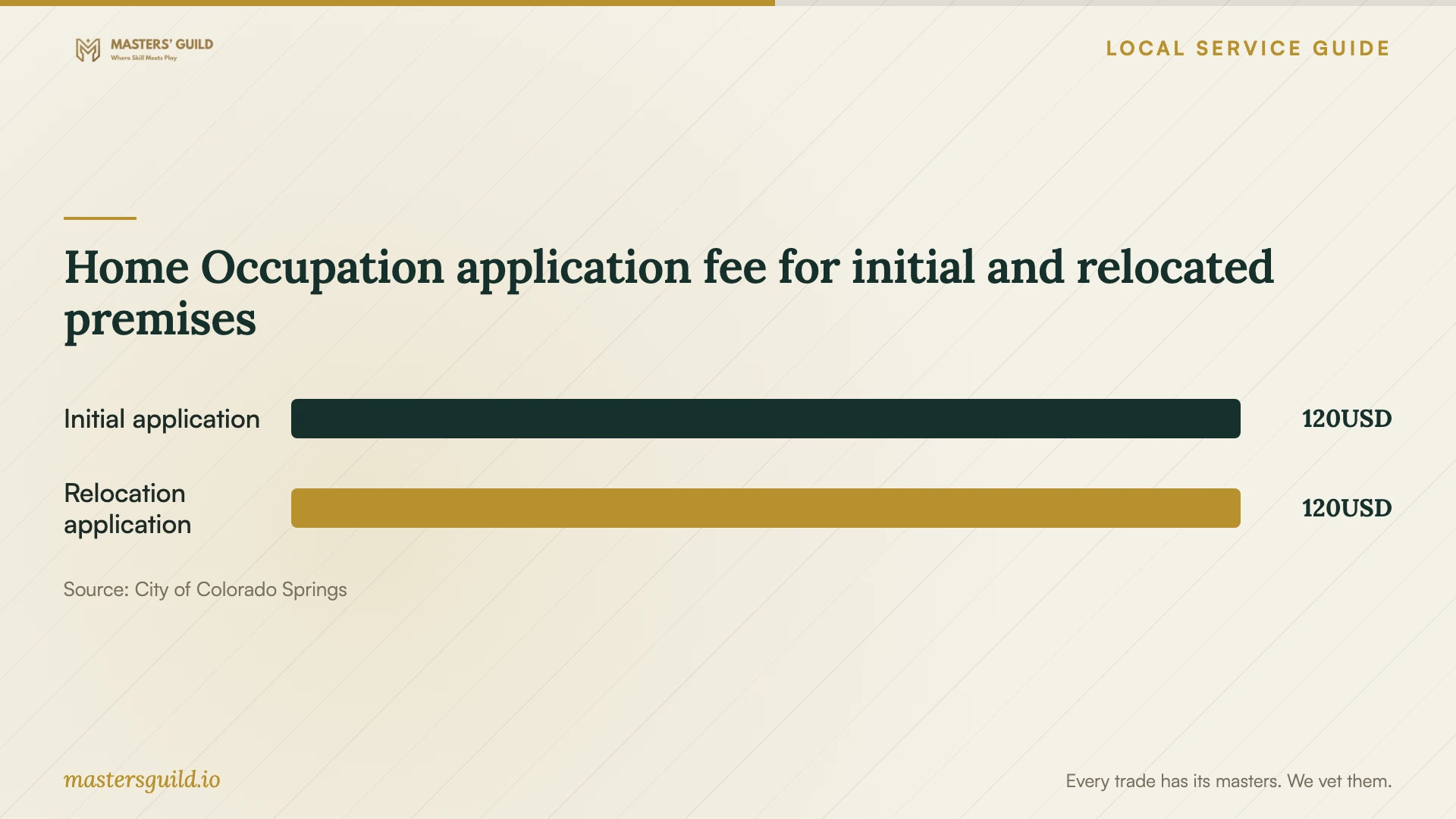
The city's home-occupation guidance requires permission through Development Review Enterprise and says the business must remain subordinate to residential use. Applicants submit the General Owner and Applicant Acknowledgement form through the online submittal system. The page lists a non-refundable application fee of 120 USD, no renewal after approval, and a new application when the occupation moves to new premises. [2]
Ask Development Review Enterprise to classify your proposed activity before ordering visitor seating or commissioning alterations. Check property covenants and restrictions. The city says a restriction prohibiting a home-based business would prevent a Home Occupation permit and directs covenant questions to the homeowner association. [2]
For business-supporting remodeling requiring a building-related permit, the city directs homeowners to contact Pikes Peak Regional Building Department at 719-327-2880 and the Fire Department at 719-385-5950 before Home Occupation Permit issuance. Its examples include garage conversions and electrical or plumbing work. Describe the construction scope before agreeing to a start date. [2]
Compare quotes and agree on completion checks
Request a quote for your room, equipment, and installation scope. Ask candidates to separate labor, supplied parts, travel, packaging removal, and exclusions. For hourly work, agree on a spending limit and how the installer will obtain approval for extra work. Identify who handles missing furniture parts or incompatible accessories before booking.
Agree on checks you can perform together: furniture stability, installed mounts, working displays, labeled cables, and a tested connection at the desk. Keep account credentials under your control and enter passwords yourself. Ask who handles adjustments and problems with components the installer supplies.
Before handover, sit at the desk and run your work applications. Test the camera, microphone, printer, and peripherals included in the scope. Request a record of installed parts, settings changed, and unfinished work. Assign a responsible person and follow-up date to each outstanding item.
Home Occupation application fee for initial and relocated premises
Local details that affect your job
Visitor and staffing rules can change your layout
The city requires at least 15 minutes between ongoing client appointments and says only one client vehicle should be on-site at a time. Treat the vehicle statement as the city's guidance when discussing your plan. The rules prohibit reducing required off-street parking and instruction to more than three people at a time. Outside employees may work at the home business only if they reside there on a permanent basis. Discuss staffing, teaching, and parking before buying additional workstations or converting garage space. [2]
Fiber construction can affect equipment deliveries
Utilities says underground fiber construction can disrupt traffic and crews may ask residents to move vehicles. Aerial installation can restrict backyard access or close alleys. If you receive a construction notice, confirm the delivery route and installer parking before scheduling heavy furniture delivery. Ask the internet provider about activation separately; neighborhood infrastructure work does not establish an installation appointment for your address. [3]
Match your project to the next step
| Planned work | Help to request | Resolve before booking |
|---|---|---|
| Desk assembly and movable equipment | An assembler who confirms your furniture models | Delivery access, parts, and packaging removal |
| Displays, docking equipment, and connectivity | A setup provider who confirms device and network support | Provider-confirmed address availability and desk connection tests |
| Wall mounting or concealed cable routing | An installer who explains attachment and routing methods | Surface assessment, alteration scope, and landlord approval if relevant |
| Business-supporting remodel requiring a building-related permit | A contractor with a written remodeling scope | Contact Regional Building and the Fire Department before Home Occupation Permit issuance |
| Client visits, teaching, or employee workstations | Development Review Enterprise guidance before purchasing furniture | Appointment spacing, parking, instruction restrictions, and employee residency |
Your hiring checklist
- Measure the room, doorways, desk footprint, and furniture delivery route.
- Photograph the router location, outlets, and proposed mounting surfaces.
- List furniture models, devices, accessories, and requested installation tasks.
- Confirm address availability, activation arrangements, and equipment location with the internet provider.
- Discuss business use, staffing, visitors, property restrictions, and planned alterations with the appropriate contacts.
- Obtain written quote lines, exclusions, a spending limit, and responsibility for supplied parts.
- Agree on completion tests and request a written handover.
Frequently Asked Questions
Does working from home require a Home Occupation Permit?
Ask Development Review Enterprise how it classifies your activity. The city requires permission for Home Occupations, but the supplied guidance does not classify every remote-work arrangement. Describe your business, client visits, staffing, and proposed alterations before committing to the layout. [2]
Can I purchase internet from Colorado Springs Utilities?
Utilities says it does not provide internet service. It leases excess fiber capacity to Ting Internet, which may offer service to homes and businesses. Confirm availability and installation arrangements with the provider at your address. [3]
Does the FCC map show the speed I will receive at my desk?
The map displays provider-reported availability and maximum advertised speeds. Confirm the offer with the provider and arrange a connection test at your desk. If the availability information is inaccurate, the FCC provides an availability-challenge process through the map. [1]
What should I send for an office setup quote?
Send room photographs, measurements, furniture model numbers, a device list, and your desired completion date. Identify mounting, cable routing, packaging removal, and alterations. Ask the candidate to confirm included tasks, supplied parts, exclusions, and completion tests.
Sources and scope
This guide combines the sources below with practical planning guidance. Figures apply to the stated geography and period; request a written quote for your property.