
Local service guide
Cloud Service Setup in Cincinnati, OH
For Cloud Service Setup in Cincinnati, hire a technician when you want someone to move files, configure household devices, and demonstrate that you can recover your data. Ask for a written scope that separates setup labor, subscriptions, and follow-up help. For introductory account assistance, consider a Cincinnati & Hamilton County Public Library appointment; staff offer basic computer assistance but exclude personal-device repair and troubleshooting. [1]
Define the work you want completed
Give the technician a device list and identify the files you want included. Name the computers, phones, and tablets involved, along with any external drives. Describe who should access each folder. For a shared household account, ask the technician to explain how each person will sign in and which files they will be able to see.
Ask the technician to explain the proposed sync and backup settings, including what happens when you delete a file from a connected device. Put a recovery demonstration in the scope if protecting files is your goal. Have the technician restore a sample file to a location you can inspect before you accept the work.
Choose library assistance or a technician
Start with a library appointment if you want instruction on a basic account task. CHPL lists basic computer assistance, including email account setup, among its appointment topics. You can request an in-person or virtual session. Staff contact applicants within 48 hours to schedule; that contact window does not promise an appointment within 48 hours. [1]
Choose a technician for a job that includes personal-device troubleshooting, and ask candidates whether they will handle your migration and recovery testing. CHPL states that staff cannot repair or troubleshoot personal devices. Before booking either option, describe your goal without sending passwords, payment details, or private files. [1]
Check the connection before scheduling
Use the FCC National Broadband Map to investigate service at your street address. The fixed-service map identifies providers that report availability, their technologies, and maximum advertised download and upload speeds. Treat those entries as reported service information rather than a measurement of your home connection. [3]
Ask the technician to check upload performance on the connection you plan to use and explain how they will handle an interrupted transfer. Agree on whether the appointment includes waiting for uploads, checking completion afterward, or returning for a separate verification visit. Avoid accepting a completion deadline before the technician reviews your files and connection.
Compare quotes and control account access
Request separate amounts for labor, cloud subscriptions, equipment, and follow-up work. Ask whether the technician charges a fixed fee or bills for time, and how they charge if an upload continues after the appointment. Compare written quotes for the same device list and deliverables.
Keep the cloud account under your own email address and enter passwords yourself. Ask the technician to configure account recovery with you and explain any temporary access they need. If you arrange remote assistance, agree on when the session will end and how you will remove ongoing access.
Set acceptance criteria before the visit
Ask for a handover that identifies the account owner, selected folders, connected devices, and unfinished transfers. Open sample files on each intended device. For backup work, watch the recovery demonstration and repeat the steps yourself. Keep the original files until you have reviewed the destination and agreed that the transfer is complete.
Request written instructions for checking progress and getting help after the appointment. Agree on who will resolve missing files, account prompts, or permission problems, and whether that work falls within the original fee. Record any remaining tasks before approving completion.
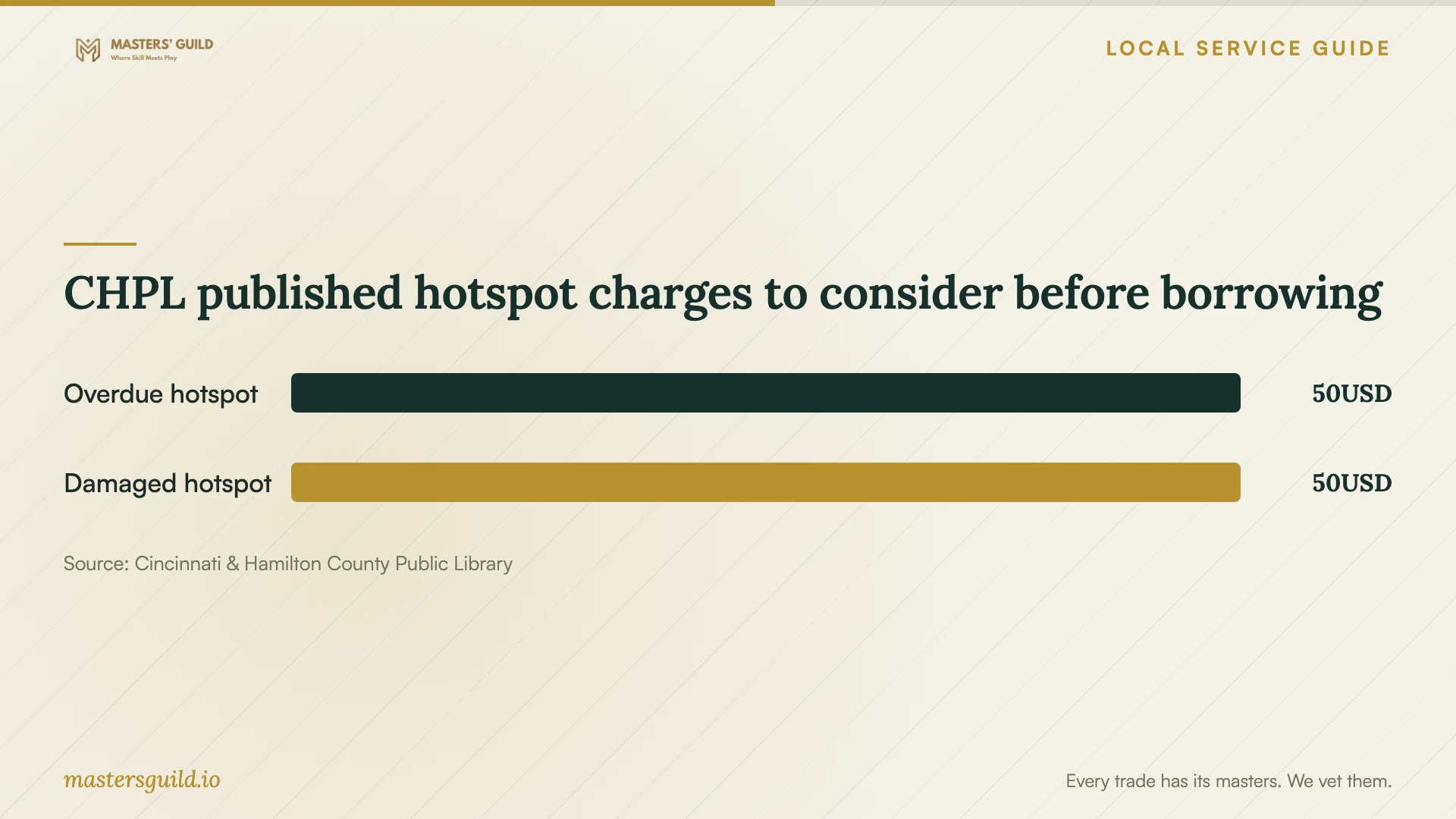
CHPL published hotspot charges to consider before borrowing
Local details that affect your job
Request a CHPL learning appointment
CHPL accepts requests for 30-minute appointments at its branches and departments, with in-person and virtual choices. A virtual appointment requires an email address. Staff contact you within 48 hours to schedule; for a faster response, the library advises calling your local branch during business hours. Ask whether introductory cloud-account instruction fits its basic computer assistance service before arranging a technician for hands-on work. [1]
Plan around the library hotspot loan
CHPL cardholders may borrow a cellular hotspot for up to three weeks. Renewal depends on demand, and the library cannot guarantee operation or connectivity. If you need temporary internet access, check availability and test the signal where you will perform the setup. Keep the loan due date in your plan, use the supplied charger, and avoid scheduling a migration around an unconfirmed renewal. [2]
Choose the next step for your household
| Your situation | Next step | Scope to confirm |
|---|---|---|
| You want introductory account instruction | Ask CHPL whether your topic fits a learning appointment | Basic computer assistance is available; personal-device troubleshooting is excluded |
| You need files moved across several devices | Request a technician's written migration scope | Included folders, permissions, completion checks, and follow-up |
| You need temporary internet access | Check CHPL hotspot availability and test it at home | Up to three weeks per loan; renewal depends on demand |
| You are considering a different internet service | Look up your address in the FCC map | Provider-reported technology and maximum advertised upload speed |
Your hiring checklist
- List the devices, source drives, folders, and household members included.
- Choose the desired outcome: shared file access, backup recovery, or both.
- Confirm that you can sign in and access your recovery email or phone.
- Ask the technician to review the connection before promising a completion time.
- Request separate labor, subscription, equipment, and follow-up charges.
- Agree on sample-file checks and a recovery demonstration.
- Keep original files until you review the completed transfer.
Frequently Asked Questions
Can the library complete my cloud migration?
CHPL lists basic computer assistance among its appointment topics, but it does not promise cloud migrations. Staff cannot repair or troubleshoot personal devices. Describe the instruction you want and confirm its scope; ask a technician to quote hands-on migration and recovery testing. [1]
Should I choose remote or in-home setup?
Ask the technician which parts they can complete remotely and what you must do yourself. Consider an in-home visit if you want help connecting drives or checking several devices together. For remote work, agree on the access method, session end, and handover before booking.
Does the FCC map prove my upload will run at the listed speed?
The FCC map lists maximum advertised speeds reported by providers. It does not measure your connection during a transfer. Ask for a check on the connection you intend to use. The map's mobile coverage also describes outdoor or in-vehicle coverage, rather than indoor coverage. [3]
What should I see before accepting the job?
Open sample files on the intended devices, review sharing permissions, and inspect any unfinished transfers. If you requested backup setup, have the technician demonstrate recovery and give you instructions you can repeat. Confirm account ownership and the terms for follow-up help.
Sources and scope
This guide combines the sources below with practical planning guidance. Figures apply to the stated geography and period; request a written quote for your property.