
Local service guide
Computer Virus Removal in Chicago: Plan Your Repair
Arrange Computer Virus Removal in Chicago by requesting an itemized estimate, a plan to preserve important files, and your approval before any drive erasure, reinstall, or added charge. Discuss remote service, drop-off repair, or a home visit with the technician. If you suspect personal or financial information compromise, arrange account recovery alongside cleanup: the Illinois Attorney General offers residents assistance with reporting and identity-theft recovery. [2]
Set repair permissions and access limits
The Illinois Attorney General advises residents to guard identifying information, use good password practices, and avoid engaging with calls, emails, or texts whose legitimacy they cannot confirm. Apply those precautions when arranging repair: verify who will access your computer, agree on how a remote session starts and ends, and ask to enter account credentials yourself. [2]
Describe what you observed without assuming a diagnosis. Record unexpected messages, browser changes, failed sign-ins, and unfamiliar remote-access sessions. Tell the technician when the problem began and what you downloaded or installed beforehand. Ask what they will examine and how they will explain their findings.
Identify files you need preserved, especially photos and documents without another copy. Ask whether the quote includes making a backup, checking it, and returning it to you. Require approval before drive erasure or operating-system reinstallation. Agree on where the technician will keep any copied files and when they will delete their copy.
Compare itemized estimates for your device
Illinois Department of Revenue states that the service component of a sale of service remains nontaxable, while tangible personal property transferred as part of that service is taxable. For a repair that includes replacement hardware, request separate service and hardware charges and ask the provider to explain the tax calculation. [3]
Ask technicians to quote the same requested work: diagnosis, malware cleanup, file preservation, and any proposed reinstall. Include travel or drop-off arrangements in that request. Ask what you owe if you decline work after diagnosis, whether the diagnostic fee counts toward the repair, and who must approve additional charges.
Set a spending limit and an update deadline. For drop-off service, request a receipt identifying your computer and the accessories you leave. For a home visit, describe any printer or other setup you want checked and ask whether that work falls within the quote. At handover, request a written record of completed work and review your important files.
Plan computer access while yours is away
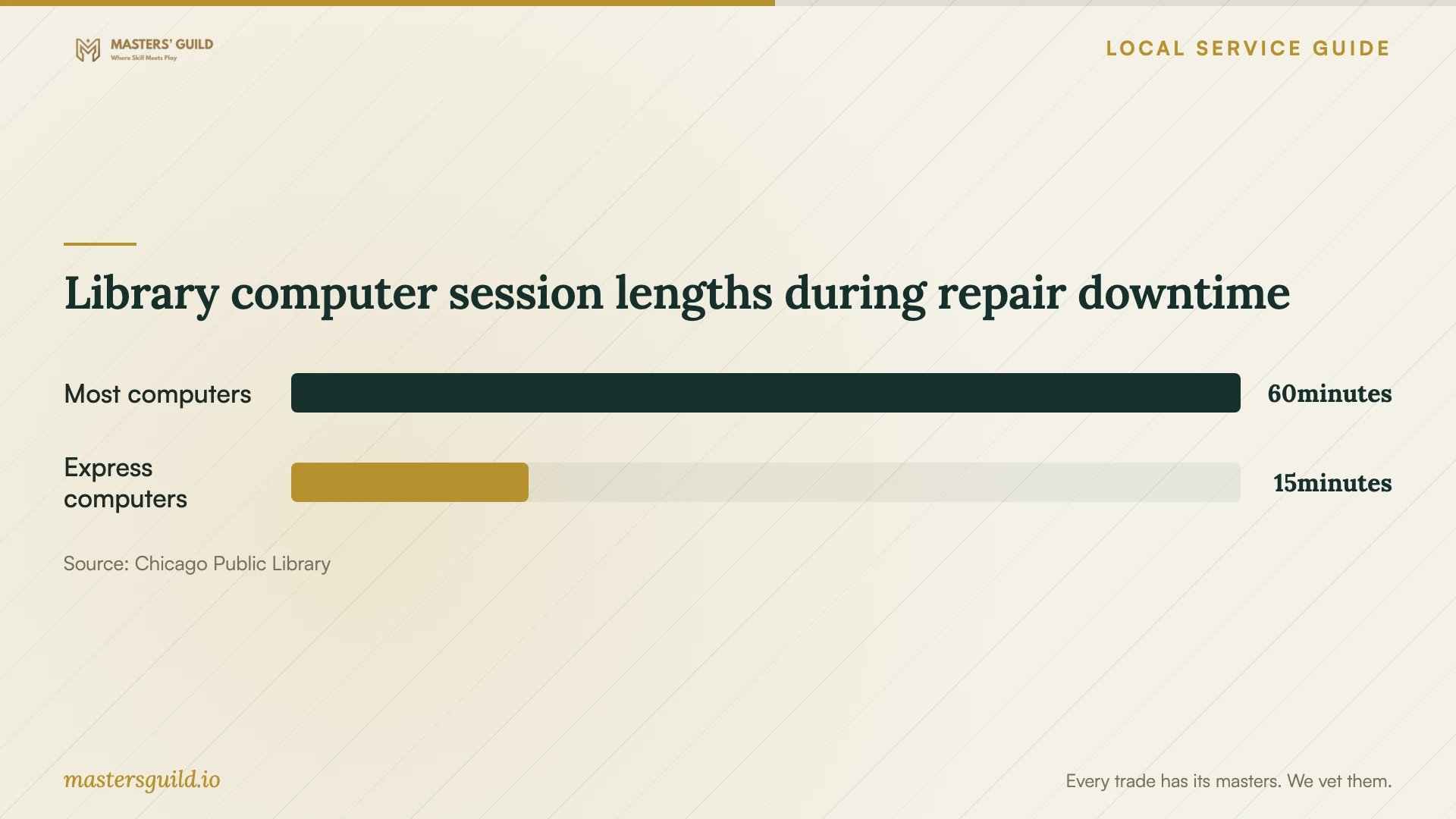
Chicago Public Library provides public computers and lets visitors without a library card request a daily guest pass. Patrons may use up to two sessions a day. Most computer sessions last one hour; express sessions last 15 minutes. Computer access ends 10 minutes before closing. Use those limits to decide whether drop-off repair fits your upcoming forms, documents, and other online tasks. [1]
CPL computers include the Edge browser and Microsoft Office, including Word, Excel, and PowerPoint. If your essential task requires different software, discuss another access arrangement before leaving your device for repair. Avoid connecting a drive you suspect contains malware, and use a device you trust for sensitive account recovery. [1]
For follow-up learning, CPL offers appointment-based Digital Navigator sessions at specific locations, lasting up to an hour. Tutors cover computer basics, email, online navigation and security, forms, and documents. Book tutoring for those skills; arrange diagnosis and cleanup with your repair technician. Confirm participating locations before planning a visit. [1]
Arrange identity-theft recovery alongside cleanup
The Illinois Attorney General invites residents to call its Identity Theft Hotline if they have experienced identity theft or believe personal or financial information may have been compromised. The number is 1-866-999-5630, with 7-1-1 relay access for people with hearing or speech disabilities. Advocates provide one-on-one assistance with reporting to financial institutions and local law enforcement, repairing credit, and preventing further problems. [2]
Tell the technician about suspected unauthorized access and request a written account of what they find. Keep screenshots, receipts, and a timeline of suspicious contacts or payments for your recovery records. Ask the technician to document remote-access software they remove and to explain any access they propose keeping for follow-up.
If you received a data-breach notice, the Attorney General advises placing fraud alerts on your credit reports and checking those reports for suspicious activity. The office explains that a breach notice does not necessarily mean someone stole your identity. Discuss that notice with the hotline while keeping the device repair scope focused on the work you authorize. [2]
Library computer session lengths during repair downtime
Local details that affect your job
Use library guest access when planning drop-off
You can request a daily guest pass for Chicago Public Library computers without a CPL card. Plan essential tasks within the two-session daily limit: most sessions last one hour and express sessions last 15 minutes. Computer access ends 10 minutes before closing, so check branch hours before choosing your repair drop-off and pickup arrangements. [1]
Contact Illinois recovery support for suspected compromise
Chicago residents can use the Illinois Attorney General’s Identity Theft Hotline at 1-866-999-5630 when they suspect personal or financial information compromise. The office assists with reporting, credit repair, and prevention. People with hearing or speech disabilities can use 7-1-1 relay. Include this recovery step in your plan rather than expecting the device technician to handle financial reporting. [2]
Match your situation to the next step
| Your situation | Suggested next step | Question to resolve |
|---|---|---|
| You want to supervise access | Discuss a supervised remote session or home visit | How will I verify your identity and end access? |
| You cannot sign in or use the computer | Discuss drop-off diagnosis or a home visit | Can you assess the device in its current condition? |
| Important files have no other copy | Agree on file preservation before cleanup | Will you request approval before erasing the drive? |
| You suspect personal-information compromise | Arrange repair and contact Illinois identity-theft assistance | What findings will the technician document for recovery? |
| You need access during drop-off repair | Consider CPL public computers with a daily guest pass | Can I complete my tasks within CPL session limits? |
Your hiring checklist
- Record symptoms, recent downloads, and unfamiliar remote-access sessions.
- List essential files and identify those without another copy.
- Agree on backup storage, return, and deletion of the technician’s copy.
- Require approval before drive erasure or operating-system reinstallation.
- Confirm diagnostic fees, the itemized estimate, and a spending limit.
- Agree on remote-access controls or a drop-off receipt and pickup arrangements.
- Set an update deadline and review the repair record and important files at handover.
Frequently Asked Questions
How much should I budget for virus removal?
Request an itemized estimate for your device covering diagnosis, cleanup, file preservation, and any reinstall. Ask for the total payable amount, any visit charge, and the fee if you decline further work. Set an approval limit for additions before service begins.
Can I use a library computer without a library card?
Yes. Chicago Public Library lets you request a daily guest pass. You may use up to two sessions a day; most computer sessions last one hour and express sessions last 15 minutes. Computer access ends 10 minutes before closing. [1]
Can library tutors help me after the repair?
CPL Digital Navigators offer appointment-based help with computer basics, email, online navigation and security, forms, and documents at specific locations. Sessions can last up to an hour. Use tutoring to practice those skills and discuss malware diagnosis and cleanup with your repair technician. [1]
Who can help if someone obtained my financial information?
The Illinois Attorney General offers one-on-one identity-theft assistance to residents who suspect compromise or have experienced identity theft. Call 1-866-999-5630 for help with reporting and recovery. People with hearing or speech disabilities can use 7-1-1 relay. [2]
Sources and scope
This guide combines the sources below with practical planning guidance. Figures apply to the stated geography and period; request a written quote for your property.