
Local service guide
Home Office Setup in Cheyenne, WY
Arrange Home Office Setup in Cheyenne by defining the assembly, device configuration and wiring you need before comparing quotes. Ask providers to separate those tasks and identify anyone handling installed wiring. For outlet work, verify the electrical contractor’s Wyoming license and master of record. Confirm permit and inspection responsibilities for your address before scheduling. [1]
Specify the job before choosing a provider
Start with an equipment list and room photographs. Include the desk and chair models, screens, monitor supports, computer, dock and peripherals. Describe where you want the desk and whether cables will sit beneath it, follow a surface route or run inside walls. Ask each provider to identify their tasks and any subcontracted work.
Request furniture assembly and adjustment for the physical workstation. Add device configuration if you want someone to connect displays, set up the dock or test a camera and microphone. For wall mounting, send the screen and bracket specifications and ask the installer to assess the mounting surface before drilling. Agree on placement with the workstation user present.
Resolve wiring responsibilities before the visit
Wyoming distinguishes electrical contractor licensing from low-voltage and limited contractor licensing. An electrical contractor must employ a Wyoming licensed master electrician as its master of record. A low-voltage or limited contractor must employ an eligible Wyoming licensed technician, journeyman or master electrician as its technician of record. Ask the provider which credentials apply to your proposed installation. [1]
For new outlets, circuit changes or installed communications wiring, request the relevant current contractor license and the name of the person responsible for the work. Have the provider identify the permitting authority for your address, who will submit any required application and who will arrange inspections. Record those responsibilities in the quote before approving wall work. [1]
Fit the workstation before securing equipment
Cornell recommends a stable work surface, a screen in front of the user, relaxed arms near the body and feet supported by the floor or a footrest. Its guidance uses about an arm’s length as a starting point for viewing distance. Sit in your working position while the installer adjusts the screen and keyboard placement. [3]
For sustained laptop use, Cornell recommends considering an external monitor, an external keyboard, or both with a docking station. Check your computer and dock specifications with the setup provider before purchasing accessories. Ask the provider to test the connections you intend to use and leave room for the keyboard, mouse and paper work. [3]
Check the screen during your usual working hours. Cornell advises controlling window brightness and avoiding bright glare on the display. Try desk placement and shades before fixing a monitor mount. For a standing desk, ask the installer to check cable movement throughout its travel before securing cables beneath the surface. [3]
Check internet service and performance separately
The FCC’s National Broadband Map lets you search your street address for provider-reported technologies and maximum advertised download and upload speeds. Use that lookup to investigate service options for your home. Confirm availability, installation arrangements and terms with the provider before ordering service. [2]
Ask the setup provider to test your existing connection at the planned workstation. Include a work call and the applications you use. Record whether you used Wi-Fi or a cable and repeat the same tasks after installation. Agree on whether the quote covers router configuration, plug-in connections or installed communications wiring.
Compare itemized quotes and agree on completion
Request separate amounts for assembly, mounting, device configuration, cable organization and wiring. Ask whether the provider includes brackets, adapters, cable trays, travel, packaging removal and wall repairs. For hourly work, confirm the minimum charge and when the provider must ask your permission to continue. Compare offers against the same equipment list.
Before the provider leaves, check desk stability, chair clearance and screen placement. Test the dock, displays, microphone and camera using your own equipment. Ask for a written list of configuration changes and equipment instructions. Enter passwords yourself and agree on any temporary account access before setup begins.
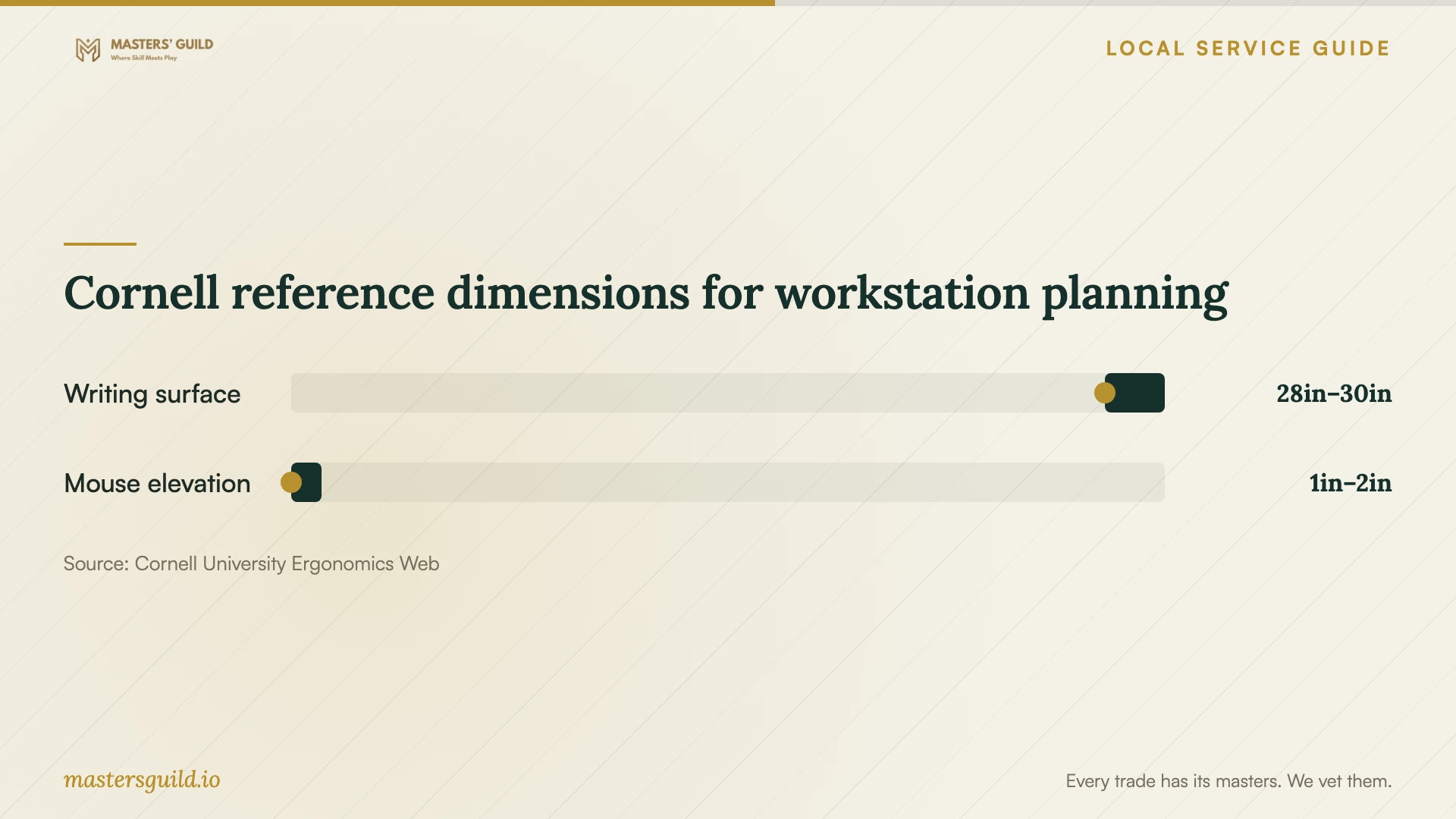
Cornell reference dimensions for workstation planning
Local details that affect your job
Use the Wyoming licensing contact to resolve wiring questions
The Wyoming State Fire Marshal lists 307-777-7288 and an office at 320 West 25th Street, third floor, Cheyenne. For proposed outlet or circuit work, use that contact to ask about Wyoming electrical credentials and which office can confirm permitting and inspection jurisdiction for your address. Describe the work and provide the full property address; obtain the applicable office’s instructions before scheduling installation. [1]
Check communications-wiring credentials separately
Wyoming lists communications systems under 90 volts in its LV-C low-voltage category. The state requires technicians performing low-voltage work to work for a currently licensed low-voltage or limited contractor. If you want installed network cabling, ask who will perform it and which credentials cover the installation. Describe connecting existing devices with plug-in cables as a separate task so the provider can assess the intended scope. [1]
Choose help for the work you need
| Planned work | Help to request | Question before agreeing |
|---|---|---|
| Desk and chair assembly | Furniture assembly and adjustment | Does the quote include placement and packaging removal? |
| Laptop and external displays | Device configuration and workstation adjustment | Will you check compatibility and test my dock and screens? |
| New outlet or circuit change | Wyoming licensed electrical contractor | Who is your master of record, and who confirms permits and inspections? |
| Installed communications cabling | Provider with applicable Wyoming low-voltage credentials | Which contractor and technician credentials cover this installation? |
| New internet service | Address lookup and provider confirmation | Which technology and advertised upload speed do you offer at my address? |
Your hiring checklist
- Send furniture, monitor, mount, computer and dock model numbers.
- Photograph existing outlets, the router location and proposed mounting surfaces.
- Measure desk space and the route for carrying furniture into the room.
- Separate assembly, configuration and installed wiring in the written scope.
- Request applicable wiring credentials and confirm permit and inspection responsibilities.
- Confirm materials, minimum charges, cleanup and approval of additional work.
- Attend the final adjustment and test your work applications before completion.
Frequently Asked Questions
Can one provider handle the whole office?
Request an itemized scope and identify anyone handling installed wiring. Wyoming sets electrical contractor and low-voltage contractor requirements, including a qualified person of record. Verify the credentials that apply to the proposed work before accepting a bundled quote. [1]
How do I resolve permit questions for my address?
Ask the wiring provider to identify the permitting authority and document application and inspection responsibilities. For guidance on electrical credentials and where to direct jurisdiction questions, the Wyoming State Fire Marshal lists 307-777-7288. Give the full address and describe the planned installation. [1]
Should I buy a monitor arm or dock before booking?
Send the proposed accessories and equipment specifications first, then ask the provider to check compatibility. Cornell recommends considering external display or input equipment for sustained laptop use. Test your preferred screen position and reach before committing to fixed mounting. [3]
Does the FCC map show the speed I will get at my desk?
The FCC describes its speed entries as provider-reported maximum advertised speeds. Use them to compare service options, then test your connection and work applications at the desk before deciding on equipment or cabling changes. [2]
Sources and scope
This guide combines the sources below with practical planning guidance. Figures apply to the stated geography and period; request a written quote for your property.