
Local service guide
Website Design in Charlottetown: Hiring Guide
Arrange Website Design in Charlottetown by defining what customers must do on your site, then ask designers to quote the same pages, content, integrations and handover requirements. For a tourism business, include your Tourism PEI listing and booking destination in that scope. Choose a designer who can demonstrate the customer journey and explain who will maintain it after launch. [1] [2]
Choose the customer task before the design
Write a short brief around the action you want a customer to complete: request an estimate, reserve a room, book an appointment or buy a product. Ask each designer to explain that journey from the first page through confirmation. Use your own example enquiry or purchase when reviewing proposals.
List the pages and materials you can supply, including service descriptions, photographs, prices you want to display and business contact details. Assign responsibility for missing copy and images. Ask the designer to identify anything they need from you before agreeing to a launch date.
Make quotes comparable
Request separate amounts for discovery, page design, development, content entry, booking or checkout setup, and migration from your existing site. Ask for recurring charges alongside the build price, including hosting, software subscriptions and maintenance. Have the designer identify which accounts you will pay for yourself.
Define the number of proposed layouts and revision rounds in writing. Ask how the designer prices a new page or feature after approval. For a redesign, include an inventory of existing pages and a plan for forwarding old addresses to their replacements. Require a launch checklist and a named person responsible for correcting defects.
Include the provincial tourism connections
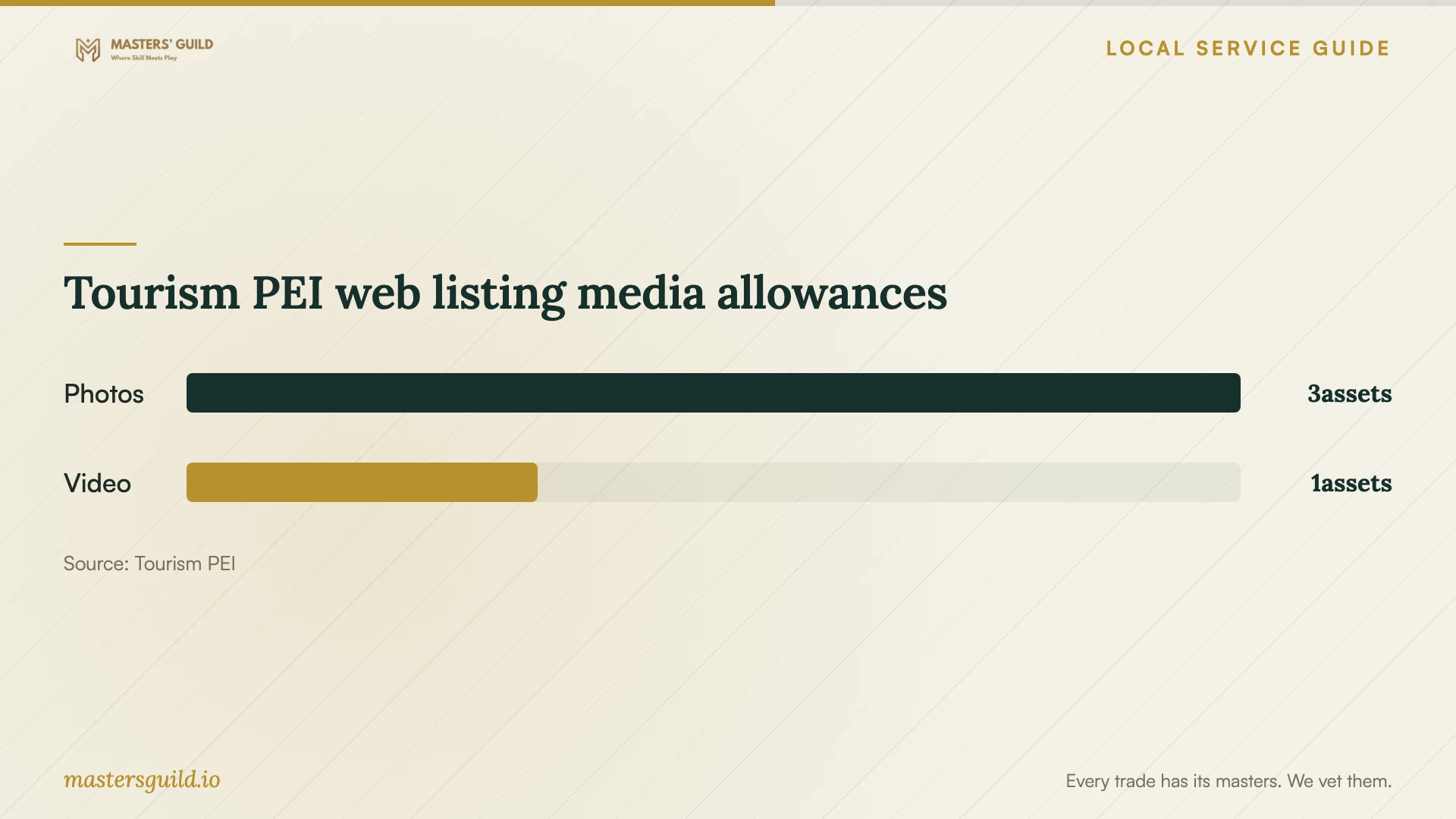
For a visitor-facing business, prepare your website information alongside your provincial listing. Tourism PEI says its free web listings can include operating dates, address and contact information, a description of up to 500 characters, three landscape JPG photos and one video. Ask your designer to prepare a matching description and suitable photographs as explicit deliverables. [1]
For accommodation projects, review the reservation system before approving the page layouts. Tourism PEI’s 2022 notice states that BookPEI ceased to be available as an operator booking system from January 1, 2023. The notice also asks operators to provide the updated destination for their Tourism PEI Book Now button once the replacement system works. Include that external link check in your launch responsibilities. [2]
Specify privacy and test the complete journey
The Office of the Privacy Commissioner of Canada’s business guide covers PIPEDA responsibilities, including meaningful consent and privacy breach requirements. Use it to inform your discussion about enquiry forms, booking tools and customer records. Ask the designer to document what information each form collects, where it goes and which staff can access it. [3]
Before launch, submit a test enquiry and follow it through to the staff member who will respond. For reservations or purchases, agree on a test method with the provider and check confirmation messages, cancellations and failed payments where applicable. Review the site on a phone and ask someone to complete the main task using a keyboard.
Agree on ownership and support
Ask for domain registration, hosting and essential subscriptions in business-controlled accounts. Specify the access the designer needs and how you will remove it if the relationship ends. Have the contract explain your rights to the design, written content, photographs and any licensed assets.
Include a staff handover session using tasks you expect to perform, such as changing operating hours or replacing a service description. Agree who handles backups, software updates and recovery after a fault. Ask for support hours, response targets and charges in writing, then keep the account inventory with your business records.
Tourism PEI web listing media allowances
Local details that affect your job
Prepare a Tourism PEI listing package
Tourism PEI directs operators to Operator Self-serve for instructions on creating a free web listing and to Industry Support if they do not have one. If your business serves visitors, assign someone to manage that listing and include its description, operating dates and photographs in the website brief. Treat this as a provincial tourism opportunity, rather than a listing for every local business. [1]
Check the reservation destination outside your website
Tourism PEI’s BookPEI retirement notice tells operators to advise the organization of their replacement booking address for its Book Now button. For an accommodation redesign, record the destination your listing uses and assign responsibility for requesting an update. Test the route from the provincial listing through to the reservation confirmation before signing off. [2]
Choose a scope to discuss with designers
| Your requirement | Scope to request | Proof before approval |
|---|---|---|
| Present services and receive enquiries | Core pages, contact form and content editing | A test enquiry reaches the correct staff member |
| Take accommodation reservations | Booking system setup or connection and external booking-link review | A test reservation reaches confirmation |
| Sell products | Catalogue, checkout and fulfilment settings | An agreed test order follows your fulfilment process |
| Replace an existing site | Content inventory, migration and forwarding of old page addresses | Checks of important old links and transferred content |
Your hiring checklist
- Describe the main customer action and the pages needed to complete it.
- Supply existing account details through an agreed secure method.
- Assign responsibility for copy, photographs and operating information.
- Request build costs and recurring charges as separate line items.
- Record booking, payment and enquiry tests in the acceptance criteria.
- Agree on business account ownership and rights to supplied assets.
- Include staff training, support terms and recovery responsibilities.
Frequently Asked Questions
How much should I budget?
Set a budget after defining the pages, content work and customer transactions you need. Ask designers to separate the initial build from subscriptions and support. Compare proposals against the same brief and request a written explanation of exclusions before choosing.
Should my designer choose my booking system?
Ask the designer to demonstrate your reservation workflow before you commit. Tourism PEI’s BookPEI retirement notice leaves replacement-system selection to the operator and states that listing example suppliers does not imply endorsement. Make the choice against your own operating requirements. [2]
Can the designer handle privacy for my business?
Ask the designer to implement agreed requirements and document how customer information moves through the site. Review your business responsibilities using the federal privacy guide, which addresses PIPEDA, meaningful consent and breach requirements. Seek advice on obligations that depend on your activities. [3]
What should I receive at handover?
Request administrator access, an account and subscription inventory, editing instructions, backup and recovery arrangements, and written support terms. Have a staff member practise the updates you expect to make before accepting the handover.
Sources and scope
This guide combines the sources below with practical planning guidance. Figures apply to the stated geography and period; request a written quote for your property.