
Local service guide
Cloud setup in Charlottetown: business planning
Cloud setup in Charlottetown should start with a written scope covering the accounts, devices and files you want configured, who controls administrator access, and how you will check the transfer. Hire someone who can explain permissions, demonstrate a file restore and document the handover. For customer information, review the cloud provider’s terms before authorizing migration: the Office of the Privacy Commissioner of Canada says businesses remain accountable for personal information they outsource. [1]
Define the work before comparing quotes
Give each prospective technician the same inventory: users, computers, phones, existing cloud accounts, approximate file volume and the applications your staff need. Identify the person who can approve access changes. Name the folders or business processes you need working at handover, such as shared estimates, invoices or customer correspondence.
Ask the technician to separate account configuration from data migration and follow-up support. Specify whether the price includes sorting duplicate files, resolving transfer errors, training staff and checking devices after the initial upload. Agree on an approval point before anyone deletes source files or closes an old account.
Check connection performance before setting a deadline
CIRA’s Internet Performance Test reports upload and download speeds along with other connection metrics. For the most accurate results, CIRA recommends connecting a computer to the modem or router with Ethernet, stopping other applications and disconnecting competing devices. Use that approach to give the technician a baseline for planning the transfer. [3]
Ask for separate estimates for hands-on work and the time needed to finish uploading. Have the technician explain how they will confirm completion and handle failed items. If results seem slower than expected, CIRA recommends testing at another time of day and selecting a different test server before investigating the local network. [3]
Set account ownership and privacy requirements
The Office of the Privacy Commissioner of Canada advises businesses to review cloud contracts, restrict access to people who need the information for their work, and use authentication appropriate to the sensitivity of the information. Its guidance recommends stronger authentication methods, including multi-factor authentication. Ask the installer to describe those controls in the proposed setup. [1]
Ask where the provider will store and process customer information, including backups. The federal guidance explains that information transferred abroad falls under the laws of that jurisdiction and that primary and backup servers may occupy different locations. Treat a Canadian technician’s address as a separate question from the location of the cloud provider’s systems. [1]
Use a business-controlled email address for account ownership and decide who will hold recovery information. Ask the technician to use an agreed access method and remove temporary access at handover. Record who can add users, change billing and approve future support sessions.
Agree on recovery and an exit plan
Ask the installer to explain the chosen service’s deletion, version recovery and retention settings, then demonstrate recovery using a test file. Specify which folders need an additional backup and how you will check that backup. Keep the original files until you approve the migration checks.
The federal privacy guidance recommends documented outage procedures and an exit strategy that lets a business retrieve its information and requires the provider to delete retained personal information within specified timeframes. Ask how you would export your files, who would help and which contract terms cover deletion after departure. [1]
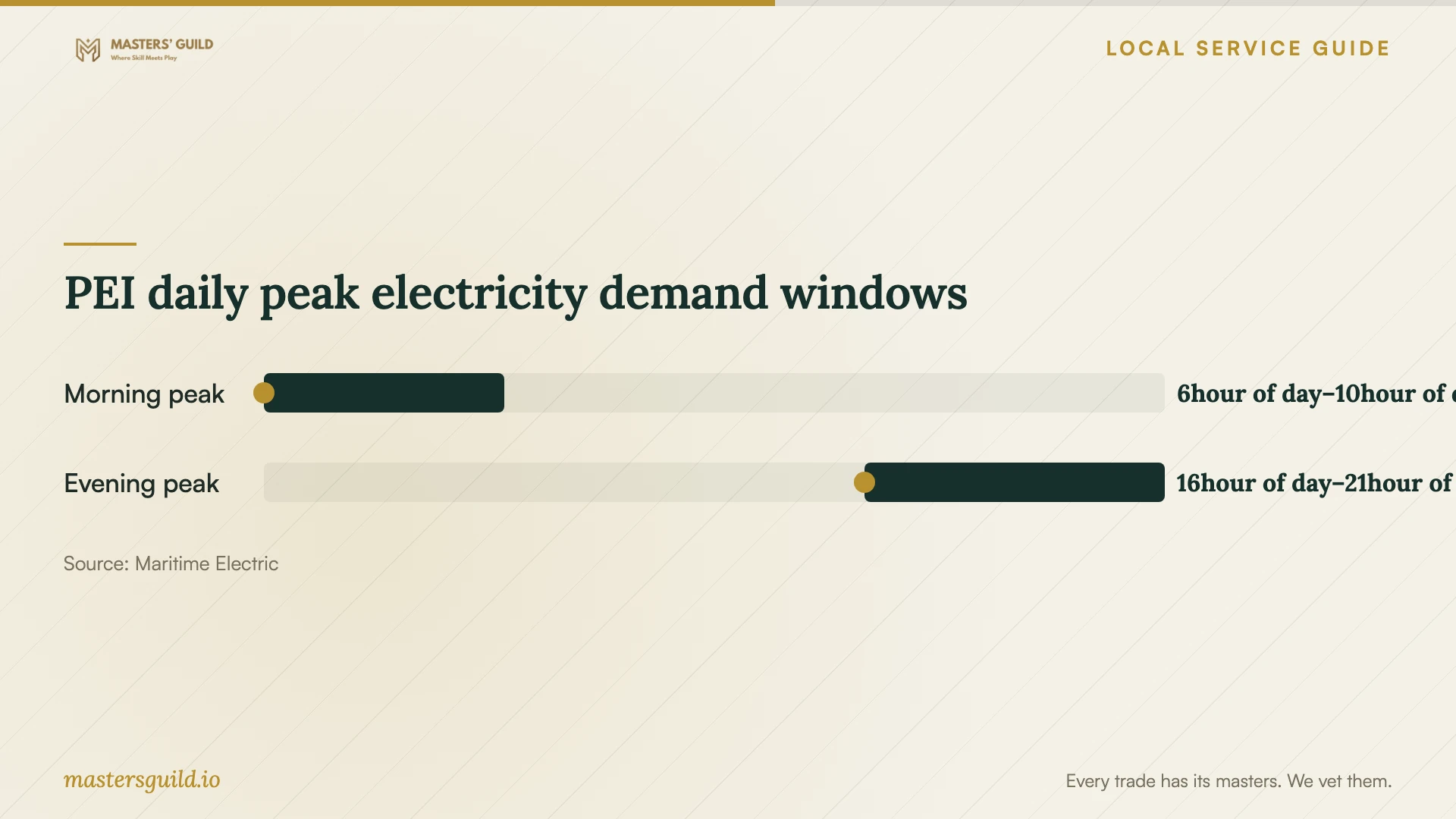
PEI daily peak electricity demand windows
Local details that affect your job
PEI outage notice changes the migration scope
Maritime Electric says unplanned outages can occur at any time and emergency notice of rotating outages may be limited to minutes or less. For a Charlottetown business setup, ask the technician to document how they will resume an interrupted transfer, identify incomplete files and verify completion after power returns. Agree who performs that check if the upload continues after the appointment. [2]
PEI peak periods affect continuity planning
Maritime Electric identifies PEI peak electricity demand periods as 6 to 10 a.m. and 4 to 9 p.m., with the highest peaks usually in December, January or February. Before scheduling a winter migration, check the utility’s grid status and discuss whether essential work needs battery backup or another appointment window. These are province-wide demand periods, not a prediction that your premises will lose power. [2]
Match the appointment to the work
| Your situation | Request in the scope | Acceptance check |
|---|---|---|
| You need shared folders for staff | Account ownership and role-based access configuration | Each staff member tests access to an agreed folder |
| You are moving an existing file collection | Migration, error review and source-file retention | You approve a file comparison and open representative files |
| You handle customer information | Review of provider terms, access controls and storage locations | You approve the proposed handling of personal information |
| Uploads will continue after the visit | Completion monitoring and interruption recovery | The technician supplies a completion report or a list of unresolved items |
Your hiring checklist
- List users, devices, cloud accounts and folders included in the job.
- Record file volume and run a wired connection test before requesting a schedule.
- Choose the business owner of billing, administrator access and recovery details.
- Identify customer information that needs a privacy review before transfer.
- Agree on source-file retention and approval before deletion.
- Include interrupted-transfer checks and a test-file restore in the scope.
- Request a handover record covering permissions, unresolved errors and support terms.
Frequently Asked Questions
How should I compare setup prices?
Ask for written quotes against the same inventory and acceptance checks. Separate labour, subscriptions, migration verification and ongoing support. Ask whether the technician charges for unattended upload time, return visits or resolving failed transfers.
Must customer information stay in Canada?
The federal privacy guidance says Canada’s private-sector privacy legislation does not prohibit transfers to another jurisdiction for processing. It also advises businesses to consider applicable obligations, information sensitivity and foreign laws. Confirm the requirements for your business before approving a storage location. [1]
Can I handle a simple setup myself?
Consider doing it yourself if you can explain the account ownership, permissions and recovery steps and test them with non-sensitive files. Seek help when you cannot confirm the migration, need a privacy assessment or want someone accountable for documenting the handover.
Sources and scope
This guide combines the sources below with practical planning guidance. Figures apply to the stated geography and period; request a written quote for your property.