
Local service guide
Software Installation in Charleston, WV
For Software Installation in Charleston, WV, hire a technician against a written list of programs, devices, and tasks. Ask for a total that separates installation labor, software purchases, subscriptions, and any tax. Choose remote help only after confirming that you can start the computer, connect to the internet, and approve access. For an operating-system change or file transfer, agree on backup and recovery steps before work begins.
Specify the installation you need
Write down your computer model, operating system, and the exact software name and version you want. Describe the result you need, such as opening existing household records or sending email from your current address. Include any error message. Ask the technician to check compatibility before you buy software or approve an operating-system change.
Separate installing a program from setting it up. Request a quote that names account sign-in, activation, updates, file transfer, printer connections, and removal of old software where you need them. If you want an existing subscription moved to a replacement computer, ask the technician to confirm the vendor’s device limits and transfer rules.
Choose remote, home-visit, or drop-off service
Before booking remote work, ask how you will establish the connection and approve access. Agree on what happens if the session disconnects or the computer needs a restart. If you cannot reach the desktop or connect to the internet, describe that problem before the provider quotes a remote installation.
For a home visit, include the devices the technician must test, such as your printer or scanner. For drop-off work, ask what to bring, who will keep the computer, how they will protect your files, and how you will test home-dependent functions after collection. Get approval terms for extra work in writing.
The West Virginia Office of Broadband offers a public Wi-Fi locator and broadband information tools. Its community page directs readers to the Broadband Fund Dashboard for the most current interactive broadband information while it updates the older map. Use these regional tools to explore connectivity options, then check your connection at the service address before arranging an internet-dependent installation. [4]
Compare the complete quote
Ask each provider to price the same task list. Request separate amounts for labor, licenses, subscriptions, travel, backup, and file transfer where applicable. Ask whether the provider charges for diagnosis, unsuccessful installation attempts, or a return visit. Set a spending limit that requires your approval before the technician adds work.
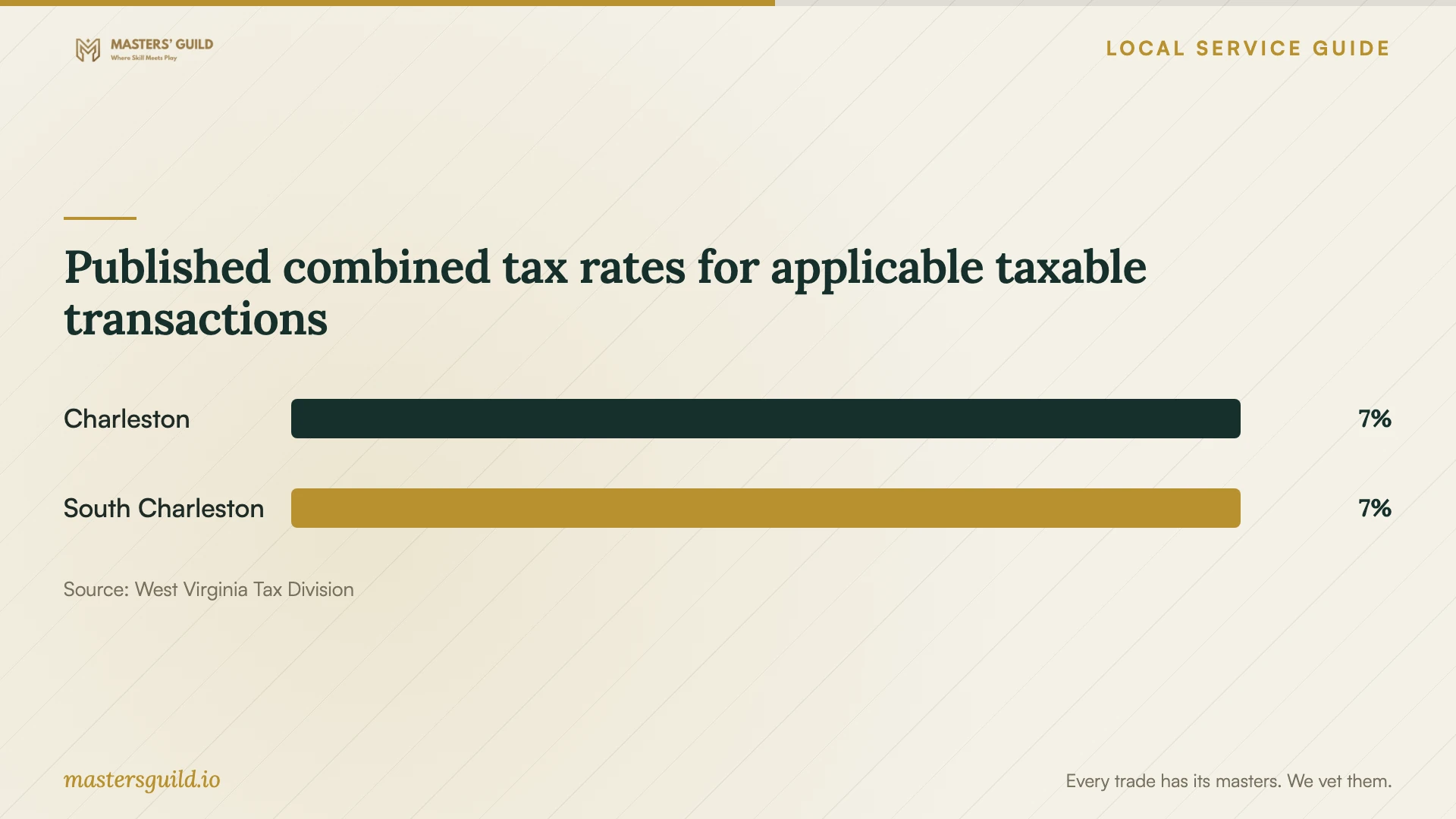
The West Virginia Tax Division lists Charleston’s municipal rate as 1% and its combined rate as 7%. Its guidance covers taxable goods, custom software, and services within taxing municipal boundaries. Ask the provider which charges are taxable and whether the quoted total includes tax. The rate table does not establish the tax treatment of your particular software purchase or service package. [3]
Give the provider the actual service address when requesting a quote. The Tax Division cautions that nine-digit ZIP codes do not always match municipal boundaries. For remote work or a bundled software purchase, ask the seller to explain the applicable tax treatment instead of choosing a rate from the mailing address alone. [3]
Protect files and check the finished work
Before the appointment, make a backup of files you want to keep and open a few files from that copy. Tell the technician which folders matter. For work that may erase or replace the operating system, agree on what they will preserve and how you will recover if the installation fails. Keep license receipts and account recovery information available.
Enter passwords yourself when possible. Ask the technician to explain any request for administrator access and any remote-control software they propose to install. Agree on whether they will remove that software or disable ongoing access when the job ends. Avoid sending passwords in the job description.
Before accepting completion, open the installed programs, check activation, and perform the tasks you requested. Restart the computer and test again. Ask for a short record of installed versions, changed settings, renewal obligations, and unresolved problems, plus the terms for correcting an issue discovered after the appointment.
Published combined tax rates for applicable taxable transactions
Local details that affect your job
Use Main Library software during computer downtime
KCPL Main Library at 123 Capitol Street lends laptops for use inside the library. They include standard office and video-conferencing software. A patron needs a physical library card in good standing; borrowing lasts three hours and availability is first come, first served. Consider this option for temporary access while your own computer is with a technician. Save your work to your own storage before ending the session: KCPL resets the laptops at logout or shutdown and removes user information and added programs. [1]
Arrange custom installation on your own device
KCPL prohibits unauthorized software installation and changes to existing programs on library equipment. Plan to have a technician install your applications on a device you own or have permission to modify. If you need a particular application during downtime, ask library staff whether they already provide it. KCPL also warns that privacy is not ensured in its public technology areas, so choose another setting for sensitive account setup. [2]
Choose an arrangement for your task
| Your situation | Arrangement to discuss | Confirm before booking |
|---|---|---|
| You can start the computer and connect to the internet | Remote installation | Connection steps, restart handling, and removal of ongoing access |
| You need software tested with a home printer or scanner | Home visit | Which devices and connections the technician will test |
| You cannot reach the desktop | Home visit or drop-off assessment | Diagnosis charges and approval before installation or recovery work |
| You need temporary office or video-call software | KCPL Main Library laptop borrowing | Physical library card in good standing, three-hour use, in-library use, and first-come availability |
Your hiring checklist
- List each device, software title, version, and task you want completed.
- Describe startup, internet, or installation errors before requesting a quote.
- Confirm compatibility and license ownership before buying software.
- Back up important files and check that you can open the backup.
- Request an itemized total, tax treatment, and an approval limit for extra work.
- Agree on password entry, remote access, and access removal.
- Test your requested tasks after a restart and retain the completion record.
Frequently Asked Questions
Can I install a program myself?
Consider doing it yourself if you understand the vendor’s instructions, have the required account access, and can check compatibility. Ask for help if you are unsure about preserving files, replacing the operating system, or resolving an error. Describe the uncertainty so the provider can quote the right scope.
Can a technician install my software on a library computer?
KCPL prohibits unauthorized installations and modifications on its equipment. Arrange custom installation on your own device, and ask library staff about software they already provide if you need temporary access. [2]
Should I add 7% to the entire quote?
Ask the provider to identify the taxable charges and give you a tax-inclusive total. The Tax Division lists a 7% combined rate for Charleston, but its municipal table does not resolve the treatment of each item in your installation package. [3]
What should count as a completed installation?
Agree on acceptance tasks before work starts. Ask the technician to demonstrate activation, opening your files, and any requested email or printer functions after a restart. Record anything left unresolved and the provider’s follow-up terms.
Sources and scope
This guide combines the sources below with practical planning guidance. Figures apply to the stated geography and period; request a written quote for your property.