
Local service guide
Data Recovery and Backup in Charleston, WV
For Data Recovery and backup in Charleston, choose a provider whose written scope matches your problem: restoring a backup, assessing damaged storage, or responding to a security incident. Ask who will handle your files, what you owe if recovery fails, and how you will verify the result. For suspected ransomware, follow CISA’s guidance to isolate affected systems before arranging restoration. [3]
Choose the right scope before booking
Tell the provider whether you deleted files, lost access after an outage, found an unreadable device, or received a ransom note. Record the device model, the last successful backup, and anything you tried afterward. Ask the provider to explain its proposed first step before you hand over equipment or grant remote access.
For damaged or unreadable storage, request an assessment that identifies whether the provider will perform the work or send the device to another facility. Ask for packing instructions, a receipt identifying the device, and a record of each handoff. Hold off on authorizing repairs, formatting, or disposal until you understand how those actions fit the recovery plan.
For ransomware, hire someone who can address containment and investigation as well as file restoration. CISA advises isolating affected systems, preserving evidence, and restoring critical services on a clean network. It recommends powering down affected devices only when you cannot disconnect them from the network or isolate them through other means, because shutdown loses evidence held in memory. [3]
Get a quote with a clear stopping point
Request a written diagnostic charge and an approval limit before work begins. Ask whether the estimate includes shipping, replacement storage, file transfer, taxes, and priority service. For a recurring backup arrangement, separate setup charges from subscription, monitoring, and restoration charges.
Define success using named folders, file types, or business records. Ask how you can review a recovered-file list or sample files before accepting the work. If a provider offers a no-recovery payment policy, ask which charges remain payable and whether partial recovery counts as success.
Request separate dates for assessment, a recovery decision, and delivery. Give the provider your operating deadline and identify the records you need first. Ask for a written explanation of the scheduling commitment before approving an urgency charge.
Control access to customer and business files
Ask who can access the data, whether subcontractors participate, how the provider protects transfers, and when it deletes working copies. Agree on a secure method for supplying required credentials or encryption keys. Limit access to the work you authorize; CISA recommends least privilege and contract language that formalizes third-party security requirements. [3]
West Virginia’s consumer-information breach law covers specified personal information and qualifying unauthorized access and acquisition. An entity maintaining another owner’s computerized personal information must notify that owner as soon as practicable when the statutory conditions apply. Owners and licensees also have notification duties for qualifying breaches. Ask the provider to name its incident contact and explain how it will notify you of suspected exposure. [2]
Treat suspected data theft as a separate issue from restoring files. CISA explains that attackers may steal data as well as encrypt it and recommends incident plans with notification procedures. If customer information may have escaped, involve your incident-response adviser and legal counsel while the technical work proceeds. [3]
Specify the backup service you want
Write down how much recent work you could afford to lose and how long you could operate without each essential system. Ask the provider to propose a backup schedule and restoration plan around those limits. Include the applications, credentials, and software access you would need to use the restored files.
CISA recommends offline, encrypted backups because ransomware can target accessible backup copies. It also recommends testing backups in a disaster-recovery scenario. Ask the provider to explain which copy remains protected from compromised accounts and to demonstrate a restore into a separate, clean destination. [3]
Before accepting the setup, open a restored document and test a representative business task, such as accessing an accounting record. Agree on who checks backup failures, who responds to alerts, and who conducts future restore tests. Keep recovery instructions and contact details somewhere you can access without the affected computer.
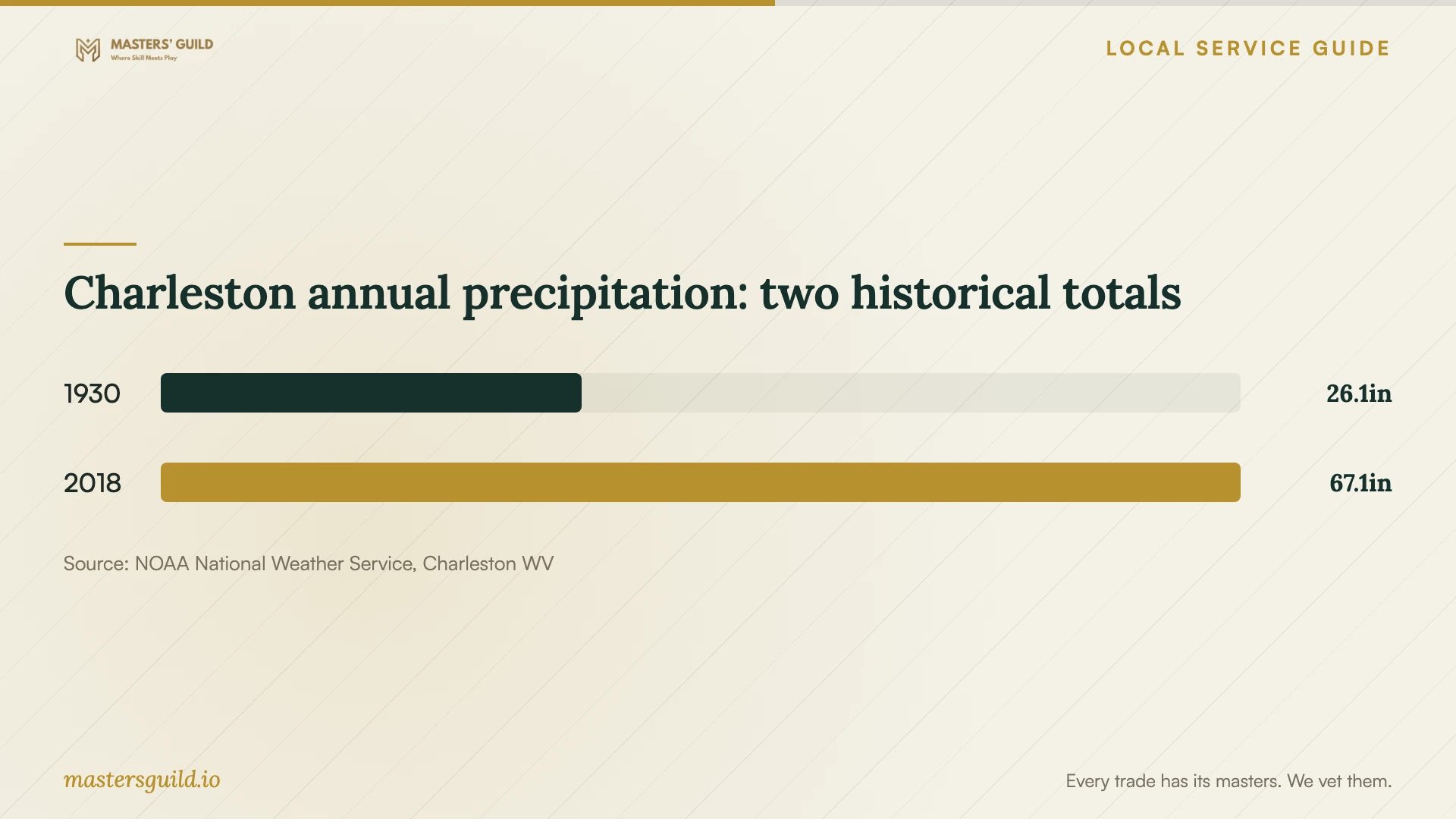
Charleston annual precipitation: two historical totals
Local details that affect your job
Check flood access before choosing a second backup location
Charleston’s Flood Preparedness page directs residents to the WV Flood Hazard Determination Tool to check property risk, nearby roads, and access to essential services. The city warns that utilities may remain interrupted for days. Apply those checks to your business address and proposed backup location. Ask whether you could retrieve the second copy or contact the provider if your normal route closes. [1]
Confirm the utility and premises before arranging diagnostics
For commercial premises, contact building management and the utility serving your address to check a power problem before booking storage diagnostics. If you run your business from an apartment, condo, or other residential multifamily premises served by Appalachian Power, its guidance says some customers have an external breaker in addition to the indoor panel. Management may control access to that breaker. Contact building maintenance about access; this residential guidance does not establish the arrangement at commercial premises. Confirm your utility from your account before using Appalachian Power’s outage-reporting service. [4]
Include West Virginia incident notification in the handoff
For a Charleston business handing customer records to a recovery provider, ask the contract to identify who reports suspected unauthorized access and who retains incident records. West Virginia law distinguishes an entity maintaining someone else’s computerized personal information from the owner or licensee, with different notification duties when the law’s conditions apply. Request a named contact rather than accepting a general confidentiality promise. [2]
Match the problem to the service request
| Situation | Service to request | Before authorizing work |
|---|---|---|
| You have a usable backup | Backup restoration and verification | Identify required files and request a test in a separate destination. |
| Storage is unreadable or damaged | Storage assessment and a recovery proposal | Confirm custody, subcontracting, diagnostic charges, and approval limits. |
| You suspect ransomware | Incident response with recovery | Follow CISA guidance to isolate affected systems, preserve evidence, and restore on clean systems. |
| Business equipment has no power | Building-management and actual-utility check | Confirm the premises have power before arranging storage diagnostics. |
| You want ongoing backup support | Backup setup, monitoring, and restore testing | Request offline, encrypted backups and restoration tests consistent with CISA guidance. |
Your hiring checklist
- List essential files, affected devices, symptoms, and the last known usable backup.
- Record what happened and what you tried; obtain advice before authorizing further changes.
- Confirm whether the provider performs recovery itself or sends equipment elsewhere.
- Get diagnostic charges, an approval limit, exclusions, and partial-recovery terms in writing.
- Agree on custody records, authorized access, secure credential transfer, and copy deletion.
- Check safe delivery routes and arrange an alternative contact method for an outage.
- Review recovered files or complete a test restore before accepting the result.
- Assign responsibility for backup alerts, future restore tests, and incident reporting.
Frequently Asked Questions
How much should I budget for recovery?
Request a written quote after the provider assesses the device. Compare the diagnostic charge, approved recovery amount, return media, shipping, and charges payable if the provider recovers only some files. Set an approval limit before authorizing additional work.
Can I restore files myself?
Consider restoring a known usable backup into a separate destination if you understand the process. For suspected ransomware, isolate affected systems and obtain incident-response advice first. CISA calls for recovery on clean systems and precautions against reinfection. [3]
Does cloud backup cover a ransomware incident?
Ask how the provider protects backup access and deletion. CISA warns that ransomware can encrypt or delete accessible backups and recommends offline, encrypted copies with restore testing. Require an explanation of how your proposed cloud arrangement addresses those risks. [3]
What should I ask before handing over customer records?
Ask who can access them, how the provider handles subcontractors, and when it deletes working copies. Agree on an incident contact. West Virginia law includes notification duties for qualifying breaches involving entities that maintain another owner’s computerized personal information. [2]
Sources and scope
This guide combines the sources below with practical planning guidance. Figures apply to the stated geography and period; request a written quote for your property.