
Local service guide
Computer Virus Removal in Charleston, WV
Arrange Computer Virus Removal in Charleston, WV by requesting a written diagnosis and itemized quote, identifying files you need preserved and setting a spending limit before approving work. Confirm whether the technician proposes remote service, drop-off or a home visit. Plan essential computer tasks around the agreed handover date.
Define the work before choosing a service format
Use a written repair scope to record the tasks you authorize, the files you want preserved and the maximum amount you approve. Give the technician your device model, operating system, warning text and a description of what changed. Request an assessment rather than assuming that a slowdown or browser warning proves an infection.
For remote work, ask how you start and end access, whether you can watch the session and how the technician removes access software afterward. For drop-off, confirm the intake appointment, equipment to bring and progress contact. For a home visit, request the visit charge and terms for any return appointment. Describe previous repair attempts or remote sessions before agreeing to the scope.
Include the proposed service location when comparing quotes. The West Virginia Tax Division applies municipal sales tax to taxable services performed within municipal boundaries. Ask each provider to identify the location and applicable tax on the written total, particularly when comparing a home visit with a shop repair. [1]
Compare the total and protect your files
Request separate charges for diagnosis, malware cleanup, operating-system repair, backup or recovery, software and travel. Confirm what you owe if you decline the repair after diagnosis. Ask the technician to contact you before exceeding your spending limit, and agree on a handover date and an update if the work takes longer.
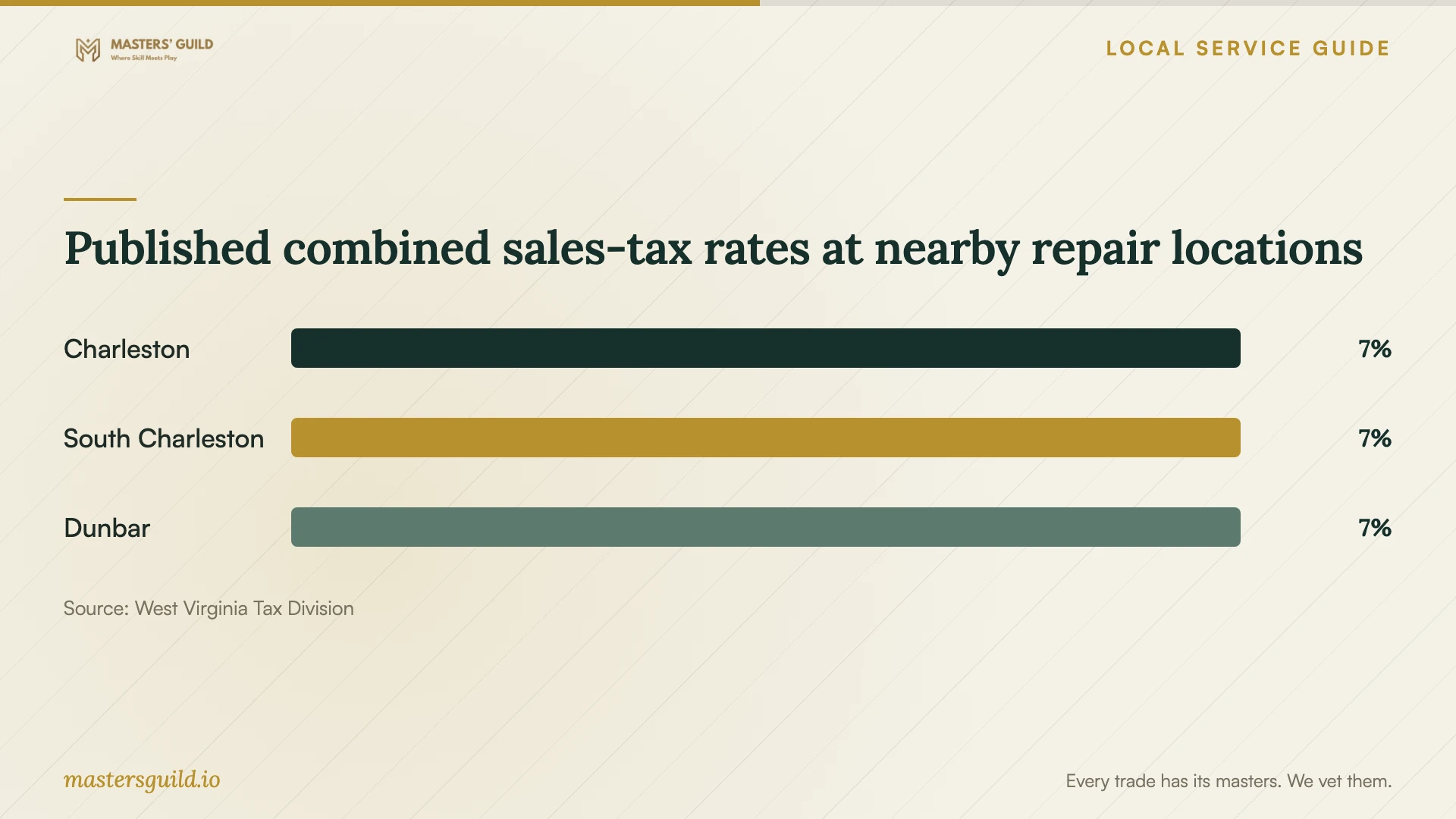
Charleston's published municipal sales-tax rate is 1%, with a 7% combined rate. The Tax Division also lists 7% combined rates for South Charleston and Dunbar. These entries provide a reference for checking a provider's tax explanation; ask the provider to explain whether each quoted charge is taxable. [1]
Identify irreplaceable photos and documents by folder or filename. Describe any backup you have and ask the technician how they will check it before making destructive changes. Require your permission before drive erasure, operating-system reinstallation or copying personal files elsewhere. Ask where they will keep repair copies and when they will delete them. Keep banking passwords and account verification codes private.
Arrange computer access during repair
KCPL's Main Library at 123 Capitol Street provides public computers on the third floor. Patrons with a physical library card in good standing can borrow a kiosk laptop for three hours inside the building. The library offers those laptops on a first-come, first-served basis. Plan an in-library session and allow for availability before committing to drop-off repair. [2]
Prepare your card before you need a replacement computer. KCPL offers free cards to people who live, work or attend school in West Virginia. For in-person registration, bring identification showing your name and current address. Adults without proof of address can register for a computer-use-only card, which has no checkout privileges. Ask staff about public-PC access if you cannot meet the laptop borrowing requirements. [2] [3]
Use a public PC for printing: the Main Library's lending laptops do not support printing. The library charges 20 cents per page to print from a PC and sets a $5 credit or debit card minimum for prints. Confirm payment arrangements before starting. Make a list of the documents or appointments you need to handle while the technician has your device. [2]
Review the repair and document disputes
At handover, ask the technician to explain the diagnosis, completed work and unresolved concerns. Open the files you identified for preservation and try your usual tasks. Obtain a repair summary, instructions for any recommended account-security steps and the provider's terms for a return of the same symptoms. Compare the invoice with the work you authorized.
The West Virginia Attorney General's Consumer Protection Division handles complaints about unlawful practices in the purchase of goods and services. Its Consumer Protection Hotline is 1-800-368-8808. If you suspect deceptive billing or fraudulent support claims, retain the scope, invoice, payment record and messages. Describe what the provider promised, what you approved and what you paid when preparing a complaint. [4]
Published combined sales-tax rates at nearby repair locations
Local details that affect your job
Compare tax using the actual repair location
The Tax Division lists 7% combined rates for Charleston, South Charleston and Dunbar. Municipal tax applies to taxable services within municipal boundaries, and the Division warns that nine-digit ZIP codes do not correspond exactly with those boundaries. Give the provider the proposed service address and request the total after applicable tax. [1]
Prepare for an in-library computer session
The Main Library's kiosk laptops stay inside the library, require a physical card in good standing and have three-hour loans. KCPL offers computer-use-only cards to adults without proof of address, but those cards have no checkout privileges. Ask staff about public computers if you need access without a borrowing card. [2] [3]
Choose public PCs for essential paperwork
The Main Library offers PC printing at 20 cents per page, with a $5 credit or debit card minimum for prints. Its lending laptops cannot print. If you need paperwork during repair, plan to use a public PC and confirm how to pay before sending the job. [2]
Choose a next step before approving repair
| Your situation | Next step | Confirm before proceeding |
|---|---|---|
| You want remote service | Discuss whether it suits your device and symptoms | Session charge, supervision and how you end access |
| You cannot start the computer | Discuss drop-off or a home assessment | Diagnostic fee, equipment to bring and file-preservation scope |
| You have irreplaceable files | Write file-handling permissions into the scope | Approval before copying, erasure or reinstallation |
| You need computer access during repair | Consider Main Library public computers or an in-library laptop | Laptop loans require a physical card in good standing and last three hours |
| You suspect unlawful billing | Retain records and consider the state consumer complaint route | Consumer Protection Hotline: 1-800-368-8808 |
Your hiring checklist
- Record the device model, operating system, symptoms and warning text.
- Tell the technician about prior repair attempts and remote sessions.
- Identify files to preserve and describe your existing backup.
- Request an itemized quote, diagnostic-fee terms and applicable tax.
- Record a spending limit and permission requirements for destructive changes.
- Confirm the service location, progress contact and handover date.
- Arrange access for essential computer tasks during repair.
- Check preserved files and keep the repair summary and invoice.
Frequently Asked Questions
How much should I budget for virus removal?
Request a device-specific quote covering diagnosis, repair, file handling, software, travel and applicable tax. Set a spending limit before booking. Have the technician seek your approval for additional work rather than accepting an open-ended repair authorization.
Should I approve an operating-system reinstall?
Ask the technician why they recommend it, which files and applications they will preserve and what you will need to restore afterward. Review the backup plan and extra charges before approving the reinstall. Put your permission requirements in the written scope.
Can I take a Main Library laptop home?
KCPL restricts its Main Library kiosk laptops to use inside the building. Loans last three hours and require a physical library card in good standing. The library offers them on a first-come, first-served basis, so plan around availability and an in-library session. [2]
Where can I report deceptive repair billing?
The West Virginia Attorney General's Consumer Protection Division handles complaints about unlawful purchase practices involving goods and services. Its Consumer Protection Hotline is 1-800-368-8808. Keep the quote, invoice, payment record and messages to help explain what happened. [4]
Sources and scope
This guide combines the sources below with practical planning guidance. Figures apply to the stated geography and period; request a written quote for your property.